Gated Content for Membership Sites: Examples and Tips
Twelve gated content ideas for membership sites, a simple rule for what to lock and what to keep open, and how to keep gated pages visible in search.

Gated content is any content you put behind a sign-up, a login or a payment. On a membership site, it is the product people pay for. The best results come from a mix: open content that gets found in search, free-account extras that build your list, and your deepest material for paying members.
Marketing teams usually gate content to collect leads, while a membership site gates content to earn recurring revenue. The method is similar. The goal changes what you lock, how much you show, and how you keep it visible to Google and AI assistants.
What does gated content mean?
Gated content means a visitor has to do something before they can see it. That step can be an email address, a free account, or a paid membership. Ungated content is open to anyone, including search engines.
In B2B marketing, the gate is often a form in front of a report or webinar. You trade the download for an email address. On a membership site, the gate is usually a login, and the most valuable material sits behind a paid plan.
If you want the technical side of how access rules work, read this guide on what content restriction is and how it works. This article covers strategy: what to gate, what to keep open, how to measure it, and how to stay visible in search.
Gated vs paywalled vs members-only content: what is the difference?
All three hide content from some visitors, and the difference is the price of entry. A gate asks for an email or a free account, while a paywall asks for money. Members-only content asks for a login, free or paid.
| Type | What the visitor gives | Typical goal | Common example |
|---|---|---|---|
| Gated (lead gate) | Name and email | Build an email list | A report or template behind a form |
| Registration wall | A free account | Turn readers into known users | Three free articles, then sign up |
| Paywalled | A payment (one-time or recurring) | Direct revenue | Premium articles for subscribers |
| Members-only | A login to an existing account | Serve and retain members | A members area, forum or course library |
Most membership sites use more than one of these at once. A free account works as a lead gate, and a paid Membership works as the paywall on top of it.
Soft gate or hard gate: which should you use?
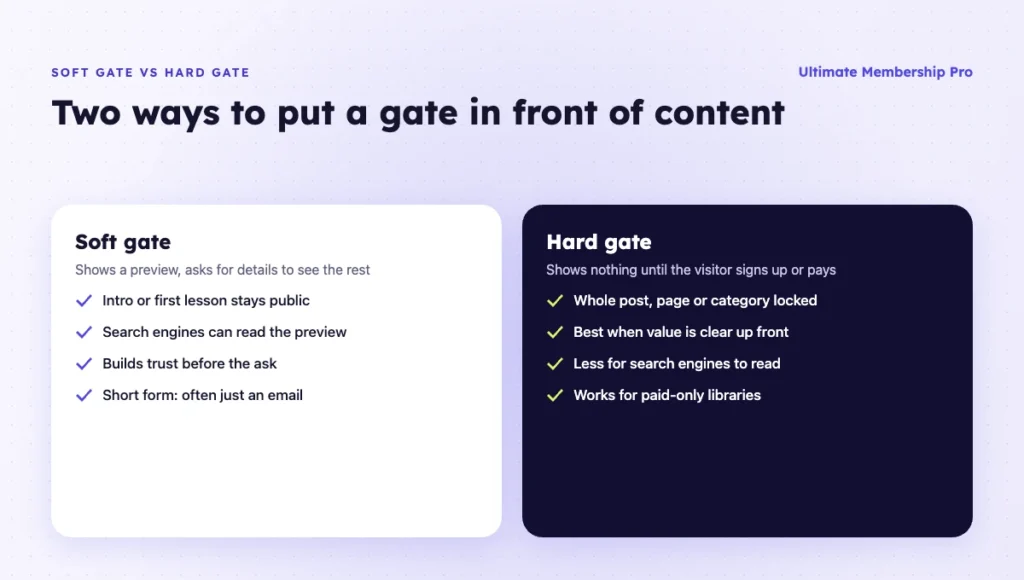
Use a soft gate when you need search traffic and trust, and a hard gate when the content is clearly worth asking for up front. A soft gate shows a preview, such as the introduction or the first lesson, and asks for details to see the rest. A hard gate shows nothing until the visitor signs up or pays.
Lead-generation teams add two habits that also work on a membership site:
- Keep the form short. Two or three fields, often just an email address, is a common rule. Every extra field gives visitors another reason to leave.
- Use progressive profiling. Ask for the email first, then collect more details later, for example in the member profile or at the upgrade to a paid plan.
The bridge to a membership site is simple. The email-only sign-up becomes a free account, and the free account becomes the first step toward a paid Membership. In Ultimate Membership Pro, the Register Lite form asks for an email address only, and both a hard paywall (whole posts, pages or categories) and a soft paywall (intro visible, rest locked) are available on every plan, as listed on the paywall features page.
12 gated content examples for membership sites
The best material to lock saves members time, money or effort every month. Here are 12 formats that work well behind a gate, grouped by type.
Articles and written content
- Premium articles. In-depth analysis, case studies or tutorials that go further than your public blog posts.
- A full archive. Recent posts stay open for a while, then move behind the gate. Members pay for access to everything you have published.
- Paid newsletter issues. The newsletter is sent by email, and the archive lives on your site for subscribers only.
Video and audio
- Video lessons and workshops. A series released over time, so members always have something new to watch.
- Webinar and event replays. The live event can be free, and the replay is for members.
- Premium podcast episodes. Bonus episodes, early access or ad-free versions for paying listeners.
Downloads
- Templates and worksheets. Spreadsheets, contracts, checklists or design files that members can reuse.
- Reports and research. Data, benchmarks or price lists that are updated on a schedule.
- Resource libraries. Stock assets, lesson plans, sheet music or code snippets, grouped by topic.
Community and tools
- A member directory. Members can find and contact each other, which is often the main reason associations and networks charge a fee.
- Forums and Q&A. Access to peers and to you, with answers that build up over time.
- Calculators and tools. Interactive tools, databases or search features that people use every week.
Formats that keep their value over time, like archives, libraries and tools, help retention. Formats that are used once, like a single e-book, work better as a free lead gate.
What should you gate and what should you keep open?
Gate what people come back for, and keep open what helps new people find and trust you. A useful test: if a stranger would share it, keep it open. If a member would miss it, gate it.
| Content | Gate | Why |
|---|---|---|
| Blog posts that answer common questions | Open | They bring search traffic and show your expertise |
| Intro or first lesson of a series | Open or free account | Visitors can judge quality before they pay |
| Checklists, templates, short guides | Free account | They grow your email list with interested readers |
| Full courses, lesson series, workshops | Paid | This is the core value of the membership |
| Archive of past issues or articles | Paid | Members pay for depth and convenience |
| Community, directory, live Q&A | Paid | Access to people is hard to copy elsewhere |
| Pricing, FAQ, sample content | Open | Buyers need these to decide |
If you are unsure whether to add a free tier, this article on offering a free membership level walks through the trade-offs.
Should the gate be free or paid?
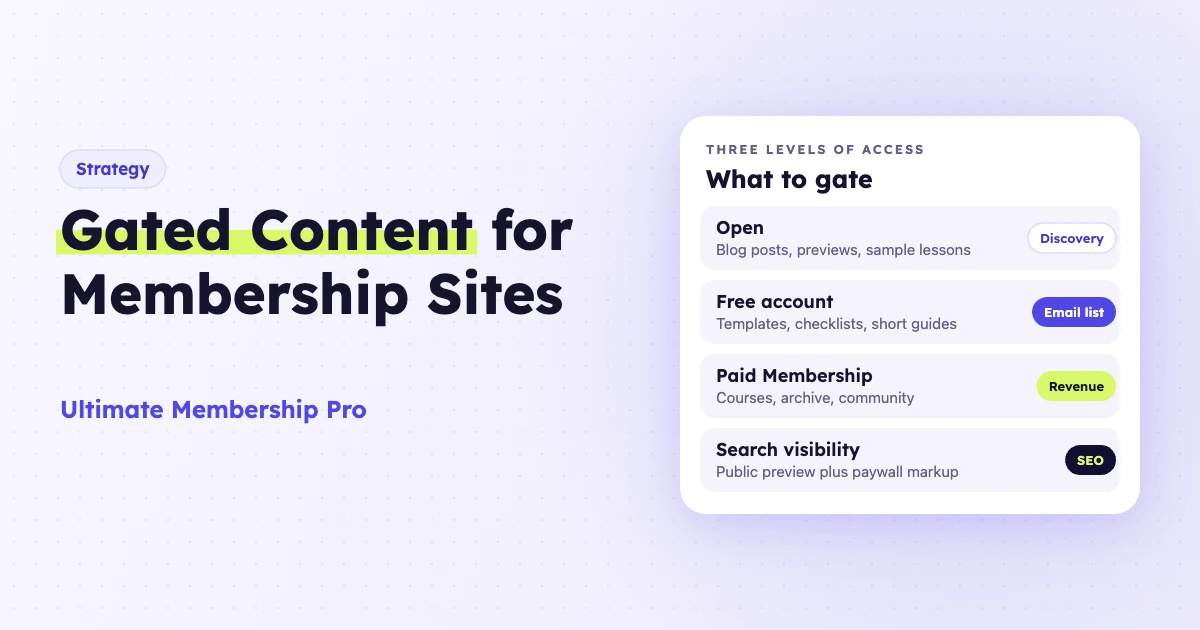
Use both: free gated content grows your audience, and a paid gate funds the work. Most membership sites run three levels of access, and each level has a job.
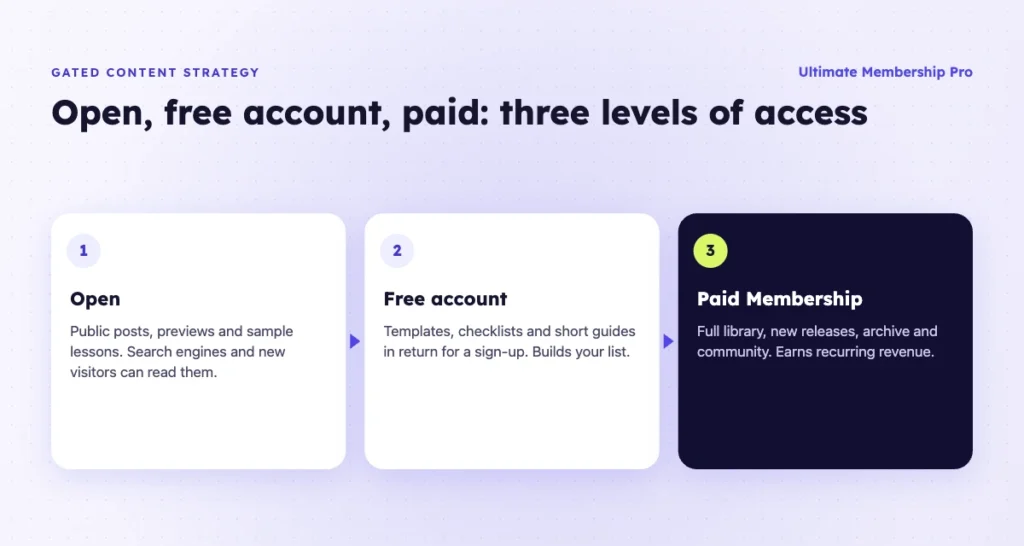
- Open: public posts, previews and sample lessons. The job is discovery.
- Free account: extra resources in return for a sign-up. The job is to build a list of people who already know your work.
- Paid Membership: the full library, new releases and community. The job is recurring revenue.
Each level should make the next one look worth it. A free member who reads three good resources is far more likely to upgrade than a cold visitor who meets a paywall on the first click.
How do you measure a content gate?
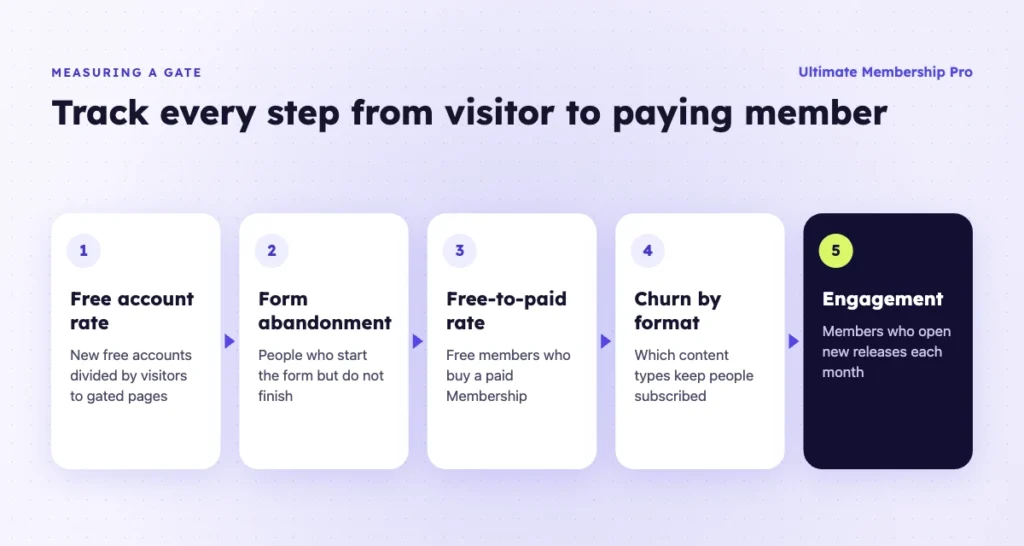
Measure gated content at each step from visitor to paying member, not only by the number of sign-ups. Four numbers tell you whether a gate is working: how many visitors create a free account, how many free members upgrade, how many members stay, and whether people use what they get.
| Metric | How to calculate it | What it tells you |
|---|---|---|
| Visitor-to-free-account rate | New free accounts ÷ visitors to gated pages | Whether the preview and the offer are strong enough |
| Form abandonment | Visitors who start the sign-up form but do not finish it | Whether the form asks for too much |
| Free-to-paid upgrade rate | Free members who buy a paid Membership ÷ all free members | Whether free resources build enough trust to pay |
| Churn by content type | Cancellations among members who mainly use each format (videos, downloads, community) | Which formats keep people subscribed |
| Engagement after sign-up | Share of members who open new releases each month | Whether members use what they pay for |
Here is a worked example with made-up numbers. A gated video page gets 4,000 visits in a month and 160 people create a free account, a 4% rate. If 8 of those free members upgrade within 60 days, the free-to-paid rate is 5%. If the rate stays low, test a longer preview or a different free resource before you change the price.
Is gated content bad for SEO?
A gate hurts SEO only when search engines cannot see anything useful, because Google can only rank what it can read. A fully hidden page has nothing to rank. A page with a real preview can still rank for its topic.
Three habits keep gated pages visible:
- Show a preview. Keep the introduction and the main points public, and lock the detailed part below.
- Use paywall markup. Google documents how to mark paywalled sections in its subscription and paywalled content markup guide. The markup helps Google tell a paywall apart from cloaking.
- Publish open content around the gate. Public articles on the same topics bring in readers and link to the locked material.
The same applies to AI assistants. They quote pages they can read. A clear, open summary at the top of each gated page gives them something to cite and gives readers a reason to sign up.
For more ideas on how much to show before the gate, see these tips for creating paywall content that converts.
What are the pros and cons of gating?
A gate turns attention into sign-ups and revenue, but every gate costs you some readers and some search visibility. The trade-off pays off when the material behind the gate is clearly better than what is free.
- Pro: you build a list of people who already know your work.
- Pro: members get a clear reason to pay and to stay subscribed.
- Pro: sign-ups show you which topics people value most.
- Con: fewer people see, share and link to what you publish.
- Con: search engines and AI assistants can read less of the page.
- Con: members expect new material, so every gate is an ongoing commitment.
How do you gate content in WordPress?
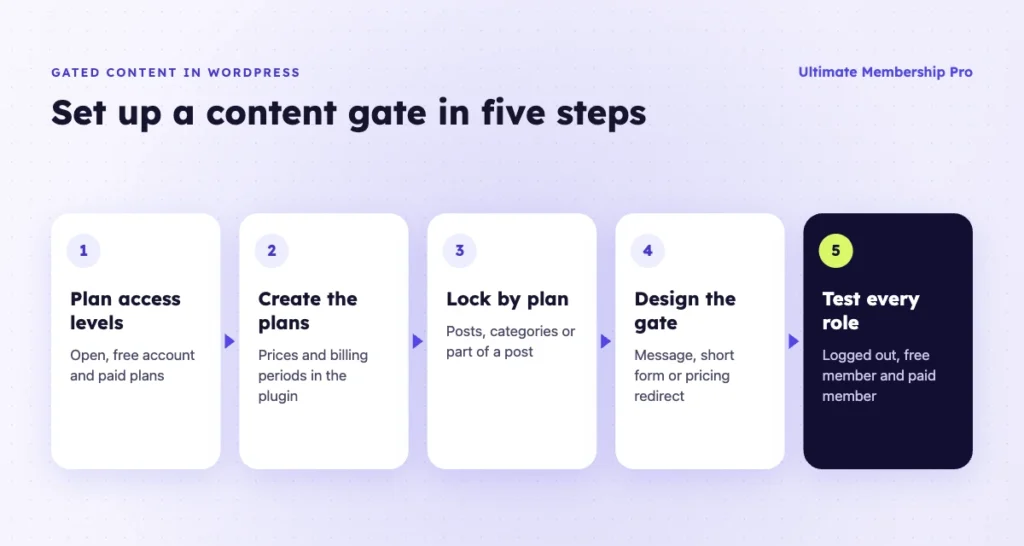
You need a membership plugin that can lock content by user status or plan, and a way to take payments. Here is the general process.
- Decide your access levels: open, free account and one or more paid plans.
- Create a free plan and your paid plans in the membership plugin, with prices and billing periods.
- Lock content by plan. Lock single posts, whole categories, or only part of a post so the intro stays public.
- Choose what visitors see at the gate: a message, a short sign-up form or a redirect to your pricing page.
- Release a series over time if it suits your content, so new members get lessons on a schedule.
- Test as a logged-out visitor, a free member and a paid member before you announce it.
With content restriction in Ultimate Membership Pro, you can lock pages, posts, categories, files and menu links by Membership, keep the start of a post public and lock the rest, and drip content a set time after someone joins. The paywall features add registration walls and free and premium tiers on the same post, and Full Package adds post view limits per Membership. Ultimate Membership Pro is sold as annual plans (Pro, Full Package and Agency); see the plans and pricing page for what each includes.
If you want a broader overview of the options, this guide on how to restrict content in WordPress compares the main methods.
What are common gating mistakes?
Most mistakes come from gating too much, too early. These are the ones to watch for:
- Locking every post, so search engines and new visitors see nothing of value.
- Asking for payment before a visitor has seen any sample of your work.
- Gating material that is easy to find for free elsewhere.
- Long sign-up forms. Ask only for what you use, and collect the rest later.
- Counting sign-ups only. A gate that brings many free accounts and no upgrades needs a new offer.
- Forgetting existing members. New content should keep coming, or people cancel.
Ready when you are
Turn visitors into paying members with Ultimate Membership Pro
Launch your membership website, protect exclusive content and automate subscription payments, all in one WordPress plugin.
- 14-day money-back guarantee
- Unlimited members
Frequently asked questions
What is an example of gated content?
A common example is a members-only video course. Visitors can watch the first lesson for free, but the rest of the course needs a paid membership. Other examples include premium articles, template libraries, webinar replays, research reports and private community forums. Each one asks the visitor to sign up or pay before they can see it.
What is a soft gate?
A soft gate shows part of the content before asking for anything. Visitors read the introduction, the first lesson or a summary, then sign up or pay to see the rest. A hard gate shows nothing until the visitor acts. Soft gates keep pages readable for search engines and let visitors judge quality first.
How many form fields should a gate have?
Keep it to two or three fields, and an email address alone is often enough. Each extra field gives visitors a reason to leave the form. Collect other details later, for example in the member profile or when someone upgrades to a paid plan. This approach is called progressive profiling.
How long should the free preview be?
Show enough to prove the content is worth it. For an article, that is usually the introduction and the main points. For a course, it is the first lesson. Lock the detailed steps, files or full recordings. If few visitors sign up, test a longer preview before you change the offer.
What is the difference between gated and ungated content?
Ungated content is open to anyone, including search engines, with no sign-up needed. Gated content needs an action first, such as an email address, a free account or a payment. Ungated content helps people find you. Gated content builds your list or earns revenue. Most sites need both to grow.