WordPress Restrict Content: 5 Best Plugins for 2026


To restrict content in WordPress by membership level, you need a WordPress restrict content plugin. WordPress on its own can only password-protect a post or make it private; a plugin lets you lock pages, posts, categories and files for paying members, show a teaser or login prompt to everyone else, and charge for access.
WordPress restrict content options are essential for pretty much any type of membership site. The good news? There are plenty of WordPress restrict content plugins, and you can install and use them even if you don’t know how to code.
Below you’ll find the top 5 plugins to consider, a comparison table, a checklist for choosing, and the basic steps to restrict content on your WordPress membership site.
WordPress Restrict Content: Built-In Options vs. Plugins
WordPress includes two basic visibility settings. A password-protected post asks every visitor for the same password, and a private post is visible only to logged-in administrators and editors. Both work for a quick, one-off need, but neither can tell a paying member from a free one, take payments or expire access.
A restrict content plugin adds rules based on membership level or login status, a sign-up and payment flow, and messages or redirects for visitors who don’t have access. If you only want to hide your whole site while it’s under construction, see how to make a WordPress site private. For the concepts behind access rules, read Content Restriction: Everything You Need to Know.
Top 5 WordPress Restrict Content Plugins
Ultimate Membership Pro

Ultimate Membership Pro is a WordPress membership plugin built around content restriction. You create Memberships, decide what each one unlocks, and charge for access with one-time or recurring payments. Its main restriction features include:
- Lock single pages, posts and custom post types, or use Lock Rules to cover a whole post type, a category, files by URL or any URL that contains a keyword (see all content restriction options)
- Hide part of a post with the Inside Locker shortcode or block, while the rest stays public as a teaser
- Target everyone, logged-in users, logged-out visitors or specific Memberships, and show or hide menu links the same way
- Redirect visitors without access to a sign-up or pricing page, or show replacement content instead
- Release content over time with drip content: right away, after a set period, or on a date
- Take one-time and recurring payments through 10 payment gateways in every plan, including Stripe and PayPal
- Offer social login, email verification and reCAPTCHA on registration and login forms
The Full Package and Agency plans add Pro add-ons such as Restrict Past Content, Elementor Widget Lock and Divi Content Locker for finer control.
Pricing: Ultimate Membership Pro is sold as annual plans (Pro, Full Package and Agency). See the pricing page for current prices.
MemberPress
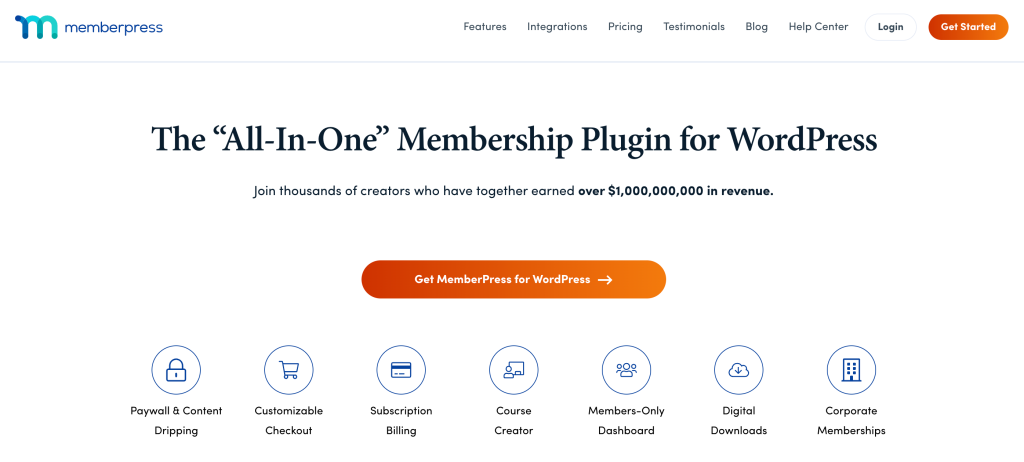
MemberPress is another popular WordPress restrict content plugin. It’s a well-established membership plugin, and you can see how it compares with another option in Restrict Content Pro vs MemberPress. Its main features include:
- Create multiple subscription levels and payment plans for members to choose from
- Offer trial periods and coupons
- Accept payments through gateways like PayPal or Stripe
- Build custom registration forms for members
- Restrict content to specific levels of membership
Pricing: MemberPress has three annual plans, Launch, Growth and Scale, listed at $199.50, $349.50 and $499.50 per year as of October 2026. The Launch plan also charges a transaction fee.
Restrict Content Pro (Kadence Memberships Pro)

Restrict Content Pro (now Kadence Memberships Pro) is a widely appreciated WordPress restrict content plugin. Like Ultimate Membership Pro and MemberPress, it allows you to protect content from non-members easily.
Its major features include:
- Create custom membership levels for each type of user
- Set up pricing plans and discounts
- Integrate with popular payment processors like Stripe or PayPal
- Sell digital products through the plugin
- Restrict content on pages and posts
The free version, now called Kadence Memberships, is available on WordPress.org with fewer features, while the paid version unlocks additional functionality.
Pricing: the premium version is sold by Liquid Web; check current pricing on the vendor’s site.
MemberMouse

MemberMouse is a versatile WordPress membership plugin with a strong focus on selling. For a closer look, read MemberPress vs MemberMouse. Its standout features are:
- Create multiple membership levels with different access privileges
- Built-in shopping cart and payment gateway integrations
- Flexible content protection rules
- Member management tools to handle users quickly and efficiently
Pricing: MemberMouse has three annual plans, Basic, Plus and Pro, listed at $149.50, $249.50 and $349.50 per year as of October 2026. Instead of a free trial, it offers a 14-day money-back guarantee.
Paid Member Subscriptions

Paid Member Subscriptions is a WordPress restrict content plugin built by Cozmoslabs. You can download the free version from WordPress.org, and it offers the following features:
- Membership levels (each with its own types of privileges and restricted content)
- Integrations with some popular payment gateways and recurrent payments
- Basic member management
- Member emails and messages
Pricing: the core plugin is free, with a 2% fee on Stripe transactions that a paid license removes. Paid versions with add-ons cost €99 per year (Basic, 1 site), €169 per year (Pro, 3 sites) and €299 per year (Agency, unlimited sites).
WordPress Restrict Content Plugins Compared
| Plugin | Free version | Recurring payments | Price |
|---|---|---|---|
| Ultimate Membership Pro | No (free 24-hour demo) | Yes, 10 gateways in every plan | Sold as annual plans |
| MemberPress | No | Yes | From $199.50/year |
| Restrict Content Pro (Kadence Memberships Pro) | Yes (Kadence Memberships) | Yes | See vendor site |
| MemberMouse | No | Yes | From $149.50/year |
| Paid Member Subscriptions | Yes | Yes | €99 to €299/year |
How to Restrict Content in WordPress, Step by Step
The exact screens differ from plugin to plugin, but the process is usually the same:
- Decide what is free and what is paid. Keep enough content public to attract visitors, and list what each membership level unlocks.
- Install your restrict content plugin and create your membership levels, free or paid.
- Connect a payment gateway such as Stripe or PayPal if you charge for access.
- Add access rules. Lock single pages and posts, or apply one rule to a whole category, post type or set of files.
- Choose what non-members see: a teaser with a sign-up prompt, a login form, a custom message or a redirect to your pricing page. A well-designed paywall turns these moments into sign-ups.
- Test with a free account and a paid account to confirm each level sees exactly what it should, including menus and downloads.
How to Choose a WordPress Restrict Content Plugin That Fits You
Every membership site business is different, which means that, depending on your specific situation, you may find one of these plugins better than the others. Here are some criteria to consider when making the choice:
Functionality
You need your restrict content plugin to do what you need it to do — and well. Do keep in mind that, as you grow your membership site, your needs may change, so it’s always best to opt for a plugin that can do as much as possible.
For instance, when you’re looking for a restrict content plugin for WordPress, make sure it allows you to restrict any type of content, even if you don’t need all those specific functionalities now. Also, look for plugins that can do more than just content restriction (such as member management, payment gateway integrations, and email marketing features). All these extra features will enable you to scale your membership site and generate more revenue, without the headache of switching from one plugin to another.
User Experience
You can’t afford to have a content restriction plugin that’s hard for your members to use. Especially if you’re running an online course, your restrict content plugin should be intuitive and simple to navigate. A nice user interface is about more than just polished looks and nice colors — it’s about making your life easier.
Customer Support
If you ever have any issues with your WordPress restrict content plugin, you don’t want to be left in the dark. Check which support channels are included, the typical response times and whether there is detailed documentation you can use on your own. Look for plugins that prioritize customer service, so you get quick answers if something goes wrong.
Security
When you enroll people into a membership site, you want to make sure their data (and your business data) is secure. A small breach can lead to revenue loss, a tarnished reputation, and potential legal issues (as GDPR, CCPA, and other regulations come into play). Therefore, make sure the restrict content plugin you choose is secure.
Reviews
Nothing’s more precious than real opinions, from real people. While word of mouth and recommendations from friends can help you make an informed choice, don’t forget to double-check the customer reviews online.
An excellent way to do this is by visiting the plugin’s website and looking for customer feedback there. You can also search for other real user reviews on WordPress, on social media, and more.
Pricing
While pricing is an important factor to consider, it shouldn’t be the only deciding one. Generally speaking, a more expensive product will offer you more features. If you’re just starting out, you may feel tempted to get a free or very cheap plugin, but the reality is that you will want to scale (and soon). And when that happens, you want to make sure your WordPress restrict content/ membership site plugin can support your growth.
Conclusion
Restricting content is an absolute must for pretty much every membership site. It allows you to charge for premium content, nurture free members, upsell members who opted for the lower-priced plan, and, generally, create a better user experience.
Finding the right WordPress restrict content plugin is not an easy task, but use the criteria mentioned above to help you make the best decision for your business. Do your research, and once you find a suitable solution, stick with it as long as you can.
Frequently asked questions
How do I restrict content in WordPress without a plugin?
WordPress has two built-in options. You can password-protect a post so visitors must enter a shared password, or set it to private so only administrators and editors can see it. Neither option can tell paying members from free ones, take payments or expire access, so membership sites use a restrict content plugin instead.
Can I restrict content by membership level in WordPress?
Yes, with a membership or restrict content plugin. You create membership levels, then lock pages, posts, categories or files so only members with the right level can see them. Visitors without access see a teaser, a login form, a custom message or a redirect to your sign-up page, depending on how you set it up.
Can I show part of a post to visitors and hide the rest?
Yes. Many restrict content plugins let you lock only a section of a post, so the introduction stays public as a teaser and the rest is reserved for members. In Ultimate Membership Pro, the Inside Locker shortcode or block hides the part you choose while the rest of the post stays visible to everyone.
Is there a free WordPress restrict content plugin?
Yes. Free options include Kadence Memberships, formerly the free version of Restrict Content Pro, and the free version of Paid Member Subscriptions on WordPress.org. Free versions cover basic content restriction, but features such as advanced payment options, drip content or detailed reports usually require a paid plan.
Can I restrict files and downloads, not just pages?
Many plugins can. Ultimate Membership Pro protects files by their URL and can lock any URL that contains a keyword you set, in every plan. That way, members-only PDFs, videos or templates stay locked for anyone without an active Membership, even if they have the link.
Ready when you are
Turn visitors into paying members with Ultimate Membership Pro
Launch your membership website, protect exclusive content and automate subscription payments, all in one WordPress plugin.
- 14-day money-back guarantee
- Unlimited members
You May Also Like
Starting a Membership Business: 8 Things No One Tells You
Subscription Fatigue: What It Is, Why It Matters, and How to Fight It
Is a Trial Membership Right for You? Pros and Cons to Consider
Membership Pricing Strategy: 11 Models and How Much to Charge