Best ARMember Alternatives for WordPress (2026): 7 Options Compared
Seven WordPress membership plugins that can replace ARMember, matched to the reason you are switching, plus the steps to move members without losing them.


The best ARMember alternatives are Ultimate Membership Pro, MemberPress, Paid Memberships Pro, Ultimate Member, SureMembers, Kadence Memberships and WishList Member. Choose by why you are switching: payments, directory and drip in one plugin point to Ultimate Membership Pro, built-in courses to MemberPress or WishList Member, a free core to Paid Memberships Pro or Ultimate Member, and an existing store to SureMembers.
Ultimate Membership Pro is made by WPIndeed, the publisher of this blog. Every other plugin here was checked on its own website or WordPress.org page on October 21, 2026, and each one gets an honest “best for” and a real limitation.
ARMember is a WordPress membership plugin with a free Lite version and paid plans that add premium add-ons and more payment gateways. An ARMember alternative is any membership plugin that covers the same jobs: selling plans, taking payments, restricting content and managing members.
| Plugin | Best for | Built-in payments | Drip content | Member directory | Team accounts |
|---|---|---|---|---|---|
| ARMember (for reference) | Feature-rich sites on one plugin | 22+ gateways on paid plans, 2 in Lite | Paid plans | Paid plans | Enterprise plan |
| Ultimate Membership Pro | Payments, directory and drip in one plugin | 10 gateways, 13 in Full Package | Every plan | Every plan | Full Package and Agency |
| MemberPress | Courses inside the membership plugin | Stripe on Launch, more on Growth and Scale | Growth and Scale | Growth and Scale | Scale |
| Paid Memberships Pro | A free core with add-ons | Stripe, PayPal and more in the free core | Premium add-on | Premium add-on | Premium add-on |
| Ultimate Member | Profile-first communities | Stripe on the Pro pass | Not stated | Free core | Not stated |
| SureMembers | Stores on SureCart or WooCommerce | Through a checkout plugin | Paid plans | Not stated | Listed as premium |
| Kadence Memberships | Sites built with Kadence | Not stated | Included | Not stated | Not stated |
| WishList Member | Courses and shopping cart integrations | Stripe, PayPal, eWay and carts | Every plan | Not stated | Pro plan |
“Not stated” means the vendor’s website doesn’t mention it. Plans and features change, so confirm details on each vendor’s site before you buy.
Why look for an ARMember alternative?
An ARMember alternative makes sense when your needs no longer match its plans. ARMember itself is well rated: as of October 2026, ARMember Lite holds 4.5 out of 5 stars from 144 reviews on WordPress.org, and many reviewers praise its support.
The common reasons to look elsewhere are practical:
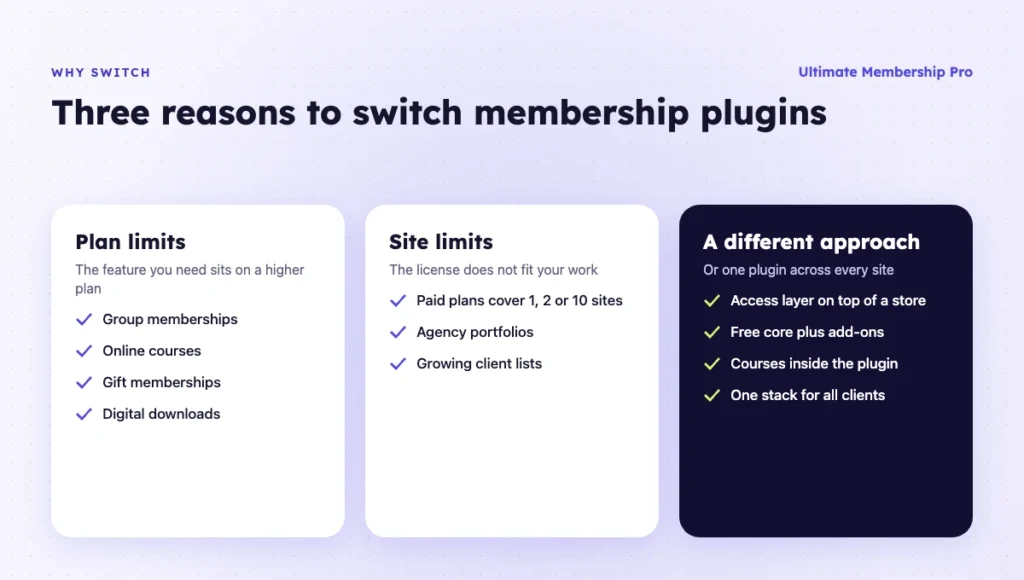
- The features you need sit on a higher plan. ARMember puts group memberships, online courses and its social community features on the Enterprise plan. Gift memberships and digital downloads start at Professional.
- Site limits don’t match your work. ARMember’s paid plans cover 1, 2 or 10 sites, which may not fit an agency or a growing portfolio.
- You want a different approach. Some sites want a light access layer on top of a store, a free core with add-ons, or courses built into the membership plugin.
- You are standardizing your stack. Some agencies run one membership plugin across every client site to keep support simple.
Whatever the reason, write down the three features you can’t lose before you compare. That list makes the choice much shorter.
Lifetime or annual? Before you pick an ARMember alternative, check how it is licensed. As of October 2026, ARMember sells Standard, Professional and Enterprise as annual or lifetime plans. Ultimate Membership Pro, MemberPress, Ultimate Member and WishList Member are sold yearly, and Paid Memberships Pro monthly or yearly. SureMembers is the only one here with a lifetime plan, and Kadence Memberships comes inside a Kadence bundle.
How were these ARMember alternatives chosen?
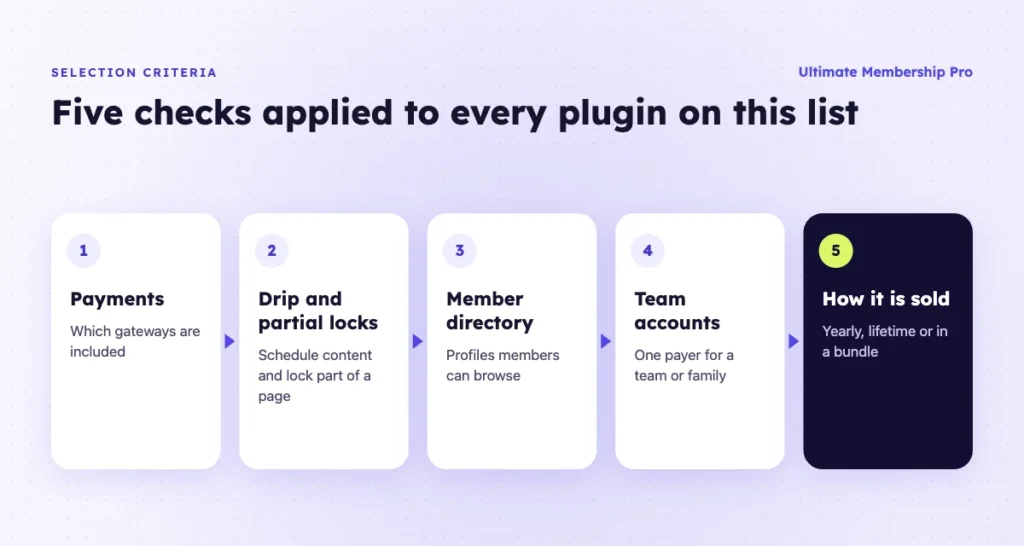
Each plugin here is an active WordPress membership plugin that can replace ARMember for paid memberships. Each was checked against the same points:
- How do you take payments, and which gateways are included?
- Can you drip content and lock part of a page?
- Is there a member directory with profiles?
- Can one person pay for a team or family?
- How is the plugin sold?
1. Ultimate Membership Pro
Best for: sites that want an ARMember alternative with payments, content rules, a member directory and drip content in one plugin, without add-on shopping.
Ultimate Membership Pro includes 10 payment gateways in every plan, among them Stripe, PayPal, Braintree, Mollie, Authorize.Net and bank transfer. Full Package adds recurring PayFast, Paystack and Razorpay, for 13 in total. You can also sell Memberships through WooCommerce checkout, with renewals by reminder email.
Content restriction covers pages, posts, custom post types, categories, files, URLs and menu links. You can lock part of a post with a shortcode or a Gutenberg block, and drip content by sign-up date or on a set date.
Every plan includes a searchable member directory, public profiles, a register form with 11 field types, social login and printable membership cards. Group accounts, pay per post and two-factor login come with Full Package.
Switching in is supported: you can import members from a CSV file with their Memberships and start and expiry dates. Every plan includes 41 add-ons, unlimited members and a 14-day money-back guarantee.
Limitation: Ultimate Membership Pro is not an LMS, so it adds no quizzes, certificates or progress tracking. For structured courses, WPIndeed sells a separate course plugin, Ultimate Learning Pro, that links each course to a Membership.
Pricing model: sold as annual plans (Pro, Full Package, Agency) for 1, 3 or 10 sites. See the Ultimate Membership Pro plans.
2. MemberPress
Best for: course creators who want courses, quizzes and memberships in the same plugin.
Every MemberPress plan includes unlimited courses and lessons. Growth and Scale add quizzes, certificates, content dripping, member directories, Circles community groups and CoachKit coaching tools.
Payments are built in. Launch includes Stripe, Growth adds PayPal, Square and offline payments, and Scale adds Authorize.net. Corporate accounts, gifting and Zapier are on Scale.
Limitation: many features sit on the higher plans, and the Launch plan adds a 4.9% transaction fee on each successful payment as of October 2026.
Pricing model: yearly Launch, Growth and Scale plans. For a closer look, read why people pick a MemberPress alternative.
3. Paid Memberships Pro
Best for: sites that want a free, open source core and add only the features they need.
Paid Memberships Pro’s free core includes the complete plugin, free add-ons and every included payment gateway, among them Stripe and PayPal. Its WooCommerce integration is a free add-on.
Drip content (Series), group accounts and the member directory are premium add-ons. Paid plans include all premium add-ons and are billed monthly or yearly.
Limitation: drip content, group accounts and a member directory all need a paid plan. The add-on approach also means more pieces to set up.
Pricing model: a free core plugin, plus paid plans with premium add-ons and support. See the Paid Memberships Pro alternative comparison.
4. Ultimate Member
Best for: communities where member profiles and the directory matter most.
Ultimate Member’s free core includes user profiles, registration, login, content restriction and member directories. Members can make their profile private, and each profile field can have its own privacy level.
A drag-and-drop builder creates the registration, login and profile forms, with conditional logic.
Limitation: payments are not part of the free core. Its Stripe integration comes with the Pro pass, so it is a weaker fit if selling plans is your main job.
Pricing model: a free core plugin, plus yearly Standard and Pro passes. See the Ultimate Member alternative page.
5. SureMembers
Best for: stores that already sell with SureCart or WooCommerce and want to grant access on purchase.
SureMembers’ free core protects content by site, post type, taxonomy, single items and URL rules. It grants and removes access automatically when an order completes, is refunded or is cancelled in SureCart, SureForms or WooCommerce.
Its paid plans add drip content, block-level restrictions, protected downloads, email templates and CSV import.
Limitation: SureMembers doesn’t process payments itself, so you run two plugins. It lists team accounts as premium on WordPress.org but as planned on its homepage, and it doesn’t list a member directory.
Pricing model: a free core plugin, plus yearly plans and a lifetime plan.
6. Kadence Memberships
Best for: sites already built with Kadence that want memberships from the same toolkit.
Kadence Memberships, formerly Restrict Content Pro, offers unlimited membership levels, restriction rules per item or in bulk, drip content schedules and recurring billing by month, year or a custom period. It lists 30+ pro integrations, such as Mailchimp and ActiveCampaign.
Limitation: it is sold inside the Kadence Pro and Elite bundles, so you buy a toolkit to get it. Its product page doesn’t list payment gateways or team accounts, so check both with the vendor.
Pricing model: included with the Kadence Pro and Elite bundles. See the Restrict Content Pro alternative page.
7. WishList Member
Best for: course and coaching sites that sell through shopping carts such as ThriveCart or SamCart.
Every WishList Member plan includes drip and scheduled content and unlimited courses through its CourseCure feature. It connects to Stripe, PayPal, WooCommerce and shopping carts such as ThriveCart, SamCart and SendOwl, and works with Gutenberg, Divi, Elementor and Thrive Architect.
Limitation: its pricing page lists Team Accounts as a Pro plan feature, but its comparison table shows them on every plan, so confirm before you buy. A member directory isn’t mentioned.
Pricing model: yearly Basic, Plus and Pro plans.
Which ARMember alternative should you choose?
Match the plugin to the reason you are leaving. These pairings cover most sites:
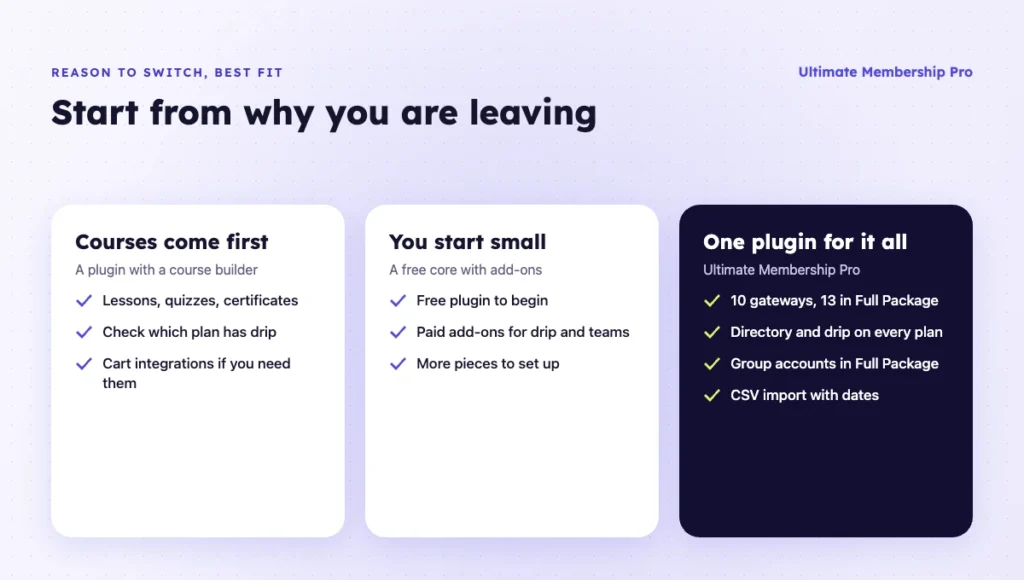
- You need payments, a directory, drip content and team accounts in one plugin: Ultimate Membership Pro. Group accounts come with Full Package.
- Courses are your main product: MemberPress on Growth or higher, or WishList Member if you sell through a shopping cart.
- You want to start free and add features later: Paid Memberships Pro, or Ultimate Member for a profile-first community.
- You already run a WooCommerce or SureCart store: SureMembers, as an access layer on your existing checkout.
- Your sites already run on Kadence: Kadence Memberships, if you own the Pro or Elite bundle.
Before you decide, test your top two ARMember alternatives on a staging site with your real plans. Ultimate Membership Pro also offers a live demo: a WordPress site with the plugin installed for 24 hours, with no card needed.
How does ARMember compare with Ultimate Membership Pro?
The main difference is where features sit. ARMember spreads groups, gifts, downloads and courses across its paid plans, while Ultimate Membership Pro puts drip content, the directory, gifts and file protection in every plan and keeps group accounts for Full Package.
| Feature | ARMember | Ultimate Membership Pro |
|---|---|---|
| Free version | Yes, ARMember Lite | No, a free 24-hour demo site |
| Payment gateways | 2 in Lite, 22+ on paid plans | 10 in Pro, 13 in Full Package and Agency |
| Drip content | Standard and up | Every plan |
| Member directory | Standard and up | Every plan |
| Gift memberships | Professional and Enterprise | Every plan |
| Protected downloads | Professional and Enterprise | Every plan |
| Group or team memberships | Enterprise | Full Package and Agency |
| Two-factor login | Standard and up | Full Package and Agency |
| Courses | Enterprise | Through Ultimate Learning Pro, sold separately |
| Sites per plan | 1, 2 or 10 | 1, 3 or 10 |
| Licensing | Annual or lifetime | Annual |
ARMember plan details come from its pricing page, checked on October 21, 2026. If courses or a lifetime plan matter most to you, ARMember Enterprise may still be the better fit.
How do you switch from ARMember without losing members?
Whichever ARMember alternative you pick, move members as WordPress users first, then their memberships, then their billing. Your members are WordPress users, so their accounts stay on the site when you change plugins.
If you choose Ultimate Membership Pro, you don’t have to plan the move alone. The Ultimate Membership Pro support team helps you migrate with its own tools; ask them how your active recurring subscriptions will be handled for your payment gateway.
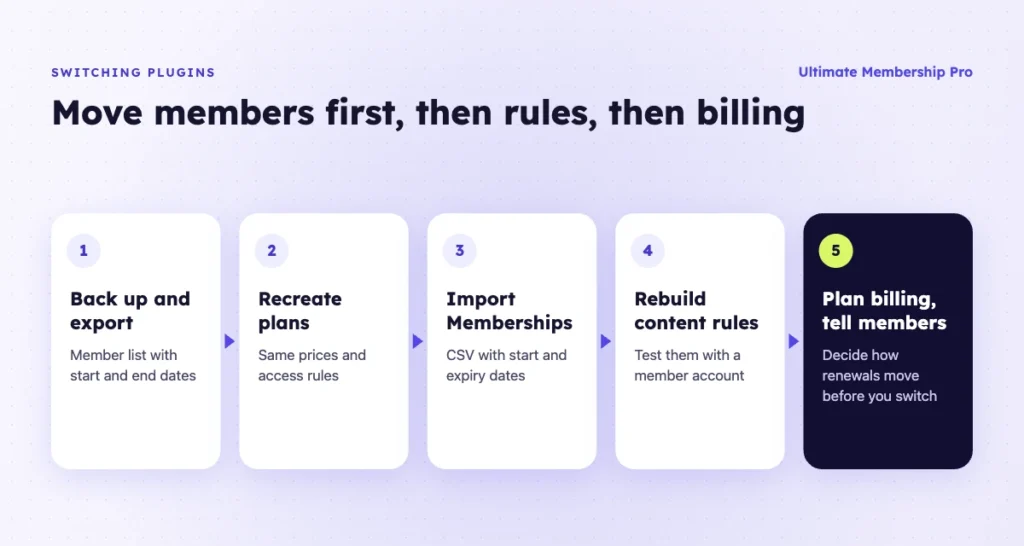
- Back up the site and export your member list with each membership’s start and end dates.
- Recreate your plans in the new plugin with the same prices and access rules.
- Import memberships. In Ultimate Membership Pro, you can import members from a CSV file with each Membership’s start and expiry dates. Imported Memberships don’t create gateway subscriptions, so plan renewals in the next step.
- Rebuild content rules for pages, categories and drip schedules, and test them with a member account.
- Plan recurring payments. Active subscriptions live with your payment gateway and the old plugin, so decide how members move to the new checkout before you switch it off. If you bill through Stripe, its guide to migrating subscriptions explains the options.
- Tell members what changes, when, and whether they need to do anything.
Run the move on a staging copy first, and keep the old plugin installed but inactive until renewals work on the new one.
After the switch, watch the first renewal cycle closely. Check that renewals go through on your new ARMember alternative, that expired members lose access on the right date, and that login questions to support drop back to normal. Fix any gaps before you remove the old plugin.
Ready when you are
Turn visitors into paying members with Ultimate Membership Pro
Launch your membership website, protect exclusive content and automate subscription payments, all in one WordPress plugin.
- 14-day money-back guarantee
- Unlimited members
Frequently asked questions
What is ARMember used for?
ARMember is a WordPress membership plugin. You use it to sell membership plans, take payments, restrict pages and posts, drip content and manage members. It has a free Lite version on WordPress.org and paid plans that add premium add-ons, more payment gateways, courses and group memberships.
Is there a free ARMember alternative?
Yes. Paid Memberships Pro has a free core with Stripe and PayPal, Ultimate Member has a free core with profiles and directories, and SureMembers has a free core that grants access through a checkout plugin. Paid Memberships Pro and SureMembers put drip content in paid plans or add-ons, and Ultimate Member needs its Pro pass for Stripe payments.
Which ARMember alternative has the most payment gateways?
ARMember’s paid plans list 22+ gateways, which is a high bar, so check that your exact gateway is covered before you switch. Ultimate Membership Pro includes 10 gateways in every plan and 13 in Full Package. WishList Member connects to many shopping carts, and Paid Memberships Pro includes its gateways in the free core.
How is ARMember different from Ultimate Membership Pro?
ARMember has a free Lite version and keeps gifts, downloads, groups and courses for its higher paid plans, sold annually or as lifetime plans. Ultimate Membership Pro has no free version but includes drip content, the member directory, gift memberships and file protection in every annual plan, with group accounts in Full Package.
Can I move my ARMember members to another plugin?
Yes. Members are WordPress users, so their accounts stay when you change plugins. The Ultimate Membership Pro support team helps you migrate with its own tools; ask them how your active recurring subscriptions will be handled for your payment gateway. You can also export memberships with their dates and use the standard CSV import, which brings in each Membership’s start and expiry dates.
Is ARMember or MemberPress better?
In ARMember vs MemberPress, it depends on what you sell. As of October 2026, ARMember’s paid plans include many gateways and add-ons, with courses on Enterprise. MemberPress includes courses on every plan, but PayPal, drip content and directories start at Growth, and Launch adds a 4.9% transaction fee. Compare the plans you would actually buy.