Restrict Content Pro vs MemberPress (2026): Which Membership Plugin Should You Choose?

Restrict Content Pro suits you if you want an easy plugin with a free version to start a membership site, while MemberPress suits you if you need advanced access rules and a built-in course builder. Restrict Content Pro is now sold as Kadence Memberships Pro, and existing installs keep working. Neither plugin is a clear winner, so match your choice to your content and growth plans.
Choosing the right membership site WordPress plugin is essential to running a membership business that brings in revenue and keeps customers happy. Of course, there are a few great membership plugins available on the market today, but two of the most popular are Restrict Content Pro and MemberPress.
So, out of the two, which one should you choose for your membership site?
To help you decide, this guide gives you a side-by-side comparison of Restrict Content Pro vs MemberPress, with verified pricing, plus a checklist for choosing the right plugin for your business. There’s no one-size-fits-all when it comes to picking WordPress plugins, or any other technology.
Restrict Content Pro vs MemberPress at a glance
| Feature | Restrict Content Pro (now Kadence Memberships Pro) | MemberPress |
|---|---|---|
| Content restriction | Restricts content by membership level and drips content over time | Granular access rules and content dripping |
| Content expiration | Through the Hard-set Expiration Date add-on | Supported |
| Online courses | Not included | Integrated course builder (quizzes, certificates and dripping on Growth and Scale) |
| Payment gateways | Stripe in the free version; PayPal, Authorize.net and Braintree in Pro | Several processors; Authorize.net on the Scale plan |
| Email marketing | Email marketing integrations in Pro | AWeber, Constant Contact and Mailchimp through add-ons |
| Community | Relies on other plugins | Forums, circles and BuddyPress integration on Growth and Scale |
| Pricing | See vendor site | From $199.50/year (Launch) |
| Ease of use | Fairly easy for WordPress users | Quite easy for WordPress users |
| Support | Documentation and ticket support | Documentation and ticket support |
How to Choose the Right Membership Site Plugin for Your Business
Choosing the right WordPress membership plugin can feel like an endless maze, especially since there are SO many options out there. So, before comparing MemberPress and Restrict Content Pro, take a look at some of the essential features you need to look at if you need a plugin to restrict access to certain types of content on your site.
Start with Your Business Goals
Before you dive into the specificities of any of the best WordPress membership plugin options, let’s take a look at your expectations and current situation. To make the best choice for your business, you must first think of where you are with your membership site business right now — and where you want to go from here.
To that end, consider the following:
How many members do you currently have?
If you are just starting out, you might not have any members (or just a handful of them.) However, if you’ve been running your membership site for a while on a different platform, you might have several hundred (or even thousands) of members already.
Of course, the number of members you currently have will play a role in the features you need from a membership plugin. For instance, the number of members you have might influence the pricing of the tool you’re after.
What type of content are you offering them?
Creating a membership site means you have to think of a content plan, in advance. To make sure you choose the right plugin for your goals, consider the specific types of content you’ll be offering your members. Will it be digital content like downloadable PDFs, or will it also include physical products? Will you offer video content?
And maybe even more importantly, how will it be distributed? Will it consist of live sessions or something people can study on their own schedule?
What kind of features do they need/want access to?
The ability to restrict premium content is just one of the many features popular membership plugins offer. If you want a successful WordPress membership website and if you want to keep your customers happy, building a membership site with basic features might not cut it.
Your members might need or want access to different features, such as a forum, a community, or private messaging. Others might prefer a more traditional learning management system (LMS) type of experience with courses, units, and quizzes.
Knowing what your members want and need is critical to understanding what type of membership site plugin will work best for you.
Of course, these are just some of the questions you need to answer before you can start looking for the right membership plugin for your business. If you want to learn more, read this guide on how to create a successful membership site.
Consider the Financial Side Too
Of course, you will also need to consider the financial side of what you are doing with your membership site. Take these questions into consideration:
What’s your budget for this project?
You also need to have a clear idea of how much you are willing to spend on your membership site plugin. If you are just starting out, you might not have a lot of money to invest, in which case you might want to look for a tool that has a lower price point.
On the other hand, if you are further along in your membership site journey, you might be able to invest a little more money into a tool that has more features.
At the end of the day, it’s important to understand that you get what you pay for — and that investing in a quality membership site plugin will likely save you money (and headaches) down the road.
What is your strategy to bring revenue to your membership site?
Your membership site also needs to have a clear revenue strategy. In other words, how will you make money from your site? There are several options here, such as charging members a monthly fee, offering paid subscriptions, or selling courses or other products.
What is your growth strategy, once you start generating revenue with your site?
Finally, you need to have a clear growth strategy for your membership site. How many members do you want to have in the next year? In the next five years? What type of content will you be offering them?
These are just some of the questions you need to answer before you can start looking for the right membership site plugin. Taking the time to answer these questions will help you narrow down your options and choose the best tool for your business.

What to Look for in a Membership Site Plugin for WordPress
Once you understand where you are and what your goals are with your membership site, you will also have to compare the specific features different WordPress membership plugins offer (and that includes Restrict Content Pro vs MemberPress too). Here are some of the most important ones to consider:
Community Creation
Because membership sites are centered on the idea of community, it’s important that your plugin has features that allow you to create and manage a community within your site.
This includes things such as forums, groups, private messaging, and more.
Some membership site plugins also offer social media integration, which can be a great way to engage with your members and get them to connect with each other.
Content Dripping
The ability to drip content is basic to membership sites. This is the process of releasing content to your members over time, rather than all at once. This can be a great way to keep people engaged with your site, as they will have something new to look forward to on a regular basis.
Many membership site plugins offer drip content features, which allow you to release content incrementally and keep your members hooked on your site.
Content Expiration
Content expiration is another way to keep people engaged with your site.
With this feature, you can set a date for when certain content will expire — meaning, it will no longer be accessible to members after that date.
This can be a great way to keep people coming back to your site, as they will want to access the content before it expires.
Subscriptions
As mentioned before, your membership site will need to have a way to generate revenue. The most common way to do this is by offering membership subscriptions.
With a subscription, people can pay a monthly or yearly fee to access your site.
Most membership site plugins offer recurring subscriptions, which make it easy to set up and manage billing on your site.
Customer Dashboard
One of the most important features of a membership site plugin is a customer dashboard.
This is where people will be able to manage their accounts, update their payment information, and access their content. The customer dashboard, sometimes called a member portal, should be easy to use and understand, as people will be using it on a regular basis.
eCommerce Integration
If you want to sell products on your membership site, you will need a plugin that offers e-commerce integration.
This feature allows you to connect your membership site to an e-commerce platform, such as WooCommerce, so you can sell products on your site.
Email Marketing Integration
Email marketing is a great way to keep people engaged with your membership site.
With email marketing integration, you can connect your membership site to an email marketing platform, such as MailChimp, and send out newsletters, updates, and other information to your members.
Ease of Use
Finally, you will want to make sure that the membership site plugin you choose is easy to use. The last thing you want is to spend hours trying to figure out how to set up your site.
The plugin should be easy to install, configure, and use.
Support and Documentation
No matter how easy to use a software is, you might still have questions. And when that happens, it’s important to have access to support and documentation.
Excellent membership plugins offer stellar support and documentation, so you can get help when you need it.
Keep reading if you want to learn more about the specific features of MemberPress vs Restrict Content Pro.
Restrict Content Pro vs MemberPress: The Breakdown
MemberPress and Restrict Content Pro are two of the most popular membership plugins for WordPress, and for good reasons. However, popularity shouldn’t be your main criterion when choosing the right plugin for your membership site: features and pricing (and the balance between the two) should be.
Here’s a quick and comprehensive breakdown of both MemberPress vs Restrict Content Pro’s features and pricing:
Restrict Content Pro: The Overview
Restrict Content Pro, now sold as Kadence Memberships Pro, is a membership plugin that allows you to block specific pieces of content for users who are on a free trial or lower-tiered plans. Its free version is called Kadence Memberships. Here are some of the basic features this membership plugin comes with:

Community Creation
Restrict Content Pro doesn’t include community features such as forums, groups or private messaging. If you want a community on your membership site, you’ll rely on other plugins for it.
Content Dripping
Restrict Content Pro offers content dripping features, which allow you to release content incrementally — and thus, keep your members hooked on your site.
Content Expiration
The Hard-set Expiration Date is an add-on you can use with Restrict Content Pro when you need to set an expiration date for your content.
Subscriptions
Yes, Restrict Content Pro lets you offer paid subscriptions to your members, so you can generate revenue from your membership site.
Customer Dashboard
This WordPress membership site plugin also allows you to set up customer dashboards where members can administrate their accounts.
eCommerce Integration
Restrict Content Pro integrates with WooCommerce, so you can turn your membership site into an e-shop if you want to sell products. It also works with several payment processors: Stripe is included in the free version, and Pro adds PayPal, Authorize.net and Braintree.
Email Marketing Integration
And if you want to use email marketing to keep your members engaged, Restrict Content Pro integrates with MailChimp.
Ease of Use
Restrict Content Pro is fairly easy to use, as it’s designed for WordPress websites, so if you’re used to working on a WordPress website, you will most likely find this plugin to be quite smooth.
Support and Documentation
Yes, Restrict Content Pro documentation is quite good. Plus, the tool also offers ticket-based support as well, so if there’s anything you can’t find in the documentation, you will find someone to help you.
Restrict Content Pro: Pricing
Restrict Content Pro is now sold as Kadence Memberships Pro. It is sold by Liquid Web; check current pricing on the vendor’s site. If you only need the basics, the free Kadence Memberships plugin covers content restriction, membership levels and Stripe payments.
MemberPress: The Overview
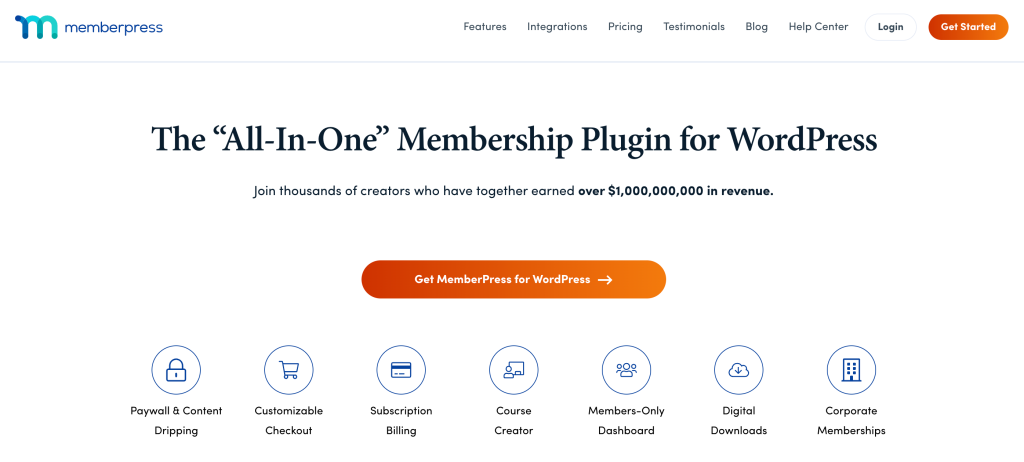
MemberPress is also considered one of the best membership plugins for WordPress. In essence, MemberPress comes with the following features:
Community Creation
MemberPress also lets you build a community on your membership site. Its Growth and Scale plans include forums, circles and BuddyPress or BuddyBoss integration.
Content Dripping
And, like Restrict Content Pro, it also features content dripping, which allows you to release content incrementally.
Content Expiration
Also like Restrict Content Pro, MemberPress allows its users to set expiration dates on their content.
Subscriptions
MemberPress lets you charge, manage and refund recurring subscriptions from your WordPress dashboard.
Customer Dashboard
As for customer dashboards, MemberPress offers them as well — so your members can administrate their accounts easily. In fact, its “Membership Self-Service” might just be a bit more advanced than that of Restrict Content Pro.
eCommerce Integration
MemberPress integrations include WooCommerce, so you can turn your membership site into an e-shop if you want to sell products. You can also connect MemberPress with several payment processors, and the Scale plan adds Authorize.net.
Email Marketing Integration
MemberPress is connected to a series of email marketing add-ons that allow you to connect your membership site with some of the most popular email marketing providers (e.g. AWeber, ConstantContact, Mailchimp, and more.)
Ease of Use
MemberPress is also quite easy to use, as it too is designed for WordPress websites.
Support and Documentation
If you have questions, you can contact the MemberPress Support team via ticket — or you can search for answers in their documentation.
MemberPress: Pricing
MemberPress is sold as a yearly subscription, not a one-time payment. MemberPress pricing has three plans: Launch at $199.50/year, Growth at $349.50/year and Scale at $499.50/year. Launch adds a 4.9% transaction fee on each payment, quizzes, certificates and community features start on Growth, and Authorize.net and Zapier are included only in Scale.
What Are the Main Differences between Restrict Content Pro and MemberPress?
Surface-level, Restrict Content Pro is the simpler plugin, which makes it suitable for someone who is just starting out in the membership site-creation game. Its free version, Kadence Memberships, also lets you start without paying.
On the other hand, MemberPress is an excellent membership plugin for WordPress users who need more advanced features, like someone looking to create a more sophisticated membership site.
Furthermore, MemberPress also has an integrated course-building feature which might make it more suitable for those who are looking to create an online course (as opposed to a general membership site.)
Pricing works differently, too. MemberPress sells standalone annual plans, while Kadence Memberships Pro (formerly Restrict Content Pro) is sold by Liquid Web; check current pricing on the vendor’s site. Compare the total cost for the number of sites you run.
Restrict Content Pro also features an easy reports section that allows you to gain a better understanding of what works and what doesn’t for your membership sites.
On the other side, MemberPress is better when it comes to advanced access rules, which you might want to set up if you have a complex membership site growth strategy.
MemberPress and Restrict Content Pro both offer good features, but neither is perfect, so it all depends on what, specifically, you need from your paid memberships plugins.
MemberPress vs Restrict Content Pro: Conclusion
Think things through and analyze what you really need: an easy-to-use, inexpensive plugin to get you started or something that allows you to create complex courses? There’s no real winner between the two tools discussed in this article — other than the one you decide on because it better fits your needs.
If neither plugin feels like the right fit, look at a third option before you decide.
Where Ultimate Membership Pro Fits
Ultimate Membership Pro is a WordPress membership plugin that covers the same core jobs as both tools: content restriction by Membership, drip content, and recurring subscriptions with trials, coupons and prorated upgrades on 10 payment gateways (13 in Full Package). Like Restrict Content Pro, it doesn’t include a course builder; for courses, it works with Ultimate Learning Pro, sold separately. It’s sold as annual plans, with unlimited members on every plan and a 14-day money-back guarantee.
See how it compares as a Restrict Content Pro alternative and as a MemberPress alternative, or check the plans on the pricing page.
Restrict Content Pro vs MemberPress: FAQs
What happened to Restrict Content Pro?
Restrict Content Pro is now Kadence Memberships Pro, sold by Liquid Web; check current pricing on the vendor’s site. The free version is called Kadence Memberships and is available on WordPress.org. If you already run Restrict Content Pro on your site, your existing install keeps working, so you do not need to switch plugins right away.
Which is cheaper, Restrict Content Pro or MemberPress?
It depends on what you need. Restrict Content Pro has a free version, Kadence Memberships, and Kadence Memberships Pro is sold by Liquid Web, with current pricing on the vendor’s site. MemberPress sells standalone annual plans that start at $199.50 per year for the Launch plan, as of October 2026, and its higher plans add course tools, community features and more gateways.
Is MemberPress better than Restrict Content Pro for online courses?
MemberPress is usually the better fit for online courses because it includes an integrated course builder, with quizzes, certificates and dripping on its Growth and Scale plans. Restrict Content Pro focuses on content restriction by membership level and does not include a course builder. If courses are the core of your site, MemberPress gives you more tools out of the box.
Which payment gateways do Restrict Content Pro and MemberPress support?
Restrict Content Pro includes Stripe in its free version, and the Pro version adds PayPal, Authorize.net and Braintree. MemberPress works with several processors and includes Authorize.net only on its Scale plan. Check each plugin’s current gateway list before you buy, since plan levels can change what is included.
What is a good alternative to MemberPress and Restrict Content Pro?
Ultimate Membership Pro is a WordPress membership plugin that covers content restriction, drip content, and recurring subscriptions with trials and coupons. It supports Stripe, PayPal and other gateways, and it is sold as annual plans with unlimited members and a 14-day money-back guarantee. For courses, it works with Ultimate Learning Pro, sold separately.
Ready when you are
Turn visitors into paying members with Ultimate Membership Pro
Launch your membership website, protect exclusive content and automate subscription payments, all in one WordPress plugin.
- 14-day money-back guarantee
- Unlimited members
You May Also Like
MemberPress vs MemberMouse: Which Is the Best Membership Option?