How to Create a Membership Website (Simple, Low-Cost Setup)


To create a membership website, pick a niche and a membership model, set up WordPress on reliable hosting, and install a membership plugin such as Ultimate Membership Pro. Then create your Memberships, connect a payment gateway, restrict your members-only content and test the sign-up flow before you launch. You can do all of it without code and on a small budget.
Building an online community or membership site has become a powerful way to connect with like-minded individuals, share knowledge, and foster meaningful interactions. Whether you’re a coach, educator, entrepreneur, or simply passionate about a specific topic, a simple membership site can provide a platform for nurturing your community — and a great way to generate extra revenue streams too.
This guide covers why a simple membership site is worth building, where it falls short compared to more complex setups, and how to create a membership website step by step while keeping your costs low.
Why Would You Need a Simple Membership Site?
A simple membership site offers several advantages for those looking to build a community or connect with their audience more exclusively. By restricting access to certain content or resources, you can create a sense of exclusivity and value for your members. This approach also allows you to foster a stronger sense of belonging and engagement among your community members, promoting deeper connections and loyalty.
Unlike social media, your membership site’s growth isn’t reliant on moody algorithm updates and whether or not your friends will see your posts in their feed. A membership site is “owned” digital real estate — which means that you control what you do with it, how you promote it, and how you monetize it. And, if done right, a simple membership site can be a very attractive passive revenue stream for entrepreneurs and business owners alike.
All of these benefits are just as valid for a basic, simple membership site as they are for a more complex one. The differences lie in just how much customization and scalability you get from your model.
Disadvantages of a Simple Membership Site
While a simple membership site can be an excellent choice for many, it’s essential to consider the potential disadvantages compared to more complex membership platforms. Here are a few points to bear in mind:
Limited Scalability
Simple membership sites often lack the robust features and scalability of more advanced platforms. As your community grows, you may need to invest additional time and effort into finding workarounds or migrating to a more comprehensive membership solution.
Limited Features
If you build your site with a basic page builder or free tools alone, you get fewer built-in features than an all-in-one membership platform offers. That can limit your ability to offer resources such as advanced analytics, drip content, or integrated payment systems. A WordPress membership plugin closes this gap: it adds drip content, recurring payments and access rules to your site, so you keep the simple, low-cost setup without giving up these features.
Development and Maintenance
Building a simple membership site requires a level of technical expertise, as you’ll need to manage your site’s development, maintenance, and security. It’s crucial to ensure that you have the necessary skills or resources to handle these aspects or consider outsourcing them to professionals if needed.
What Is the Best Way to Build a Simple Membership Site?
For a simple membership site, WordPress is a popular and versatile choice. It usually costs less than hosted membership platforms, you keep full control of your site and your member data, and you can build a membership site on WordPress without knowing how to code. Here are more reasons to build your membership site on WordPress.
How to Create a Membership Website in 12 Steps
Here is the whole process at a glance. Each step is explained in detail below.
- Pick your niche and membership model
- Decide what members get
- Choose reliable web hosting
- Install WordPress
- Install a membership plugin
- Create your Memberships
- Connect a payment gateway
- Restrict access to your content
- Set up registration, login and account pages
- Create members-only content
- Design and customize your site
- Test and launch
Step 1: Pick Your Niche and Membership Model
Before you touch any software, get clear on who the site is for and how it will make money. A clear plan keeps you from building features nobody needs. Answer these questions first:
- Who is the content for, and what problem does it solve for them?
- What will members get that they can’t easily find for free?
- Will you charge a recurring fee, a one-time fee, or offer a free tier with paid upgrades?
- Where will people hear about your site?
- Why would someone join, and why would they stay?
Your answers point you to a membership model that fits your goals, whether that’s an all-access subscription, a course with lifetime access or a community with a few tiers.
Step 2: Decide What Members Get
Content is the core of any membership website, so plan what sits behind the paywall before you build. Common formats include:
- Online courses and tutorials
- Articles and other written content
- Videos, podcasts and live webinars
- Downloadable templates, worksheets and checklists
- An archive of past content
- A members-only forum or community space
- Member perks such as discounts, early access or physical merchandise
Pick the formats that match your audience and that you can keep producing. A small, focused offer works better than promising more than you can deliver, and offering too much at once can overwhelm new members. For inspiration, look at these examples of membership sites.
Step 3: Choose Reliable Web Hosting
Select a reputable web hosting provider that offers excellent uptime, security and performance, so your members get a smooth experience. As a general rule, choose something a step above the lowest-priced hosting, so your site stays stable, loads fast on every device and doesn’t throw errors when several members log in at once. This guide to WordPress hosting for membership sites explains what to look for.
Step 4: Install WordPress
Install WordPress on your hosting account. Many hosting providers offer one-click WordPress installation, which makes this step quick. You’ll also need a domain name, which many hosts sell alongside their plans.
Step 5: Install a Membership Plugin
The membership plugin is what turns a regular WordPress site into a membership website. It controls who can see what, handles sign-ups and takes payments. Ultimate Membership Pro covers what a simple site needs in one plugin:
- Unlimited Memberships and unlimited members, with one-time, recurring, installment and free options
- Content restriction for pages, posts, categories, files and URLs, plus partial locking inside a post
- Customizable registration and login forms and a member account page
- Ten payment gateways in every plan, including Stripe and PayPal
- Drip content, coupons, a member directory and membership cards
- Support for Elementor, Divi, WPBakery and the block editor
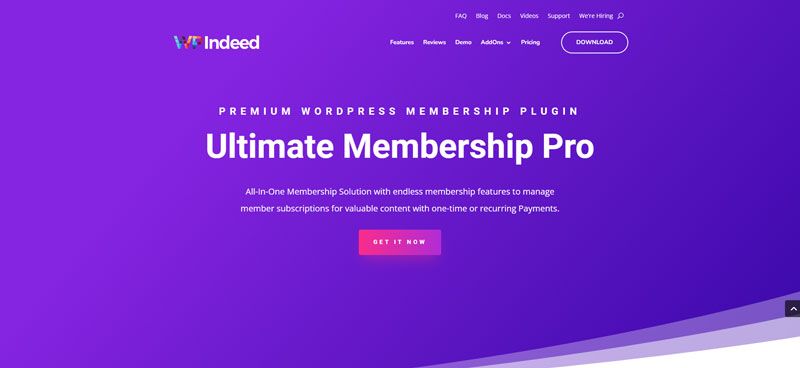
You can extend the core plugin with add-ons such as Invitation Codes, Membership Gifts, Member Portal Tabs and Login Redirects+. Ultimate Membership Pro is sold as annual plans (Pro, Full Package and Agency). Other popular options include MemberPress, Paid Memberships Pro and Restrict Content Pro (now Kadence Memberships Pro), so compare features before you commit.
Step 6: Create Your Memberships
Next, define the membership levels you want to offer and decide what each one unlocks. To keep things simple, start with two or three tiers, for example a free one, an affordable one and a premium one.
In Ultimate Membership Pro, each level is a Membership. For every Membership you choose how members pay and how long their access lasts:
- A one-time payment for lifetime access, a fixed period or a set date range
- Recurring billing every few days, weeks, months or years
- Installments, where a price is split into a set number of payments
- A free tier that members can upgrade from later
- Free or paid trials before the regular price starts
All billing options are listed on the subscriptions feature page. For help pricing your tiers, read this guide to membership pricing strategy.

Step 7: Connect a Payment Gateway
To charge for Memberships, you need a secure payment gateway. PayPal and Stripe are the most common choices, and both support recurring payments.
Ultimate Membership Pro includes ten payment gateways in every plan, among them Stripe, PayPal, Braintree, Mollie, Authorize.Net and bank transfer. Pick the gateway your members already use, connect your account and turn it on for checkout.
Step 8: Restrict Access to Your Content
Content restriction is what makes your site a membership site. Decide which content each Membership unlocks and what visitors without access see instead, such as a short teaser, a message or a redirect to your pricing page.
With Ultimate Membership Pro, you can restrict content by Membership on pages, posts, custom post types, categories, files or any URL. You can also lock only part of a post with a shortcode or block, show or hide menu links per Membership, and release content on a schedule.
Step 9: Set Up Registration, Login and Account Pages
Members need a few standard pages to join and manage their access. Create these before launch:
- A registration page with your sign-up form
- A login page and a lost password page
- A page that lists your Memberships and prices
- A member account page where people see their subscriptions and orders
- Terms of service and privacy pages
Ultimate Membership Pro gives you ready-made forms and shortcodes for these pages. The registration and login forms are customizable, with custom fields, social login, email verification and optional manual approval of new members. Step-by-step setup instructions are in the documentation.
Step 10: Create Members-Only Content
Develop content tailored to your target audience: articles, videos, podcasts, tutorials or any other format that adds value and keeps members engaged. Have enough ready on launch day so new members get something useful right away, then publish on a schedule they can rely on.
Your content has two jobs. It should keep current members happy, and it should give non-members a reason to subscribe, so publish a few free samples that show the quality of what sits behind the paywall.
Step 11: Design and Customize Your Site
Use a theme or page builder to create a clean, user-friendly design that reflects your brand and what your members expect. Ultimate Membership Pro works with Elementor, Divi, WPBakery and the block editor, and this list of WordPress membership themes can help you pick a starting point.
Step 12: Test and Launch
Before you launch, test your site’s functionality, responsiveness and user experience across different devices and browsers. Run a test purchase for each Membership and payment gateway, and check that new members can reach the content they paid for and nothing more.

How Much Does It Cost to Create a Membership Website?
A simple WordPress membership website has a handful of costs, and you control most of them:
- Domain name: a yearly renewal fee, sometimes bundled with your hosting.
- Hosting: a monthly or yearly plan. A reliable host is worth more than the cheapest one.
- Membership plugin: free plugins exist, while premium plugins are usually sold as yearly licenses. Ultimate Membership Pro is sold as annual plans.
- Theme: many good themes are free, and premium themes add more design options.
- Payment processing: gateways such as Stripe and PayPal charge a fee per transaction rather than a fixed monthly fee.
To keep costs low, start with one or two Memberships, use a free theme and add paid tools only when your member base justifies them. If your budget is close to zero, this guide shows how to create a membership website for free and what trade-offs to expect.
Tips for Your Membership Site
To create a successful and engaging membership site, consider these additional tips:
Understand Your Audience
Take the time to understand your audience’s needs and preferences. Tailor your content and benefits accordingly, ensuring that you provide value and meet their expectations.
Foster Engagement
Encourage active participation by providing forums, discussion boards, or live chat options. Engage with your members regularly, respond to their questions, and facilitate meaningful conversations within the community.
Offer Exclusive Benefits
Provide exclusive perks or bonuses to your members, such as access to premium content, early bird discounts, or special events. These incentives foster a sense of belonging and make the membership experience more rewarding.

Run Smart Marketing Campaigns
You could have the best membership site in the world, but if people don’t know about it, you’re unlikely to see real results. Build a marketing plan to reach your target audience and generate interest in your membership site. Social media, newsletter swaps, content and SEO marketing, and email marketing all tend to work well for promoting online communities like yours.
Continuously Improve
Regularly seek feedback from your community members and adapt your strategies based on their suggestions. Continuously strive to enhance the user experience, add new features, and refine your content offerings.
The best way to do this is by tracking the data: analyze the user journey, study the analytics, and review your member feedback. Doing so will allow you to identify areas in need of improvement accurately.

Conclusion
Building a simple membership site can be a rewarding way to grow a community around your passion or expertise. Now that you know how to create a membership website step by step, you can start small, test your idea and improve as members give you feedback.
While it may have its limitations compared to more complex alternatives, a well-executed simple membership site can provide an engaging platform for connection, knowledge sharing, and collaboration. It can be a good choice if you’re testing the product-market fit first.
If you already know you’ll need more advanced features, such as several tiers, drip content or a member directory, choose tools that can grow with you from the start, so you don’t have to migrate later.
If you want a setup that starts simple and grows with your community, take a look at Ultimate Membership Pro. It brings Memberships, payments, content restriction and add-ons together in one plugin, sold as annual plans.
Frequently asked questions
Do you need coding skills to create a membership website?
No. On WordPress, you can create a membership website with a hosting account, a theme and a membership plugin, all set up from the dashboard. A plugin such as Ultimate Membership Pro handles sign-up forms, payments and content restriction without code. You only need a developer if you want custom features or a fully custom design.
How much does it cost to create a membership website?
The main costs are a domain name, hosting, a membership plugin and, optionally, a premium theme. Payment gateways such as Stripe and PayPal take a fee per transaction. A simple WordPress membership site can run on a modest budget if you start with one or two Memberships, a free theme and only the tools you need.
Can you create a membership website for free?
You can start with free tools, such as a free membership plugin and a free theme, but a self-hosted WordPress site still needs a paid domain and hosting. Free plugins usually limit payment options and features, so many site owners move to a premium plugin once they start charging members.
What is the best platform to build a membership website?
WordPress is a strong choice because you own your site and your member data, can choose from thousands of themes and plugins, and WordPress itself takes no cut of your member payments. Hosted platforms are quicker to start but give you less control over design, data and fees. On WordPress, a membership plugin adds sign-ups, payments and access rules.
What should a membership website include?
At minimum, a membership website needs a registration page, a login page, a page that lists your Memberships, a member account page and the members-only content itself. Paid plans also need a payment gateway and rules that decide which content each Membership unlocks. Clear terms of service and a privacy policy complete the setup.
Ready when you are
Turn visitors into paying members with Ultimate Membership Pro
Launch your membership website, protect exclusive content and automate subscription payments, all in one WordPress plugin.
- 14-day money-back guarantee
- Unlimited members
You May Also Like
The Subscription Business Model, Explained
How to Pick the Right Membership Model for Your Goals
Membership Site Software: How to Choose the Right One (+ 3 Top Picks for WordPress)
14 Membership Site Examples (and What You Can Learn From Each)