The 5 Best WordPress LMS Plugins for Membership Sites (2026)

The best WordPress LMS setup depends on what you sell. LearnDash, Tutor LMS, LearnPress and Thrive Apprentice build the courses themselves, with lessons, quizzes and certificates. A membership plugin like Ultimate Membership Pro adds the business layer: it sells course access as a Membership, charges recurring payments and keeps lessons locked for non-members.
Creating a course based on your knowledge is easier than ever, even if you don’t know how to code a website. The entry barrier is low, and on WordPress you own the site, the content and the student data.
If you want to tap into the growing online learning industry, look for the best WordPress LMS plugins.
Why WordPress for Your Courses?
WordPress is a versatile content management system (CMS) that powers 39.6% of all websites, according to W3Techs data from October 2026. It comes with many WordPress LMS theme options, many of which are free, and plugins for pretty much every functionality you can think of.
Here are some of the most important reasons WordPress is a great choice for online educators:
- Easy Setup. WordPress is easy to install and configure. You don’t need any coding skills or experience.
- Accessibility. A WordPress website can be accessed from anywhere with an internet connection, making it perfect for students who want to take your course online.
- Security & Reliability. WordPress is renowned for its reliability and security levels, which gives you peace of mind that your content and courses are safe.
- Affordable. WordPress is free to use and many affordable hosting plans are available, so you don’t need a big budget to get started.
- Wide range of themes. You don’t need to be a web designer to create an attractive website. There are plenty of themes and templates available that you can easily customize to fit your brand.
- Wide range of plugins. You can easily add features to your website with WordPress plugins; you don’t need to pay a web developer.

How Learning Management Systems Work on WordPress
A learning management system is a platform that enables you to create and manage digital courses. With WordPress plugins, you can easily turn your website into an educational platform with advanced functionalities like student registration, course content management, progress tracking, payment systems, and more.
Once a user registers on your site, they can access the materials related to their chosen course. You can also set up different levels and classes, depending on your content. This allows you to charge different pricing tiers, including a free one (which you can use to nurture your audience and convert them into paying customers.)
The Goal of an LMS Plugin
To find the best WordPress LMS, you must understand what a WordPress LMS plugin can do for you. Essentially, the main goal of an LMS plugin is to allow you to create an entire online learning system without having to code or hire a web developer. The plugin should also allow you to customize the look and feel of your entire educational experience, including course pages, assessment exercises, and certificates.
Finally, the plugin should also help you manage your members, track their progress and payment status, block different types of content, and even create “mini social media networks” where your students can communicate and network with each other.

Key Features to Look At When Shopping for the Best WordPress LMS
When looking for a WordPress LMS, make sure you pay attention to the following features:
- Ease of use: The LMS should be easy to set up and configure, and it should offer an intuitive experience for you and your students.
- Content types: The LMS should handle the formats you teach with, such as video, audio, text and downloadable files. If you plan to import courses from other platforms, check for SCORM support.
- Flexibility: You should be able to structure courses your way, with lessons, quizzes, drip schedules and certificates.
- Payments and memberships: Check whether the LMS can sell one-off courses, bundles and recurring subscriptions on its own, or whether you need a membership plugin for billing and access rules.
- Integrations: The LMS should connect with the tools you already use, like email marketing software, CRM systems and page builders.
- Cost: The total cost, including add-ons and renewals, should fit within your budget.
- Support: Make sure you get access to adequate technical support and documentation if you run into issues.
Now that you’re acquainted with the basics of WordPress LMS, let’s go through some of the best plugins available.
The Best WordPress LMS Plugins
There are a lot of WordPress LMS plugins available on the market, but the following have gained a lot of recognition and popularity, due to their features, pricing, and versatility. Here’s how the top five compare:
| Plugin | Best for | Free version | Starting price |
|---|---|---|---|
| Ultimate Membership Pro | Selling course access as recurring Memberships | No | Annual plans |
| Thrive Apprentice | Beginners who want visual course design | No | $149/year (one site) |
| LearnDash | Advanced quizzes and course control | No | $350 (one site) |
| Tutor LMS | An all-in-one LMS with a free core | Yes | $199/year (one site) |
| LearnPress | Free course sites with optional add-ons | Yes | Free, paid add-ons |
Ultimate Membership Pro (with Ultimate Learning Pro)

Ultimate Membership Pro is a WordPress membership plugin rather than a course builder, and that is its role in an LMS setup: it sells access to your courses as a Membership. You can charge every month or year or in a set number of installments, with optional free or paid trials, through Stripe, PayPal and other gateways.
For the courses themselves, it works with Ultimate Learning Pro, WPIndeed’s course plugin, sold separately. Each course is linked to a Membership, so the course and its curriculum stay locked until a student joins. See how to build a membership site for online courses. Ultimate Membership Pro doesn’t add quizzes, certificates or progress tracking on its own; those come from the course plugin.
What Ultimate Membership Pro adds to a course site:
- Content restriction for pages, posts, categories, files and menu links by Membership
- Drip content that opens lessons a set time after a student joins or on a chosen date
- Coupons, free trials and prorated upgrades between Memberships
- A Member Portal where students manage their account in one place
- WooCommerce integration to sell Memberships as products and give members discounts
- Email marketing integrations such as Mailchimp, ActiveCampaign and ConvertKit
- Social login and membership cards
- An affiliate program through the Ultimate Affiliate Pro integration (sold separately)
Pricing: Ultimate Membership Pro is sold as annual plans (Pro, Full Package and Agency), and every plan includes unlimited members. See the pricing page.
Thrive Apprentice

Thrive Apprentice is a robust WordPress plugin for building online courses and membership sites. It comes with pre-designed templates for lesson, course overview and module pages, plus a drag-and-drop course builder for easy organization. The plugin supports various media formats such as text, video, and audio lessons, allowing you to keep your students engaged. Furthermore, the plugin also provides a resource area for additional learning materials like links and PDFs.
Thrive Apprentice features a flexible content dripping feature to release lessons at consistent intervals. The Conditional Display feature enables personalized content for different users, while a custom course completion page with a downloadable certificate enhances the learning experience. The plugin includes an advanced reporting engine for detailed insights and integrates seamlessly with popular WordPress plugins and services like WooCommerce and email marketing platforms.
Pricing: Thrive Apprentice is sold on its own from $149/year for one site, or as part of Thrive Suite, which bundles it with the other Thrive Themes plugins, from $299/year or $149/quarter.
LearnDash

LearnDash is a user-friendly and feature-rich WordPress LMS plugin that enables the easy creation of online courses. With its drag-and-drop course builder, you can create lessons, quizzes, and categories. The plugin offers a drip feed feature to schedule content delivery and supports assignment management with approval and commenting options.
LearnDash includes quiz and test tools with various question types and customizable settings like time limits and randomized questions to prevent cheating. It integrates with eCommerce plugins such as WooCommerce for monetization, supports multiple payment gateways, and has a large ecosystem of third-party add-ons.
Pricing: LearnDash starts at $350 for a single-site license, with larger licenses from $599 for 10 sites.
Tutor LMS
Tutor LMS is an all-in-one WordPress LMS with a free core plugin on WordPress.org and a Pro version for advanced features. The Pro version adds an advanced quiz builder with detailed quiz reports, a drag-and-drop certificate builder with ID and QR verification, and live classes through Zoom, Google Meet and Jitsi. Content drip, course subscriptions and site-wide memberships are also part of its feature list.
Because the core is free, Tutor LMS is an easy way to test a course idea before paying for anything. Check which plan includes the features you need, since the free and Pro versions differ considerably.
Pricing: The core is free. Annual Pro plans start at $199/year for one site, and lifetime licenses are also available.
LearnPress
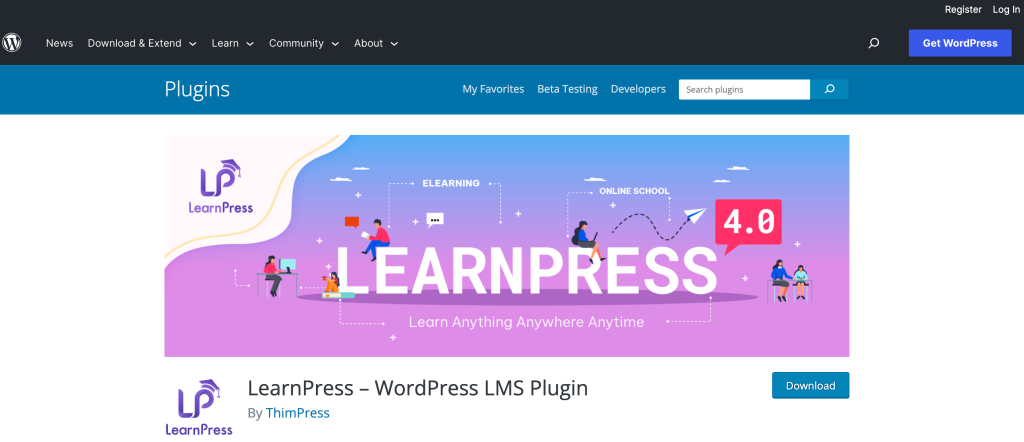
LearnPress is a free WordPress LMS plugin from ThimPress. You can publish free or paid courses and expand the plugin with add-ons as your course business grows.
LearnPress extends its free core with add-ons and integrations, including WooCommerce, BuddyPress, bbPress and Paid Memberships Pro, plus a newer Memberships & Subscriptions add-on. The initial setup can be challenging for beginners, and most advanced functionality comes from paid add-ons.
Pricing: LearnPress is free on WordPress.org. Premium add-ons, including the LearnPress Pro Bundle, are sold separately, with prices listed on the vendor’s site.
Recommended WordPress LMS Plugins for Different Use Cases
Every business, teacher, and course development entrepreneur has different needs and expectations from their WordPress LMS plugins. However, the following LMS plugins excel in their categories:
Best WordPress LMS plugin for beginners or small-scale membership sites
If you are just starting out or run a very small-scale membership site, Thrive Apprentice is a good option.
Thrive Apprentice offers a user-friendly interface, pre-designed course templates, and a drag-and-drop course builder, making creating organized modules, chapters, and lessons easy. It also provides features like content dripping, personalized content display, and a customizable course completion page.
Additionally, Thrive Apprentice integrates seamlessly with popular WordPress plugins and services, allowing for easy integration with existing setups. Overall, Thrive Apprentice offers the necessary features and ease of use for beginners or those managing small-scale membership sites.
Best WordPress LMS plugin for advanced features and customization
LearnDash is one of the most popular choices for advanced features and customization. It offers comprehensive tools and functionalities for managing online courses. It has a drag-and-drop course builder, content dripping, assignment management, quiz and test management with various question types, and flexible control over how students take tests and quizzes.
It also integrates with WooCommerce and membership plugins for monetization and supports multiple payment gateways. A wide range of third-party add-ons extends it further, making it a strong choice if you need advanced course features.
Best WordPress LMS setup for selling courses as a membership
If you want recurring revenue from your courses, pair a course plugin with Ultimate Membership Pro. The course plugin handles lessons, quizzes and certificates, while Ultimate Membership Pro sells access as monthly or yearly Memberships, locks lessons for non-members and drips content on a schedule. This setup also lets you bundle courses with other member perks, such as downloads, a member directory or discounts in your WooCommerce store.
Best free WordPress LMS plugin
If your budget is close to zero, start with Tutor LMS or LearnPress. Both have free core plugins on WordPress.org, so you can build and publish a first course before paying for add-ons or a Pro plan.
Conclusion
The best WordPress LMS for you depends on how you teach and how you want to get paid. Thrive Apprentice suits beginners who care about design, LearnDash suits advanced course builders, and Tutor LMS and LearnPress let you start for free. If your business model is recurring access, add Ultimate Membership Pro to sell Memberships, protect lessons and manage students in one place. To plan the rest of the site, read this guide on how to create a membership website.
Frequently asked questions
What is the best LMS plugin for WordPress?
There is no single best WordPress LMS for everyone. LearnDash is a strong pick for advanced quizzes and course control, Thrive Apprentice suits beginners who want visual course design, and Tutor LMS and LearnPress offer free core plugins. If you sell course access as a subscription, pair your LMS with a membership plugin.
Is there a free LMS plugin for WordPress?
Yes. Tutor LMS and LearnPress both offer free core plugins on WordPress.org, so you can build lessons and publish a first course without paying. Advanced features such as extra quiz types, certificates or integrations usually require a Pro plan or paid add-ons, so check what the free version includes first.
Do I need both an LMS plugin and a membership plugin?
Not always. Some LMS plugins can sell single courses on their own. You need a membership plugin when you want recurring billing, bundles of several courses, access rules for other content, or member perks beyond the courses. In that setup, the LMS builds the course and the membership plugin controls who can access it.
Can I sell course subscriptions on WordPress?
Yes. With a membership plugin such as Ultimate Membership Pro, you sell course access as a Membership billed every month or year, or in a set number of installments. Payments run through gateways like Stripe and PayPal, and members lose access to protected lessons when their subscription ends.
What is the difference between an LMS and a membership plugin?
An LMS plugin builds and delivers courses, with lessons, quizzes, certificates and progress tracking. A membership plugin manages who can access content and how they pay, with sign-up, recurring billing and content restriction. Course creators often use both: the LMS for teaching and the membership plugin for selling access.
Ready when you are
Turn visitors into paying members with Ultimate Membership Pro
Launch your membership website, protect exclusive content and automate subscription payments, all in one WordPress plugin.
- 14-day money-back guarantee
- Unlimited members
You May Also Like
How to Create a Membership Website for Free
The Ultimate Guide to Understanding Membership Types, from A to Z
What Is a Recurring Subscription and Should You Get One for Your Membership Site?