Best WordPress User Registration Plugins (2026): 8 Options Compared
Eight WordPress user registration plugins compared by custom fields, approval, social login, payment at sign-up and member profiles, with a best-for and a limitation for each.


The best WordPress user registration plugins are Ultimate Membership Pro, User Registration, Ultimate Member, RegistrationMagic, Profile Builder, ProfilePress, WPForms and Gravity Forms. Form plugins are enough when you only need a custom sign-up form. If new users must pay, wait for approval or get a profile, pick a plugin built for member sites.
Ultimate Membership Pro is made by WPIndeed, the publisher of this blog.
A WordPress user registration plugin replaces the default sign-up screen with your own forms on the front end of your site. It lets you add custom fields, check email addresses, approve accounts by hand and send people to the right page after they join. This list compares eight options as of October 2026, each with a “best for” and a real limitation.
| Plugin | Custom fields | Social login | Email check or approval | Payment at sign-up | Profiles or directory | Pricing model |
|---|---|---|---|---|---|---|
| Ultimate Membership Pro | 11 field types, conditional | Yes | Both | Yes | Both | Annual plans |
| User Registration | 42+ to 67+ fields, by plan | Yes | Both | Yes | Both | Free + yearly or lifetime |
| Ultimate Member | Yes | Extension | Both | Stripe (Pro plan) | Both | Free core + annual plans |
| RegistrationMagic | Yes, per form | Premium | Approval (Premium) | Stripe (Premium) | User directory (Premium) | Free + one-time Premium |
| Profile Builder | Unlimited | Add-on | Both | Through a partner plugin | User listing (Pro) | Yearly plans |
| ProfilePress | Yes | Premium add-on | Both (premium add-ons) | Yes | Both | Free + annual plans |
| WPForms | Mapped to profile fields | Not listed | Not listed | Yes | No | Pro or Elite license |
| Gravity Forms | Mapped to profile fields | Not listed | Not listed | Yes | No | Elite or Nonprofit license |
Which WordPress user registration plugin should you pick?
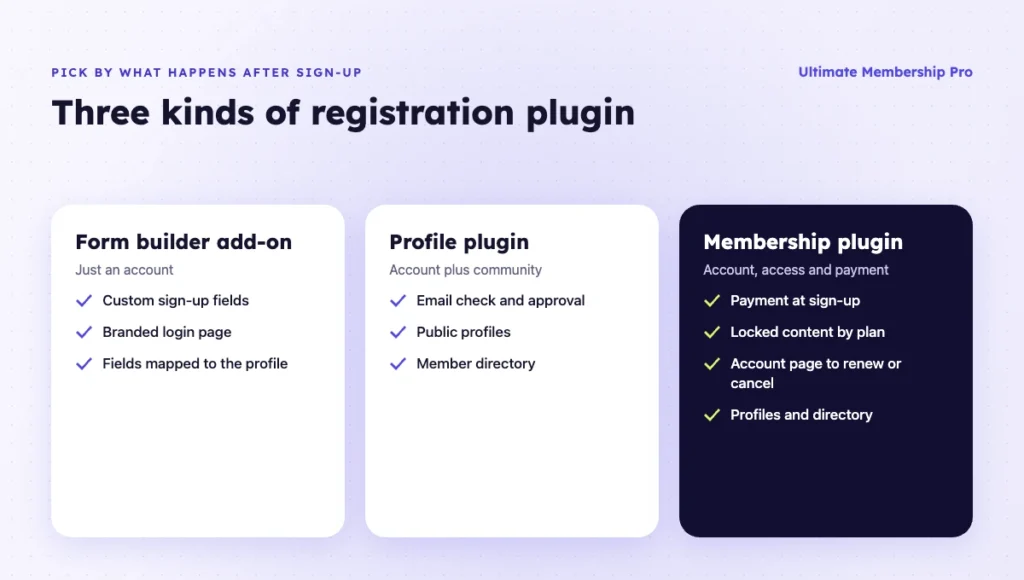
Pick the plugin that matches what happens after someone signs up. Quick picks by use case:
- Paid or approved access to content: Ultimate Membership Pro. Sign-up, payment, approval and access rules run in one plugin.
- A drag-and-drop form with room to grow into memberships: User Registration.
- A community built around profiles and a directory: Ultimate Member, or ProfilePress if you also want simple paid plans.
- Long application forms you review one by one: RegistrationMagic.
- One sign-up form on a site that already runs WPForms or Gravity Forms: that form builder’s registration add-on.
- A free start: the free versions of User Registration, Ultimate Member or ProfilePress.
What does a WordPress user registration plugin do?
It controls how people create an account on your site. It replaces the plain default form with forms you design, and it adds the checks that keep fake accounts out.
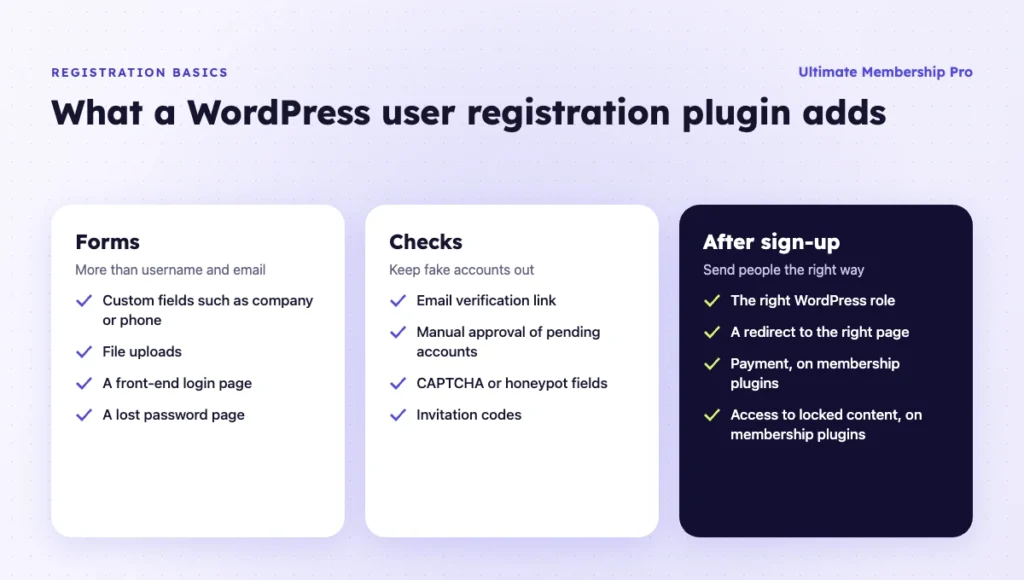
The core features to expect:
- Custom forms and fields. Ask for more than a username and email, such as a company name, phone number or file upload.
- Front-end login. Members sign in on a page that matches your site, away from the default wp-login.php screen.
- Email verification. New users click a link to confirm their address before the account becomes active.
- Manual approval. New accounts wait as pending until you approve them.
- Spam protection. CAPTCHA, honeypot fields or invitation codes stop bots.
- Roles and redirects. Each new user gets the right WordPress role and lands on the right page.
WordPress itself has a basic setting that lets anyone register and picks a default role for new users. The General Settings documentation explains it. That built-in form has no custom fields, no approval step and no payment.
How is a member registration plugin different?
Simple registration creates a user account and stops there. A member registration plugin for WordPress also decides what the new user can access, whether they pay, and how they manage their account afterward.
Here is how the two compare:
| Need | Simple registration | Membership registration |
|---|---|---|
| Custom sign-up fields | Yes | Yes |
| Email verification and approval | Often | Yes |
| Payment during sign-up | Rare | Yes, one-time or recurring |
| Access to locked content | No | Yes, by plan or level |
| Account page to renew or cancel | No | Yes |
| Public profile and directory | Sometimes | Often |
If you run a community, a course site or a paid newsletter, you need the second column. A form plugin can create accounts, but you would still need another plugin to handle access and billing.

1. Ultimate Membership Pro
Best for: membership sites where sign-up, payment, approval and access should run in one plugin.
Ultimate Membership Pro is a WordPress membership plugin made by WPIndeed since 2015 and used by 80,000+ creators, coaches and businesses. Its registration and login features cover the forms, the checks and the redirects that follow.
Its registration tools cover:
- One register form for all Memberships. Each field can show for every Membership or only for the ones you pick. Fields can also appear only on the account page or in the admin dashboard.
- 11 field types, including text, date, number, select, checkbox, radio and file upload, plus conditional fields that appear only when an earlier answer makes them relevant.
- Special fields for avatar, coupon, invitation code, payment method and pay-what-you-want price, so members register and pay on the same form.
- Social login with Facebook, Google, LinkedIn and other networks, once members link the network to their account.
- Email verification with a confirmation link. Unverified accounts can be removed automatically.
- Manual approval. New sign-ups wait as pending until you approve them.
- Google reCAPTCHA on the register and login forms.
- Login and register redirects that send each Membership to its own page.
After sign-up, members manage renewals, invoices and their profile from the member portal. Each member also gets a public profile page, and you can add a searchable member directory to any page.
Limitation: it is a full membership plugin. If you only need a contact-style sign-up form with no access rules or payments, it does more than you need.
Pricing model: sold as annual plans (Pro, Full Package, Agency), with unlimited members on every plan and a 14-day money-back guarantee. See the Ultimate Membership Pro plans.
2. User Registration
Best for: sites that want a drag-and-drop registration form builder with an upgrade path to paid memberships.
User Registration, by WPEverest, started as a form builder for sign-up forms and now includes membership features. It has a free version and paid plans.
The main features:
- Builds registration forms visually, with 42+ form fields on the entry plan and 67+ on higher plans, including file upload and payment fields.
- Verifies users by email and lets you choose automatic or manual approval.
- Adds social sign-up with Google, Facebook and other networks on paid plans.
- Sells free or paid membership plans, including recurring payments, with content restriction.
- Includes a My Account page and a member directory.
- Offers honeypot, CAPTCHA options, two-factor authentication and passwordless login.
Limitation: payment gateways are split across plans. PayPal is listed on the entry plan, and Stripe starts on the Plus plan.
Pricing model: a free plugin plus three paid tiers, sold yearly or as a lifetime license. As of October 2026, the single-site plan is listed at $99 per year.
3. Ultimate Member
Best for: community sites that care most about user profiles and member directories.
Ultimate Member is a free plugin focused on user profiles, registration and member directories. Paid extensions add more features.
Out of the box, it offers:
- A drag-and-drop builder for registration, login and profile forms, with a range of field types.
- User profiles and member directories in the free core.
- Content restriction in the free core.
- Email activation or admin review for new users, set per user role.
- Social login as an extension.
Limitation: payments are not part of the free core. Stripe integration is listed in the Pro plan.
Pricing model: the core plugin is free. Paid plans are billed once a year; as of October 2026, Standard is listed at $276 per year and Pro at $348 per year.
4. RegistrationMagic
Best for: sites that collect a lot of data at sign-up and want to review submissions like an inbox.
RegistrationMagic is a registration form builder with a free version on WordPress.org and premium tiers. Each form can have its own fields, content and settings.
Its form features:
- Builds multiple registration forms with custom fields.
- Tracks submissions in an inbox view, with filtered export in Premium.
- Lets admins approve registrations manually through a Premium extension.
- Assigns roles to forms or lets users pick a role, in Premium.
- Accepts Stripe payments on registration forms in Premium.
- Adds social login in Premium.
- Shows registered users in a front-end user directory in Premium.
Limitation: most of the features a membership site needs, such as approval, roles, payments and the user directory, sit in Premium. The free version has no payment gateways.
Pricing model: a free version plus Premium tiers, sold as a one-time payment with one year of updates and support.
5. Profile Builder
Best for: sites that want front-end profile editing and user listings without a full membership plugin.
Profile Builder, by Cozmoslabs, adds front-end login, registration, edit profile and password reset forms through shortcodes and blocks.
Key features:
- Adds unlimited custom user fields.
- Supports admin approval and email confirmation for new registrations.
- Offers Social Connect for login with social networks.
- Lists users and builds single-user pages with Advanced User Listing in the Pro plan.
Limitation: Profile Builder doesn’t sell memberships on its own. For paid sign-ups, you add a separate plugin such as Cozmoslabs’ Paid Member Subscriptions.
Pricing model: yearly plans. As of October 2026, Basic is listed at €99 per year for one site.
6. ProfilePress
Best for: sites that want profiles, directories and simple paid memberships in one plugin.
ProfilePress combines registration forms, user profiles, member directories and memberships. It has a lite version on WordPress.org and paid plans.
What you get:
- Builds registration and login forms with drag-and-drop and advanced builders.
- Creates searchable member directories and user profiles.
- Takes one-time and recurring payments through Stripe, PayPal and other gateways.
- Restricts pages, posts, custom post types, categories and tags.
- Adds social login, email confirmation and user moderation through premium add-ons.
Limitation: user moderation (approving new users) is listed on the Plus and Agency plans, not on Standard.
Pricing model: a lite version plus annual plans. As of October 2026, Standard is listed at $129 per year for one site, and the lite version adds a 2% fee on Stripe payments.
7. WPForms
Best for: sites already using WPForms that need a custom sign-up or login form and nothing more.
WPForms is a form builder. Its User Registration addon turns a form into a sign-up, login or password reset form.
The addon handles:
- Collects extra details at sign-up and maps them to user profile fields.
- Creates custom login and password reset pages.
- Lets people create an account on a payment form with a checkbox.
- Sends personalized confirmation emails.
Limitation: the addon page doesn’t mention email activation, manual approval or access rules. You need another plugin to lock content or manage plans.
Pricing model: the User Registration addon comes with the Pro and Elite licenses, billed yearly.
8. Gravity Forms
Best for: developers and agencies who already build advanced forms in Gravity Forms.
Gravity Forms is a form builder. Its User Registration add-on creates WordPress accounts when a form is submitted.
The add-on can:
- Creates users automatically on submission.
- Creates accounts only after a successful Stripe, PayPal or Square payment.
- Assigns roles, including custom roles.
- Creates a new site for each user on a multisite network.
- Adds a front-end login widget.
Limitation: the add-on provides no content restriction and doesn’t create roles or capabilities for you.
Pricing model: the add-on comes with the Elite or Nonprofit license.
Also worth a look: UsersWP and WP User Manager
Two free plugins appear in many other lists. UsersWP adds front-end registration and login forms, user profiles and a searchable members directory, with paid add-ons for extras such as Mailchimp. WP User Manager covers custom registration forms, front-end login, profile editing and user directories, with addons for Stripe payments and content restriction. Both suit profile-led sites better than paid memberships.
What else do you need for a membership site?
A sign-up form is only the first step of a membership site. After registration, you also need rules for access, payments and the member’s account.
Check these points before you choose:
- Access rules. What can a new member open, and what stays locked? See this guide to creating a membership website for the full setup.
- Payment flow. Does the form charge once, start a subscription or offer a free trial?
- Account page. Can members update details, renew, cancel and download invoices on their own?
- Emails. Are welcome, approval and expiry emails ready?
- Directory. Do members expect to find each other? This guide asks whether you need a member directory.
- Privacy. Do you need to hide parts of the site from visitors? This guide shows how to make a WordPress site private.
Do you need a separate login plugin?
Usually not. Most registration plugins on this list also add a front-end login form, a lost password page and redirects after login.
Login plugins solve a different problem. They restyle or hide the wp-login.php screen, limit failed attempts or add two-factor codes. Add one only if your registration plugin lacks the security you need. Ultimate Membership Pro, for example, includes login and lost password pages, reCAPTCHA on the login form and login redirects per Membership in every plan.
How do you handle consent and privacy at sign-up?
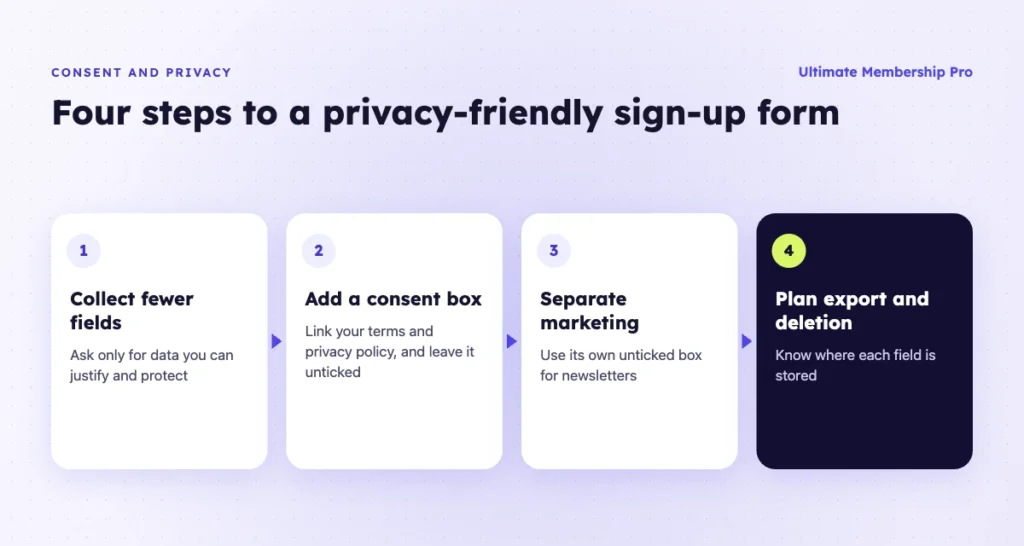
Ask only for the data you need, and get clear consent before you store it. If you have members in the EU or the UK, the GDPR applies to everything your registration form collects.
- Collect fewer fields. Every extra question is personal data you must protect and be able to justify.
- Add a consent checkbox. Link your terms and privacy policy next to it, and leave the box unticked.
- Keep marketing consent separate. Use its own unticked box for newsletters, apart from the account terms.
- Plan for export and deletion. Members can ask for a copy of their data or for removal, so know where each field is stored.
In Ultimate Membership Pro, people accept your terms of service before they can register, in every plan. WordPress itself adds a privacy policy page and tools to export or erase a user’s personal data. This is general guidance, so check your own obligations with a legal advisor.
How do you choose a WordPress user registration plugin?
Pick the plugin that matches what happens after sign-up. These steps help you decide:
- List your sign-up fields. Write down every question you need to ask, plus any file uploads.
- Decide how accounts are approved. Choose between instant access, email verification and manual approval.
- Decide if people pay at sign-up. If yes, check the gateways and whether recurring billing is included.
- Decide what members get. If new users get access to locked content, pick a membership plugin rather than a form builder.
- Check profiles and directories. If members should see each other, confirm public profiles and search filters.
- Count the add-ons. Add up the plans or extensions you need for the features above.
- Test the full flow. Register with a test account, confirm the email and check where the new user lands.
Ready when you are
Turn visitors into paying members with Ultimate Membership Pro
Launch your membership website, protect exclusive content and automate subscription payments, all in one WordPress plugin.
- 14-day money-back guarantee
- Unlimited members
Frequently asked questions
How do I add a custom registration form in WordPress?
Install a WordPress user registration plugin or a membership plugin, build the form with the fields you need and place it on a page with a shortcode or block. Then point your sign-up links to that page. Most plugins also let you hide the default WordPress registration screen so everyone uses your new form.
Is there a free WordPress user registration plugin?
Yes. User Registration, Ultimate Member, RegistrationMagic and UsersWP all have free versions, and ProfilePress has a free lite version. Free versions cover custom forms and basic checks. Paid sign-ups, manual approval and social login usually need a paid plan or extension, so check those limits before you build on one.
Can users register without a plugin?
Yes. WordPress has a built-in setting that lets anyone register and picks a default role for new users. People then sign up on the default WordPress screen with a username and email. You can’t add custom fields, approval steps or payments without a plugin.
How do I approve new users manually?
Turn on manual approval or admin review in your registration plugin. New accounts then wait as pending until you approve them from the dashboard. Many plugins email the user when you approve the account, so they know they can log in.
How do I stop spam registrations?
Add a CAPTCHA such as Google reCAPTCHA to the sign-up form, require email verification and consider manual approval for new accounts. Invitation codes and honeypot fields also help. If you don’t need open sign-ups, turn off public registration in WordPress settings.
Can users pay when they register?
Yes, with a membership plugin or a form plugin that supports payments. The user fills in the form, pays with a gateway such as Stripe or PayPal and gets access when the payment succeeds. Membership plugins can also start a recurring subscription at the same time.