Best WordPress Member Directory Plugins (2026): 7 Options Compared
Seven WordPress member directory plugins compared on search, profiles, privacy and payments, with who each one suits and where it falls short.


The best WordPress member directory plugins are Ultimate Membership Pro for paid communities, Ultimate Member for free profile-first sites, Paid Memberships Pro with its directory add-on, BuddyPress or BuddyBoss for social networks, ProfilePress, Profile Builder and WP User Manager. Pick by three questions: who should see the directory, which details members share, and whether members pay to join or to be listed.
Ultimate Membership Pro is made by WPIndeed, the publisher of this blog. Every other plugin here was checked on its own website or WordPress.org page on October 21, 2026, and each one gets an honest “best for” and a real limitation.
A member directory plugin is a WordPress plugin that lists your members on a page, with a profile for each person, so members can search for and find each other. Most of them also work as a WordPress user profile plugin, with front-end profiles members edit themselves. It is the online version of the printed member list a club or association used to mail out.
| Plugin | Best for | Directory at no cost | Privacy controls | Pricing model |
|---|---|---|---|---|
| Ultimate Membership Pro | Paid communities, associations and clubs | No free version | Opt-in listing, pending members hidden, members-only page lock | Annual plans |
| Ultimate Member | Free, profile-first communities | Yes | Private profiles, privacy per field | Free core, yearly passes |
| Paid Memberships Pro | Sites already on Paid Memberships Pro | No, premium add-on | Public or members-only, rules by level | Free core, monthly or yearly plans |
| BuddyPress and BuddyBoss | Social networks with groups and messages | BuddyPress is free | Visibility levels on profile fields | Free (BuddyPress), yearly plans (BuddyBoss) |
| ProfilePress | Light membership sites with profiles | Listed in the free plugin | Not stated | Free version, yearly plans |
| Profile Builder | Custom front-end registration and profile forms | No, Pro and Agency plans | Not stated | Free version, yearly plans |
| WP User Manager | A free directory on a small site | Yes | Not stated | Free core, yearly or lifetime plans |
“Not stated” means the vendor’s website doesn’t mention it. Plans and features change, so confirm details on each vendor’s site before you buy.
Need a map? Only two plugins here list a map view: Paid Memberships Pro, through the optional Membership Map in its directory add-on, and Profile Builder, whose Pro and Agency plans let users add themselves to a map. The other vendor pages checked for this list don’t mention one, so members search by a city or region field where custom-field filters are supported.
What does a member directory plugin do?
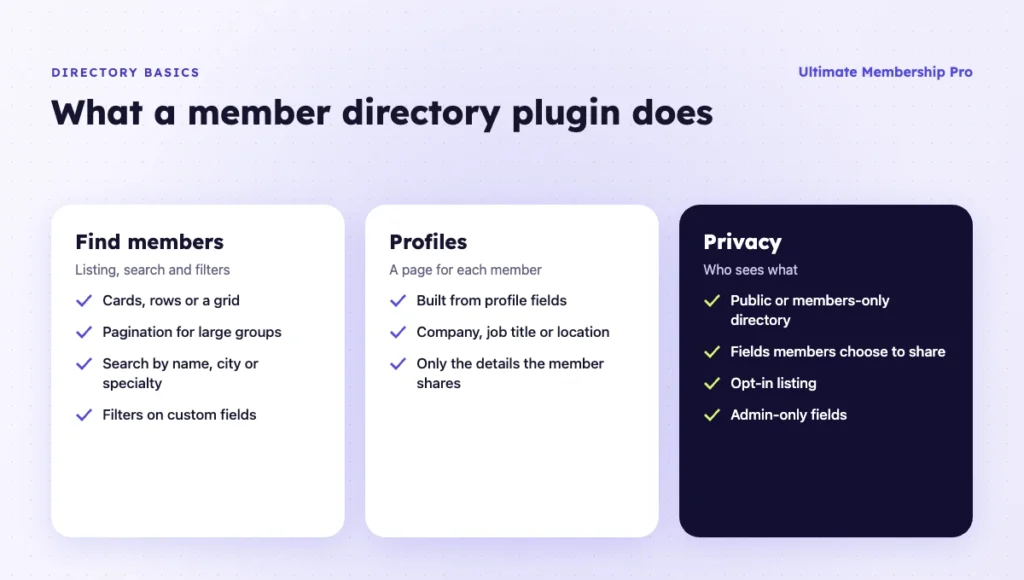
A member directory plugin turns your user accounts into a searchable list of people. Each entry links to a profile page with the details the member chose to share.
Most directory plugins cover the same core jobs:
- Listing: members shown as cards, rows or a grid, with pagination for large groups.
- Search and filters: find members by name, city, specialty or any other field you collect.
- Profiles: a public page for each member, built from their profile fields.
- Custom fields: extra questions on the sign-up form, such as company, job title or location.
- Privacy: rules for who sees the directory and which fields appear.
The differences show up in privacy controls, payments and how much you can change the layout.
How were these directory and user profile plugins chosen?
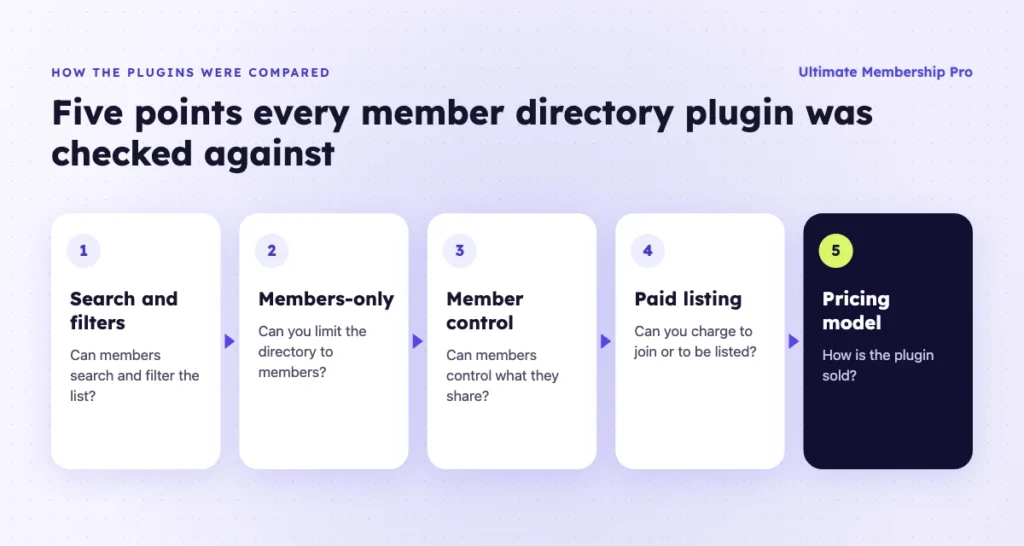
Each plugin on this list has a working member directory on its own or through an official add-on. Each was checked against the same points:
- Can members search and filter the list?
- Can you limit the directory to members only?
- Can members control what they share?
- Can you charge people to join or to be listed?
- How is the plugin sold?
Pure business-listing plugins, such as local business or classifieds directories, are left out. They list places and companies, and this list is about people.
1. Ultimate Membership Pro
Best for: paid communities, associations, clubs and coaching programs that need payments, profiles and a directory in one plugin.
Ultimate Membership Pro includes a member directory with search and filters in every plan. You pick the fields each member card shows, choose from 10 card themes and show members as a grid or a slider, with pagination for large communities.
Search and filters can use your own custom fields, so members can look for a specialty or a city. Every card links to a public profile page, and each member also gets a private page that only they and you can see.
The sign-up form has 11 field types, and each field can be shown only for the Memberships you choose. Each field can appear on the sign-up form, on the profile, or only to admins, so you can collect a phone number or address without showing it in the directory. Members update their details and avatar from their account page.
You can also list only members of the Memberships you pick, while that Membership is active. That makes “pay to be listed” possible: put directory listing in a paid Membership, and members drop off the list when it ends. If your form includes the opt-in field for the public directory, only members who tick it are listed.
To keep the directory for members, lock the page it sits on for the Memberships you choose. The guide to the Members Directory covers each option.
Payments are built in, with 10 gateways in every plan and 13 in Full Package. The associations and clubs setup shows how dues, approvals, printable member cards and a members-only directory fit together.
Limitation: there is no free version, and the directory comes as a grid of cards or a slider, with no table or plain-list view and no map or location search. For activity feeds and private messages, you would add a community plugin such as BuddyPress, where Ultimate Membership Pro adds a membership tab to each profile.
Pricing model: sold as annual plans (Pro, Full Package, Agency), with unlimited members on every plan.
2. Ultimate Member
Best for: free community sites where profiles and the directory matter more than payments.
Ultimate Member includes member directories, user profiles, registration, login and content restriction in its free core plugin. Its directories can show the roles you choose, set how many profile cards appear on each page and turn on search filters.
Profiles support cover photos, a bio and a header with chosen fields. A drag-and-drop builder creates the registration, login and profile forms, with conditional logic on fields.
Privacy is one of its strong points. Members can make their profile private and hide it from directories, and each field can be public, members-only, limited to some roles or visible only to the owner and admins.
Limitation: payments are not part of the free core. Its Stripe integration comes with the Pro pass, so selling memberships means a paid pass or another plugin.
Pricing model: a free core plugin, plus yearly Standard and Pro passes with extensions.
3. Paid Memberships Pro (Member Directory add-on)
Best for: sites already running Paid Memberships Pro that want a directory without a second membership plugin.
Paid Memberships Pro is a membership plugin with a free core that includes Stripe, PayPal and other gateways. Its Member Directory and Profile Pages add-on adds a public or members-only searchable directory, with a profile page for each member.
You choose the profile fields with its no-code user fields and can show data based on membership level. An optional map shows members by location.
Limitation: the directory is a premium add-on, so you need a paid plan to use it. Those plans are billed monthly or yearly.
Pricing model: a free core plugin, plus paid plans that include premium add-ons.
4. BuddyPress and BuddyBoss
Best for: social networks where members post updates, join groups and message each other.
BuddyPress is a free, open source community plugin. It adds extended profiles with custom fields and visibility levels, activity streams, public, private or hidden groups, private messages and friend connections. Blocks such as Dynamic Members List show recently active, popular and newest members.
BuddyBoss builds a paid platform on the same idea, with member profiles, social groups, forums and private messaging. Its yearly plans also include memberships and courses, with a fee on those sales in its entry plan as of October 2026.
Limitation: BuddyPress has no payments or memberships, so you add a membership plugin to charge people. BuddyBoss costs more and does far more than a directory, which is a lot of platform if a searchable list is all you need.
Pricing model: BuddyPress is free. BuddyBoss sells yearly Start, Launch and Scale plans, with separate plans for a mobile app.
5. ProfilePress
Best for: smaller membership sites that want profiles, a directory and simple payments in one light plugin.
ProfilePress describes searchable, filterable member directories in its WordPress.org listing. You can limit a directory to the user roles you choose and start from a pre-built template.
It also handles paid memberships, with Stripe in the free version and more gateways, such as PayPal, Mollie and Paystack, on paid plans.
Limitation: directory filters only work on select, checkbox, radio, country and date fields. Showing custom fields in a directory needs its Custom Fields add-on, and the free version adds a 2% fee on Stripe payments as of October 2026.
Pricing model: a free version on WordPress.org, plus yearly Standard, Plus and Agency plans.
6. Profile Builder
Best for: sites that need custom front-end registration and profile forms, with flexible listing templates.
Profile Builder’s user listing lets you create several member directories, each from an editable template, with a single page for each user. It adds a search form, faceted filters on custom fields and an option for users to add themselves to a map.
Limitation: the user listing is not in the free plugin. It comes with the Pro and Agency plans. For paid sign-ups, the same company sells Paid Member Subscriptions as a separate plugin.
Pricing model: a free version on WordPress.org, plus yearly Basic, Pro and Agency plans.
7. WP User Manager
Best for: small sites that want a free directory with front-end profiles.
The free WP User Manager plugin includes a member directory with search, sorting and filtering by role. You place it with a block, an Elementor widget or a shortcode, and members manage their own profiles and avatars from the front end.
A custom fields editor adds fields to profiles and registration forms. The free plugin can take one-off or recurring Stripe payments at registration, and WooCommerce is a premium add-on.
Limitation: filters in the free version are by role, and its WordPress.org page lists no filters on custom fields such as city or specialty. It is a smaller project: its WordPress.org page shows 10,000+ active installs, against 90,000+ for BuddyPress and 100,000+ for ProfilePress.
Pricing model: a free core plugin, plus Starter, Plus, Pro and Agency plans sold yearly or as lifetime plans.
Privacy: what should a member directory show, and to whom?
Show the least information that still lets members find each other, and let members choose. A directory is a list of real people, so treat every field as personal data, whichever member directory plugin you use.
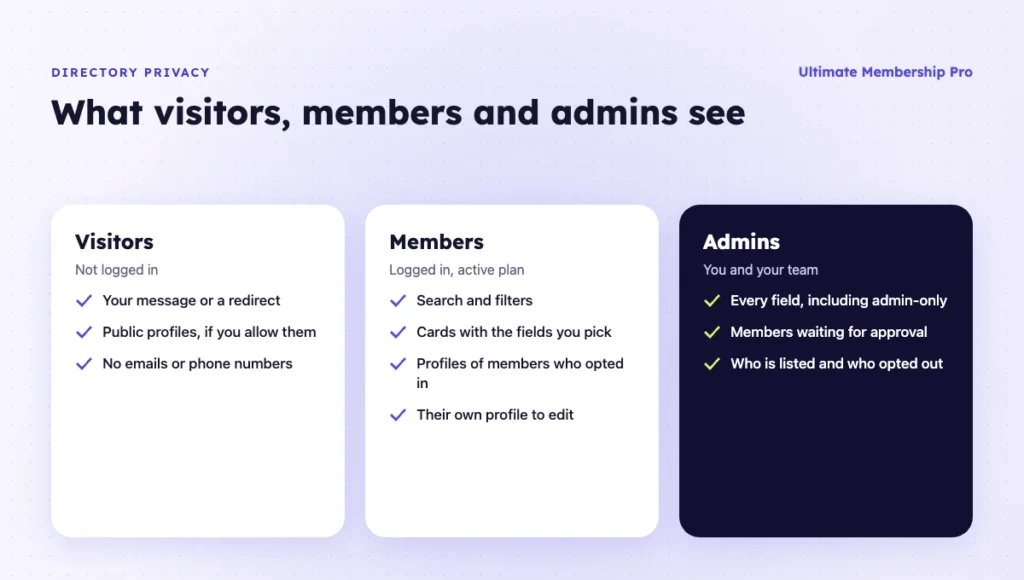
- Decide who sees the directory. Public directories help a professional network get found. Members-only directories suit clubs, alumni groups and support communities.
- Hide email addresses by default. Some plugins show email on member cards out of the box. Turn it off unless members agree to share it.
- Let members opt in. An opt-in field on the sign-up form, or a private-profile setting, lets members stay off the list.
- Keep some fields for admins. Phone numbers, addresses and payment details belong in admin-only fields. Ultimate Membership Pro and Ultimate Member both let you show a field only to admins.
- Leave out pending members. If you approve sign-ups by hand, keep unapproved accounts off the directory.
- Remove people who leave. List only active members, so the directory stays accurate.
If you serve members in the EU or UK, check what personal data rules require for your directory. The European Commission’s page on data protection rules is a good starting point.
How do you choose the right member directory plugin?
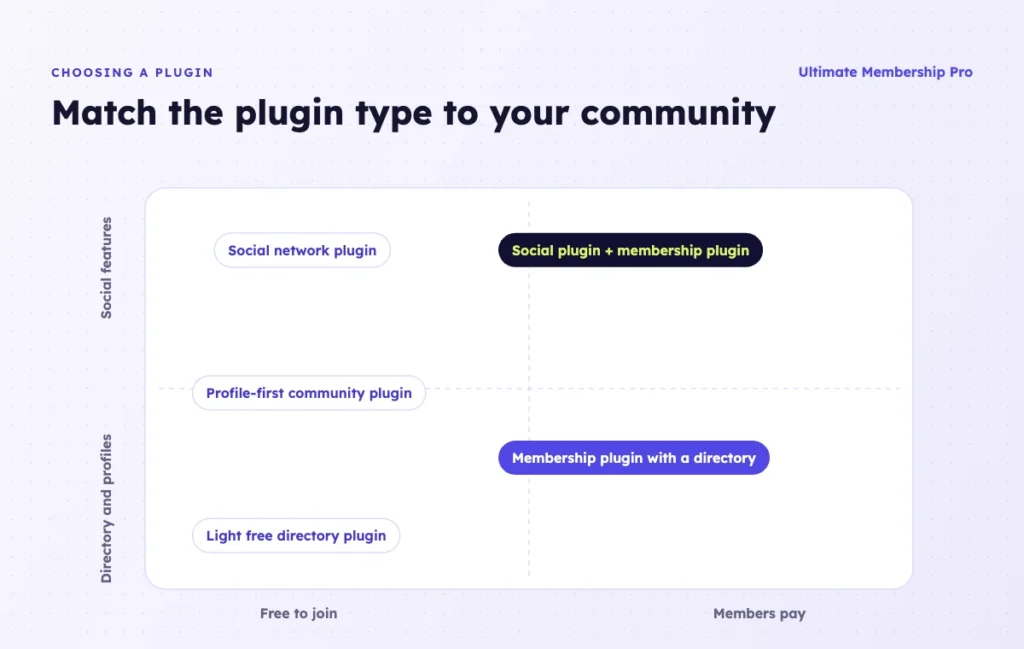
Start from what members do on your site, then match the plugin to it. A few common cases:
- Paid association or club: Ultimate Membership Pro, for dues, approvals, member cards and a members-only directory in one plugin.
- Free community with rich profiles: Ultimate Member, for detailed privacy settings at no cost.
- Social network with groups and messages: BuddyPress, paired with a membership plugin if you charge.
- Already on Paid Memberships Pro: its Member Directory add-on.
- Free directory on a small site: WP User Manager.
For more on planning a directory, read the guide to member directories and this roundup of WordPress community plugins. When you’re ready, compare the Ultimate Membership Pro plans.
Ready when you are
Turn visitors into paying members with Ultimate Membership Pro
Launch your membership website, protect exclusive content and automate subscription payments, all in one WordPress plugin.
- 14-day money-back guarantee
- Unlimited members
Frequently asked questions
How do I create a member directory in WordPress?
Install a member directory plugin, add the profile fields you want members to fill in, then build the directory: choose the fields each card shows, turn on search and filters, and place it on a page with a shortcode or block. Test it with a member account before you share the page.
Is there a free member directory plugin?
Yes. Ultimate Member, ProfilePress and WP User Manager include a member directory in their free plugins, and BuddyPress is free with member lists and extended profiles. Free versions have limits: WP User Manager filters by role only, and Ultimate Member needs its Pro pass for Stripe payments. Paid Memberships Pro and Profile Builder keep their directories for paid plans.
Can I make the directory visible to members only?
Yes. Most directory plugins let you restrict the page that holds the directory. In Ultimate Membership Pro, you lock that page for the Memberships you choose, and everyone else is redirected or sees a message you write. Lock the public profile page the same way if profiles should stay private too.
Should a business association use a member directory or a business directory plugin?
Use a member directory when each listing belongs to a member who joins and pays dues, because the listing then follows the membership and drops off when dues lapse. A business directory plugin suits public listings anyone can submit, with categories, reviews and maps. Many associations list member companies with custom fields such as company name, website and city.
Can I charge to be listed in a directory?
Yes, with a membership plugin. Put directory listing in a paid Membership and show only members of that Membership. In Ultimate Membership Pro, the directory can list only members whose chosen Membership is still active, so people drop off the list when they stop paying.
How do I keep member data private?
Show only the fields members need to find each other, and hide emails and phone numbers. Let members opt out of the public directory, keep sensitive fields visible to admins only, and restrict the directory page to logged-in members when your community is private.