Top 5 WordPress Community Plugins for Membership Sites (2026)


The best WordPress community plugins for membership sites are Ultimate Membership Pro, MemberPress, Kadence Memberships Pro (formerly Restrict Content Pro), MemberMouse and BuddyPress. Membership plugins control who can join and how members pay, while BuddyPress adds the social layer, with profiles, groups and activity streams. Many community sites combine the two.
Having a membership site is one of the best ways to create and grow a successful online community. Yet, without the right WordPress community plugins, setting up the membership site itself can be a challenge.
What are the most efficient, easiest-to-use, and most powerful WordPress community plugins for membership sites? This guide compares five of them, with verified features and pricing.
What Are WordPress Community Plugins?
WordPress community plugins are tools that make it easy to create, manage, and customize a membership site or online community. These plugins allow you to easily accept payments and add members and set up different membership levels, like free vs. paid tiers. Furthermore, the more advanced plugins will also connect with addons that enable you to manage forums, create user profiles, create paywall content, and nurture your subscriber base so you can increase your membership site’s revenue.
What to Look For in a WordPress Community Plugin
The thing with WordPress community plugins is that there are so many of them, so it’s easy to get lost in the ocean of options. Here are some of the criteria to use when making your selection:
- Ease of use: you want a plugin that is easy to set up and manage.
- Price: depending on the features you need, some plugins can be expensive.
- Features: ensure that the plugin has all the features you need in order to run a successful membership site
- Addons: you want your plugin to connect with as many addons as possible so that you can customize your membership site and add more features.
- Overall reviews: check the reviews of the plugin and make sure that it is well-liked by users (do make sure to check the number of installs as well, as it can be a tell-tale sign of the quality of the plugin).
- Content dripping: this is a nice feature that allows you to set up an automated release of new content for members.
- Content expiration: if you offer trials or time-limited access, the plugin should be able to end access automatically when a membership expires.
- Member profiles and directory: a member directory with public profiles helps members find and connect with each other.
- eCommerce & subscription integrations: with the right plugin, you’ll be able to connect your membership site with popular eCommerce and subscription platforms.
- Email marketing integration: this allows you to easily connect your membership site with popular email marketing services.
- Support and documentation: you want a plugin that provides good support and documentation so you can get help when needed.
Top 6 Benefits of Using a WordPress Community Plugin
Alright, but why go through all this trouble? Why sift through the myriad of WordPress community plugins and select one? Here are six benefits of using a plugin for your membership site:
Increased Revenue
With the right plugin, you can easily set up a membership system that allows you to charge for exclusive content or access. This will increase your membership site revenue and help you grow your community.
Customization
Plugins allow you to customize your membership site however you want, so you can tailor it to your audience and create a unique environment.
User Management
WordPress community plugins make user management much easier, allowing you to easily keep track of who is accessing your site and what content they are viewing.
Subscription Payments
Subscription payments become easy. WordPress community plugins are the simplest way to start accepting payments for your memberships. The best plugins will allow you to accept subscription payments on different levels, create addons (for paywall content, merch, and so on), as well as track payments and easily manage cancellations and refunds.
Forums, Profiles, and More
Most WordPress community plugins offer easy integration with third-party addons that let you create user profiles, manage forums, and more. This is a sure-fire way to make sure you’re not just building an audience, but an actual community.
Ease of Use
Plugins make it easy to set up a membership site (and start generating revenue) without having to code anything. What you really want (and need) is an easy way to monetize your knowledge, while you focus on community-building (rather than figuring out complex systems and coding).
The Best WordPress Community Plugins
OK, so now that you know why you need a community plugin (as well as what to search for), let’s take a look at some of the most popular WordPress community plugins on the market.
| Plugin | Best for | Community features | Starting price |
|---|---|---|---|
| Ultimate Membership Pro | Paid communities with flexible access rules | Member directory, public profiles, BuddyPress integration | Annual plans |
| MemberPress | All-in-one memberships and courses | Forums, circles and BuddyPress on Growth and Scale | $199.50/year |
| Kadence Memberships Pro | Content restriction by membership level | Relies on other plugins | See vendor site |
| MemberMouse | Sales funnels, upsells and gifting | Relies on other plugins | $149.50/year |
| BuddyPress | Social networking between members | Profiles, groups, activity streams, messaging | Free |
Ultimate Membership Pro

Ultimate Membership Pro is a WordPress membership plugin that handles the paid side of a community: sign-up, recurring payments and access rules. It also gives members a place to find each other, with a searchable member directory and public profiles on every plan, and it works alongside BuddyPress if you want a full social network.
Ultimate Membership Pro Features
- Searchable member directory and public member profiles, with fields you can show only to certain Memberships
- BuddyPress integration that adds a membership tab to each member’s BuddyPress profile
- Content restriction for pages, posts, categories, files and menu links by Membership, plus drip content
- Group memberships, where one owner pays and invites the team
- Recurring billing with trials, coupons and prorated upgrades through Stripe, PayPal and other gateways
- Social login, login security (limit login attempts, block IPs) and invitation codes for sign-up
- WooCommerce integration and an affiliate program through the Ultimate Affiliate Pro integration (sold separately)
Ultimate Membership Pro Pricing
Ultimate Membership Pro is sold as annual plans, all with unlimited members. Pro covers one site, Full Package adds the Pro add-ons, group accounts and pay per post on three sites, and Agency covers up to 10 sites. Current prices are on the pricing page.
MemberPress
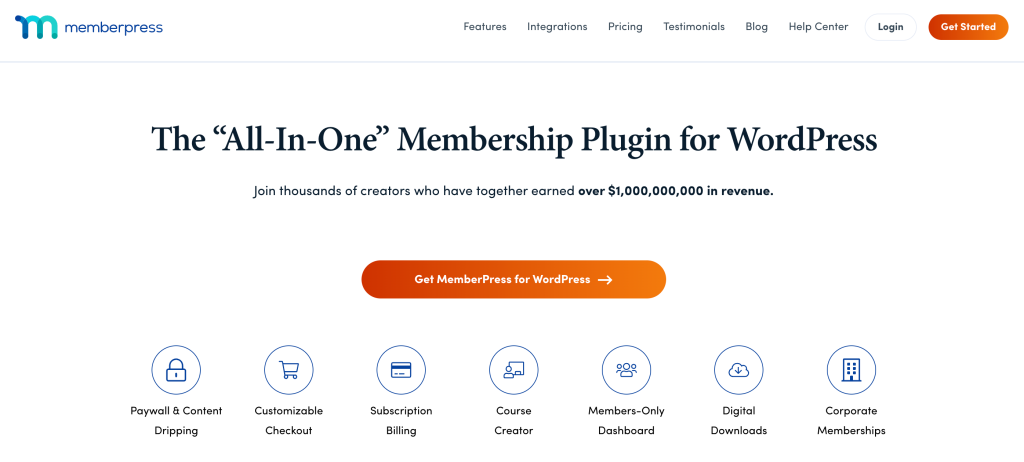
MemberPress is one of the single most popular WordPress community plugins out there. It’s easy to see why: the plugin is easy to use and it provides a good range of features for those who want to run a membership site. Here’s a quick look at some of the basics you should know about MemberPress:
MemberPress Features
MemberPress has a lot of features, such as creating membership levels (free, paid and so on), easy integration with payment gateways (Paypal, Stripe, etc.), as well as more advanced features such as:
- Integration with email marketing tools
- Content dripping (allows you to schedule the release of content)
- Coupon codes
- Integration with third-party services like Zapier (Scale plan)
- Access rules
- Reports
- Community features on the Growth and Scale plans: forums, circles and BuddyPress or BuddyBoss integration
MemberPress Pricing
MemberPress has three annual plans: Launch at $199.50/year, Growth at $349.50/year and Scale at $499.50/year. Launch charges a 4.9% transaction fee on each payment, community features start on Growth, and Authorize.net and Zapier are included only in Scale.
Kadence Memberships Pro (Formerly Restrict Content Pro)

Restrict Content Pro (RCP) (now Kadence Memberships Pro) is another popular WordPress community plugin that offers an excellent range of features. Here’s a quick look at the basics:
Kadence Memberships Pro Features
Restrict Content Pro is quite similar to MemberPress in many respects. The key difference is that while MemberPress will allow you to build courses, Restrict Content Pro is more focused on building a membership site that allows you to restrict content according to various membership levels. Some of the features you will find in RCP include:
- Free, trial and paid membership levels
- Payment gateways such as Stripe, PayPal, Authorize.net and Braintree
- Member management and a member account area with payment history
- Discount codes and free trials
- Earnings reports
- A bundle of add-ons
Kadence Memberships Pro Pricing
Kadence Memberships Pro is sold by Liquid Web; check current pricing on the vendor’s site. A free version, Kadence Memberships (formerly Restrict Content), is available on WordPress.org.
MemberMouse

MemberMouse is another good contender for the top WordPress community plugins. Here’s a quick look at what this plugin brings to the table:
MemberMouse Features
MemberMouse allows you to create and manage memberships, accept payments, and access detailed reports. Some other features you should know about include:
- Content dripping
- Restricting content
- SmartTags (to allow you to add features on your site in just a few clicks)
- Analytics
- Basic e-commerce features
- Documentation
- Gifting functionality
- Customizable welcome emails
MemberMouse Pricing
MemberMouse has three annual plans: Basic at $149.50/year (Stripe payments, drip scheduling, coupons and gifting), Plus at $249.50/year (adds PayPal, Braintree and social login) and Pro at $349.50/year (adds the full analytics suite, employee access control and priority support).
BuddyPress
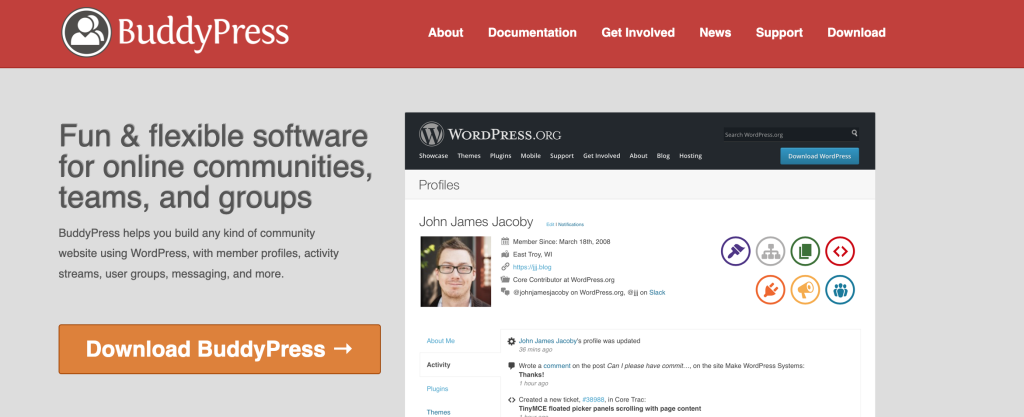
BuddyPress is a free, open-source plugin that turns a WordPress site into a social network. Where the other WordPress community plugins above focus on memberships and payments, BuddyPress focuses on interaction between members, which is why it’s often paired with a membership plugin.
BuddyPress Features
Some of the features BuddyPress comes with include:
- User profiles
- Groups
- Forums, through the separate bbPress plugin
- Private Messaging
- Activity streams
- Member Directories
- Friend connections
- User-generated content (users can create blogs)
BuddyPress Pricing
BuddyPress is open-source software, so it’s free of charge. It doesn’t take payments on its own, so to charge for access you pair it with a membership plugin.
The Best WordPress Community Plugins: Conclusion
There’s no universally “best” WordPress community plugin. It all depends on your goals. If you want to charge for access and give members a directory and profiles, Ultimate Membership Pro covers the paid side of your community, and it’s a good fit for associations and clubs. If you want an open-source plugin that lets members talk to each other, BuddyPress is your best bet, and you can combine the two.
Whichever WordPress community plugin you choose, make sure it meets all your needs, offers you documentation and support, and is a trustworthy, reputable option.
WordPress Community Plugins: FAQs
What are community plugins?
Community plugins are WordPress plugins designed to let members of your community interact with each other. They allow users to create profiles, join groups and forums, and get access to members-only content. Some focus on social features, like BuddyPress, while membership plugins focus on sign-up, payments and access rules.
Is there a membership plugin for WordPress?
Yes, there are many membership plugins for WordPress, including Ultimate Membership Pro, MemberPress, Kadence Memberships Pro and MemberMouse. They let you sell access as one-time or recurring memberships, restrict content by membership level and manage members from your dashboard. Compare features, payment gateways and annual cost before you choose.
Is BuddyPress free?
Yes. BuddyPress is free, open-source software you can install from WordPress.org. It adds member profiles, groups, activity streams, private messaging and friend connections. It doesn’t take payments on its own, so if you want to charge for access to your community, you pair it with a membership plugin.
Can I use BuddyPress with a membership plugin?
Yes, and it’s a common setup. BuddyPress handles the social side, while the membership plugin handles sign-up, payments and access rules. Ultimate Membership Pro, for example, adds a membership tab to each member’s BuddyPress profile, and MemberPress includes BuddyPress and BuddyBoss integration on its Growth and Scale plans.
Which community plugin includes a member directory?
BuddyPress includes member directories as part of its social features. Ultimate Membership Pro includes a searchable member directory and public member profiles on every plan, with search by name, city or custom fields and options to show certain fields only to chosen Memberships. That makes it useful for associations, clubs and professional networks.
Ready when you are
Turn visitors into paying members with Ultimate Membership Pro
Launch your membership website, protect exclusive content and automate subscription payments, all in one WordPress plugin.
- 14-day money-back guarantee
- Unlimited members
You May Also Like
Restrict Content Pro vs MemberPress: Which Membership Plugin Should You Choose?
MemberPress vs MemberMouse: Which Is the Best Membership Option?
The Top 11 MemberMouse Alternatives to Pick From
Best WordPress Membership Plugins Compared
Membership Pricing Strategy: 11 Models and How Much to Charge