The 11 Best MemberMouse Alternatives for 2026


The main MemberMouse alternatives are Ultimate Membership Pro, MemberPress, Paid Memberships Pro, Ultimate Member, WooCommerce Memberships, Restrict Content Pro (now Kadence Memberships Pro) and WishList Member. Each one handles content restriction and paid memberships, with a different focus and price point. Pick based on your main need, such as multiple plans, a community, a WooCommerce store or online courses.
MemberMouse is a WordPress membership plugin known for its sales tools and ease of use, and it includes course tools on every plan. It offers multiple options to sell subscriptions and membership plans.
It enables end-to-end membership management directly on your website and organizes the courses the way you want them to be. Subscribers also can cancel or upgrade their membership on their own.
MemberMouse alternatives at a glance
| Alternative | Best for |
|---|---|
| Ultimate Membership Pro | Sites that need multiple plans and fine-grained access control |
| MemberPress | Experienced WordPress users comfortable with a classic plan setup |
| Ultimate Member | Building a community around your niche |
| Paid Memberships Pro | A free option with strong features |
| WP-Members | Newcomers and users with some web design skills |
| WooCommerce Memberships | Stores already running on WooCommerce |
| Restrict Content Pro (now Kadence Memberships Pro) | Restricting content by membership level |
| Paid Member Subscriptions | An affordable, user-friendly option with a setup wizard |
| Memberium | Businesses that run on Keap (formerly Infusionsoft) |
| s2Member | Freemium sites that sell specific content or downloads |
| WishList Member | Event management and online courses |
Which are the best MemberMouse alternatives?
With all that’s been said, MemberMouse sounds like the only membership software you need. And yet, there are many plugins and tools you should give a chance to before you jump on the MemberMouse bandwagon.
Here are the best MemberMouse alternatives. As you will see, several membership plugins offer similar benefits, with different strengths and budgets.
Ultimate Membership Pro

The distinctive advantage of Ultimate Membership Pro is that it lets you create multiple Memberships and levels of access for your members. It works with your WordPress theme and with page builders such as Elementor and Divi.
Compared to MemberMouse, it gives you fine-grained control over the content each customer can access, based on the subscription plan they’ve chosen. That makes it one of the best MemberMouse alternatives for sites with several plans.
With its content restriction, you don’t only restrict pages, but also posts, categories, files and menu links, by Membership. It’s sold as annual plans with unlimited members on every plan; see the pricing page for details.
These are the features to expect:
- Member Portal. Members manage everything about their account in one place.
- Recurring subscriptions. Charge on 10 payment gateways (13 in Full Package), with free or paid trials, coupons and prorated upgrades.
- Login security. Limit login attempts, lock out repeat offenders and block IPs on your membership site.
- Paywall. Lock part of a post or limit free reads, so your most valuable content stays for paying members.
- Drip content. Release and expire content on a schedule.
- Member directory and profiles. A searchable directory with public member profiles is included on every plan.
MemberPress
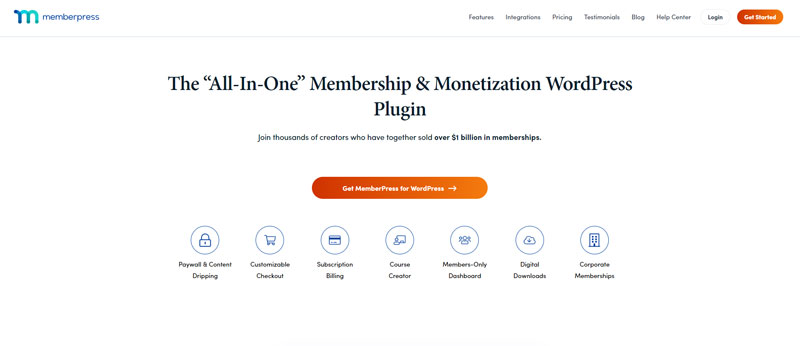
This WordPress plugin for membership management is one of the best-known tools on this list. It’s a premium plugin with no free version, sold as annual plans.
MemberPress will let you restrict content and manage online payments. Its higher plans add courses with quizzes and certificates, plus community features such as forums and BuddyPress integration. If you’re comfortable with a classic WordPress setup, you’ll find your way around it quickly.
Its main features include:
- End-to-end membership management. Subscriptions are managed by the provider and the subscriber, each within their privileges.
- Drip content. As per the standard WP approach, you can schedule content to be published at a particular moment.
- Integrated affiliate management. The plugin works with Easy Affiliate (formerly Affiliate Royale).
- Business intelligence. You can generate reports to improve membership management.
Ultimate Member

If you plan to be more social and build a thriving community, check Ultimate Member. This membership management software focuses less on monetization and more on community, which makes it the most distinctive tool among MemberMouse alternatives.
Think of it as the perfect combination of membership management and social networking. As usual, you can restrict content and enable payments, and its extensions add the following:
- Directories and member database. You can store your client information front-end, within a directory you can filter and categorize.
- Friends & Followers. The membership management software enables communication between users like a social network.
- Private messaging. Each user can send and receive private messages.
- Ratings and review. Users can review you, but also other users.
- Custom individual profiles. Each user can create a private profile he can manage. You will, nevertheless, still pull the strings behind the curtain.
- Integrations. The membership management software works smoothly with ForumWP. This means that users can also make public comments or send messages.
Paid Memberships Pro

Don’t be discouraged by the name: this plugin can also be used to offer free trials and freemium subscriptions. Better yet, its core plugin is free and open source, downloaded from the Paid Memberships Pro website, with paid plans for extra add-ons and support.
There aren’t many good MemberMouse alternatives offered for free, but this plugin is one of them.
Free membership software is usually quite limited, but that is not the case with this plugin. It can even act as association management software, and it caters well to premium content. You can use it for event management, learning management, and much more.
To make matters even better, you can offer subscription bundles and member-only products. You can also divide pricing into affordable tiers. You can introduce free trials or demand recurring online payments. It is entirely up to you!
The signup process is as easy as membership management can get. The client only chooses a suitable plan, checks out, and becomes a member within minutes. For each of them, there is a dedicated customer profile where they can view their payments and manage billing info.
WP-Members

WP-Members is a free membership management plugin designed for WordPress users. You don’t have to pay to use it, but you still get an array of benefits usually offered by any premium membership management system.
Thanks to it, you can create custom registration pages and restrict content to site subscribers only. The approvals are given manually so that you are in full control of who is subscribing and when.
If you have some web-design skills, you can enhance its power and add all the functions you need. The plugin supports all shortcodes and API features necessary for a membership organization. All coding documents are publicly available.
WP-Members is highly recommended to newbies and inexperienced users. Despite being free, this membership software still lets you perform all sorts of experiments on your membership site. Try it out, and create your first online community. Just keep in mind that payments and advanced features come through paid extensions.
WooCommerce Memberships

This plugin works for those among you with a WooCommerce-powered online store. You can use it to offer membership perks and encourage even more purchases. The membership management system enables full control over your buyers and their purchases.
All necessary features for end-to-end membership management are included. You can drip and restrict content, as well as assign pricing tiers, and export data on CSV files. Intelligent as it is, the plugin extracts valuable information that can enhance your business.
Payments run through your WooCommerce store, so you can use the gateways it supports, such as PayPal, Stripe and Authorize.net. The front-end capabilities, on the other hand, also let clients manage their memberships.
If you are still not convinced, check the other benefits as well:
- Different levels of membership. The integration with WooCommerce subscription lets you develop the perfect membership plans.
- Facilitated communication. With a compact membership database, you can keep customers engaged. The plugin reminds them of renewals and expiring memberships.
- Access restrictions. You can restrict access to any page, post, or custom post type.
Restrict Content Pro (Now Kadence Memberships Pro)

In this case, the name says it all. Use this plugin to restrict your website content to posts for selected members. The process is pretty much the same for each of the abovementioned plugins.
There is something, though, that the name doesn’t reveal. The plugin excels foremost in membership management – it lets you create different plans for different users. It even lets you create discounts and pull out reports.
As for payments, Stripe is included in the free version, Kadence Memberships, and the Pro version adds PayPal, Authorize.net and Braintree. Restrict Content Pro is now Kadence Memberships Pro, sold by Liquid Web; check current pricing on the vendor’s site.
Other prominent features:
- Easy setup and use
- Free, trial and paid membership levels
- Email marketing integrations in the Pro version
- A bundle of add-ons included with Pro
Paid Member Subscriptions

Speaking of affordable association management software, let’s check Paid Member Subscriptions. The affordable and user-friendly plugin has all the features you need. It will impress you with an advanced setup wizard that guides you through each step, from launching the page to choosing the currency.
You can connect the membership management system to any payment processor or page builder. The choice comes down to one-time payments and recurring plans, while the pro version lets you offer free signups as well.
Check the other features too:
- A license for a single website
- Unlimited levels of membership
- Advanced tools for management of existing members
- An account management page for each user
- The great setup wizard
- The discount tools
Memberium

Memberium is a membership plugin designed for users of Keap (formerly Infusionsoft). If you run a business on this platform, you probably know that connecting it to WordPress membership pages takes the right tool.
Memberium was created exactly to close this gap, and to make it easy to engage buyers without additional management software.
Here are some of the features you should check:
- Advanced integration with Keap (formerly Infusionsoft)
- Unlimited levels of membership
- A document library for setup and installation
- Many popular integrations with LMS, job boards, event management tools, and more. Examples include LearnDash LMS, WooCommerce, Yoast, and Gravity Forms.
s2Member

s2Member is both a leading freemium membership plugin and a secure database for clients and payments. You can block WordPress content by protecting the whole site, page, or just an area on the page.
Not all content needs to be for sale. You can, for instance, present the reads for free, but block download with a payment. You can even distinguish between users who subscribe and don’t subscribe. Calls to action are an important part of the process, in particular the Buy Now button, and s2Member also manages payments.
Look out for the following capabilities:
- PayPal integration in the free version, with Stripe and Authorize.net in s2Member Pro
- Advanced discount creation with gifts and coupon codes. You can invite clients to buy limited products or upgrade their membership payments.
- Enhanced communication. With custom emails, you can lead visitors to confirm their subscription, check out, or complete event registration.
- Integration with leading mailing services, such as GetResponse, MailChimp, and AWeber.
- Multiple affiliate programs and campaigns are integrated into website management. The tools that help you here are ShareASale and iDevAffiliate.
WishList Member

Last but not least, WishList Member is a professional plugin for event management and online courses. WishList has been on the market for years, and truly has the reputation of a reliable all-in-one solution and membership database.
The thing you will like the most about it is the number of payment integrations. All the big players are there, such as Stripe and PayPal, but so are platforms such as Keap (formerly Infusionsoft), SendOwl and ThriveCart. The cherry on the cake is WooCommerce, which leads to a way to practically any payment gateway.
With that being said, let’s see what the membership management system has to offer:
- Unlimited levels of membership and multiple subscription plans
- Scheduling features for content and online courses, as well as limited access
- Dozens of integrations for payments, email and event management
- Seamless integration with leading shopping carts
- Free trials and content demos for selected users
Conclusion: Choosing a MemberMouse Alternative
The right MemberMouse alternative depends on your main need. Choose Ultimate Membership Pro for several plans and detailed access rules, Ultimate Member for a community, Paid Memberships Pro or WP-Members for a free start, WooCommerce Memberships if you already run a WooCommerce store, and Memberium if your business runs on Keap. Compare the features you need today with the ones you’ll need as your membership site grows.
Ultimate Membership Pro also has detailed comparisons as a MemberPress alternative, a Paid Memberships Pro alternative, an Ultimate Member alternative and a Restrict Content Pro alternative.
Frequently asked questions
What is MemberMouse used for?
MemberMouse is a WordPress membership plugin that manages memberships from end to end on your own site. You can use it to sell subscriptions, organize courses and protect content. Your subscribers can cancel or upgrade their plans on their own, which cuts down on the account work you handle by hand.
Is there a free alternative to MemberMouse?
Yes. Paid Memberships Pro has a free, open-source core plugin you download from its own website, with free trials, freemium tiers and recurring payments. WP-Members is also free and covers custom registration pages, content restriction and manual member approval. Free plugins can work well for smaller sites, though you may need add-ons or some code as your site grows.
Which MemberMouse alternative works best with WooCommerce?
WooCommerce Memberships is built for stores that already run on WooCommerce. It works with WooCommerce Subscriptions and its payment gateways, including PayPal, Stripe and Authorize.net. You also get content dripping, pricing tiers, renewal and expiration reminders, and a front-end area where your members manage their own memberships.
Which MemberMouse alternative is best for an online community?
Ultimate Member is the strongest pick if you want to build a community. It adds front-end member directories, friends and followers, private messaging, custom profiles and a ForumWP integration. It also handles content restriction and payments, though monetization is a smaller part of its focus.
Which MemberMouse alternative is best for multiple membership plans?
Ultimate Membership Pro suits sites that need several plans and detailed access control. You can restrict pages, posts and parts of a post to members, drip content on a schedule, and sell Memberships as recurring subscriptions with trials and coupons. It is sold as annual plans, and every plan supports unlimited members.
Ready when you are
Turn visitors into paying members with Ultimate Membership Pro
Launch your membership website, protect exclusive content and automate subscription payments, all in one WordPress plugin.
- 14-day money-back guarantee
- Unlimited members
You May Also Like