Best Buy Me a Coffee Alternatives (2026): 7 Options for Creators
Compare Buy Me a Coffee alternatives on fees, memberships and ownership: Ko-fi, Patreon, Gumroad, Stripe Payment Links, Memberful, Substack and a WordPress option.

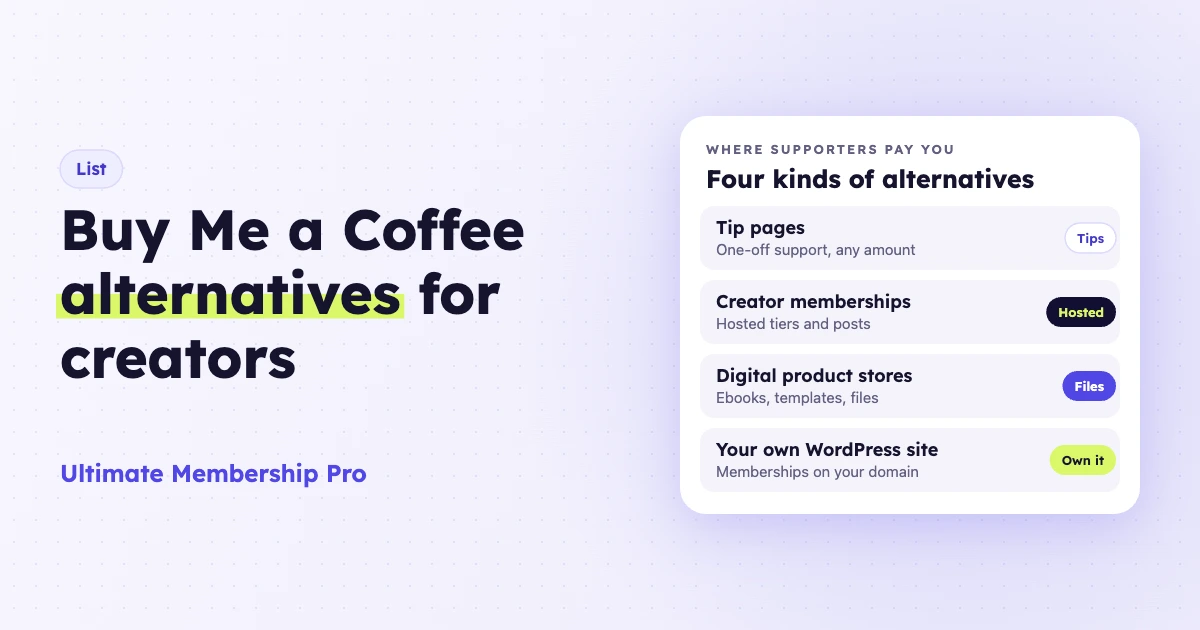
The best Buy Me a Coffee alternatives are Ko-fi or Liberapay for tips, Patreon for a full creator membership, Gumroad for digital products, Fourthwall for merch and Stripe Payment Links for a simple payment button. If your tips are turning into recurring income, a WordPress site with a membership plugin lets you own the site, the member list and the payment account.
Ultimate Membership Pro is made by WPIndeed, the publisher of this blog.
A Buy Me a Coffee alternative is any platform or tool that lets fans support you with tips, memberships or purchases, outside Buy Me a Coffee. Some are hosted creator pages; others are stores, payment links or plugins on your own website.
- Buy Me a Coffee charges a 5% transaction fee on what supporters pay, plus payment processing, and no monthly fee (as of October 2026).
- Ko-fi takes 0% on one-off tips once you switch off its default Standard mode, and Liberapay takes no platform fee on donations. Patreon takes 10% from new creators, and Gumroad 10% + $0.50 per sale.
- Once supporters pay every month for posts, downloads or perks, a membership site on your own domain gives you more control.
- You can export your supporter list from Buy Me a Coffee at any time, so switching doesn’t mean starting from zero.
Why do creators look for a Buy Me a Coffee alternative?
Most creators leave Buy Me a Coffee when tips become a real income. The 5% fee grows with every payment, and memberships, posts and products live on someone else’s site.
- The fee scales with you. Buy Me a Coffee’s FAQ says it charges a 5% transaction fee and creators keep 95%. At $50 a month that is small. At $5,000 a month it is $250, before processing.
- Your brand sits inside theirs. Your page lives on buymeacoffee.com, with its checkout and design.
- Memberships outgrow a tip jar. Buy Me a Coffee has monthly and yearly memberships and members-only posts, but for file downloads, drip schedules or a full archive, a membership tool gives you more room.
- Payout rules. Its FAQ lists payouts in 44 countries, handled by Stripe and Wise. Its help center says the first payout waits for a one-time human review and a $10 balance, and can take 7 to 14 days.
- Verification can freeze the money. If you don’t send the proof it asks for within 90 days, its help center says supporters are refunded and the page is deactivated.
In its favor, Buy Me a Coffee has no monthly fee and includes memberships, a shop and emails to supporters on every account.
Buy Me a Coffee alternatives at a glance
This table compares seven options with Buy Me a Coffee in the first row as the baseline. Fees were checked on each vendor’s own site as of October 2026, and card processing comes on top.
| Option | Pricing model | Platform fee on memberships | Tips or pay what you want | Best for |
|---|---|---|---|---|
| Buy Me a Coffee (baseline) | Free, no monthly fee | 5% plus processing | Yes, tips are the core feature | A simple tip page with light memberships |
| Ultimate Membership Pro | Annual plugin plan plus your own hosting | Fixed: hosting and plugin plan; your processor charges per payment | Supporters can choose their price on a Membership; no standalone tip button | Recurring memberships on a site you own |
| Ko-fi | Free plan, or Gold at $12/month | 5% on the free plan; 0% on Gold for memberships that start after you upgrade | Yes; 0% on one-off tips in Free mode, 5% in the default Standard mode | Tips, commissions and a small shop |
| Patreon | Free to start | 10% for pages launched after August 4, 2025, plus processing and payout fees | Single payments are supported | Creators with a large, active fan base |
| Gumroad | No monthly fee | 10% + $0.50 per sale; 30% on Discover marketplace sales | Product-based | Selling digital products and simple memberships |
| Stripe Payment Links | Pay as you go | No platform fee; Stripe’s processing fees apply | Yes, customers can choose what to pay | A payment button with no creator page |
| Fourthwall | Free plan or $15/month Pro | 5% on memberships | Yes; no added fee beyond processing | Tips, memberships and merch in one branded shop |
| Liberapay | Free, funded by donations | No platform fee; no perks allowed | Recurring donations | Work funded by regular donations |
What are the best Buy Me a Coffee alternatives?
Ko-fi is the closest match for tips and Liberapay for pure donations. Patreon suits a bigger membership platform, Gumroad suits files, Fourthwall suits merch, and Stripe Payment Links is the lightest option. Ultimate Membership Pro on WordPress suits creators who want recurring memberships, members-only posts and downloads on their own domain.
1. Ultimate Membership Pro on WordPress
Ultimate Membership Pro is a WordPress membership plugin that turns your own site into the place where supporters join, pay and read, with payments going through your own gateway account, such as Stripe or PayPal.
The membership setup for creators covers free and paid Memberships billed monthly, yearly, a set number of times or once, with free or paid trials, coupons and gift Memberships. Content restriction locks posts, pages, categories, files or part of a post, so you can keep a public teaser and lock the rest for members.
For downloads, you can lock download pages and files by Membership and set download limits per Membership with the free Download Monitor plugin. Selling a single download page for one payment uses Pay Per Post, which needs Full Package.
Best for: creators whose supporters pay every month for posts, files or perks, and who want those members on their own domain and email list.
Limitation: it is built for memberships, not one-click tips: every payment is tied to a member account and a Membership. You also run hosting, updates and backups, with no discovery network or app.
Ultimate Membership Pro is sold as annual plans (Pro, Full Package and Agency), listed on the pricing page.
2. Ko-fi
Ko-fi looks most like the original: a creator page with tips, memberships, commissions and a shop, paid straight into your own PayPal or Stripe account.
In Ko-fi’s Free mode, one-off tips carry no platform fee. New pages start in Standard mode (“Get all of Ko-fi”), which adds supporter-only posts and charges 5% on tips too, so switch it off if tips are most of your income.
On the free plan, Ko-fi takes a 5% fee on memberships, shop sales and commissions. Ko-fi Gold ($12/month) drops that fee to 0%, with two catches from its help center: memberships that began before you upgrade stay at 5%, and Standard mode must be switched off separately. Card processing always applies.
Best for: creators who mostly take tips and want PayPal as well as card payments.
Limitation: on the free plan, memberships and sales carry the same 5% as Buy Me a Coffee, and your page still follows Ko-fi’s layout.
3. Patreon
Patreon is a creator membership platform for posts, video and audio. It supports monthly and annual subscriptions, membership tiers, single payments and a shop, in 16+ currencies.
Its pricing page lists 10% of the income you earn, plus processing, currency conversion, payout fees and taxes. Its help center says 10% is the standard rate for pages published after August 4, 2025; older pages keep their earlier pricing (as of October 2026).
Best for: creators who publish video, audio or posts on a platform fans already use.
Limitation: for a new page, the 10% fee is double Buy Me a Coffee’s 5%, and members, payments and payouts all run through Patreon.
4. Gumroad
Gumroad is a store for digital products that also handles memberships. It has no monthly charge and takes 10% + $0.50 per sale through your profile or direct links, or 30% when a new customer buys through its Discover marketplace.
The 10% + $0.50 excludes card processing and PayPal fees. Gumroad acts as merchant of record, so it collects and remits sales tax for you.
Best for: creators who sell ebooks, templates, presets or other files.
Limitation: the fixed $0.50 per sale hurts small payments. On a $5 supporter payment, Gumroad keeps $1.00, a fifth of it, before processing.
5. Stripe Payment Links
Stripe Payment Links creates a no-code link for a product, a subscription or a donation that you can share anywhere or add to your site as a buy button. Customers can choose what to pay, which works well as a tip link.
Best for: creators who already have a website or audience and only need a way to get paid.
Limitation: it is a payment page, not a creator page: no members-only posts, member accounts or content locking, and design is limited to presets, your logo and colors.
6. Fourthwall
Fourthwall is a branded storefront for tips, memberships, digital products and merch. As of October 2026, tips carry no added fee beyond processing, memberships pay 5%, and digital sales pay 5% on the free plan or 0% on the $15-a-month Pro plan. Partners print and ship merch, and the catalog base cost comes out of your price.
Best for: creators who want tips, a membership and merch together on one branded shop.
Limitation: earnings reach your bank once a month, and memberships pay the same 5% as on Buy Me a Coffee, so the saving is on tips and digital sales.
7. Liberapay
Liberapay is a platform for recurring donations. Its FAQ says it takes no cut and funds itself through donations to its own account, so you pay only Stripe or PayPal processing (as of October 2026). The rules are strict: it is only for donations, so you can’t promise rewards or members-only posts, one-time donations aren’t properly supported yet, and its FAQ caps what one donor can give any single creator at $100 a week.
Best for: open-source developers, writers and others funded by regular donations.
Limitation: no perks, posts or memberships, so it replaces only the tip side of Buy Me a Coffee.
Also worth a look: Memberful, Substack and Payhip
Memberful adds hosted memberships and billing to a site you already run, including WordPress. As of October 2026, its Standard plan costs $49/month plus 4.9%, so it costs more than Buy Me a Coffee at low revenue.
Substack suits writers whose support is really a newsletter: publishing is free, paid subscriptions cost 10% plus Stripe fees, and there is no tip jar or shop.
Payhip is a store for digital products, courses, coaching and memberships, with the same features on every plan. As of October 2026, Free Forever takes 5% per sale, Plus costs $29/month with 2% and Pro $99/month with no transaction fee. Pay what you want pricing, with a minimum as low as $0, works only on digital and physical products, so supporters buy something rather than leave a plain tip.
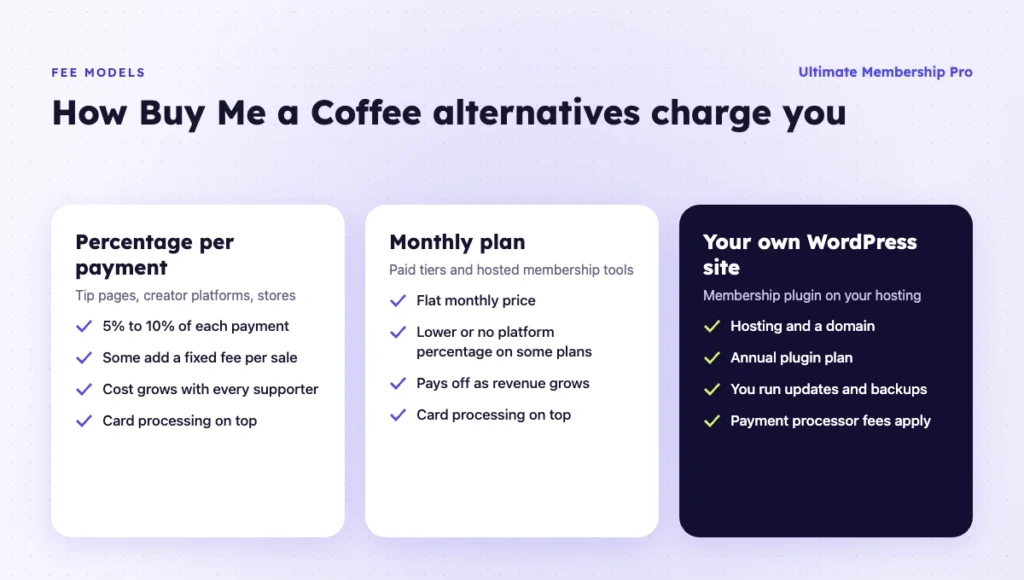
How much do Buy Me a Coffee alternatives charge in fees?
At $2,000 a month from $5 payments, Buy Me a Coffee’s 5% costs $100, Patreon’s 10% costs $200 and Gumroad’s 10% + $0.50 costs $400. The table is a worked example using platform fees listed as of October 2026, without card processing, which you pay everywhere.
| Monthly revenue in $5 payments (example) | $500 (100 payments) | $2,000 (400 payments) | $5,000 (1,000 payments) |
|---|---|---|---|
| Buy Me a Coffee, Ko-fi free plan or Fourthwall memberships (5%) | $25 | $100 | $250 |
| Ko-fi Gold ($12/month, 0% on new memberships) | $12 | $12 | $12 |
| Patreon or Substack (10%) | $50 | $200 | $500 |
| Gumroad direct sales (10% + $0.50) | $100 | $400 | $1,000 |
| Memberful Standard ($49 + 4.9%) | $73.50 | $147 | $294 |
| Liberapay or Stripe Payment Links (processing only) | No platform fee | No platform fee | No platform fee |
| Your own WordPress site | Fixed: hosting + plugin plan | Fixed: hosting + plugin plan | Fixed: hosting + plugin plan |
The Ko-fi Gold row assumes members who joined after you upgraded. The last two rows still have costs: Liberapay and Stripe pass on processing, and Stripe’s recurring billing can add a Billing fee. A WordPress site adds hosting, a domain and an annual plugin plan that stay the same at $500 or $5,000, plus your processor’s fees.
Tip jar or membership site: which do you need?
A tip jar collects one-off thanks from anyone who visits. A membership site sells ongoing access: members pay every month or year, log in and get content others can’t see. Many creators start with the first and move to the second once regular supporters ask for more, which is often when they start comparing Buy Me a Coffee alternatives.
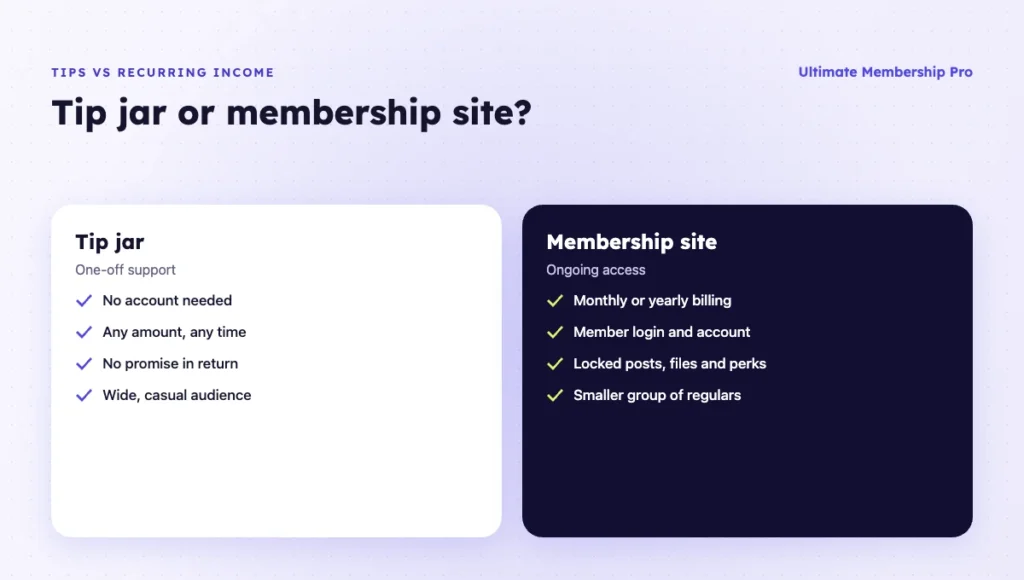
- Tip jar. No account needed, any amount, no promise in return. Good for occasional support from a wide audience.
- Membership. A fixed price per month or year, a login, locked posts or files and perks. Good for a smaller group of regular supporters.
- Both. Keep a tip link for casual fans next to a membership for regulars.
What should a Buy Me a Coffee alternative for memberships include?
A Buy Me a Coffee alternative for memberships should handle recurring billing, lock content by plan and give members an account to manage it.
- Recurring billing that runs by itself. Monthly and yearly plans, trials and coupons. In Ultimate Membership Pro, recurring subscriptions with the built-in gateways charge members automatically every period.
- Self-service for members. An account page where members renew, cancel or update a card. In Ultimate Membership Pro, members change their card themselves with Stripe Connect, and you can pause or resume a Stripe Connect subscription from your dashboard.
- Your own email list. Ultimate Membership Pro’s opt-in integrations, in every plan, add new members to Mailchimp, AWeber, GetResponse, ActiveCampaign and other tools. It does not send newsletters itself.
- A way to keep the supporter feel. Membership Dynamic Price lets members choose what they pay between a minimum and maximum you set. Its setup guide says it suits donations, supporter tiers and pay-what-you-want offers.
Which Buy Me a Coffee alternative should you choose?
Start from what supporters pay you for today. Most Buy Me a Coffee alternatives fit one of these situations.
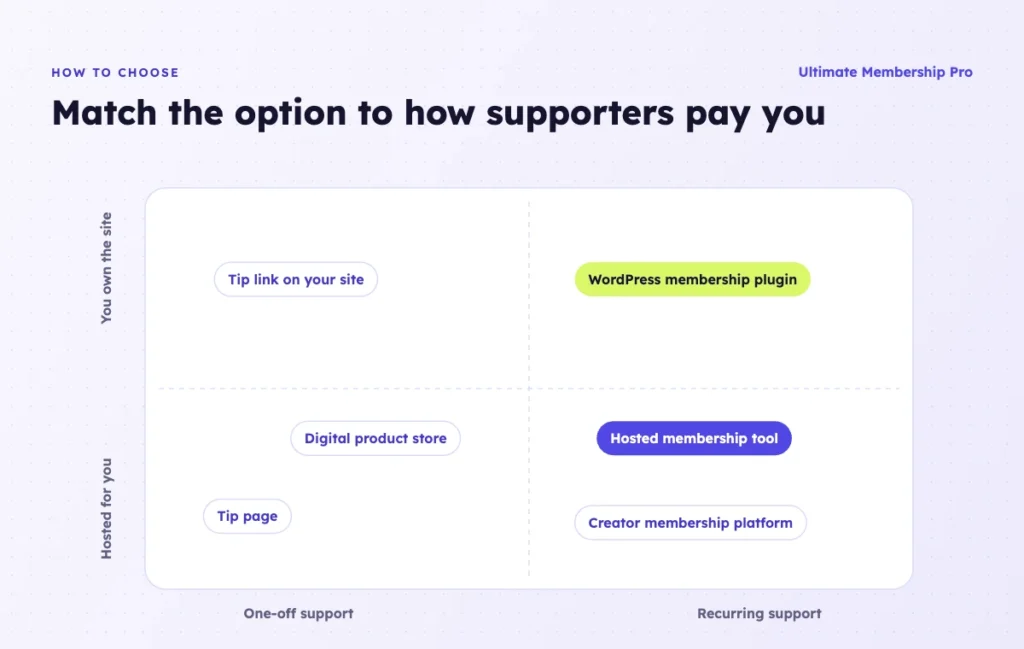
You mostly get tips
Ko-fi in Free mode, Liberapay and Stripe Payment Links take no platform fee on tips or donations, so each costs less than 5% for pure tips. Fourthwall adds no fee to tips either, if you also want merch.
You sell digital products
Gumroad is built for files and handles sales tax as merchant of record. If buyers already pay you a membership, locking downloads by Membership on your own site can replace separate product sales. These digital product ideas show what creators sell this way.
You want recurring memberships on your own site
WordPress with a membership plugin gives you your own domain, member database and payment account, with fixed costs and more upkeep. Memberful is the hosted route, with a monthly fee and a percentage.
You want reach more than control
Patreon and Substack have large audiences and apps that fans already use. You pay 10% for that, and the relationship stays on their platform.
When Buy Me a Coffee is still the better fit
Stay if your income is modest, you want no monthly costs and you don’t want to run a website. At $300 a month, the 5% fee is $15, which is less than most hosting and software would cost.
How do you move supporters from Buy Me a Coffee?
Export your supporter list, rebuild your offers, then move paying members with a clear plan. One-off supporters only need an email; for recurring members, agree on how their billing moves before you set a date.
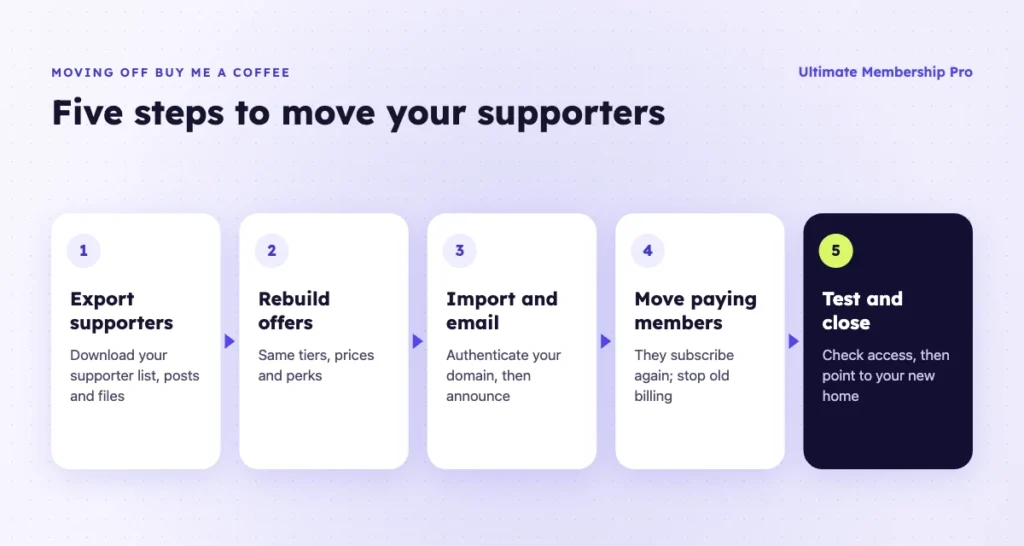
- Export your supporters. Download your supporter list, and save your posts and any files you sell.
- Rebuild your offers. Recreate each membership tier with the same price and perks on the platform you picked, and republish members-only posts and downloads.
- Import and email supporters. Authenticate your sending domain first; Google’s email sender guidelines explain what bulk senders need. Then import only people who agreed to hear from you and announce the move.
- Move paying members. Agree with the new platform how active recurring members move, give them a date, and end old memberships once new billing works so nobody pays twice.
- Test and close. Join as a test member, check payment, access and cancelation, then point your old page to your new home.
What happens to recurring members?
On WordPress, the Ultimate Membership Pro support team helps you migrate from Buy Me a Coffee with its own tools. Ask them how your active recurring subscriptions will be handled for your payment gateway before you pick a switch date. Ask Buy Me a Coffee’s support how to end or pause memberships on your page, too.
If you prefer to do it yourself, the standard CSV member import adds members with a Membership and start and expiry dates. It doesn’t create orders or gateway subscriptions, so set each expiry date at the end of the paid period and email a link to start billing on your site before that date.
Ready when you are
Turn visitors into paying members with Ultimate Membership Pro
Launch your membership website, protect exclusive content and automate subscription payments, all in one WordPress plugin.
- 14-day money-back guarantee
- Unlimited members
Frequently asked questions
What is the best alternative to Buy Me a Coffee?
It depends on what supporters pay you for. Ko-fi is the closest match for tips, Liberapay suits pure donations, Patreon suits larger creator memberships and Gumroad suits digital products. For recurring memberships on your own domain, a WordPress site with a membership plugin gives you the site, member list and payment account.
How much does Buy Me a Coffee take?
As of October 2026, Buy Me a Coffee charges a 5% transaction fee and creators keep 95%, with no monthly fee. Payment processing comes on top. On $1,000 of support in a month, the platform fee is $50 before processing.
Is Ko-fi cheaper than Buy Me a Coffee?
For one-off tips, it can be. Ko-fi’s Free mode takes 0% on one-off tips, but new pages start in Standard mode, which charges 5% on tips too. On memberships, shop sales and commissions both take 5%, unless you pay $12 a month for Ko-fi Gold (as of October 2026), which doesn’t cover memberships that began before you upgraded.
Are there sites like Buy Me a Coffee with no platform fee?
Yes. As of October 2026, Stripe Payment Links and Liberapay take no platform fee, only processing, and Ko-fi in Free mode takes nothing on one-off tips. Liberapay allows donations only, with no perks. A self-hosted WordPress site has fixed costs instead: hosting and an annual plugin plan, plus processor fees.
Can I accept tips on my WordPress site?
Yes. The simplest way is a Stripe Payment Link where supporters choose what to pay, added as a button. A form plugin connected to Stripe or PayPal is another common route for a donation form on your own page. Ultimate Membership Pro has no one-click tip button; its Membership Dynamic Price lets members choose what they pay within a range you set.
Can I move my members from Buy Me a Coffee to my own site?
Yes. Export your supporter list from Buy Me a Coffee first. On WordPress, the Ultimate Membership Pro support team helps you migrate from Buy Me a Coffee with its own tools; ask them how your active recurring subscriptions will be handled for your payment gateway. End old memberships only once the new billing is active, so nobody pays twice.