Best WordPress Paywall Plugins (2026): 7 Options Compared
Seven WordPress paywall plugins compared by paywall type (hard, metered, freemium, pay per post), payments and pricing model, plus how to keep a paywall SEO-friendly.

The best WordPress paywall plugins are Ultimate Membership Pro, Leaky Paywall, MemberPress, Paid Memberships Pro, ARMember, Kadence Memberships and Pay For Post with WooCommerce. The right one depends on the type of paywall you want: a hard paywall, a metered limit, free and premium posts side by side, or single articles sold one at a time.
Ultimate Membership Pro is made by WPIndeed, the publisher of this blog.
A paywall is a barrier that hides some or all of your content until a reader pays or signs up. A WordPress paywall plugin adds that barrier to your posts and pages, collects payments and decides who sees what. This list compares seven options as of October 2026, each with a “best for” and a real limitation.
| Plugin | Hard paywall | Metered limit | Part of a post locked | Pay per post | Subscriptions | Pricing model |
|---|---|---|---|---|---|---|
| Ultimate Membership Pro | Yes | Yes, for signed-in members | Yes | Yes (Full Package) | Yes | Annual plans |
| Leaky Paywall | Yes | Yes | Not listed | Not listed | Yes | Monthly plans + revenue share |
| MemberPress | Yes | Free views for guests (Growth, Scale) | Not listed | Not listed | Yes | Annual plans |
| Paid Memberships Pro | Yes | Premium add-on | Teasers | Not listed | Yes | Free core + paid plans |
| ARMember | Yes | Time-based limits | Yes, by shortcode | Yes (premium) | Yes | Free Lite + annual or lifetime |
| Kadence Memberships | Yes | Not listed | Not listed | Not listed | Yes | Kadence Pro or Elite bundle |
| Pay For Post with WooCommerce | Per post | Views after purchase (premium) | No | Yes | Through WooCommerce Subscriptions (premium) | Free + premium |
Which WordPress paywall plugin should you pick?
Pick by the paywall type you want first. Quick picks:
- Every paywall type in one plugin, including pay per post: Ultimate Membership Pro.
- A meter that counts anonymous visitors: MemberPress on the Growth or Scale plan, or Paid Memberships Pro with Limit Post Views.
- A managed newsroom paywall with setup done for you: Leaky Paywall.
- Single articles sold through a WooCommerce store: Pay For Post with WooCommerce.
- Pay per post and dripped content from one membership plugin: ARMember.
- A site already on Kadence Pro or Elite: Kadence Memberships, for a simple hard or freemium paywall.
- Best free option: the free Paid Memberships Pro core for a hard or freemium paywall with recurring Stripe or PayPal payments. For single posts, the free version of Pay For Post with WooCommerce.
What is a WordPress paywall?
A WordPress paywall is a rule that locks content on your site until a reader meets a condition. The condition is usually a payment, a subscription or a free account.
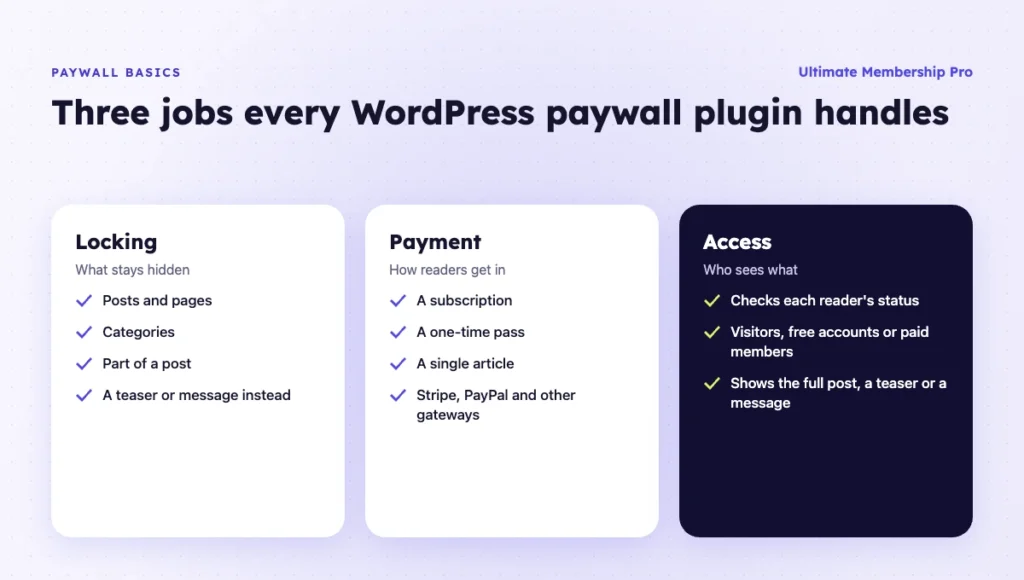
A WordPress paywall plugin handles three jobs:
- Locking. It decides which posts, pages, categories or parts of a post are hidden.
- Payment. It sells a subscription, a one-time pass or a single article through gateways such as Stripe and PayPal.
- Access. It checks each reader’s status and shows the full post, a teaser or a message.
Most paywall plugins are membership plugins with paywall features. A few are built only for publishers.
What types of paywalls are there?
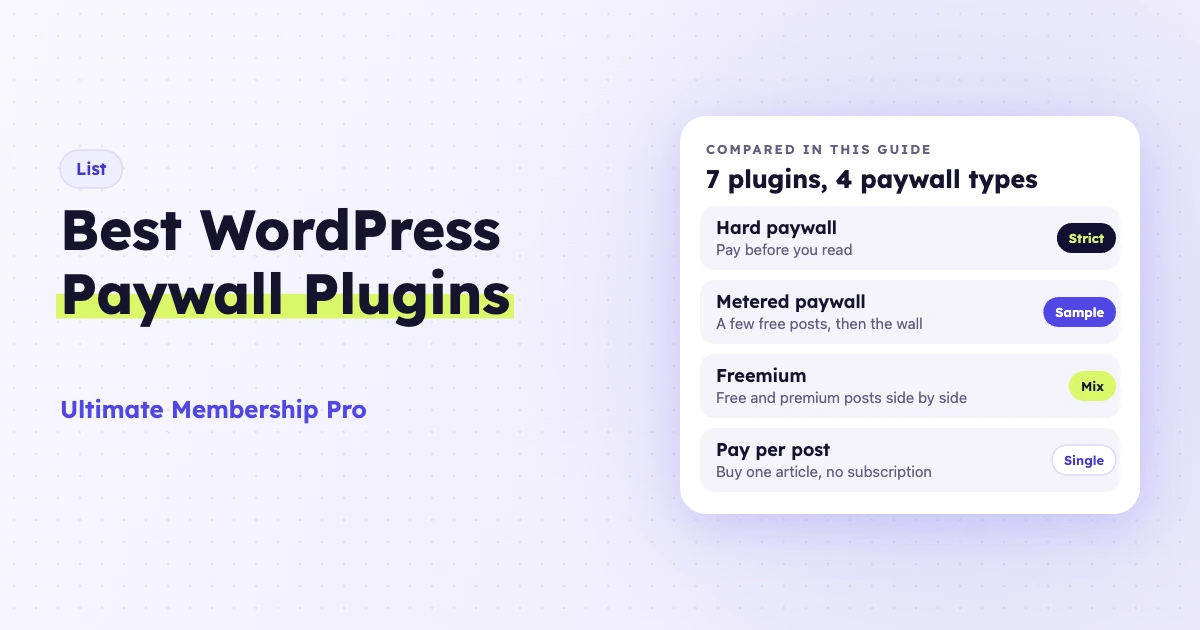
There are four common types of paywall: hard, metered, freemium and pay per post. Each one shows readers a different amount before they pay, and a good WordPress paywall plugin lets you mix them on one site.
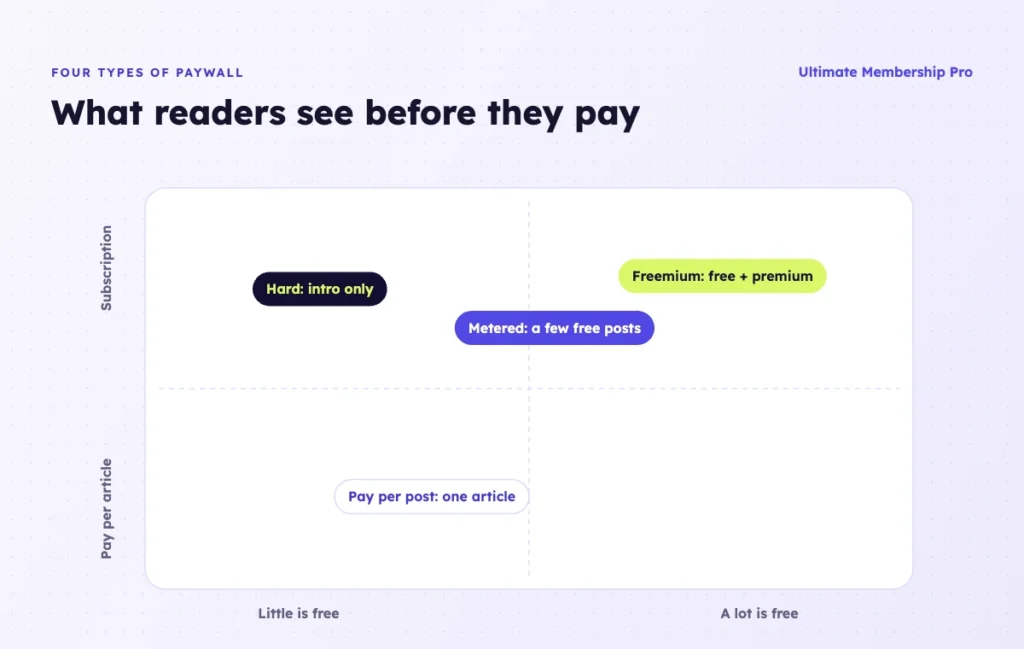
- Hard paywall. Everything is locked. Readers pay before they see more than a headline or a short intro. This works best when your content is unique and readers already know its value.
- Metered paywall. Readers get a set number of free articles per month, then hit the wall. This lets new readers sample your writing before they pay.
- Freemium paywall. Some posts are free and others are premium. Free posts bring in search traffic, and premium posts earn the money.
- Pay per post. Readers buy one article without a subscription. This suits deep reports, guides or one-off downloads.
Many sites also use a registration wall: readers create a free account to keep reading. It doesn’t earn money directly, but it builds your email list. For a deeper look at the idea, read this guide on what content restriction is.
1. Ultimate Membership Pro
Best for: creators and publishers who want every paywall type in one membership plugin.
Ultimate Membership Pro is a WordPress membership plugin made by WPIndeed since 2015 and used by 80,000+ creators, coaches and businesses. Its paywall features let you show the start of an article, lock the rest and let readers choose how to get in.
What it does:
- Partial locking. Wrap any part of a post in a locker with a shortcode or block. Readers without access see your message, with or without a login form. This comes with every plan.
- Hard and soft paywalls. Lock whole posts, pages, post types or categories, or keep an intro public and lock the rest. Both come with every plan.
- Rules by reader type. Show lockers to visitors, registered readers or chosen Memberships. A free account can open locked content, and premium posts can stay for paid Memberships billed monthly, yearly or once.
- Reading limits. Set how many posts members of each Membership can view, such as 5 for a free Membership and 40 for a paid one. This metered access comes with every plan, and limits apply to signed-in members.
- Pay per post. Put a one-time price on a single post or page, with no subscription needed. This comes with Full Package and Agency.
- Payments. 10 payment gateways in Pro, including Stripe and PayPal, and 13 in Full Package and Agency.
The same rules work for pages, categories, files and menu links. See the full list on the content restriction page.
Limitation: reading limits count posts for signed-in members. They don’t meter anonymous visitors, so a classic news-style meter needs readers to create a free account first.
Pricing model: sold as annual plans (Pro, Full Package, Agency), with unlimited members on every plan and a 14-day money-back guarantee. See the Ultimate Membership Pro plans.
2. Leaky Paywall
Best for: news publishers and magazines with a team and a budget for a managed paywall.
Leaky Paywall is built for publishers. Its plans include metered and hard-wall options, Stripe payments and a set of revenue extensions. The company also sets up the registration wall, meter, checkout, newsletter and CRM sync for you.
What it does:
- Runs metered and hard paywalls, with messages that change by reader type and payment status.
- Takes payments with Stripe on all plans, and PayPal on Pro.
- Adds a newsletter tool, Flowletter, on higher plans.
- Shows subscriber insights, such as readers who are going quiet.
Limitation: it is priced for publishers. As of October 2026, the Pro plan is listed at $299 per month, plus a 5% revenue share on new subscribers and a one-time setup fee.
Pricing model: monthly plans with a revenue share. No contracts, and you can cancel anytime.
3. MemberPress
Best for: membership sites that want a guest paywall with a set number of free views.
MemberPress is a membership plugin with recurring subscriptions, content rules and drip content. Its paywall setting gives guests a set number of free views of protected content. Once they reach the limit, they see your unauthorized message.
What it does:
- Restricts pages, child pages, posts and custom post types with rules.
- Lets guests view protected content a set number of times before the paywall.
- Can let Google, Bing and other search engines index protected content, or ask them not to.
- Sells recurring subscriptions with automated billing.
- Releases content on a schedule and ends access on a set date.
Limitation: the paywall and SEO settings come with the Growth and Scale plans, not Launch. Caching can break the paywall, so protected pages must be excluded from page and CDN caching.
Pricing model: annual plans (Launch, Growth and Scale).
4. Paid Memberships Pro
Best for: sites that want a free core and add a metered paywall only when they need it.
Paid Memberships Pro has a free, open-source core with recurring payments for Stripe and PayPal. It can protect many types of content and show teasers to visitors while members see full posts.
What it does:
- Protects posts, pages and other content types by membership level.
- Shows teasers to visitors and full posts to members.
- Adds a metered paywall with the Limit Post Views add-on. It counts premium posts with a cookie and redirects readers once they reach the limit.
- Sets view limits per level and per hour, day, week or month.
Limitation: Limit Post Views is a Premium add-on. You need a paid plan to use it.
Pricing model: the core plugin is free. Paid plans are billed monthly or annually and include all premium add-ons.
5. ARMember
Best for: sites that want to sell single posts and drip content from one membership plugin.
ARMember is a membership plugin with a free Lite version and premium plans. It restricts content for members, non-members and plans, and can charge for specific pages or posts.
What it does:
- Restricts content with shortcodes for pages, members or guests, including part of a page.
- Drips full or partial content per membership plan.
- Sells access to individual posts or custom post types with Pay Per Post, included from the Standard plan up.
- Sets time-based viewing limits in hours, days or months.
Limitation: the site doesn’t mention a view-count meter. Limits are time-based.
Pricing model: a free Lite plan plus annual or lifetime premium plans.
6. Kadence Memberships
Best for: sites already built with Kadence that want simple paid access without a separate plugin purchase.
Kadence Memberships is the membership toolkit in the Kadence bundles. The old Restrict Content Pro website now redirects to the Kadence add-ons page, where Kadence Memberships is listed.
What it does:
- Restricts content per item or in bulk.
- Supports unlimited membership levels.
- Bills monthly, yearly or on a custom schedule.
- Drips content on a timed schedule.
Limitation: the Kadence page doesn’t list metered limits, partial locking or pay per post, so it fits a simple hard or freemium paywall.
Pricing model: included with the Kadence Pro and Elite bundles.
7. Pay For Post with WooCommerce
Best for: WooCommerce stores that want to sell single articles as products.
Pay For Post with WooCommerce, by Matt Pramschufer, sells access to pages, posts and custom post types through WooCommerce products. A reader buys a product and gets access to the posts linked to it.
What it does:
- Locks posts until the reader buys a linked WooCommerce product.
- Lets one product open several posts, or one post require several products.
- Limits page views after purchase, sets access expiry or delays the paywall, in the premium version.
- Adds a My Account tab with purchased content in the premium version.
Limitation: it needs WooCommerce, and guest checkout must be turned off. The free version uses one restricted-content message for all posts.
Pricing model: a free version on WordPress.org plus a premium version.
Also considered
Three other options show up in many paywall lists. They were left out for these reasons:
- Memberful. A hosted membership service that connects to WordPress, so billing and member accounts live outside your site. As of October 2026, its Standard plan is listed at $49 per month plus a 4.9% transaction fee.
- s2Member. A free framework with content protection and PayPal buttons, plus a Pro version sold as a one-time license. Stripe and other gateways need Pro, so the free version checks out on PayPal only.
- Pay-without-account tools such as Supertab. They charge readers per item with no subscription or login, through a code snippet. Supertab lists JavaScript, React and Webflow setups but no WordPress plugin, so it suits developers more than a plugin list.
Do paywalls hurt SEO?
Paywalls don’t hurt SEO when you mark them up correctly. Google can index paywalled content as long as it can tell the paywall apart from cloaking.
Cloaking means showing search engines different content than readers see, and it breaks Google’s spam policies. To avoid it, Google asks publishers to add structured data that flags the paywalled parts of a page.
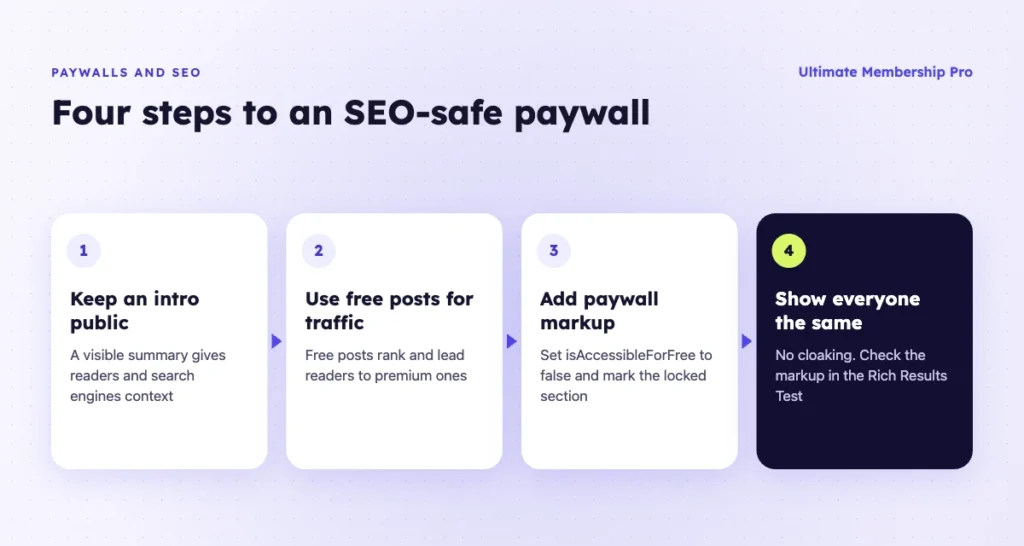
The markup sets isAccessibleForFree to false and points to the locked section with a CSS class. Google explains the details in its guide to paywalled content markup.
In practice:
- Keep an intro public. A visible summary gives search engines and readers context.
- Use freemium for traffic. Free posts rank and bring readers to your premium posts.
- Add paywall markup if you want locked content indexed. Check it with Google’s Rich Results Test.
- Don’t hide the paywall from Google only. Readers and crawlers should see the same thing.
For a step-by-step setup of locked posts, see this guide to creating paywall content.
How do you choose a WordPress paywall plugin?
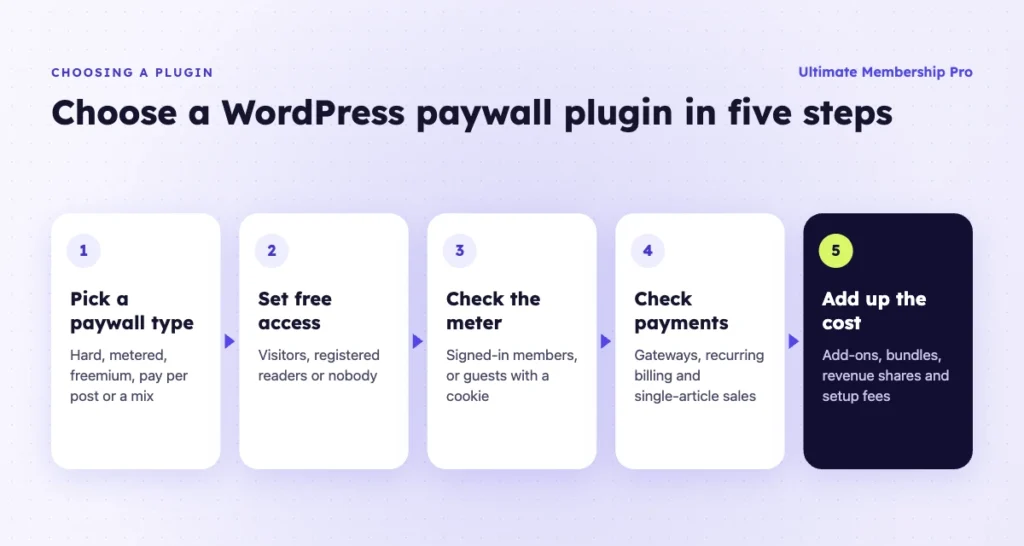
Choose by the paywall type you want, then check payments and cost. These steps narrow the list:
- Pick your paywall type. Hard, metered, freemium, pay per post or a mix.
- Decide who gets free access. Visitors, registered readers or nobody.
- Check how the meter counts. Some count signed-in members, others count guests with a cookie.
- Check partial locking. If you want an intro public and the rest locked, confirm the plugin can lock part of a post.
- Check payments. Look at gateways, recurring billing and single-article sales.
- Add up the real cost. Include add-ons, bundles, revenue shares and setup fees.
- Test as a reader. Open a locked post logged out, as a free member and as a paid member.
If a paywall is one part of a bigger plan, this guide on how to monetize a WordPress site covers other revenue models.
Ready when you are
Turn visitors into paying members with Ultimate Membership Pro
Launch your membership website, protect exclusive content and automate subscription payments, all in one WordPress plugin.
- 14-day money-back guarantee
- Unlimited members
Frequently asked questions
What is a metered paywall?
A metered paywall gives readers a set number of free articles in a period, such as five per month. After that, they need to subscribe or sign up to keep reading. It lets new readers sample your content before they pay, which works well for news sites and blogs with frequent posts.
Do paywalls hurt SEO?
Not if you set them up correctly. Keep an intro public, use free posts to attract search traffic and add Google’s paywalled content markup so search engines can tell the paywall apart from cloaking. Never show search engines content that readers can’t see.
Can I sell single articles in WordPress?
Yes. Use a WordPress paywall plugin with pay per post. Readers pay a one-time price for one post or page, without a subscription. Some plugins handle this with their own checkout, while others sell each article as a WooCommerce product.
Is there a free WordPress paywall plugin?
Yes. Paid Memberships Pro has a free core that locks content by membership level, and Pay For Post with WooCommerce has a free version for selling single posts. ARMember also offers a free Lite version. Free versions usually leave out metered limits or other paywall extras, so check which features need a paid plan.
Can I show part of a post before the paywall?
Yes. Most paywall plugins let you keep the first paragraphs public and lock the rest with a shortcode or block. Readers without access see a message, a login form or a link to your pricing page in place of the locked part.
Hard paywall or freemium: which converts better?
It depends on your audience and content. A hard paywall suits unique content that readers already value. Freemium brings more search traffic and lets readers build trust first. Many sites start with freemium, test a hard paywall on their best content and compare sign-ups.