How to Build a Coaching Membership Site on WordPress
Three coaching membership models and how each one looks on WordPress, with a seven-step setup, group coaching, bookings and ways to keep clients engaged.

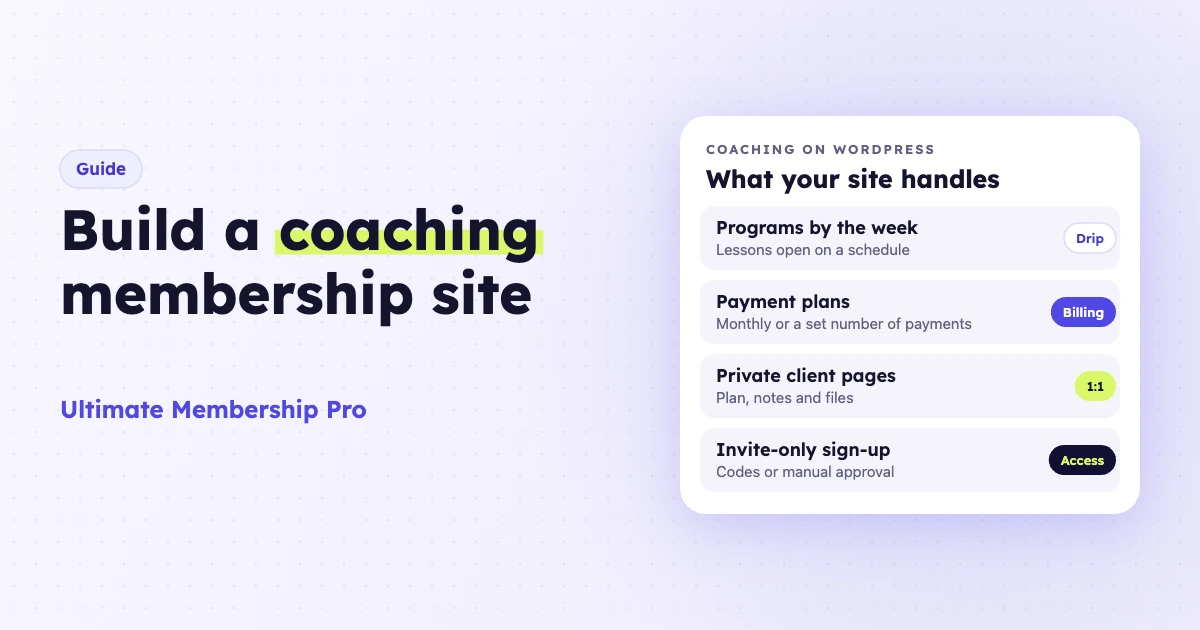
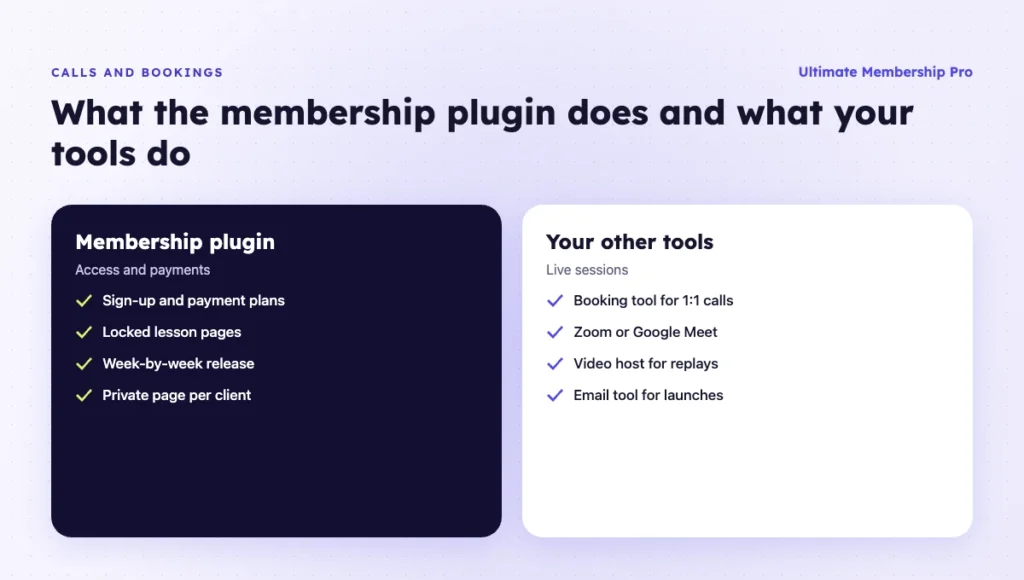
To build a coaching membership site on WordPress, choose a coaching model, create a Membership for each offer, lock your program pages and release lessons on a schedule. Then give every client a private area with your booking link and session notes. A membership plugin handles sign-up, payments and access, while your booking and video tools handle the live sessions.
A coaching membership site is a website where clients pay for ongoing access to your coaching. An online coaching membership can include program lessons, worksheets, call replays, a private client area and live calls. The membership part decides who gets in, what they pay and what they can open.
Which coaching membership model fits you?
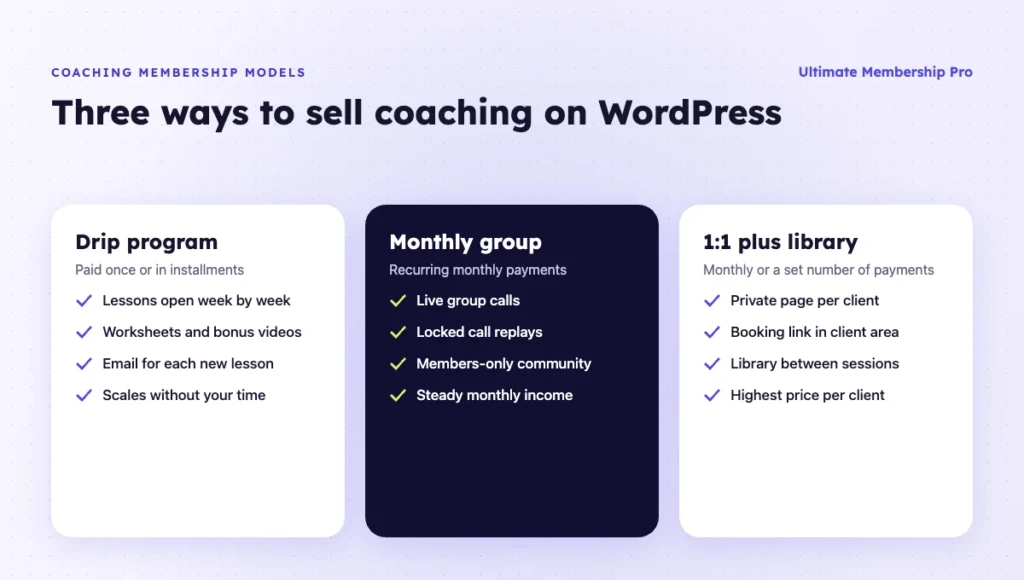
Most coaching membership sites follow one of three models: a program that opens week by week, monthly group coaching, or 1:1 coaching with a resource library. Pick the one that matches how you already work, then build around it.
| Model | What you sell | What you lock | What else you need |
|---|---|---|---|
| Drip program | A 6 to 12 week program, paid once or in installments | Weekly lessons, worksheets, bonus videos | Lesson pages, an email for each new week |
| Monthly group coaching | Ongoing access to group calls and resources | Call replays, a resource library, a members-only community | A video call tool, a forum or community plugin |
| 1:1 coaching plus library | Private sessions with self-study material between them | A private page per client, the library | A booking tool, a video call tool |
Drip program. Clients join, start at week one and get the next lesson on a set day. It suits coaches with a proven method. It also scales well, because the content works without you in the room.
Monthly group coaching. Clients pay every month for live calls, replays and a group. It brings steady income and a sense of belonging, as long as you show up on schedule.
1:1 coaching plus library. Clients pay for private sessions and get a library to work through between calls. It earns the most per client and takes the most of your time.
Many coaches mix models on one site. A drip program can lead into a monthly group, and the group can be the path to 1:1 work.
What do you need for a coaching membership site?
A membership site for coaches needs a WordPress site, a membership plugin, a payment gateway and the tools you already use for calls. Write down your first offer before you build anything.
- A clear niche and first offer, such as one result for one type of client.
- WordPress hosting that handles logged-in users well.
- A membership plugin for plans, payments, content rules and the client area.
- A payment gateway, such as Stripe or PayPal, for recurring or installment payments.
- A booking tool for 1:1 sessions.
- A video call tool, such as Zoom or Google Meet, for live sessions.
- An email tool for newsletters and launches.
If you are still testing the idea, read these lessons on starting a membership business first. They cover the work that comes after the launch.
How do you build a coaching membership site, step by step?
Build it in seven steps, from offers to a final test as a client. Each step takes one decision, so you can launch with a simple version and add to it later.
- Create one Membership per offer. For example, a monthly 1:1 plan, a group program and a free tier for your lead magnet.
- Set how clients pay. Use a monthly subscription for ongoing coaching, or an installment plan that stops after a set number of payments.
- Control who joins. Use invitation codes for a closed cohort, or approve each new account before it can log in.
- Build and lock your program pages. Create one page per lesson or module, then restrict each page to the Memberships that include it.
- Set the drip schedule. Open each lesson a number of days or weeks after a client joins, or on a fixed date for a cohort.
- Set up the client area. Add your booking link, the next live call and a private page for each client’s plan and notes.
- Test it as a client. Buy your own cheapest plan, follow the sign-up and check that each page opens on the right day.
Ultimate Membership Pro covers each of these steps in its coaching membership setup. Every client can get a private page that only they and administrators can open. Programs can open week by week, and installment plans of 2 to 52 payments stop billing after the last one.
Invitation codes and manual approval keep sign-up to the clients you accept. All of this works on every plan, and the plugin is sold as annual plans (Pro, Full Package, Agency).
The plugin’s drip content feature can also email clients when each lesson opens, on every plan. This drip content setup guide explains how release and expiry dates work on each page.
How do you run group coaching and cohorts?
Run a group coaching program as its own Membership, with the calls, replays and group resources locked to it. For cohorts with fixed start and end dates, give each cohort a Membership of its own.
A cohort Membership makes the timing simple. Everyone starts on the same day, gets each lesson on the same date and loses access when the cohort ends. Ultimate Membership Pro supports this with a Membership that gives access between two dates.
Some coaches sell to companies that want a whole team in the program. One buyer pays and invites the team by email, up to the number of seats you set. Ultimate Membership Pro does this with group accounts in Full Package and Agency.
Group programs work better with a place to talk. Add a forum or community plugin and lock it to the group Membership. This guide to building a community membership covers how to keep that space active.
What about calls and bookings?
A membership plugin does not book sessions or host video calls. Keep your booking tool and video tool, and link to them from the client area.
- 1:1 sessions: put your booking link in the client area, so only paying clients can book.
- Group calls: add the meeting link and the date of the next call to a members-only page.
- Replays: upload each recording to your video host and embed it on a locked page.
- Session notes: update each client’s private page after every call, with goals, homework and files.
Your site becomes the one place a client needs. They log in, see the next call, book a session and find last week’s notes without searching their inbox.
How do you keep coaching clients engaged?
Clients stay when they see progress and know what comes next. Give them a steady rhythm, quick wins and a reason to log in every week.
- Set a weekly rhythm. Release one lesson or hold one call on the same day each week.
- Email when new content opens. A short email for each new lesson brings clients back to the site.
- Start with a quick win. Make week one short and practical, so clients finish it.
- Check in on progress. Ask for a short update before each session and record it on the client’s page.
- Hold clients to the program length. For a fixed-length program, Ultimate Membership Pro’s Full Package and Agency plans can hide the cancel button until a set number of payments has passed. State this clearly before clients buy.
- Offer a next step. When a program ends, invite graduates into a monthly group or an alumni Membership.
How do you find the first members for your coaching membership site?
Start with people who already know your work. Past clients, your email list and your followers join faster than cold traffic, so focus there before you spend on ads.
- Invite past and current clients first, with early access or a founding-member offer.
- Ask for referrals. Happy clients know people with the same problem. Ask them directly, and thank them with a free month or a bonus session.
- Pick one social channel. Post where your clients already spend time, a few times a week, and point every post to your free tier or workshop.
- Offer a free tier with one lesson or worksheet, and collect emails at sign-up.
- Run a free live workshop that ends with an invitation to join.
- Open enrollment for a short window. A 7 to 10 day launch with a real cap on places gives people a reason to decide now.
- Publish articles on the problems you coach, so your site earns search traffic over time.
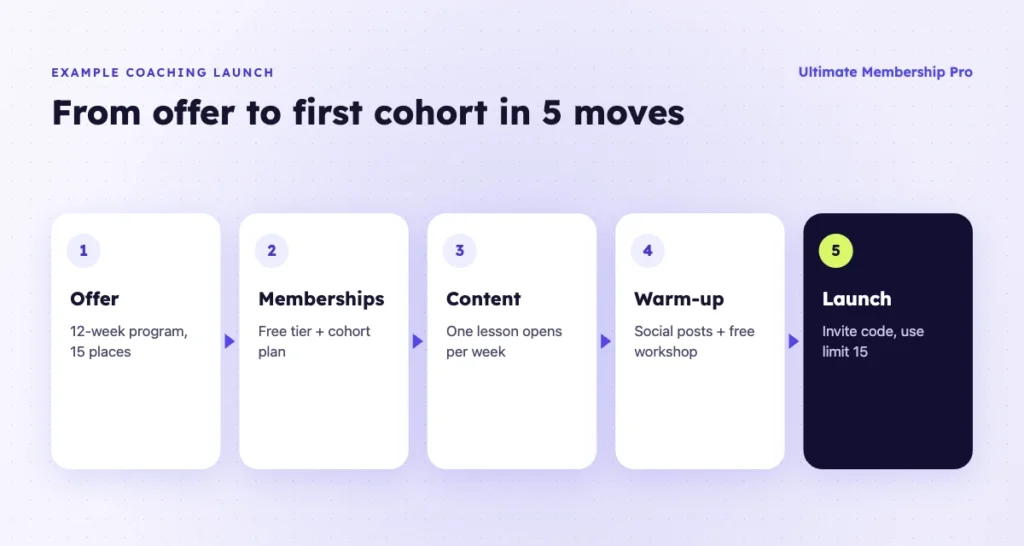
Example: one coach’s path from offer to first cohort
Here is how a career coach could take a coaching membership site from idea to a first group. It is an illustration, not a client story.
- Offer: a 12-week program for people changing careers, capped at 15 places.
- Memberships: a free tier with one worksheet, and a cohort Membership that runs between two dates, paid once or in three payments.
- Content: 12 lesson pages that open one per week from the cohort start date, plus a members-only page with the weekly call link.
- Warm-up: two weeks of posts on one social channel and a free workshop, both pointing to the free tier.
- Launch: sign-up needs an invitation code with a use limit of 15. Past clients get it three days early, then it goes on the sales page for one week, so the cohort stops at 15.
- Next step: at week 12, graduates get an offer to join the monthly group.
What should you check before launch?
Before you open your coaching membership site, check the full client journey once, from the sales page to the second week of the program. Small gaps here turn into support emails later.
- Sales page: each offer says what clients get, how long it runs and how they pay.
- Sign-up: the form asks only for what you need, and invite-only programs reject people without a code.
- Payments: a test purchase goes through, and installment plans stop after the last payment.
- Access: locked pages show a clear message to visitors, with a link to join.
- Schedule: week two opens on the right day for a test account.
- Emails: the welcome email, new-lesson emails and receipts arrive and read well on a phone.
- Client area: the booking link, next call and private notes page are easy to find.
- Coaching agreement: clients see the program length, payment terms and cancellation policy before they pay. The ICF Code of Ethics asks coaches to agree on roles, confidentiality and financial arrangements before coaching begins.
How should you price a coaching membership?
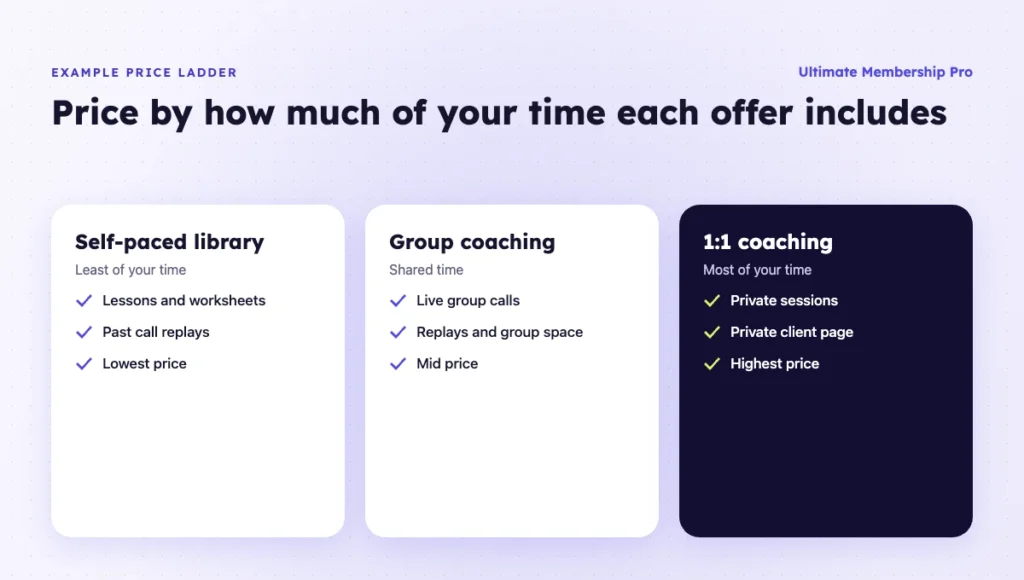
Price by how much of your time each offer includes. 1:1 coaching costs the most, group coaching sits in the middle, and a self-paced library costs the least. Each step up the ladder should give clients clearly more of your attention.
Here is an example price ladder for one coach. The numbers are for illustration only, so set yours from your market, your results and your hours.
| Offer (example) | Example price | What clients get | Installment version |
|---|---|---|---|
| Free tier | $0 | One lesson or worksheet and your email list | Not needed |
| Self-paced library | $29 a month | Lessons, worksheets and past call replays | Not needed |
| Monthly group coaching | $99 a month | Two group calls a month, replays and the group space | Not needed |
| 12-week group program | $549 paid once | Weekly lessons, a weekly group call and a cohort | 3 monthly payments of $199 |
| 1:1 coaching | $299 a month | Two private sessions a month, a private client page and the library | Not needed |
In this example, the installment version totals $597, a little more than paying once. That small gap rewards clients who pay up front and still makes the program easy to say yes to.
The free tier lets people try your method before they pay. Test one price for your first cohort, then adjust. For tiers, anchors and annual discounts, see this membership pricing strategy guide.
Ready when you are
Turn visitors into paying members with Ultimate Membership Pro
Launch your membership website, protect exclusive content and automate subscription payments, all in one WordPress plugin.
- 14-day money-back guarantee
- Unlimited members
Frequently asked questions
How do I sell coaching as a membership?
Turn your coaching into a Membership that clients pay for monthly or in installments. Lock your program lessons, replays and resources to that Membership, and give each client a private area with your booking link and session notes. A WordPress membership plugin handles sign-up, payments and access, while your booking and video tools handle the sessions.
Can I run group coaching on WordPress?
Yes. Create a Membership for the group program and lock the call replays, resources and community pages to it. For cohorts, give each group its own Membership with fixed start and end dates. If companies buy seats for their teams, use group accounts, where one buyer pays and invites the team by email.
How do I release a coaching program week by week?
Use drip content. Set each lesson page to open a number of days or weeks after a client joins, or on a fixed date for a cohort. Clients see only what has opened so far. Turn on new-lesson emails so clients get a note each time a new lesson becomes available.
Do I need a separate booking tool?
Yes. A membership plugin controls access and payments, and it does not book sessions or run video calls. Keep your booking app and video tool, and place their links inside the client area. That way, only paying clients can book a session or join a call.
How should I price a coaching membership?
Price by how much of your time each offer includes. 1:1 coaching costs the most, group coaching less, and a self-paced program or library the least. Installment plans help with higher program prices, and a free tier lets people try your method first. Test one price, then adjust after your first cohort.