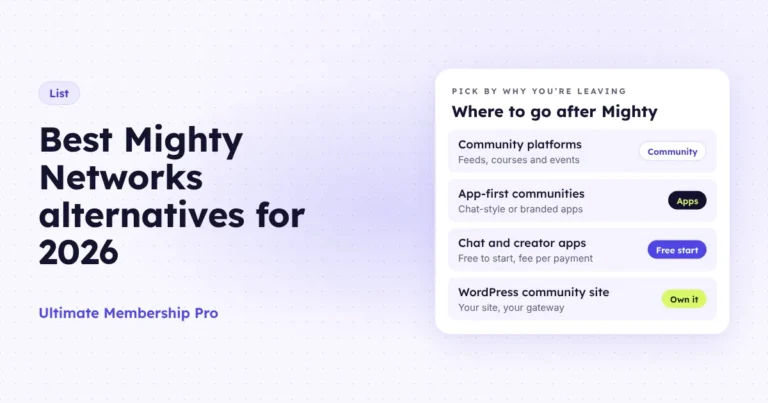
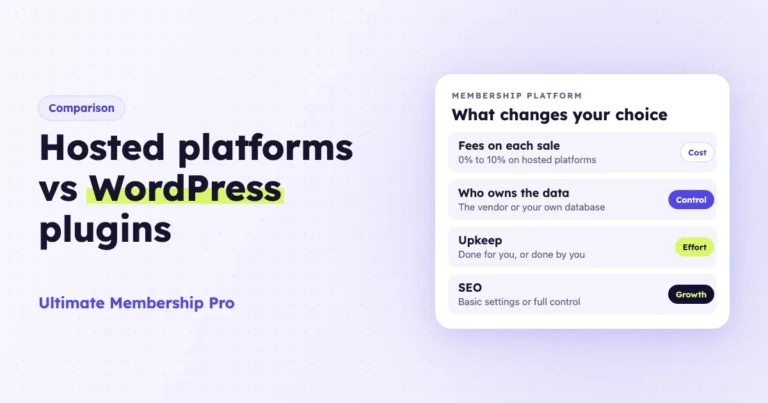
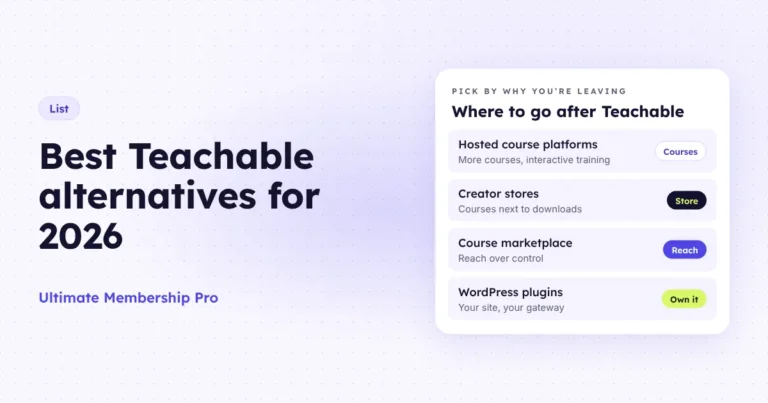
Best Skool Alternatives for 2026: 9 Options for Communities and Courses
Compare the best Skool alternatives by pricing, transaction fees and features, from Circle, Mighty Networks and Kajabi to Discord and a WordPress community site you own.


The best Skool alternatives are Circle, Mighty Networks and Heartbeat for a richer community, Kajabi, Teachable and Thinkific for deeper courses, Discord for a free chat-first start, and a WordPress site with a membership plugin if you want to own the platform. Skool costs $9/month plus a 10% transaction fee on Hobby, or $99/month plus 2.9% on Pro, as of October 2026, so most people who switch want lower fees, more control or features Skool doesn’t have.
Ultimate Membership Pro is made by WPIndeed, the publisher of this blog.
Skool alternatives are platforms that replace some or all of what a Skool group gives you: a community feed, courses, live calls, a calendar, gamification and paid access. Some are community platforms with more structure. Others put courses first, or let you run everything on your own website.
- Skool’s Hobby plan takes 10% + 30¢ of every sale and Pro takes 2.9% + 30¢, with card processing included. Payments run on Skool’s merchant account, and you can’t connect your own Stripe account.
- Circle, Mighty Networks and Heartbeat charge a plan fee plus a percentage, with card processing on top. Teachable Builder with Teachable Payments and Thinkific with Thinkific Payments list no platform fee on sales.
- WordPress with Ultimate Membership Pro, a forum plugin such as bbPress or BuddyPress, and Ultimate Learning Pro for courses gives you your own site and payment gateway. You give up a native app and run the hosting yourself.
- If you move to WordPress, the Ultimate Membership Pro support team helps you migrate with its own tools. Before you set a date, ask them how your active recurring subscriptions will be handled for your payment gateway.
How does Skool pricing work?
Skool has two plans, and the only differences on its pricing page are the monthly price and the transaction fee. Both include unlimited members, courses, videos and live calls, a custom URL and affiliates, and Skool advertises a 14-day free trial.
- Hobby: $9/month, with 10% + 30¢ per transaction.
- Pro: $99/month, with 2.9% + 30¢ per transaction up to $899, and 3.9% + 30¢ above $900.
Skool’s payments FAQ says all processing happens on Skool’s merchant account, so the fee already covers card processing. Prices are set in USD, payouts land in your bank every Wednesday in your local currency, and transaction fees are non-refundable.
Why do creators look for Skool alternatives?
Most creators look for Skool alternatives because of the Hobby plan’s 10% fee, because payments stay inside Skool, or because they want course and community features Skool keeps simple.
- The Hobby fee. At $3,000 a month in sales, 10% is $300. Pro costs less above about $1,270 a month, but then you pay $99 a month whether sales come in or not.
- Payments stay with Skool. You can’t use your existing Stripe account, members pay in USD, and the subscription records live on Skool’s merchant account rather than yours. On the plus side, Skool is the merchant of record and handles sales tax for you.
- Simple courses. The Classroom handles videos, PDFs, drip by days after joining and courses unlocked at a member level. Skool’s Classroom help articles don’t cover quizzes or certificates.
- A shared platform. Skool’s home page invites visitors to discover communities, so your group sits on skool.com next to others, with Skool’s layout and checkout.
Skool alternatives at a glance
This table compares nine Skool alternatives, with Skool in the first row as the baseline. Prices and fees were checked on each vendor’s site as of October 2026. Card processing comes on top of every fee listed, except Skool’s.
| Option | Pricing model | Platform fee on sales | Member app | Best for |
|---|---|---|---|---|
| Skool (baseline) | Hobby $9/month; Pro $99/month | 10% + 30¢ on Hobby; 2.9% + 30¢ on Pro, processing included | Skool Communities app | One focused community with courses and calls |
| Ultimate Membership Pro + forum plugin + Ultimate Learning Pro | Annual plugin plans plus your own hosting | Sold as annual plans; your processor’s fees apply | No native app | A community and courses on a site you own |
| Circle | From $89/month billed yearly | 2% down to 0.5% by plan | Circle Communities app; branded on Circle Plus | Larger communities with live streams and events |
| Mighty Networks | From $79/month billed yearly | 2% down to 0.5% by plan | iOS and Android; branded on Mighty Pro | Community memberships with courses and events |
| Kajabi | From $143/month billed yearly | No revenue share; 2% on Basic with a third-party processor | Kajabi Customer App; branded on Pro | Courses, email and funnels with a community |
| Heartbeat | From $40/month billed yearly | 5%, 2.5% or 1.25% by plan | iOS and Android app; branded on Scale | Small communities with courses and events |
| Discord | Free to use | Discord keeps 10% of Server Subscriptions (U.S. only) | Discord apps | A free, chat-first community |
| Teachable | From $29/month billed yearly | 7.5% on Starter; 0% from Builder with Teachable Payments | iOS and Android | Course-first creators who add a community |
| Thinkific | From $82/month billed yearly | None with Thinkific Payments; gateway fee with Stripe or PayPal | Branded app add-on | Many courses with one or more communities |
| Patreon | Free to start | 10% plus processing, conversion and payout fees | Patreon app | Creators who post content for fans |
What are the best Skool alternatives?
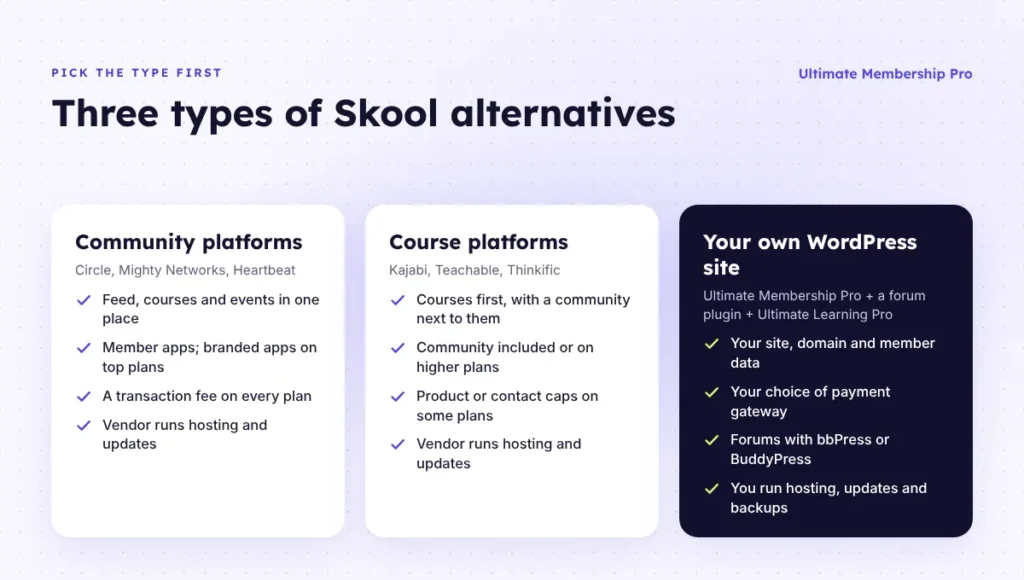
The best Skool alternatives depend on what your members come for. Circle, Mighty Networks and Heartbeat suit community-led programs, Kajabi, Teachable and Thinkific suit course-led businesses, Discord suits a free start and Patreon suits creators who post for fans. Ultimate Membership Pro on WordPress suits creators who want the site, member data and payment account in their own hands.
Most sites like Skool fall into three groups: community platforms, course platforms that added community, and your own WordPress site. Discord and Patreon sit at the free and fan-content end of the community group.
1. Ultimate Membership Pro on WordPress, with a forum plugin and Ultimate Learning Pro
Ultimate Membership Pro is a WordPress membership plugin that runs the membership side of a private community: who can join, what they pay, and which pages, profiles and discussions only members see. It has no forum or feed of its own, so you pair it with a community plugin.
With bbPress, one Access Rule locks every forum, topic and reply for the Memberships you choose, or you can lock single forums with the Locker box and keep the others public. With BuddyPress, keyword rules lock groups and profiles, and the Member Portal appears as a tab on each member’s profile. The members-only forums guide shows both setups.
Every plan adds invitation codes, manual approval of new accounts, a searchable members-only directory and posting limits per Membership. For courses, Ultimate Learning Pro, a separate WPIndeed plugin, lists timed quizzes, certificates, badges, reward points and lesson drip. In the online course setup, each course is linked to a Membership.
Best for: creators who want a Skool alternative that keeps the community, courses and member data on their own WordPress site, with unlimited members on every plan.
Limitation: it is a set of plugins you put together, not a hosted platform. There is no built-in feed, chat or mobile app, and you run hosting, updates and backups.
Ultimate Membership Pro is sold as annual plans (Pro, Full Package and Agency), listed on the pricing page. Ultimate Learning Pro is sold separately, and payment processor fees still apply.
2. Circle
Circle is a community platform with courses, live streams, events and payments. Professional costs $89/month billed yearly with a 2% transaction fee, Business $199 with 1%, Scale $419 with 1%, and Circle Plus has custom pricing with 0.5%. Every plan has unlimited members and a 14-day free trial.
Members use the Circle Communities app, and branded apps come with Circle Plus. Email Hub, Circle’s email marketing tool, costs $99/month for 10,000 contacts below Circle Plus.
Best for: community-led programs that have outgrown a single feed and want live streams, events and an email tool on one platform.
Limitation: the listed prices are billed yearly, and card processing comes on top of the transaction fee.
3. Mighty Networks
Mighty Networks combines community, courses and events. Billed yearly, Launch costs $79/month ($950/year) with a 2% transaction fee, Scale $179/month with 1%, and Growth $354/month with 0.5%. Billed monthly, they cost $95, $215 and $425. Members use the iOS, Android and web apps, and branded apps need Mighty Pro, which has custom pricing.
Best for: community memberships where members meet, post and attend events, with monthly billing available.
Limitation: a transaction fee applies on every plan, plus card processing, and branded apps need a custom quote.
4. Kajabi
Kajabi bundles courses, a community, email marketing, funnels and a website. Basic costs $179/month or $143/month billed yearly, with 5 products, 2,500 contacts and 1 community. Kajabi says it takes no revenue share: Kajabi Payments lists 2.9% + $0.30 on Basic for U.S. accounts, and a third-party processor adds 2% on Basic.
Best for: course businesses that also want email, funnels and a community in one bill.
Limitation: it costs far more than Skool’s plans, product and contact caps apply, and the branded app comes with Pro at $399/month billed yearly.
5. Heartbeat
Heartbeat is a community platform with unlimited courses and events on every plan. Build costs $40/month billed yearly ($49 monthly) for up to 350 members with a 5% transaction fee. Grow costs $124/month billed yearly for up to 5,000 members with 2.5%, and Scale adds a branded app with 1.25%.
Best for: small paid communities that want courses and events in one place at a low entry price.
Limitation: member caps on the lower plans push the price up as you grow, and the fees come on top of Stripe’s processing.
6. Discord
Discord is a free chat and voice platform with desktop and mobile apps. With Server Subscriptions, Discord’s monetization FAQ says creators keep 90% and Discord keeps 10%, before processing fees. The same FAQ says Server Subscriptions are not available outside the United States, and owners must be 18 or older.
Outside that program, creators sell access with a separate membership or payment tool that assigns roles in the server.
Best for: chat-first communities where members already use Discord and want real-time talk.
Limitation: it is built for chat, so courses live somewhere else, and Apple takes an extra 30% of subscriptions started in the iOS app, which Discord passes on as a higher iOS price.
7. Teachable
Teachable is a hosted course platform that also sells coaching and digital downloads. Starter costs $29/month billed yearly with a 7.5% transaction fee and 5 products. Builder costs $69/month billed yearly with 0% transaction fees through Teachable Payments, 10 products and community features. Students get iOS and Android apps on every plan.
Best for: creators whose courses earn most of the revenue and who want a community next to them.
Limitation: community starts on Builder, product caps apply on every plan, and Starter’s 7.5% fee adds up as sales grow.
8. Thinkific
Thinkific is a hosted course platform with unlimited courses on every plan and a 30-day free trial. Start costs $82/month billed yearly with 1 community, and Grow costs $164/month with 3 communities. Thinkific Payments avoids the extra gateway fee that applies when you process through Stripe or PayPal directly.
Best for: course businesses with many courses that want a community for each program.
Limitation: the entry price is high next to Skool’s plans, and a branded mobile app is a $199/month add-on.
9. Patreon
Patreon is a creator membership platform with posts, video, livestreaming, chats, DMs and a mobile app. It is free to start, with monthly or annual tiers and one-time payments. Its pricing page lists a 10% platform fee, plus processing, currency conversion and payout fees.
Best for: creators whose members pay for ongoing content and chat rather than a structured course.
Limitation: the pricing page lists no course builder, and its 10% fee comes with processing and payout fees on top, while Skool Hobby’s fee includes processing.
How much do Skool alternatives cost at your revenue?
At $5,000 a month from 100 members paying $50, Skool Pro costs about $274 a month all-in, and Hobby about $539. The table is a worked example, not a quote, using prices listed as of October 2026: Skool’s monthly prices, and yearly-billed prices for Circle, Mighty Networks and Kajabi. Because Skool’s fee includes card processing, the other columns add Stripe’s 2.9% + 30¢ for U.S. domestic cards from its pricing page.
| Monthly sales from $50 members (example) | Skool Hobby ($9 + 10% + 30¢) | Skool Pro ($99 + 2.9% + 30¢) | Circle Professional ($89 + 2% + processing) | Mighty Networks Launch ($79 billed yearly + 2% + processing) | Kajabi Basic ($143, Kajabi Payments) |
|---|---|---|---|---|---|
| $1,000 (20 members) | $115 | $134 | $144 | $134 | $178 |
| $5,000 (100 members) | $539 | $274 | $364 | $354 | $318 |
| $20,000 (400 members) | $2,129 | $799 | $1,189 | $1,179 | $843 |
The honest takeaway: Skool Pro is cheaper than most hosted community platforms here; only course-first plans with no platform fee, such as Teachable Builder and Thinkific Start billed yearly, come in slightly lower at $5,000 and $20,000. If cost is your only reason to leave, moving from Hobby to Pro may be enough. Leave Skool for control, payment options or features, not for a lower fee alone.
A WordPress site has fixed costs instead: hosting, a domain, a theme, annual plugin plans and your gateway’s card fees, which come to $35, $175 and $700 at the three levels above with Stripe. Stripe also lists a 0.7% Billing fee for recurring payments, so price a full year before you decide.
Skool vs a WordPress community site: what do you give up?
Moving from Skool to WordPress means giving up the ready-made package: one feed, a native app, built-in live calls and hosted maintenance. In return, you get your own site and database, your choice of payment gateway and currency, and no platform fee on sales.
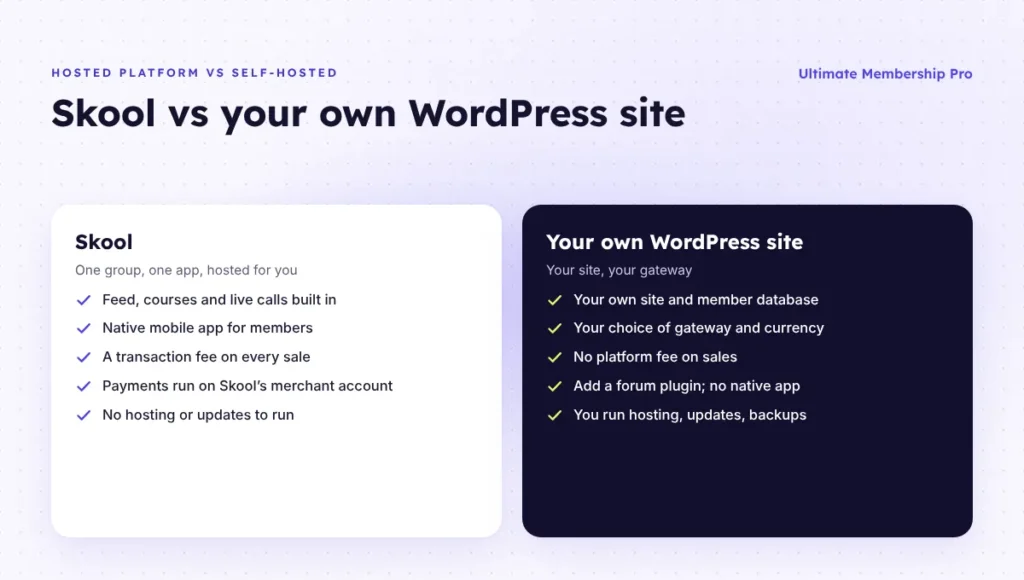
- Feed and discussions. Ultimate Membership Pro has no forum, chat or activity feed. You add bbPress forums or BuddyPress groups and lock them by Membership. The roundup of WordPress community plugins compares the options.
- Gamification. Skool’s points and levels can unlock courses. On WordPress, Ultimate Learning Pro lists student badges and reward points for finishing lessons, quizzes and courses.
- Mobile app. There is no native app. Members use your site in a mobile browser.
- Live calls. Skool includes unlimited live calls. On WordPress, you add a tab for your call or booking link in the member’s account page.
- Maintenance. You handle hosting, updates, backups and security.
What you gain is control. Pro includes 10 payment gateways, such as Stripe, PayPal, Mollie and Braintree, and Full Package adds PayFast, Paystack and Razorpay. Recurring subscriptions charge monthly, yearly, in installments or once, with free or paid trials.
Drip content opens each lesson page days, weeks or months after a member joins, or on a date. In the Member Portal, members renew, cancel and print invoices, and with Stripe Connect they can pause and resume.
Which Skool alternative should you choose?
Start from why members pay you today, then trial two or three of these Skool alternatives side by side with a few real members.
Skool alternatives for a bigger community
Circle and Mighty Networks are the closest step up when the community is the product and one feed no longer fits. Heartbeat costs less to start if you have fewer than 350 members. Bettermode also appears in many lists, but its site targets brands running customer communities rather than paid creator groups.
Skool alternatives for deeper courses
Teachable and Thinkific are built around the course, with community from Teachable’s Builder plan and on every Thinkific plan. Kajabi adds email and funnels. On WordPress, Ultimate Learning Pro adds quizzes and certificates, and Ultimate Membership Pro sells access as Memberships.
A Skool alternative for coaching programs
Group coaching often needs payment plans and private client space more than a feed. On WordPress, the coaching setup gives each client a private page and can stop billing after a set number of payments. It doesn’t book sessions or host calls, so you link your booking tool.
A free Skool alternative
Discord costs nothing to run, which makes it the usual free start. Paid access needs Server Subscriptions in the U.S. or a separate tool, and courses need another platform.
When Skool is still the better fit
Stay on Skool if your members are happy with one feed, simple courses and live calls, and the app matters to them. Skool Pro’s all-in fee is lower than most hosted options at the revenue levels above, and every extra tool you add elsewhere means another login and bill.
How do you move from Skool without losing members?
Whichever of the Skool alternatives you pick, save your content and member list first, rebuild the community and courses, then plan how paying members move. Keep the Skool group open until every paying member has a clear next step.
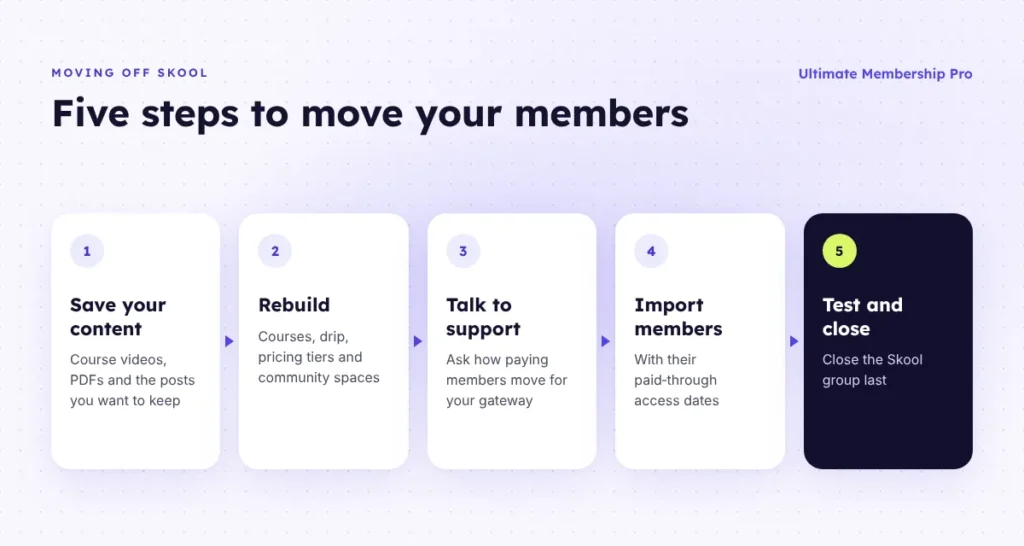
- Save your content. Download your course videos, PDFs and the posts you want to keep. Ask Skool support what member and payment data you can export.
- Rebuild. Recreate courses, drip schedules, pricing tiers and community spaces.
- Talk to support. If you move to WordPress, the Ultimate Membership Pro support team helps you migrate with its own tools. Before you set a date, ask them how your active recurring subscriptions will be handled for your payment gateway.
- Import members. Add members to the new platform with the access dates they’ve paid for, then email them the new login link and a date for the switch.
- Test and close. Test a sign-up, a post, a lesson, a renewal and a cancellation. Close the Skool group only after every paying member has moved or their access has ended.
What happens to paying members?
Skool’s payments FAQ says processing happens on Skool’s merchant account and that payouts reach you through a Stripe Express connection Skool creates. Member subscriptions don’t sit in a Stripe account you already run, so ask Skool support what you can take with you before you announce a date.
If you move to WordPress, the Ultimate Membership Pro support team helps you migrate with its own tools. Ask them how your active recurring subscriptions will be handled for your payment gateway, since the answer depends on where those subscriptions run today.
The standard CSV member import covers accounts and access: each row takes a Membership with start and expiry dates. On its own, the import doesn’t create orders or gateway subscriptions, so recurring Memberships won’t renew by themselves, which is why the support-assisted migration comes first for recurring billing.
Whichever platform you pick, move a few members first, check that access and billing work, and cancel nothing in Skool until the new setup is confirmed.
Ready when you are
Turn visitors into paying members with Ultimate Membership Pro
Launch your membership website, protect exclusive content and automate subscription payments, all in one WordPress plugin.
- 14-day money-back guarantee
- Unlimited members
Frequently asked questions
What is the best alternative to Skool?
It depends on what members pay you for. Circle and Mighty Networks suit larger, community-led programs, Teachable, Thinkific and Kajabi suit course-led businesses, and Discord suits a free, chat-first start. A WordPress site with Ultimate Membership Pro, a forum plugin and Ultimate Learning Pro suits creators who want to own the site, the member data and the payment account.
Is there a cheaper Skool alternative?
Discord is free to run, and Heartbeat starts at $40/month billed yearly, as of October 2026. Skool Hobby is already cheap at $9/month, but its 10% fee grows with sales, and Skool Pro’s all-in cost is lower than most hosted platforms at higher revenue. Compare a full year of plan fees, transaction fees and card processing before you switch.
How much does Skool take per sale?
As of October 2026, Skool’s Hobby plan takes 10% + 30¢ per transaction, and Pro takes 2.9% + 30¢ on transactions up to $899, or 3.9% + 30¢ above $900. Card processing is included because payments run on Skool’s merchant account. You can’t connect your own Stripe account, and transaction fees are non-refundable.
Skool vs Circle: which is better?
Skool is simpler and cheaper: one feed, a classroom, a calendar and live calls, at $9 or $99 a month with processing included. Circle costs more, from $89/month billed yearly plus 2% and card processing as of October 2026, but adds live streams, an email marketing add-on and branded apps on Circle Plus. Pick Circle when your community needs more structure.
Are there sites like Skool for WordPress?
Yes. You can build a Skool-style community on WordPress with Ultimate Membership Pro for paid access, bbPress or BuddyPress for forums and groups, and Ultimate Learning Pro for courses with quizzes and certificates. Members pay through your own gateway, such as Stripe or PayPal. You give up a native app and built-in live calls, and you run the hosting yourself.