Hosted Membership Platforms vs WordPress Plugins
Compare hosted membership platforms with WordPress membership plugins on fees, data ownership, SEO and upkeep, then use a five-question check to pick the right fit.

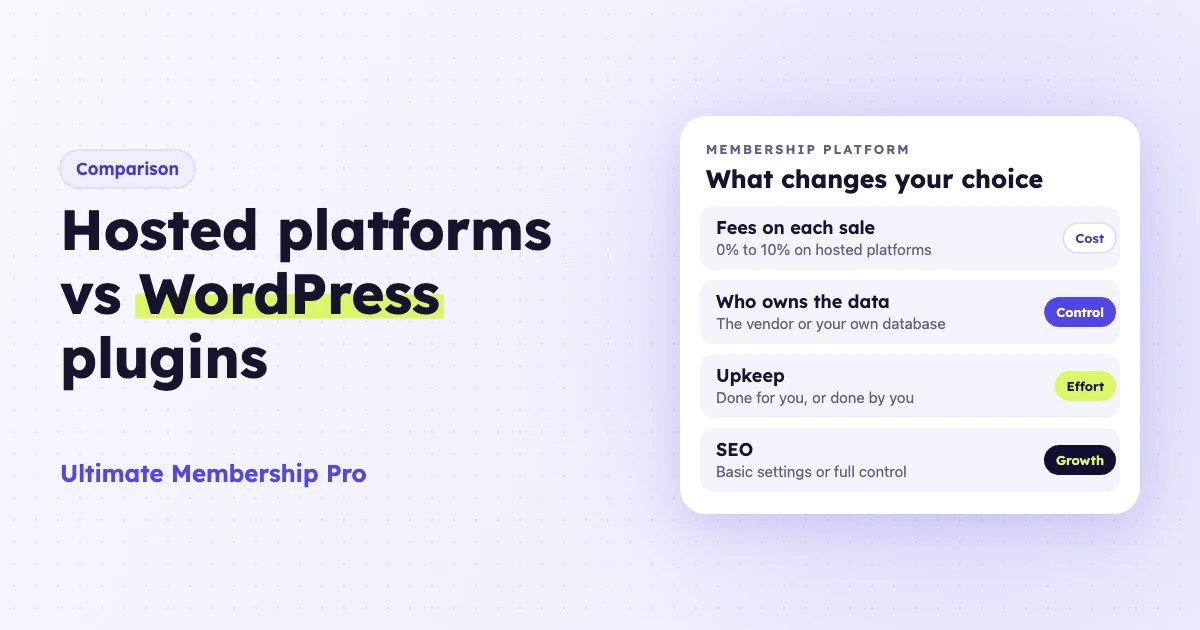
Hosted membership platform vs WordPress comes down to speed versus control. A hosted platform gets you selling faster. A WordPress membership plugin usually costs less and gives you more control as you grow. Hosted platforms charge a monthly fee, often plus a share of every sale, and run the servers for you. With WordPress, you pay for hosting and a plugin plan, and you own the data, the design and the member list.
A membership platform is software that takes payments, decides who can see which content and manages member accounts. A hosted membership platform runs all of that on the vendor’s servers. Kajabi, Patreon, Memberful, Circle, MemberSpace and Podia are common examples.
A WordPress membership plugin does the same jobs on a WordPress site that you host yourself. In that setup, WordPress becomes your membership site platform.
This guide compares the two on total cost, control and effort. The fees below were checked on each vendor’s pricing page as of October 2026.
Hosted membership platform vs WordPress: what is the short answer?
Choose a hosted membership platform if you want to launch this week and never think about servers. Choose WordPress if you already have a site, care about SEO, or expect your member revenue to grow.
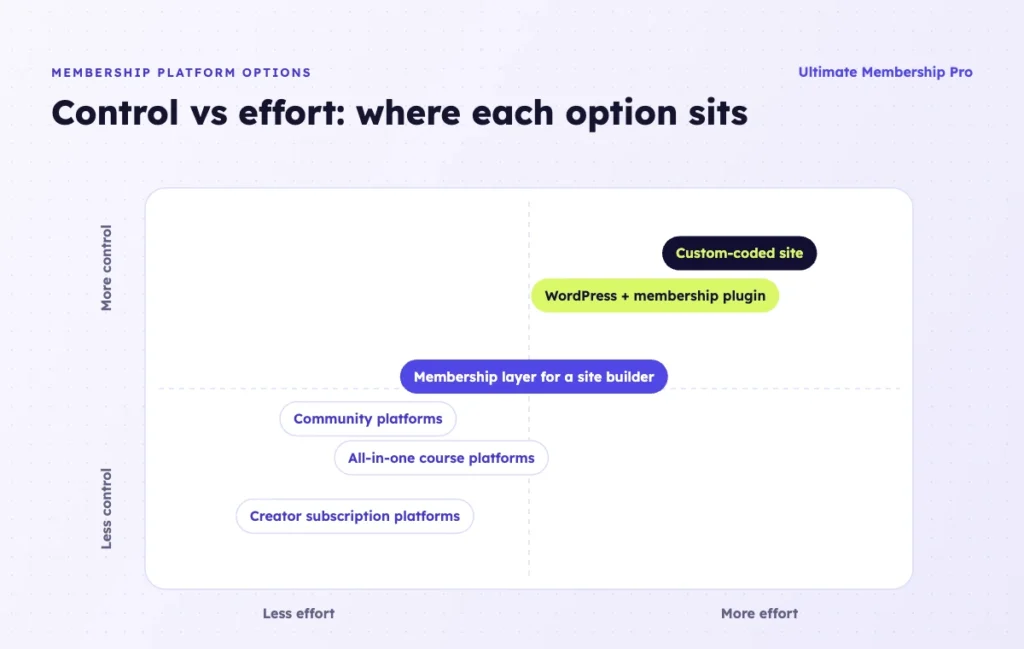
Most people decide on features first. Features are close on both sides for a standard membership site. The real differences are who holds your data, how fees grow with your revenue, and how much time you give to upkeep.
- Hosted platform: low effort, fast start, less control, costs that rise with sales or contacts.
- WordPress plugin: more setup, more control, costs that stay mostly flat as you grow.
How do hosted platforms and WordPress plugins compare?
Hosted platforms trade control for convenience. WordPress trades a bit of your time for ownership. The table shows how that plays out across the points that matter most.
| Factor | Hosted membership platform | WordPress + membership plugin |
|---|---|---|
| Monthly cost and fees | Monthly plan, often tiered by contacts or features; some add a fee on each sale | Hosting plus a plugin plan; usually processor fees only, though some plugin plans add a fee on sales |
| Who owns the data | The vendor stores members and content; you export what the vendor allows | Your database, on your hosting, with full access |
| Design | Templates and the options the vendor offers | Any theme or page builder |
| SEO | Basic settings, sometimes on a subdomain | Full control of URLs, content, schema and speed |
| Payments | The vendor’s checkout and the processors it supports | The gateways your plugin supports, such as Stripe and PayPal |
| Maintenance | Done by the vendor | Updates, backups and security are your job or your host’s |
| Support and security | The vendor’s support team; the vendor secures the servers | Plugin support and your host; you keep software updated |
| Scaling | Move to a higher tier as members grow | Upgrade hosting; plugin cost stays the same |
Which membership platforms are common, and who do they fit?
Each membership platform leans toward one kind of seller. Use this table to see where your business fits before you compare fees.
| Option | Type | Best for | Watch out for |
|---|---|---|---|
| Kajabi | Hosted | Course sellers and coaches who want products, a website and a community in one account | Plans start higher than the others here, and every tier caps contacts |
| Patreon | Hosted | Creators whose fans already use Patreon | A 10% share of income, and members live on Patreon’s site |
| Memberful | Hosted | Creators, publishers and clubs that want paid memberships on a site they already run | A transaction fee on every sale on the Standard plan |
| Circle | Hosted | Community-first memberships with events, chat and a branded mobile app | Your community lives on Circle, with a fee on each sale on every plan |
| MemberSpace | Hosted add-on | Adding members-only pages to a site built on Squarespace, Wix, Webflow or WordPress | A fee on each sale that drops on higher plans |
| Podia | Hosted | Selling courses, downloads, webinars and a community from one storefront | A 5% fee on the entry plan |
| WordPress + a membership plugin | Self-hosted | Site owners who want their own domain, full SEO control and costs that stay flat | You handle hosting, updates and backups, or pay a managed host to do it |
What do hosted membership platforms charge?
Hosted membership platforms use three pricing models: a share of revenue, a monthly plan plus a transaction fee, or a monthly plan with no platform fee. Payment processing usually comes on top in every case. These figures are from each vendor’s pricing page as of October 2026.
| Platform | Pricing model | Fee on each sale |
|---|---|---|
| Kajabi | Three monthly tiers, capped by contacts; the two lower tiers also cap products | No revenue share; card rates through Kajabi Payments, or an extra 0.5% to 2% with a third-party processor |
| Patreon | Free to start | 10% of income, plus payment processing, currency conversion and payout fees |
| Memberful | $49 per month for the Standard plan | 4.9% transaction fee |
| Circle | Plans from $89 per month, billed annually | 0.5% to 2%, depending on the plan |
| MemberSpace | Plans from $24 per month, billed annually | 1% to 5%, depending on the plan |
| Podia | Plans from $42 per month, billed yearly | 5% on the entry plan, none on higher plans |
A percentage fee feels small at the start and grows with you. At $5,000 a month in member revenue, a 5% fee is $250 a month, or $3,000 a year. A 10% share is $6,000 a year.
Many WordPress membership plugins add no fee on sales, so the same revenue pays only your processor’s fee, such as Stripe’s standard card rate. Some plugin plans do add one: MemberPress charges a 4.9% transaction fee on its entry Launch plan, as of October 2026. Check the plugin’s terms before you buy.
Hosted membership platform vs WordPress: what does a year cost?
At low revenue, a hosted platform can cost less. As revenue grows, percentage fees overtake the flat cost of WordPress. This worked example shows both cases over 12 months.
The hosted figures use the fees in the table above. The WordPress figures are example costs: $30 a month for hosting at the lower level, $50 a month at the higher one, and a $300 yearly plugin plan. Card processing is left out because you pay it on both sides.
| Cost over 12 months | $500 a month in member revenue | $5,000 a month in member revenue |
|---|---|---|
| Patreon (10% of income) | $600 | $6,000 |
| Memberful Standard ($49 a month + 4.9%) | $882 | $3,528 |
| WordPress: hosting + plugin plan (example) | $660 | $900 |
At $500 a month, Patreon costs slightly less than the WordPress setup, and that is before you count your time. If an hour of upkeep a month is worth $50 to you, add $600 a year to WordPress.
At $5,000 a month, the picture flips. WordPress costs about a quarter of Memberful and less than a sixth of Patreon. With $600 of upkeep time added, it still costs less than half of either. Run the same math with your own revenue forecast and real quotes.
When is a hosted membership platform the better choice?
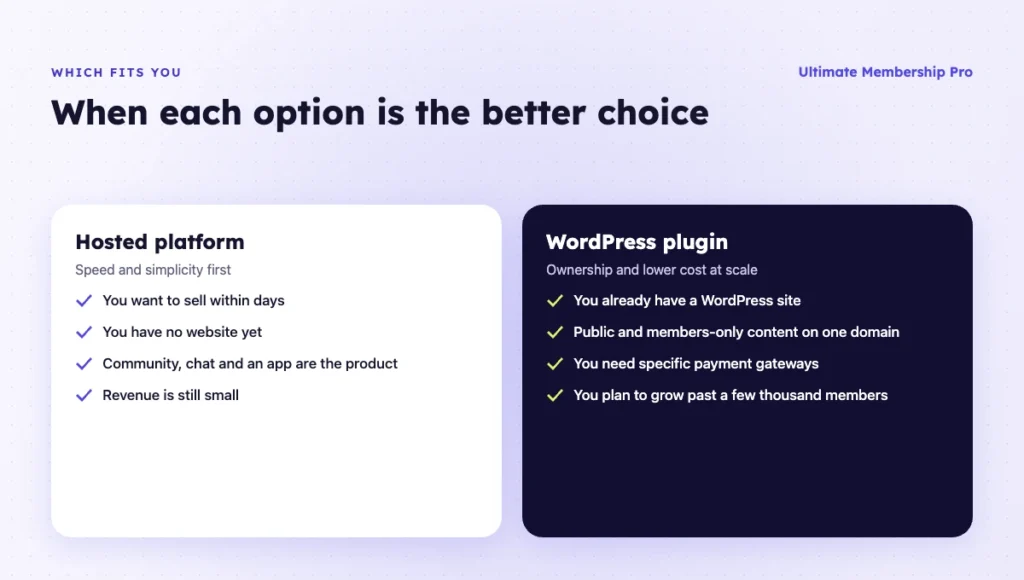
A hosted membership platform is the better choice when speed and simplicity matter more than control. It suits people who want one login, one bill and no technical work.
- You are testing an idea and want to sell within days.
- You have no website yet and do not want to learn WordPress.
- Your audience already lives on the platform, as with many Patreon creators.
- Your community is the product, and you want built-in chat, events and a mobile app.
- Your revenue is still small, so a percentage fee costs less than your time.
The trade-off shows up later. Your members, content and checkout live on someone else’s system, and the price can change when the vendor changes its plans.
When is WordPress the better choice?
WordPress is the better choice when you want to own your site, your list and your SEO. As a membership site platform, it also wins on cost once your revenue is steady, because a plugin plan does not grow with your sales, as the 12-month example above shows.
- You already run a WordPress site or blog with search traffic.
- You want public articles and members-only content on the same domain.
- You need payment gateways a hosted platform does not offer.
- You want to design every page, form and account screen your way.
- You plan to grow past a few thousand members without moving to higher tiers.
A membership plugin adds payments, content rules and member accounts to the site you already have. Ultimate Membership Pro is one example. It covers recurring billing, content restriction and a member directory, with 10 payment gateways in Pro and 13 in Full Package.
It is sold as annual plans (Pro, Full Package, Agency), and every plan includes unlimited members and 41 add-ons. You can see how associations, creators, video libraries and other site types set it up.
For a wider look at the software side, read this guide to membership software.
What hidden costs come with each option?
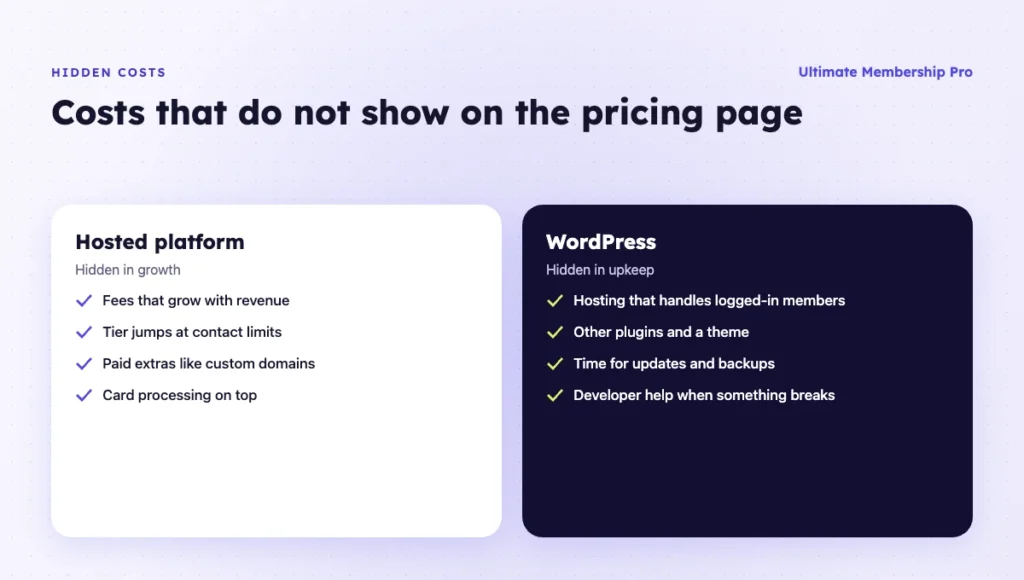
Both options have costs that do not show on the pricing page. A hosted membership platform hides them in growth, and WordPress hides them in time.
Hidden costs of hosted platforms
- Fees that grow with you. A percentage on every sale costs more each month your revenue rises.
- Tier jumps. Plans capped by contacts or products push you to the next tier when you pass the limit.
- Paid extras. Custom domains, more admins, removing branding or extra apps can sit on higher plans.
- Processing on top. Card fees are usually charged on top of the platform fee.
- The cost of leaving. Moving members, content and subscriptions later takes time and can cost you subscribers.
Hidden costs of WordPress
- Hosting that fits members. Logged-in members skip most page caching, so cheap shared hosting can slow down. This guide to WordPress hosting for membership sites covers what to look for.
- Other plugins and a theme. Forms, SEO, backups or a premium theme can each have their own annual plan.
- Upkeep time. You update WordPress, the theme and plugins. Most sites apply minor and security releases on their own, and the WordPress updating guide advises a backup before you update.
- Help when something breaks. You may pay a developer for custom work or a tricky conflict.
Add these up for a year on each side before you decide. Compare the totals at the revenue you expect in 12 months, not today.
How do you choose? A five-question check
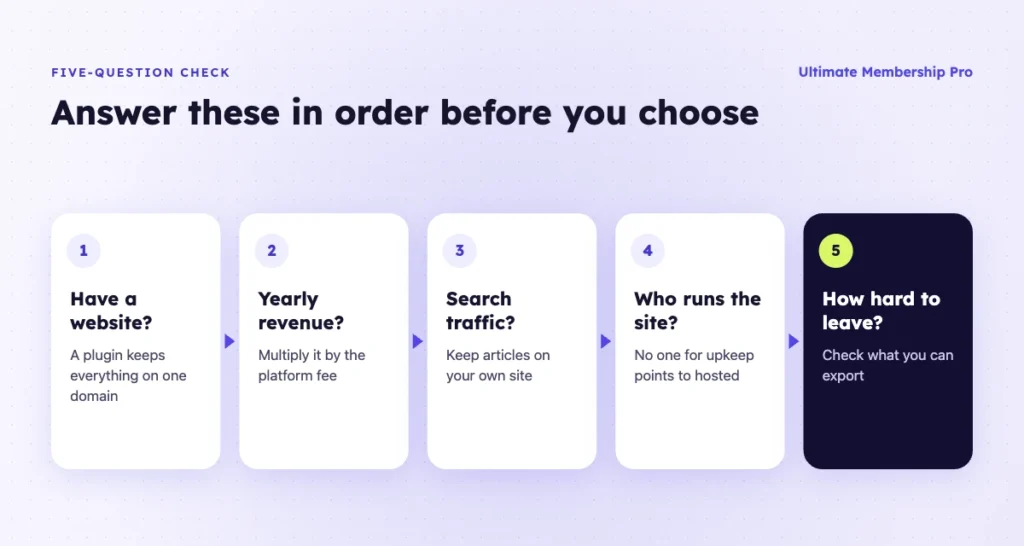
Answer these five questions in order. If most answers point one way, you have settled hosted membership platform vs WordPress for your business.
- Do you have a website already? If yes, a plugin keeps everything on one domain. If no, a hosted membership platform is the quicker start.
- How much will members pay you in a year? Multiply that by the platform’s fee. Compare the result with the yearly cost of hosting plus a plugin plan.
- How much does search traffic matter? If articles bring you members, keep them on your own domain with full SEO control.
- Who will look after the site? If no one will run updates and backups, choose a hosted platform or a managed WordPress host.
- How hard would it be to leave? Check what the platform lets you export: members, payment history and content.
Can you move from a hosted platform to WordPress later?
Yes, you can move later. The Ultimate Membership Pro support team helps you migrate with its own tools; ask them how your active recurring subscriptions will be handled for your payment gateway.
Members are the easier part. Most platforms let you export members as a CSV file, and the standard Ultimate Membership Pro import brings in users and their Memberships with start and expiry dates.
Recurring payments need the most care, because card details stay with the payment processor. Give members a clear date, a direct link and a short note on whether they need to do anything.
The longer you wait, the more members you have to move. If you expect to end up on WordPress, starting there saves a migration.
Ready when you are
Turn visitors into paying members with Ultimate Membership Pro
Launch your membership website, protect exclusive content and automate subscription payments, all in one WordPress plugin.
- 14-day money-back guarantee
- Unlimited members
Frequently asked questions
Is it cheaper to run memberships on WordPress?
Usually yes, once your revenue is steady. A WordPress site costs hosting plus a plugin plan, and those stay mostly flat as you grow. A hosted membership platform charges a monthly plan, and many add a fee on every sale. At low revenue the gap is small. At a few thousand dollars a month in member revenue, percentage fees often cost more than hosting and a plugin combined.
Do hosted platforms take a cut of sales?
Many do. As of October 2026, Patreon takes 10% of income, Memberful charges a 4.9% transaction fee, and MemberSpace and Circle charge between 0.5% and 5% depending on the plan. Kajabi says it takes no revenue share, and Podia charges no fee on its higher plans. Payment processing fees usually apply on top.
Can I move from a hosted platform to WordPress later?
Yes. The Ultimate Membership Pro support team helps you migrate with its own tools; ask them how your active recurring subscriptions will be handled for your payment gateway. Most platforms also let you export members as a CSV file, which the standard import brings in with their Memberships and dates. Content can be copied over page by page.
Which is better for SEO?
WordPress gives you more SEO control. You choose the URL structure, titles, schema, internal links and site speed, and your public articles sit on the same domain as your members-only area. Hosted platforms offer basic SEO settings, and some place your pages on a subdomain or limit what you can change. If search traffic brings you members, WordPress is the safer choice.
How much maintenance does a WordPress membership site need?
Plan for a short check every week or two. Update WordPress, your theme and plugins, confirm backups ran, and test sign-up and checkout after big updates. A managed WordPress host can handle backups, security and server updates for you.