
In Ultimate Membership Pro, the Membership Dynamic Pricing module lets members choose how much they pay for a Membership, within a range you set. It suits donations, supporter tiers and pay-what-you-want offers.
This guide switches the module on, sets the range for one Membership and turns on the price box at checkout.
Before you start
- The Membership is a paid one (Payment Type: Payment). See Create your first Membership.
- Your license is active; modules need it. See Find and activate your license key.
Switch on the module
- Go to Ultimate Membership Pro›Modules and open Membership Dynamic Pricing (in Memberships & Subscriptions).
- Switch on Activate/Hold Membership Dynamic Pricing.
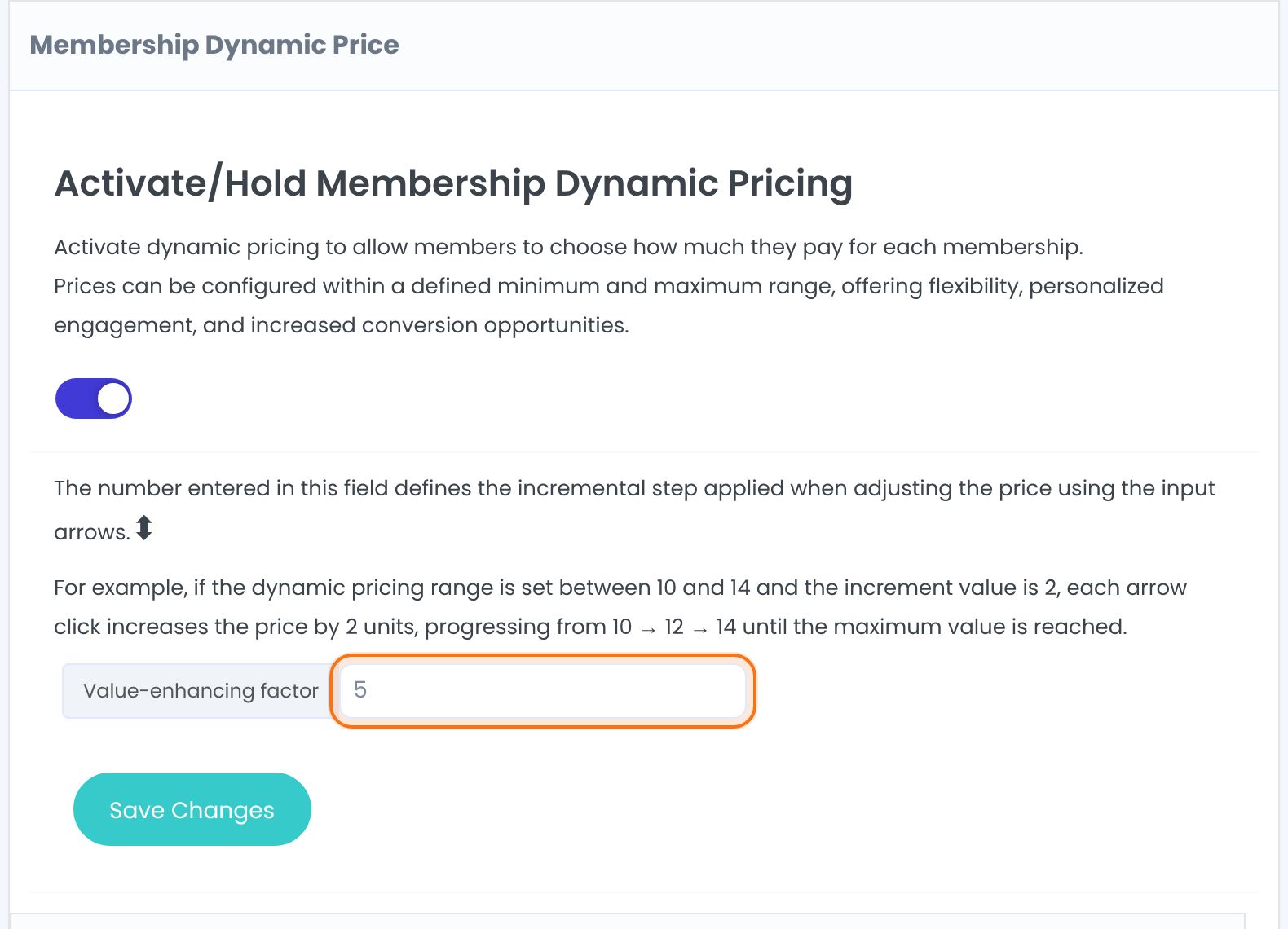
How much the price changes with each click on the arrows of the price box. With a range of $10 to $14 and a factor of 2, the arrows go $10, $12, $14. Members can still type any amount in the range.
Default: 0.01
Set the range for a Membership
Each Membership has its own box below. Find the one you want, for example Membership: Supporter:
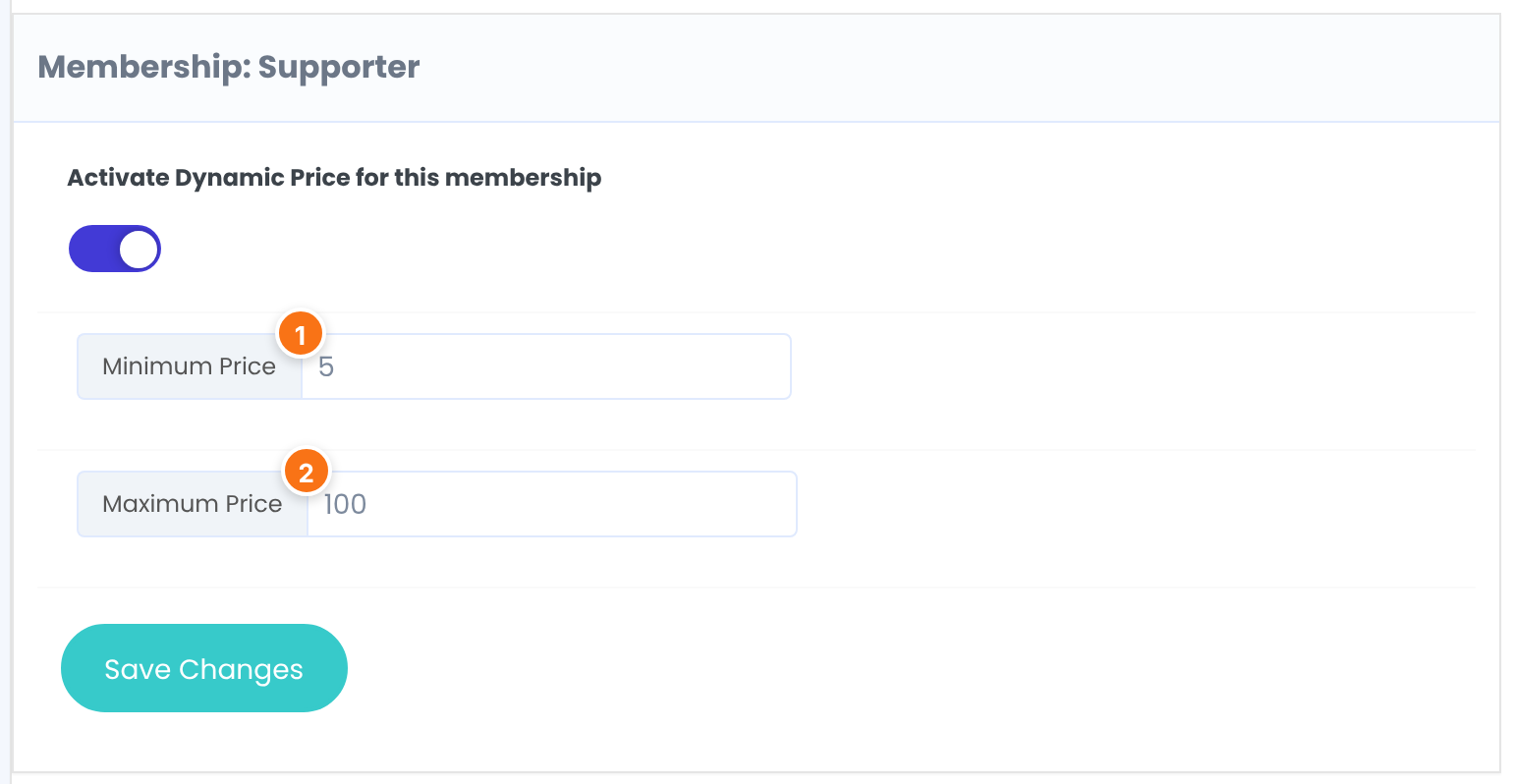
Turns on the price choice for this Membership only.
Default: Off
The lowest amount accepted.
Default: 0
The highest amount accepted.
Default: The Membership Price
Click Save Changes in that box.
Show the price box at checkout
- Go to Ultimate Membership Pro›Showcases›Checkout Page and switch on Dynamic Price box.
- Click Save Changes.

On the same screen you can change the box texts: the default hint is “Choose how much you wish to pay for it.” and the button says Apply.
What members see
![Checkout page for Supporter: the price box with 15 typed in and the Apply button beside it, the line Chosen Price: 15.00USD [Remove], and a Subtotal of 15.00USD](https://ultimatemembershippro.com/wp-content/uploads/2026/10/ump-dynamic-price-04-checkout-box-v2.png)
The member types an amount and clicks Apply. If it’s inside the range, the total updates and “Price successfully applied.” appears; otherwise they see “Price is invalid.” and pay the normal price.
How the chosen price is used
- The box is only on the checkout page, not on the register form.
- For a recurring Membership, the chosen price replaces the regular price of every cycle. A trial or initial payment isn’t changed.
- Coupons apply after the chosen price: a 10% coupon on a chosen $50 makes $45.
- An amount outside the range is ignored at payment, and the normal Membership Price is charged.
Example: a supporter tier
- Membership Price
- $25 (default when nothing is chosen)
- Access Type
- LifeTime
- Minimum Price
- $5
- Maximum Price
- $100
- Value-enhancing factor
- $5 per arrow click
- Price Details on the card
- Pay what you want
Troubleshooting
The price box doesn’t appear at checkout
Check three switches: the module, Activate Dynamic Price for this membership, and Dynamic Price box in the Checkout Page showcase.
“Price is invalid.”
The amount is below the Minimum Price or above the Maximum Price of that Membership.
Can members pay nothing?
Yes, if the Minimum Price is 0. Use a minimum above 0 if every member should pay something.
How do I set up a pay-what-you-want Membership in Ultimate Membership Pro?
Turn on the Membership Dynamic Pricing module, enable it for the Membership with a minimum and maximum price, then switch on Dynamic Price box in the Checkout Page showcase.


