
In Ultimate Membership Pro, each Membership a member holds has a status: Active, Hold, Expired, Paused, Cancellation pending or Cancelled. These membership statuses tell you at a glance whether the member has paid, whether access is running, and whether the plan will renew.
This guide explains each status, whether it gives access, and where you see and change it.
Before you start
- You know how Memberships renew and expire. See How renewals, cancellations and expiry work.
The six statuses
Active
- Means
- Paid or free, and within its dates
- Access
- Yes
- Color
- Green
Hold
- Means
- Assigned, but no payment confirmation received yet
- Access
- No
- Color
- Amber
Expired
- Means
- The end date has passed
- Access
- Only during a Grace Period
- Color
- Red
Paused
- Means
- The member or an admin paused it; the remaining time is kept
- Access
- No, until resumed
- Color
- Gray
Cancellation pending
- Means
- Cancelled; waiting for the gateway (PayPal) to confirm
- Access
- Yes, until the end date
- Color
- Amber
Cancelled
- Means
- Future payments are stopped
- Access
- Yes, until the end date
- Color
- Gray
Access follows the dates
- Whether a member can see restricted content depends on the Membership’s start and end dates, plus any Grace Period. That’s why a Cancelled Membership still gives access until its end date, and an Expired one keeps it during the Grace Period.
Where a Membership gets each status
A free Membership is Active as soon as it’s assigned. A paid one becomes Active when the payment gateway confirms the payment, or when you activate it.
A paid Membership starts on Hold at checkout and stays there until the payment is confirmed. Bank transfer orders stay on Hold until you confirm the payment. See Accept bank transfers.
The end date passed without a renewal. The status shows Expired from the end date, even while a Grace Period still gives access.
Pausing stops access at once and keeps the time left. Resuming adds that time back from the day it’s resumed.
The member cancelled a PayPal subscription and was sent to PayPal to stop the payments. It becomes Cancelled when PayPal confirms.
The member cancelled from the Member Portal, or you clicked Set as Canceled.
See a member’s statuses
- Go to Ultimate Membership Pro›Members, open the member’s Details menu and click Manage Plans.
The Manage Membership Plans screen opens. The chips next to the member’s name count their Memberships by status group:
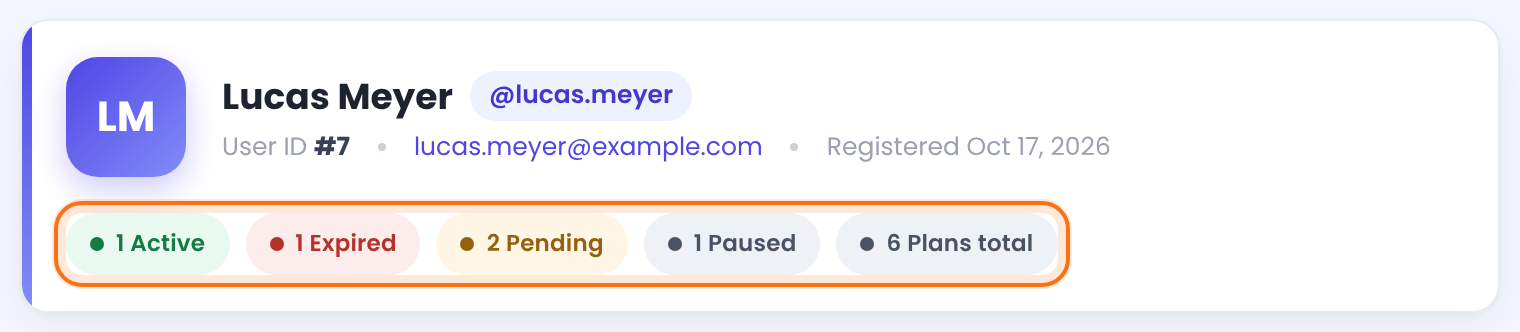
Below, every Membership has its own card with the status in the top-right corner, its plan details, and the start and end dates:
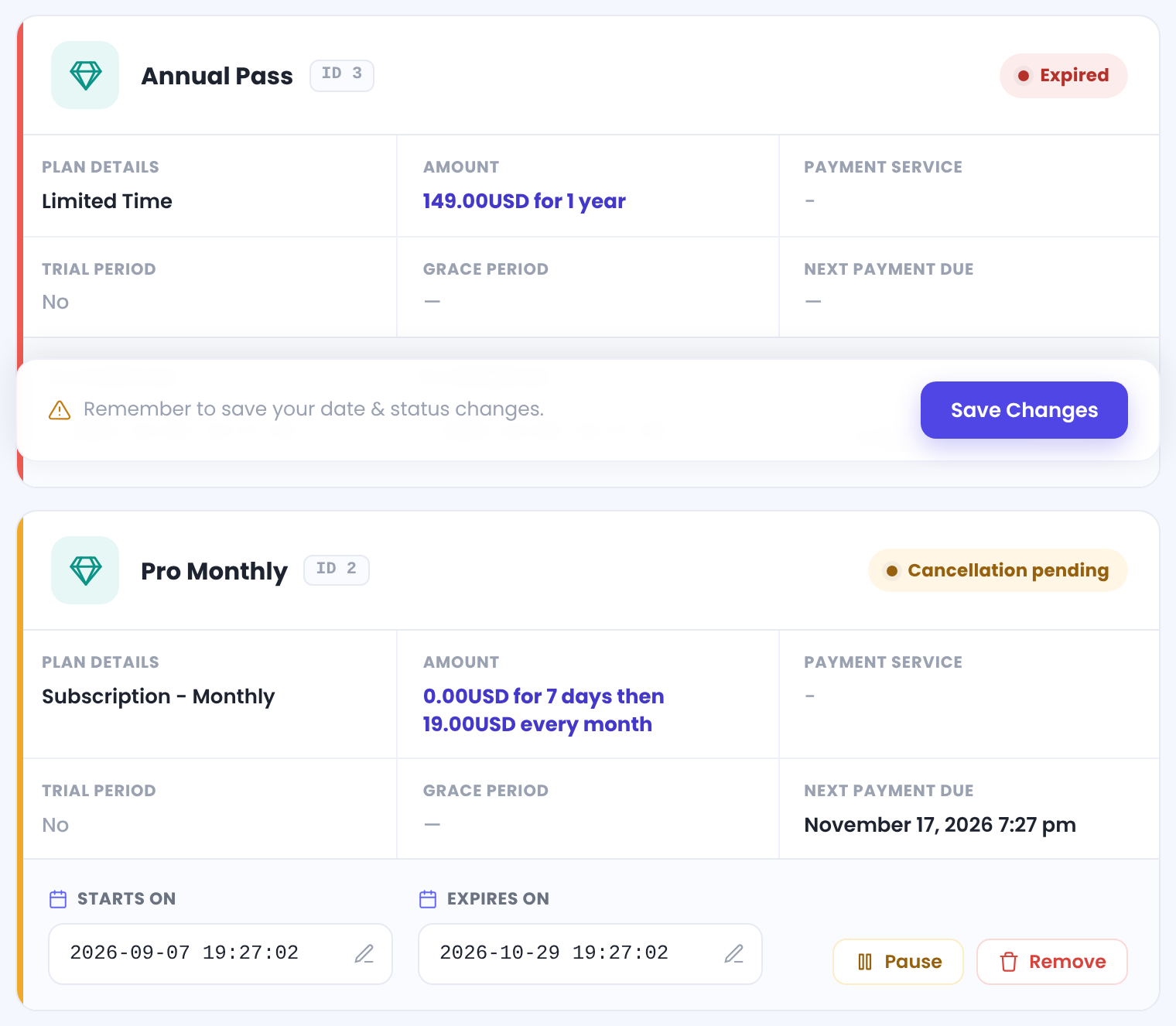
Members see the same labels in the Status column of the Subscriptions table in their Member Portal.
Change a status by hand
The buttons at the bottom of each card depend on the current status. For a Membership on Hold:
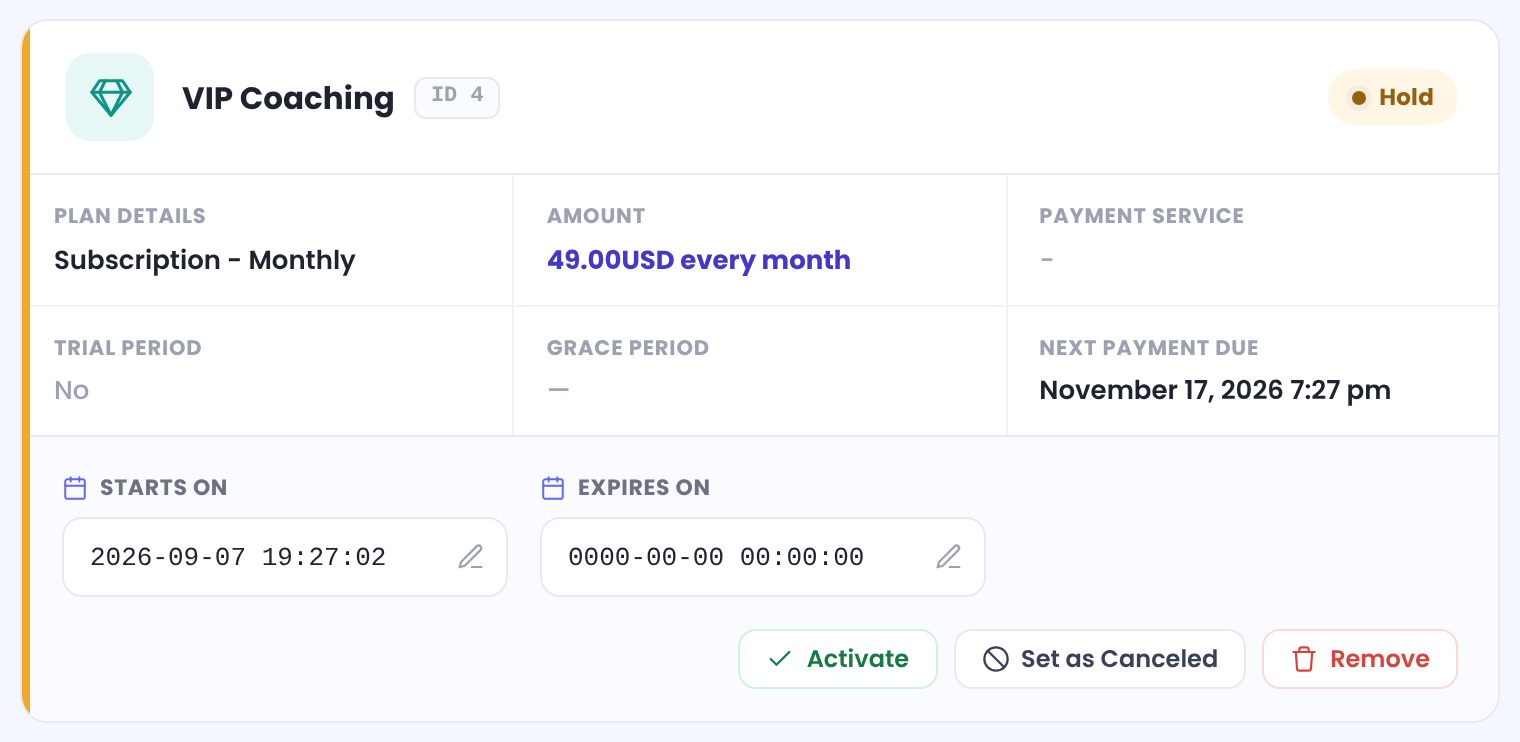
Makes a Membership on Hold Active, for example after you receive a bank transfer.
Marks the Membership as Cancelled. Access still runs until the end date.
Pauses an active Membership.
Starts a new period for an expired Membership.
Deletes the Membership from the member’s account.
You can also edit the Starts On and Expires On dates on the card. Click Save Changes after changing dates or statuses. More member tools: Manage your members.
Members list filters
- In the Members list, the Membership status filter (Active, Expired, On hold, Expire soon) uses the Membership dates. Expire soon means less than 10% of the period is left.
Example: one member, six statuses
- Free Community
- Active
- Pro Monthly
- Cancellation pending, access until the end date
- Annual Pass
- Expired
- VIP Coaching
- Hold, waiting for payment
- Supporter
- Paused
- Weekend Workshop
- Cancelled, access until the end date
Troubleshooting
Why is a paid Membership stuck on Hold?
The payment gateway hasn’t confirmed the payment. Check the webhook or IPN setup of your gateway, or activate the Membership by hand once you see the payment. See Connect a payment gateway.
A Membership shows Expired but the member still has access
The Membership is in its Grace Period. Access ends when the Grace Period is over.
A Cancelled Membership still gives access
That’s expected: cancelling stops future payments, and access runs until the paid period ends. To end access at once, use Remove, or set Cancel Subscription Action to Remove this Subscription from Member.
What do the colors mean in Ultimate Membership Pro?
Green is Active, red is Expired, amber is Hold or Cancellation pending, and gray is Paused or Cancelled.


