
In Ultimate Membership Pro, the Prorated Subscriptions module lets members change plans mid-cycle and pay only for what they use. The unused part of their current plan becomes a credit on the new one, so upgrading feels fair and members don’t wait for a renewal date.
This guide switches the module on, groups the plans members can move between, and shows what members see and pay.
Before you start
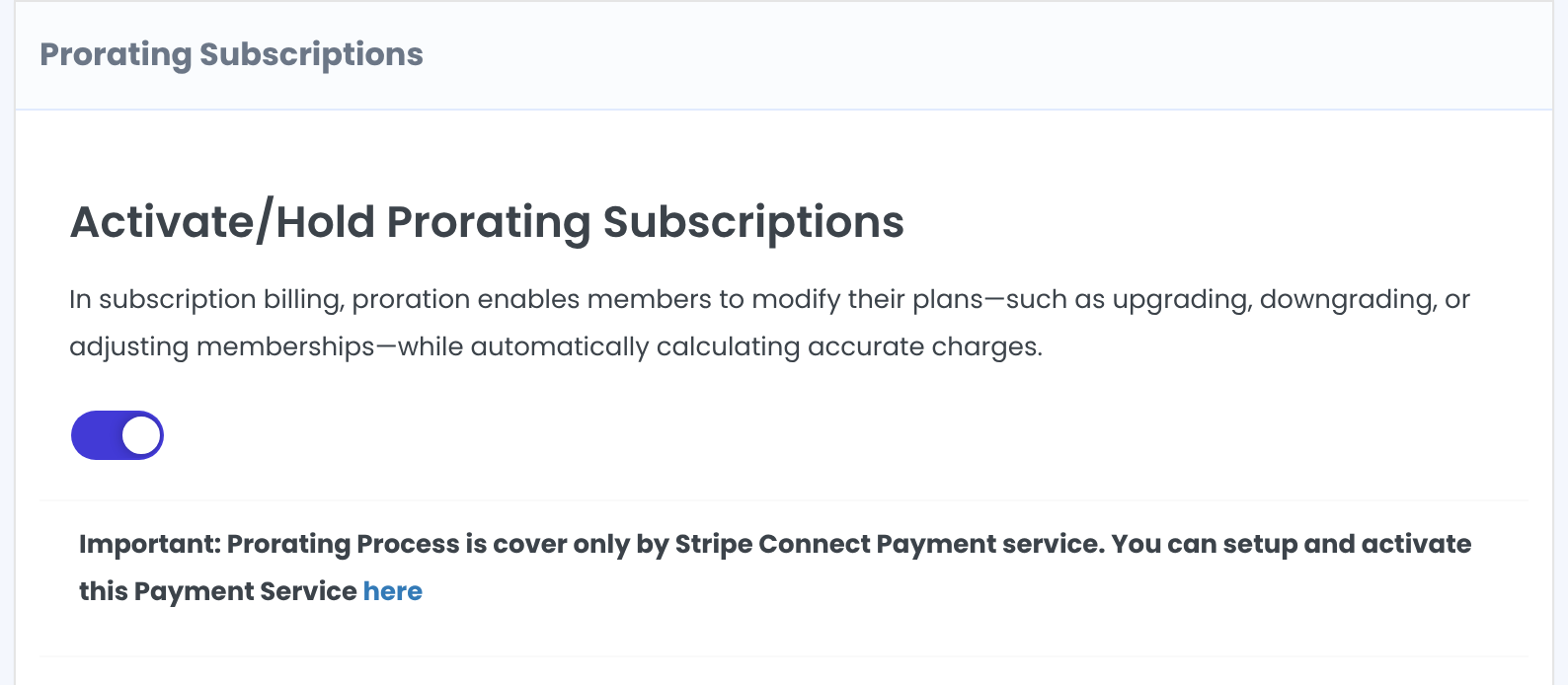
- Stripe Connect is set up and active. Proration works only with Stripe Connect. See Set up Stripe.
- Your Subscription Plan page is set. Members pick their new plan there. See Build your pricing page.
- Your license is active; modules need it. See Find and activate your license key.
Switch on the module
- Go to Ultimate Membership Pro›Modules and open Prorated Subscriptions (in Memberships & Subscriptions).
- Switch on Activate/Hold Prorating Subscriptions.
Choose the settings
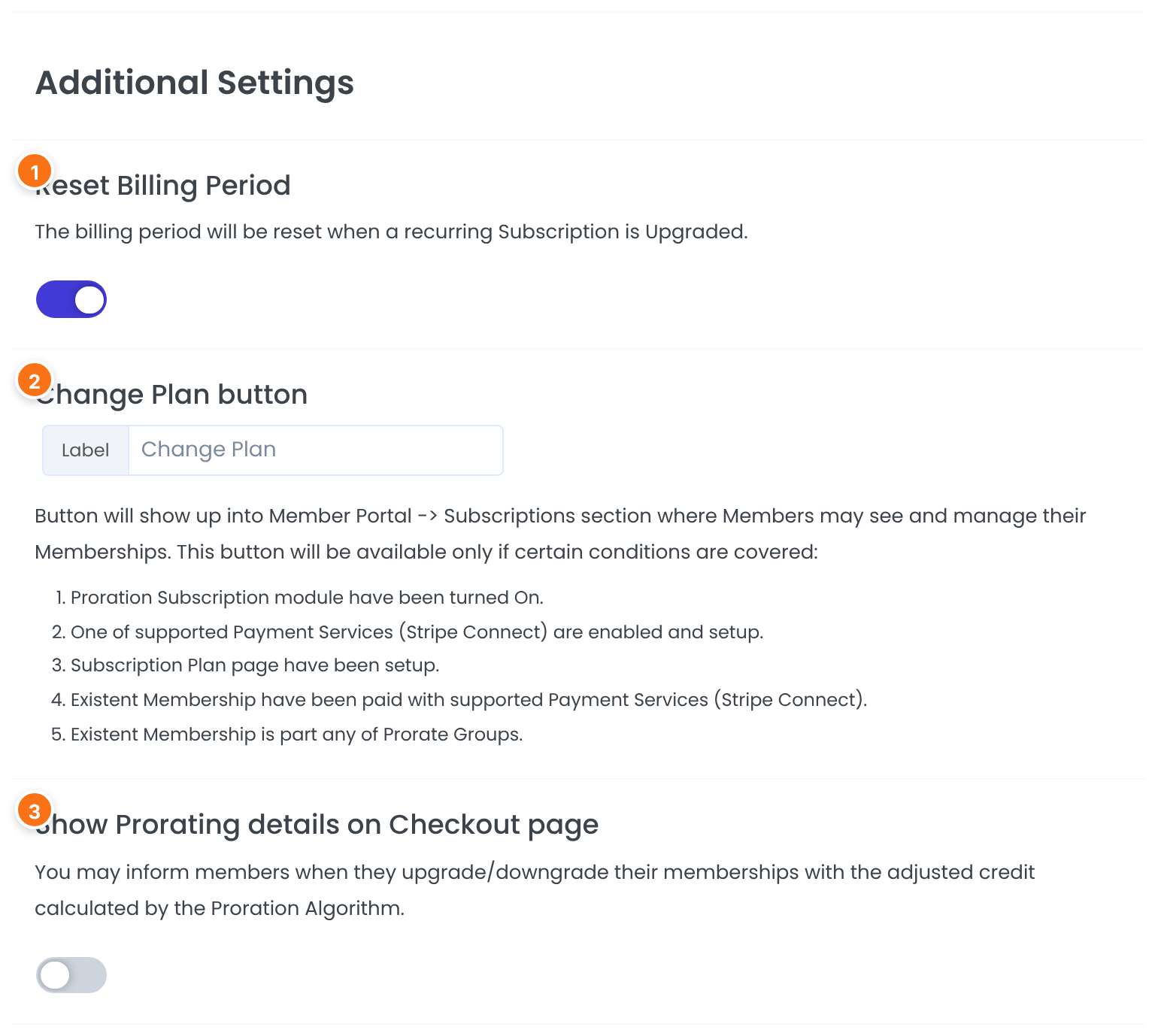
When a member moves to another recurring plan, the new plan’s billing cycle starts on the day of the change. Off: the first, prorated charge covers the days left of the current cycle, so the billing date stays the same.
Default: On
The text of the button members click in the Subscriptions section of the Member Portal.
Default: Change Plan
Explains the credit at checkout, for example “Upgraded from Pro Monthly with 18 remaining days” and a “Credit adjustment” line. Off: members only see the lower price.
Default: Off
Click Save Changes.
Group the plans members can switch between
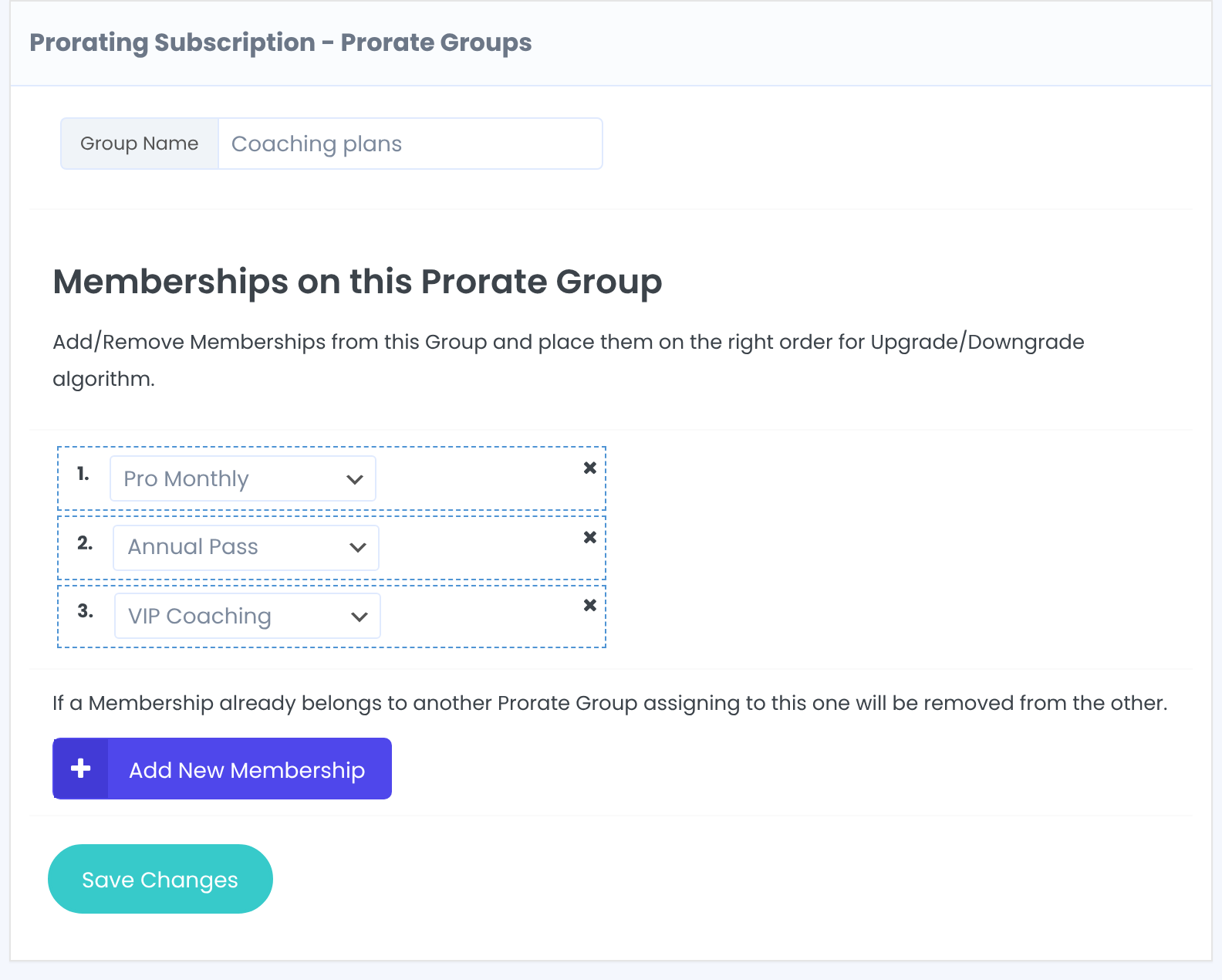
A Prorate Group is a ladder of Memberships. The order matters: moving to a plan lower in the list is an upgrade, moving higher up is a downgrade. Members can only switch to plans in the same group.
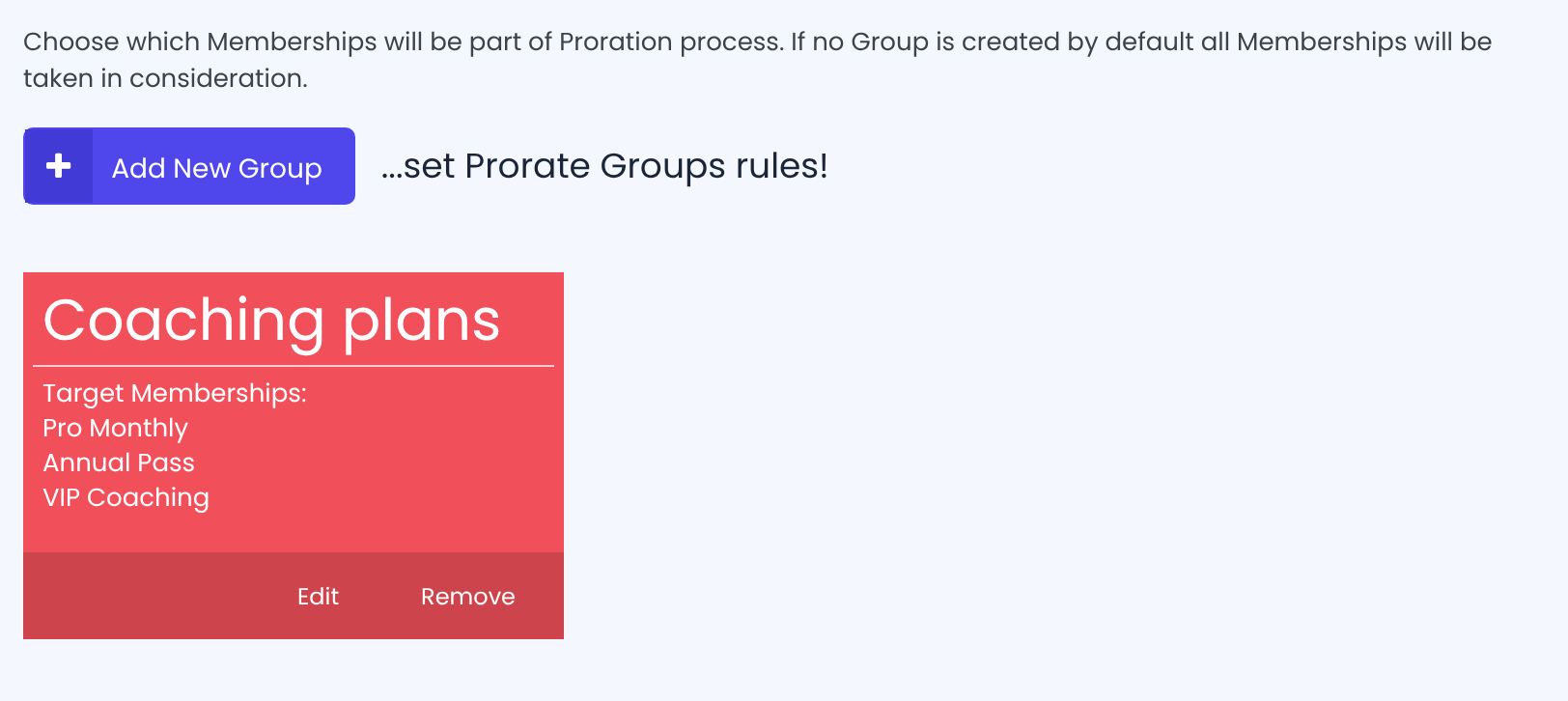
- Under Prorate Groups, click Add New Group.
- Enter a Group Name, click Add New Membership for each plan and drag them into order, cheapest first.
- Click Save Changes.
Rules for groups
- A Membership can belong to one group only. Adding it to another group removes it from the first.
- With no group at all, every Membership is treated as one big group.
- Remove on a group deletes it at once, without asking.
What members see
The Change Plan button appears next to a Membership in the member’s Subscriptions table:
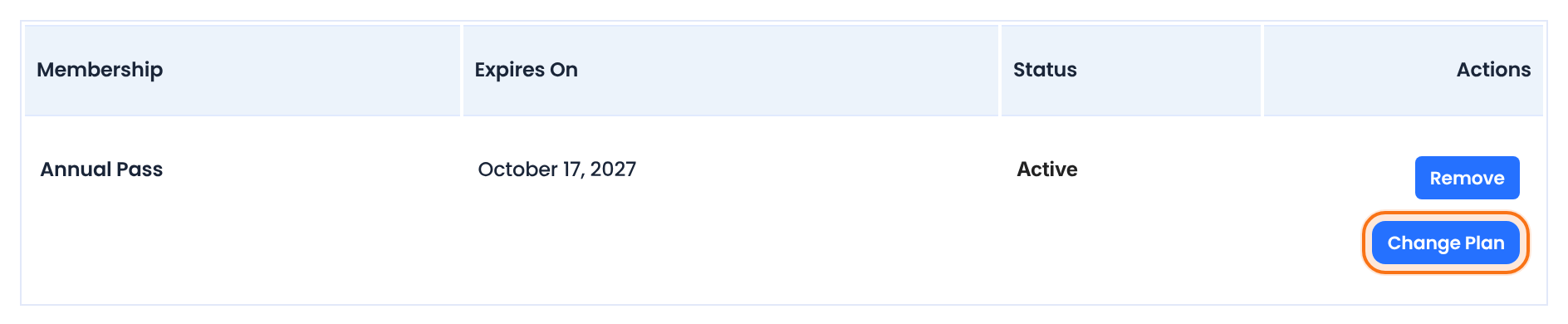
It shows only when all of these are true, as listed on the module screen:
Prorated Subscriptions is switched on.
Stripe Connect is enabled and set up.
A Subscription Plan page is set.
For a recurring Membership, its last payment was made with Stripe Connect.
The Membership belongs to a Prorate Group (when you have groups).
Clicking it opens the Subscription Plan page with only the plans of that group. The member picks one and pays at checkout. When the payment goes through, the old Membership is removed from the member’s account; if it was a Stripe subscription, it’s cancelled in Stripe first, so it isn’t charged again.
How the charge is calculated
The credit is the last amount paid for the current plan (without taxes) multiplied by the share of the period that’s left. The new plan’s price minus the credit is what the member pays now. The module’s own example: on a $20/month plan, switching to a $30/month plan halfway through the month costs $15.
The first payment is reduced by the credit; regular billing follows. See Reset Billing Period for when the next charge comes.
The member pays the new price minus the credit, and the old recurring subscription is cancelled.
Happen right away, like upgrades. If the credit is bigger than the new price, the member pays $0; the rest of the credit isn’t kept.
Nothing to credit: the member pays the full price of the new plan.
Example: Coaching Club’s upgrade ladder
- Group order
- 1 Pro Monthly, 2 Annual Pass, 3 VIP Coaching
- Reset Billing Period
- On
- Button label
- Change Plan
- Show Prorating details on Checkout page
- On
- Gateway
- Stripe Connect
Troubleshooting
Why doesn’t the Change Plan button appear?
Check the five conditions above. The most common causes: the Membership was paid with another gateway, Stripe Connect isn’t set up, or the Membership isn’t in any Prorate Group.
“Stripe Connect Payment Service is not setup on your Website.”
Set up and enable Stripe Connect first. See Set up Stripe.
Does proration work with PayPal or other gateways?
No. In Ultimate Membership Pro, the Prorating Process is covered only by Stripe Connect. Other gateways charge the full price of the new plan.
The member paid the full price for the new plan
Both plans must be in the same Prorate Group, and the current plan must have a paid order. Free plans give no credit.


