
In Ultimate Membership Pro, the WP MultiSite Subscriptions module sells websites: a member who buys a qualifying Membership creates their own site in your WordPress Multisite network and becomes its administrator. The site stays online while the Membership is active.
This guide switches the module on, picks the Memberships that include a site, and shows how members create theirs.
Before you start
- Your WordPress installation is a Multisite network. On a regular single site, members get “Multisite is not installed.” when they try to create a site.
- Your license is active; modules need it. See Find and activate your license key.
Switch on the module
- Go to Ultimate Membership Pro›Modules and open WP MultiSite Subscriptions (in Memberships & Subscriptions).
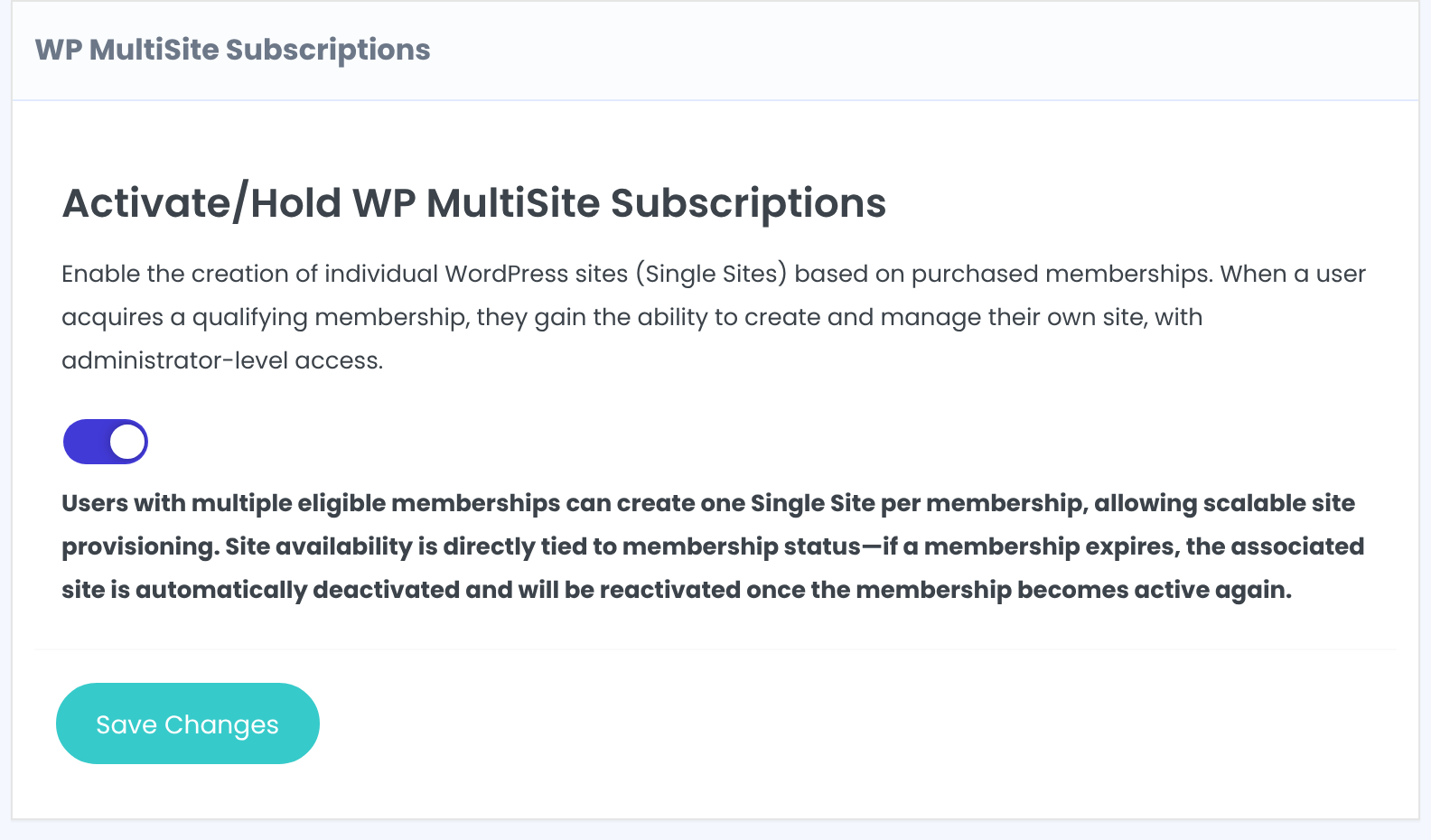
- Switch on Activate/Hold WP MultiSite Subscriptions and click Save Changes.
Choose the Memberships that include a site
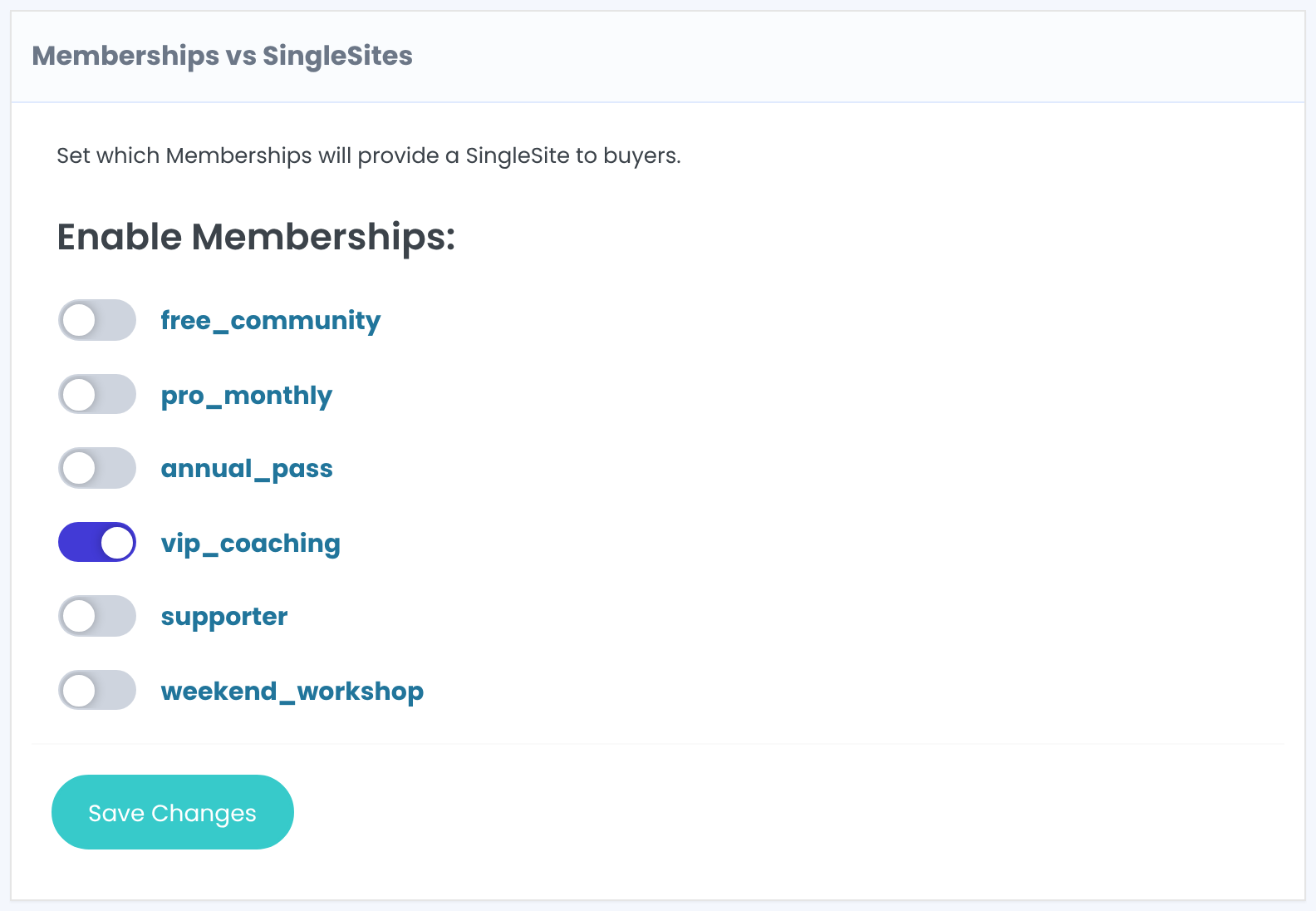
Switch on each Membership whose buyers can create a site. The list shows Membership slugs.
Default: All off
Click Save Changes.
Add the Your Sites tab to the Member Portal
- Go to Ultimate Membership Pro›Showcases›Member Portal and turn on the Your Sites tab. See Set up the Member Portal.
The module doesn’t add this tab by itself.
What members see
The Your Sites tab lists the member’s qualifying Memberships with an Add New link. The form asks for:
The new site’s address in your network. Lowercase letters, numbers and hyphens only.
The name of the new site.
After saving, the member is the administrator of the new site, and the tab shows the site’s link and status.
A member with two qualifying Memberships can create two sites.
When the Membership expires or is removed, the site is deactivated. When the Membership is active again, the site comes back.
The Members list gets a Sites column with a link to each member’s site. All sites also appear in your Network Admin.
Plan before you sell
- Sites use your network’s resources and storage. Make sure your hosting plan allows the number of sites you expect.
- A deactivated site isn’t deleted; remove sites you no longer need from the Network Admin.
Example: a site with VIP Coaching
- Enable Memberships
- vip_coaching
- Member Portal tab
- Your Sites
- Sites per member
- One per VIP Coaching Membership
Troubleshooting
“Multisite is not installed.”
WordPress isn’t running as a Multisite network. The module only works on a Multisite installation.
“Domain Name contains forbidden characters.”
Use only lowercase letters, numbers and hyphens in Site Address.
“Site name already exists.”
Another site in the network uses that address. Pick another one.
The member doesn’t see the Your Sites tab
Turn on the tab in the Member Portal showcase and check that the member holds a Membership switched on in the module.
Can I sell websites with Ultimate Membership Pro?
Yes, on a WordPress Multisite network. Turn on the WP MultiSite Subscriptions module, enable it for a Membership, and buyers create their own site from the Member Portal.


