
In Ultimate Membership Pro, the Reason for Cancellation module shows members a short form when they cancel or remove a Membership, asking why. The answers tell you what makes members leave, and the extra step stops accidental cancellations.
This guide switches the module on, sets the predefined reasons and shows where to read the answers.
Before you start
- Members can cancel or remove Memberships from their Subscriptions table. See How renewals, cancellations and expiry work.
- Your license is active; modules need it. See Find and activate your license key.
Switch on the module and set the reasons
- Go to Ultimate Membership Pro›Modules and open Reason for Cancellation (in Payments & Billing).
- Switch on Activate/Hold Reason for Cancelling, edit the reasons and click Save Changes.
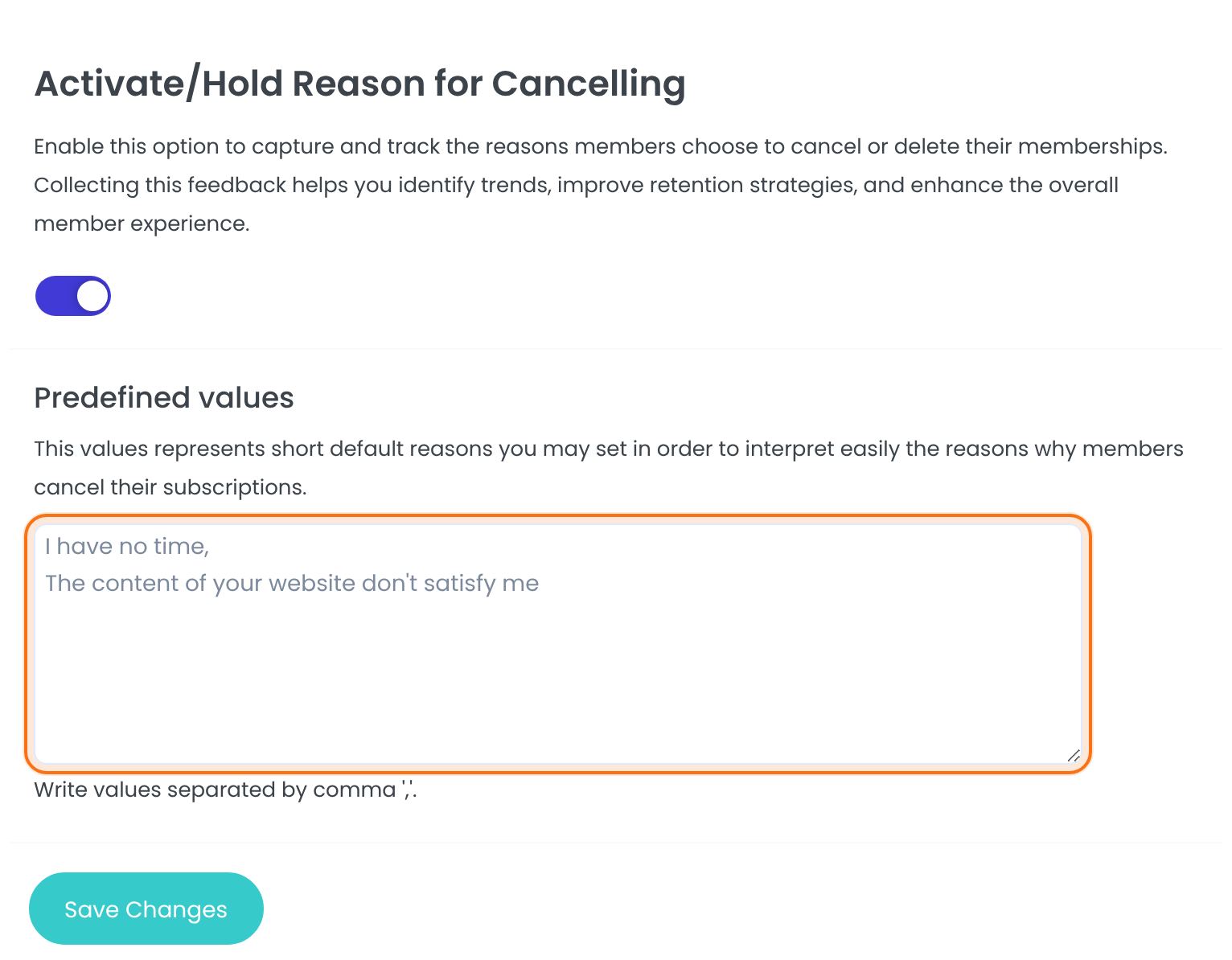
Short reasons members can pick from, separated by commas. Members can also type their own in the Other box.
Default: I have no time, The content of your website don’t satisfy me
What members see
When a member clicks Cancel or Remove in the Member Portal, a window asks them to confirm:
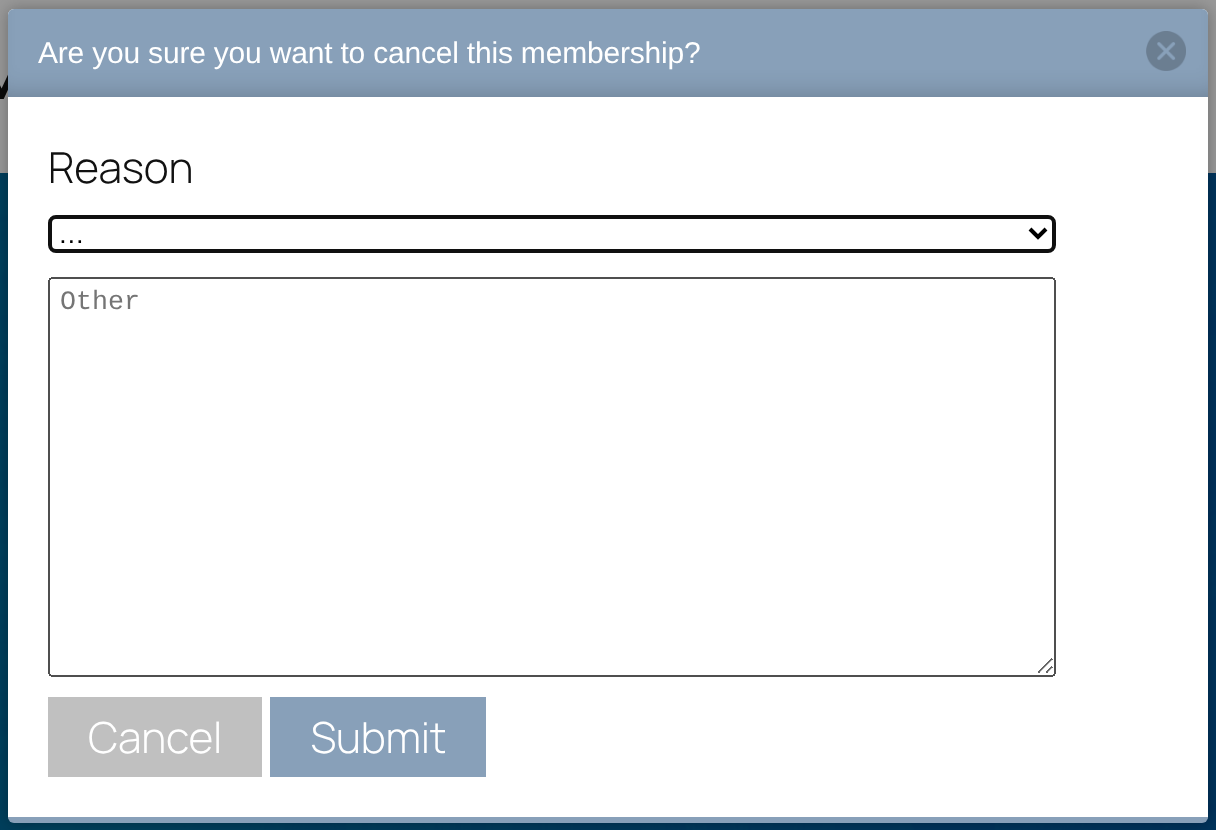
Submit saves the reason and then cancels or removes the Membership; a reason is required. The window’s Cancel button closes it and nothing changes. For Remove, the title asks whether to delete the Membership.
Read the answers
The answers are listed under the settings on the module screen:
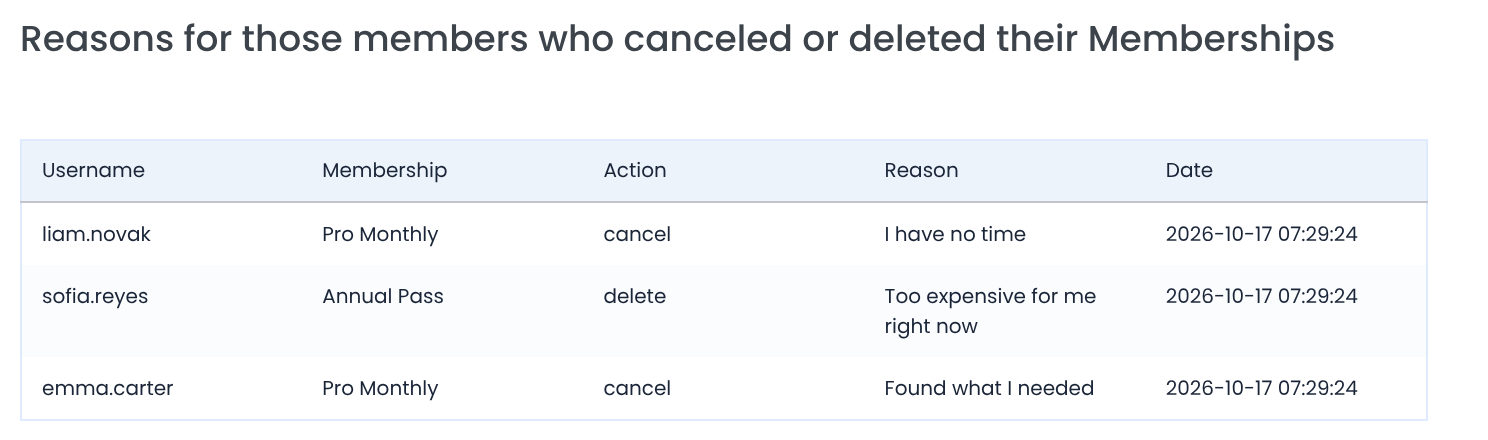
cancel or delete (Remove).
The predefined reason picked, or the member’s own text.
You also find a member’s answers on their profile page in the admin, and a summary under Ultimate Membership Pro›Reports. See Read your membership reports.
Example: learn why monthly members leave
- Predefined values
- I have no time, Too expensive for me right now, Found what I needed
- Shown on
- Cancel and Remove
- Read in
- Module screen, member profile, Reports
Troubleshooting
The window doesn’t appear when members cancel
Check that the module is on and saved. Without it, Cancel acts at once and Remove asks with a simple browser confirmation.
Can members cancel without giving a reason?
No. If they click Submit without picking or typing a reason, the window closes and the Membership isn’t cancelled. Make sure your predefined reasons cover the common cases.
How do I see why members cancel in Ultimate Membership Pro?
Turn on the Reason for Cancellation module. Members then give a reason when they cancel or remove a Membership, and the answers are listed on the module screen.


