
In Ultimate Membership Pro, the Membership Gifts module lets members buy a Membership for someone else. The buyer gets a gift code with the purchase and passes it on; the person who receives it redeems the code at checkout and gets the Membership. It works for gift subscriptions, family or team plans, and “buy one, give one” offers.
This guide switches the module on, sets up a gift you can sell, and follows the gift from purchase to redemption.
Before you start
- The checkout page shows the coupon box, because gift codes are entered there. See Create coupon codes.
- Your license is active; modules need it. See Find and activate your license key.
How a gift works
For example a Membership you create only for gifts, such as Annual Pass Gift.
When the purchase is complete, the buyer gets a code in the Membership Gifts tab of their Member Portal.
By email, message or a printed card. The plugin doesn’t send the code to the recipient.
They choose the gifted Membership, enter the code in the coupon box at checkout and get the discount, up to 100%.
Switch on the module
- Go to Ultimate Membership Pro›Modules and open Membership Gifts (in Memberships & Subscriptions).
- Switch on Activate/Hold Membership Gifts and click Save Changes.
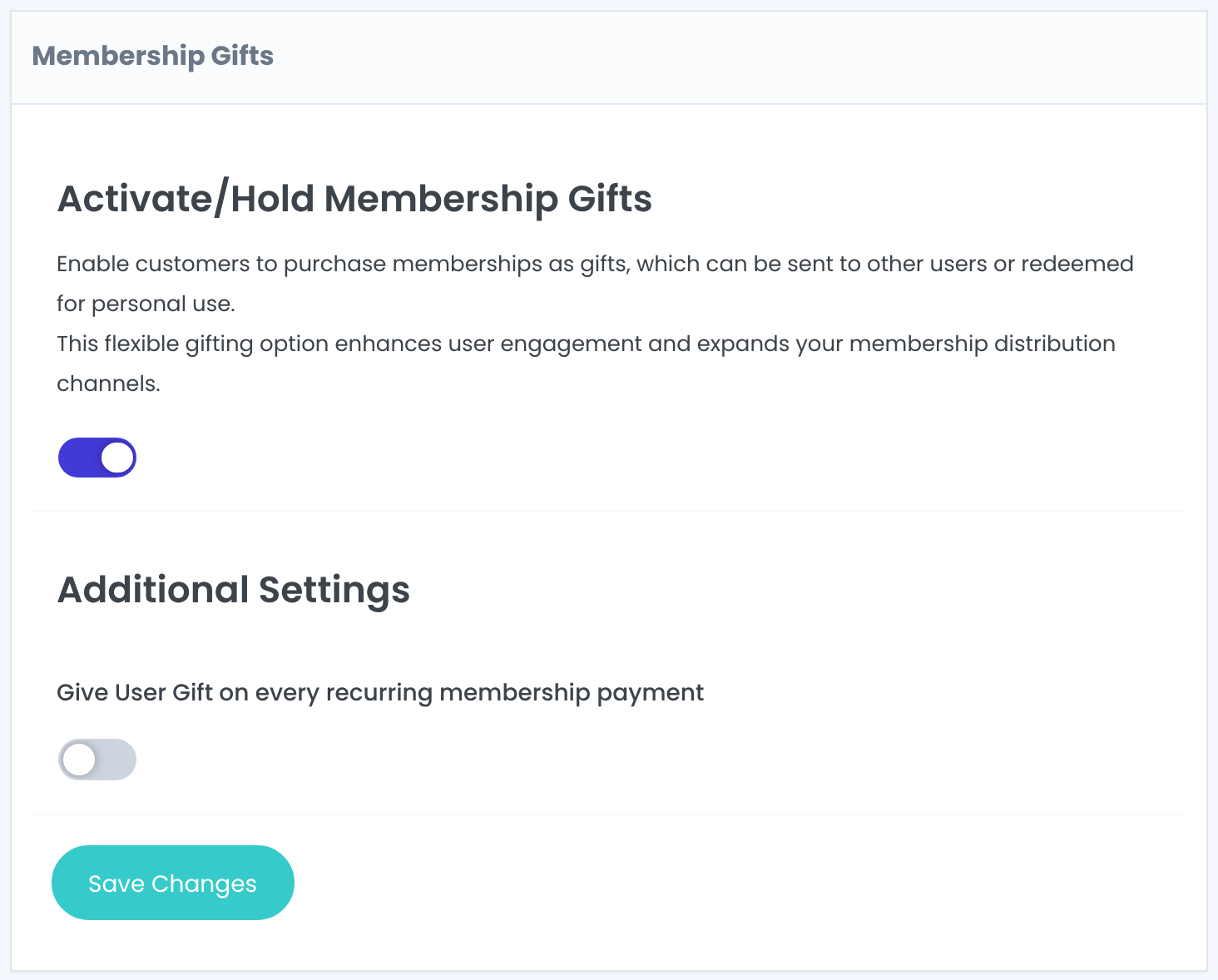
Off: a recurring Membership gives one gift code. On: a new code each time the Membership becomes active again.
Default: Off
Saving with the switch on also adds the Membership Gifts tab to the Member Portal.
Create the Membership people buy as a gift
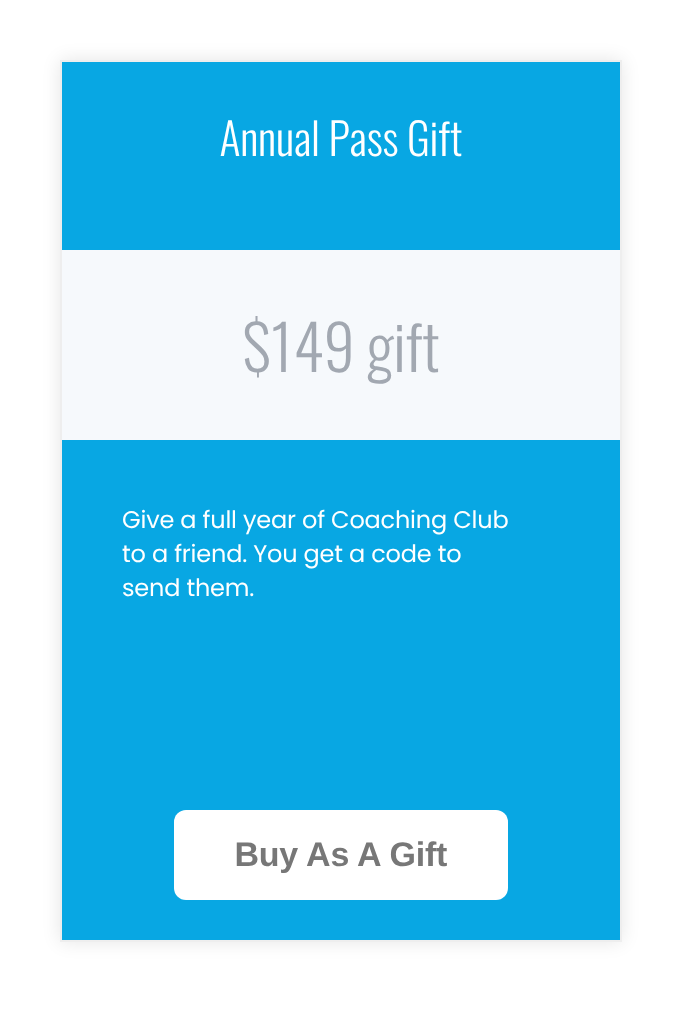
Under Ultimate Membership Pro›Memberships, add a Membership for the gift, for example Annual Pass Gift at the same price as the Annual Pass. Visitors see it on your pricing page like any other plan:
Keep the gift Membership small
- The buyer also receives the gift Membership itself. Give it a short Limited Time, such as 1 Days, and don’t use it in your content restrictions, so it only carries the gift.
- You can also attach gifts to a regular Membership, for example a free month for a friend with every Annual Pass. See Create your first Membership.
Create the gift offer
- Back on the module screen, click Add new Gift Offer and fill in the form.
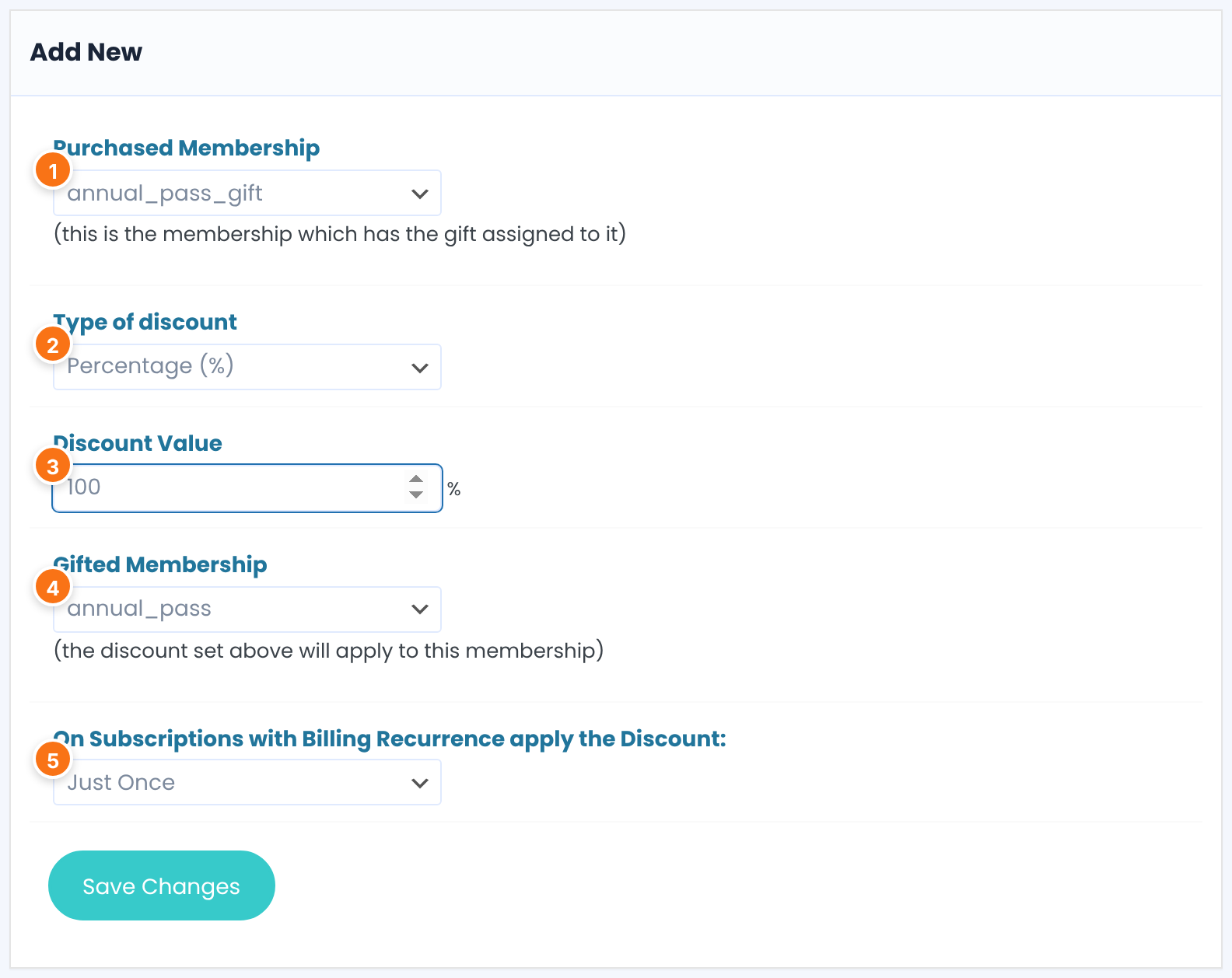
The Membership the buyer pays for. All means any Membership.
Price: a fixed amount off. Percentage (%): a share of the price.
Default: Price
Use 100% for a full gift. A lower value makes a discount voucher instead.
The Membership the recipient gets. All lets them pick any Membership.
For a recurring gifted Membership: Just Once makes the first payment free, Forever every payment.
Default: Just Once
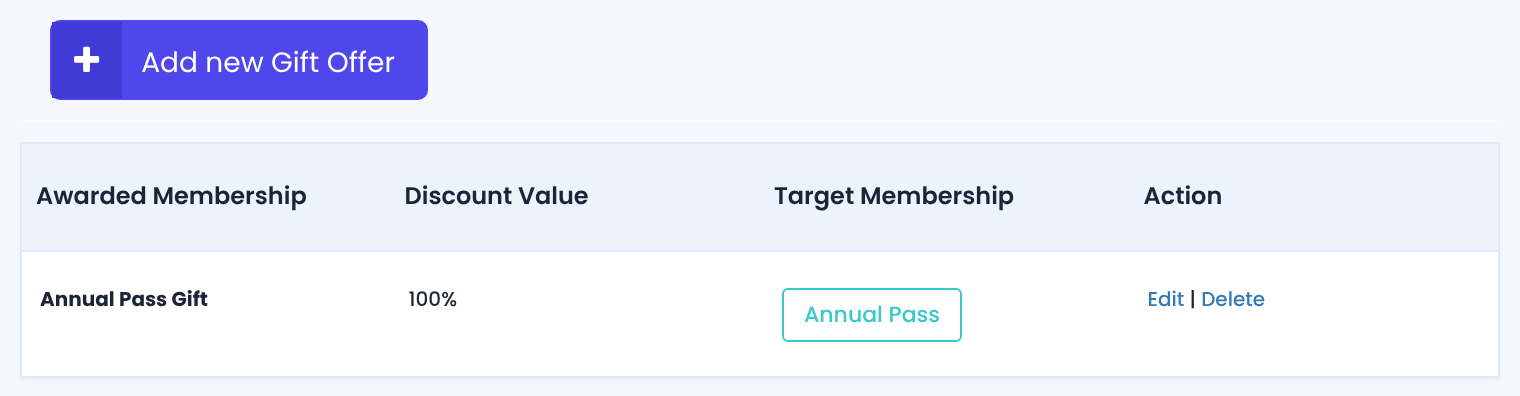
Click Save Changes. Your offers are listed on the module screen:
What the buyer gets
When the purchase is complete, a 10-character code appears in the buyer’s Membership Gifts tab:
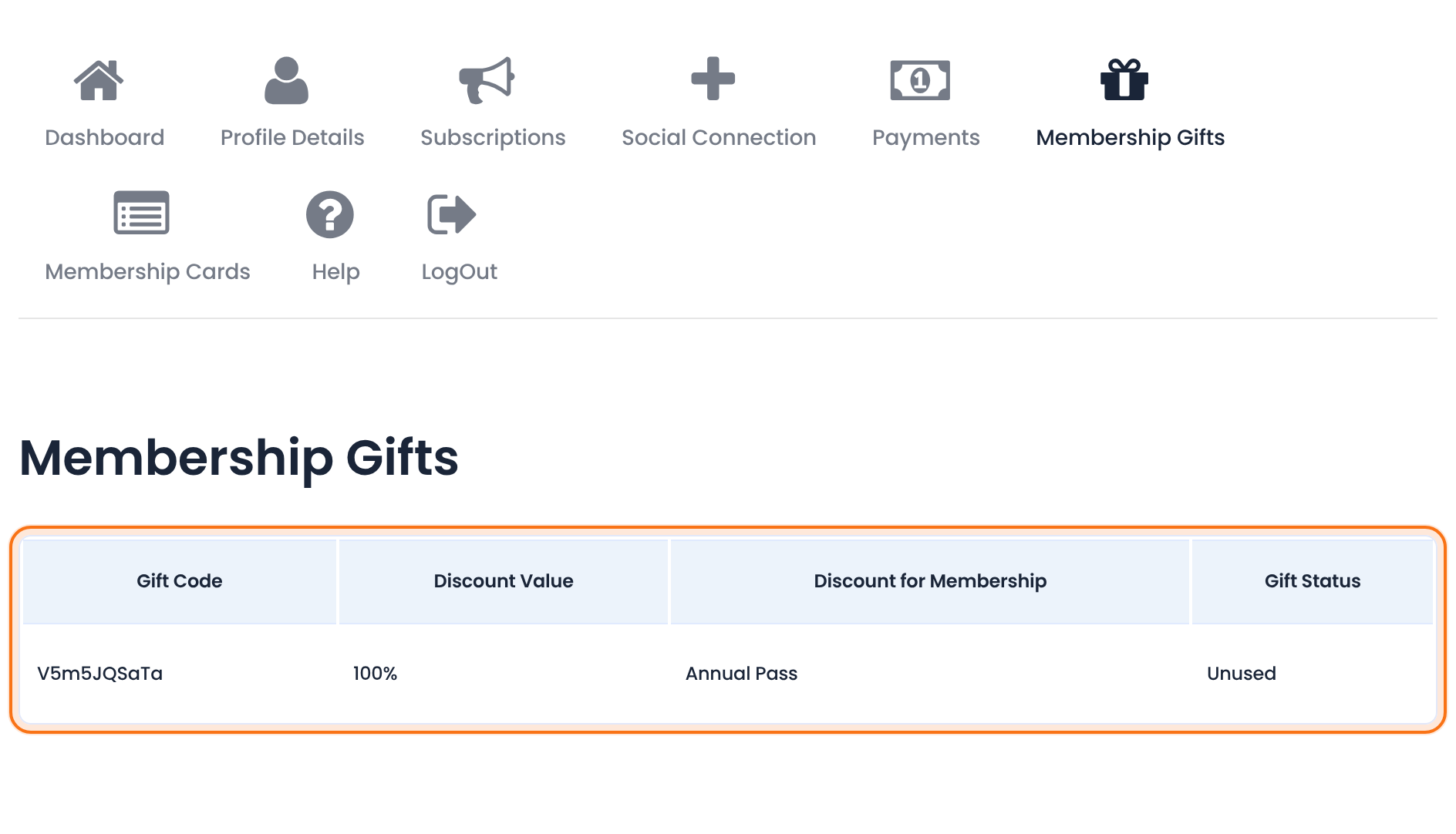
The code to give away.
What the gift is worth, and for which Membership.
Unused until someone redeems it, then Used. Each code works once.
How the recipient redeems it
The recipient registers or logs in, chooses the gifted Membership, for example from your pricing page, and enters the code in the coupon box at checkout. With a 100% gift there’s nothing to pay. The code isn’t tied to an account, so anyone who has it can use it once.
See every gift code
- Click Generated Membership Gift Codes at the top of the module screen.
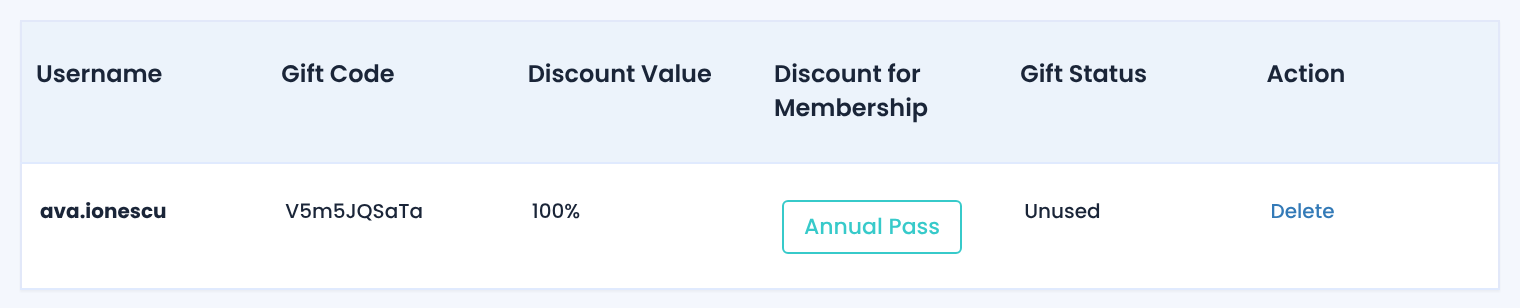
Gift codes aren’t in the Coupons list
- They work like coupons but are listed only on this screen. Delete a code here to cancel it.
Example: give a year of Coaching Club
- Gift Membership
- Annual Pass Gift, 149, Limited Time 1 Days
- Purchased Membership
- Annual Pass Gift
- Type of discount
- Percentage (%)
- Discount Value
- 100
- Gifted Membership
- Annual Pass
- Apply the Discount
- Just Once
Troubleshooting
Can members buy a Membership for someone else in Ultimate Membership Pro?
Yes, with the Membership Gifts module. The buyer purchases a Membership that has a gift offer, receives a gift code in the Member Portal and gives it to the other person, who redeems it at checkout.
The buyer didn’t get a gift code
Codes are created when the purchase is complete, so a Membership still on Hold has none yet. Check that the module was on at that time and that the offer’s Purchased Membership matches.
The Membership Gifts tab is missing from the Member Portal
Save the module screen with the switch on, or tick the tab in the Member Portal showcase. See Set up the Member Portal.
The gift code is rejected at checkout
Each code works once and only on its Gifted Membership. Check its status under Generated Membership Gift Codes.
Does the recipient get an email with the code?
No. The buyer passes the code on themselves.


