
In Ultimate Membership Pro, the Memberships Plus module decides who sees a Membership on the pricing page, based on what they already bought. Use it for upgrade-only plans, first-purchase offers, or to stop people from buying a plan that overlaps with one they hold.
This guide switches the module on and sets a rule so that only paying members see a premium plan.
Before you start
- Your pricing page uses [ihc-select-level]. Rules apply only to that table. See Build your pricing page.
- Your license is active; modules need it. See Find and activate your license key.
Switch on the module
- Go to Ultimate Membership Pro›Modules and open Memberships Plus (in Memberships & Subscriptions).
- Switch on Activate/Hold Memberships Plus and click Save Changes.
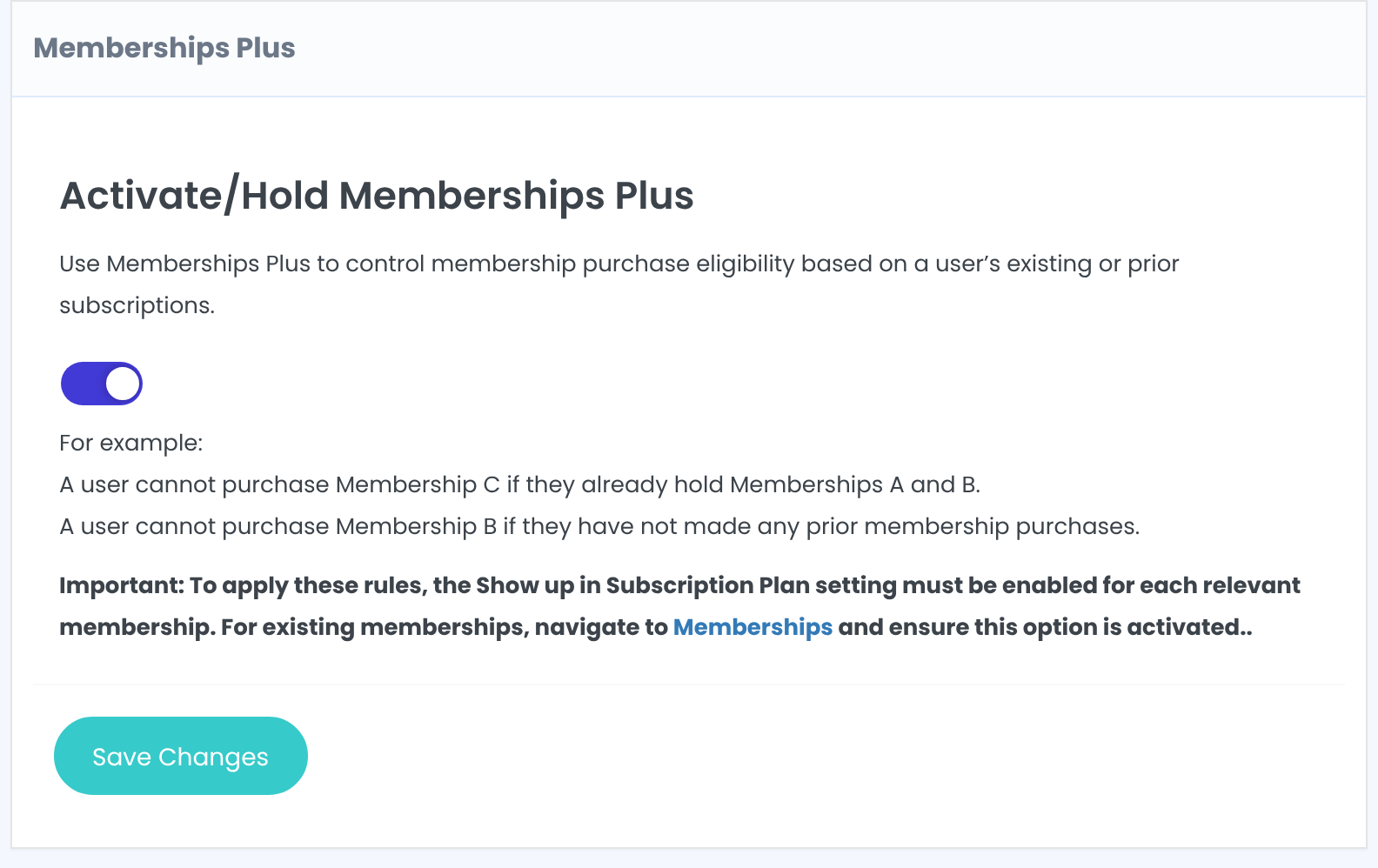
The examples on the screen show the idea: a user can’t buy Membership C if they already hold A and B, or can’t buy B before making any purchase.
Set a rule for a Membership
Each Membership has its own box. Find it, for example Membership: VIP Coaching:
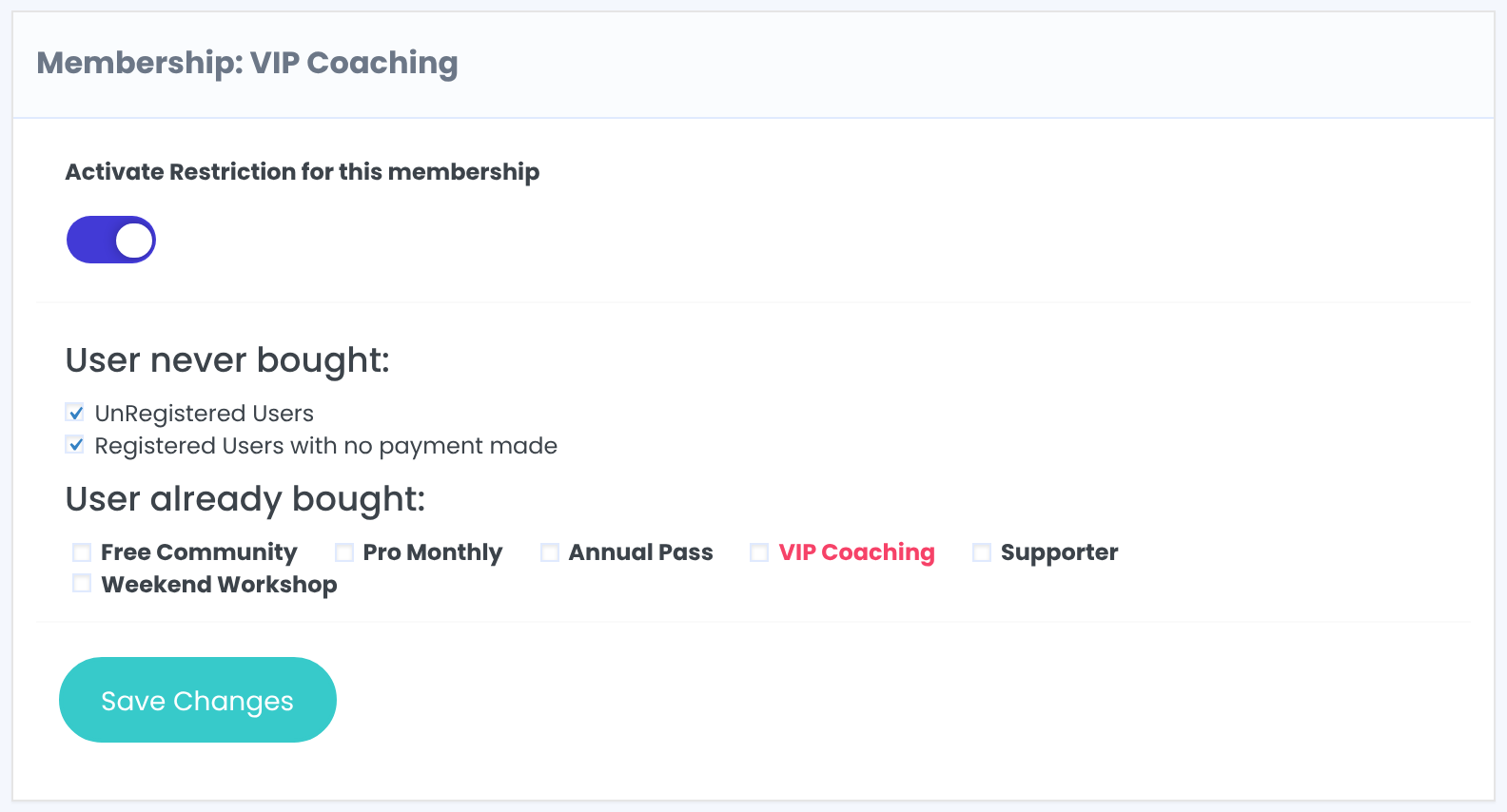
Turns the rules below on for this Membership.
Default: Off
Hide the Membership from people who haven’t paid yet:
- UnRegistered Users: visitors who aren’t logged in.
- Registered Users with no payment made: logged-in users without any payment.
Hide the Membership from members who hold any of the ticked Memberships. Tick the plan itself to stop members from buying it twice.
Click Save Changes in that box.
What the rules do and don’t do
- They only hide the Membership on the pricing table. The Membership’s Show/Hide in Subscription Plan showcase setting must stay on.
- Visitors who open the register page with a restricted Membership are sent to the Subscription Plan page. Logged-in members go to the checkout page, which doesn’t check the rules, so don’t publish a direct buy button for a restricted plan.
- A custom pricing page that doesn’t use [ihc-select-level] ignores these rules.
Example: an upgrade-only VIP plan
- Activate Restriction
- On
- User never bought
- UnRegistered Users, Registered Users with no payment made
- User already bought
- VIP Coaching (so nobody buys it twice)
Troubleshooting
A restricted Membership still shows on the pricing page
Check that the module is on, the restriction is on for that Membership, and you’re testing as the right kind of user. Admins are users too: test in a private window or with a test member.
A Membership disappeared for everyone
Show/Hide in Subscription Plan showcase may be off on the Membership, or both User never bought options are ticked and you’re testing without a payment.
Can I show a Membership only to members of another plan in Ultimate Membership Pro?
Partly. Tick both User never bought options so only paying members see it, and tick the plans that should not see it under User already bought.


