
In Ultimate Membership Pro, the Members Reports module keeps a member activity log: orders, coupons used, cancellations and email confirmations, each with its date. When a member says “I never canceled” or “my coupon didn’t work”, the log shows what happened.
This guide switches the log on, shows where to read it and how to clean it up.
Before you start
- Your license is active; modules need it. See Find and activate your license key.
Switch on the module
- Go to Ultimate Membership Pro›Modules and open Members Reports (in Members & Registration).
- Switch on Activate/Hold Members Reports and click Save Changes.
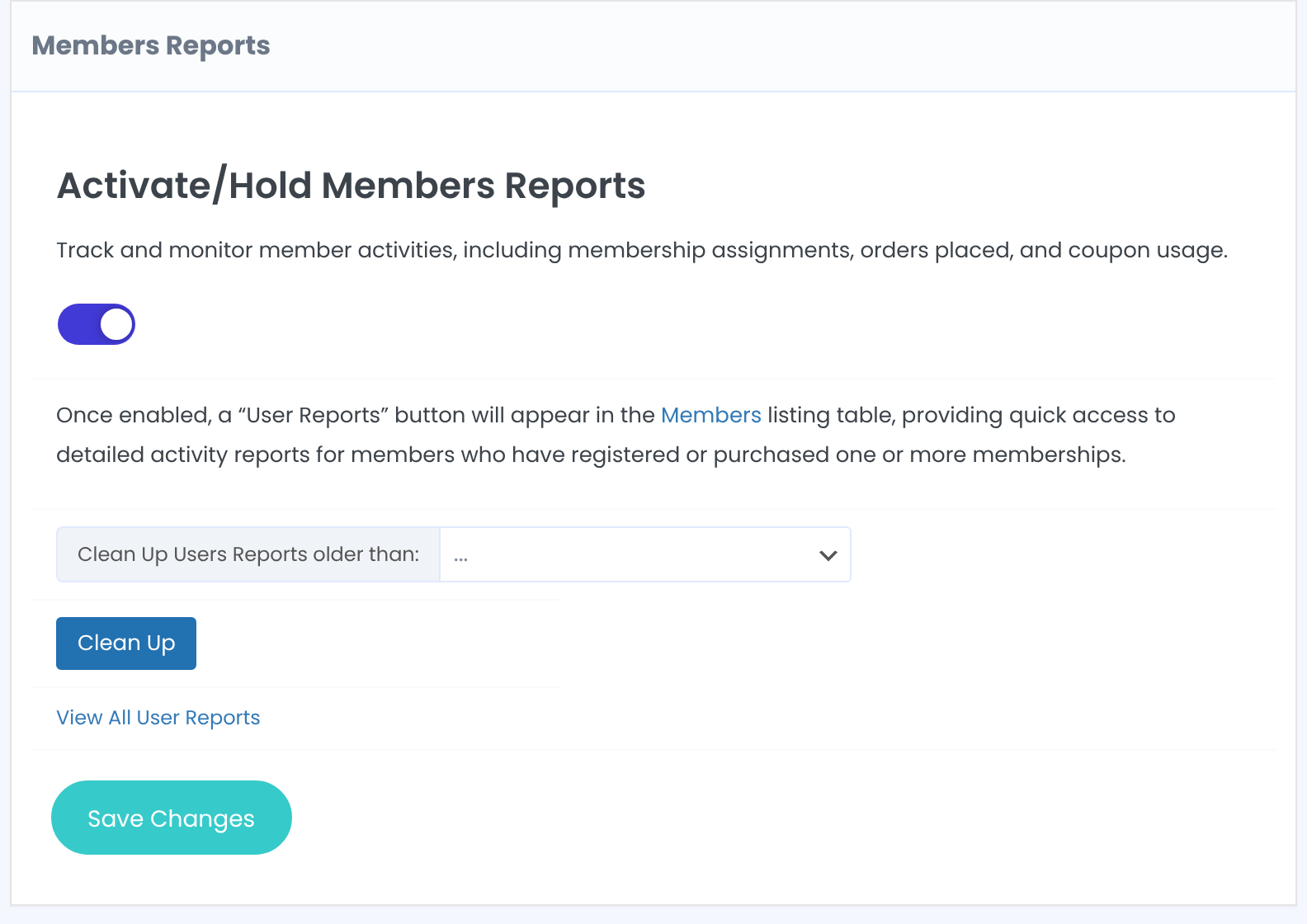
Logging starts now; earlier actions aren’t added.
What gets logged
The member ordered a Membership.
The member used a coupon, and for which Membership.
The member canceled or deleted a Membership from their Subscriptions table.
The member’s email address became active, by the member or by an administrator.
The member suspended their profile.
Read a member’s log
- Go to Ultimate Membership Pro›Members, open the member’s Details menu and click Member Reports.
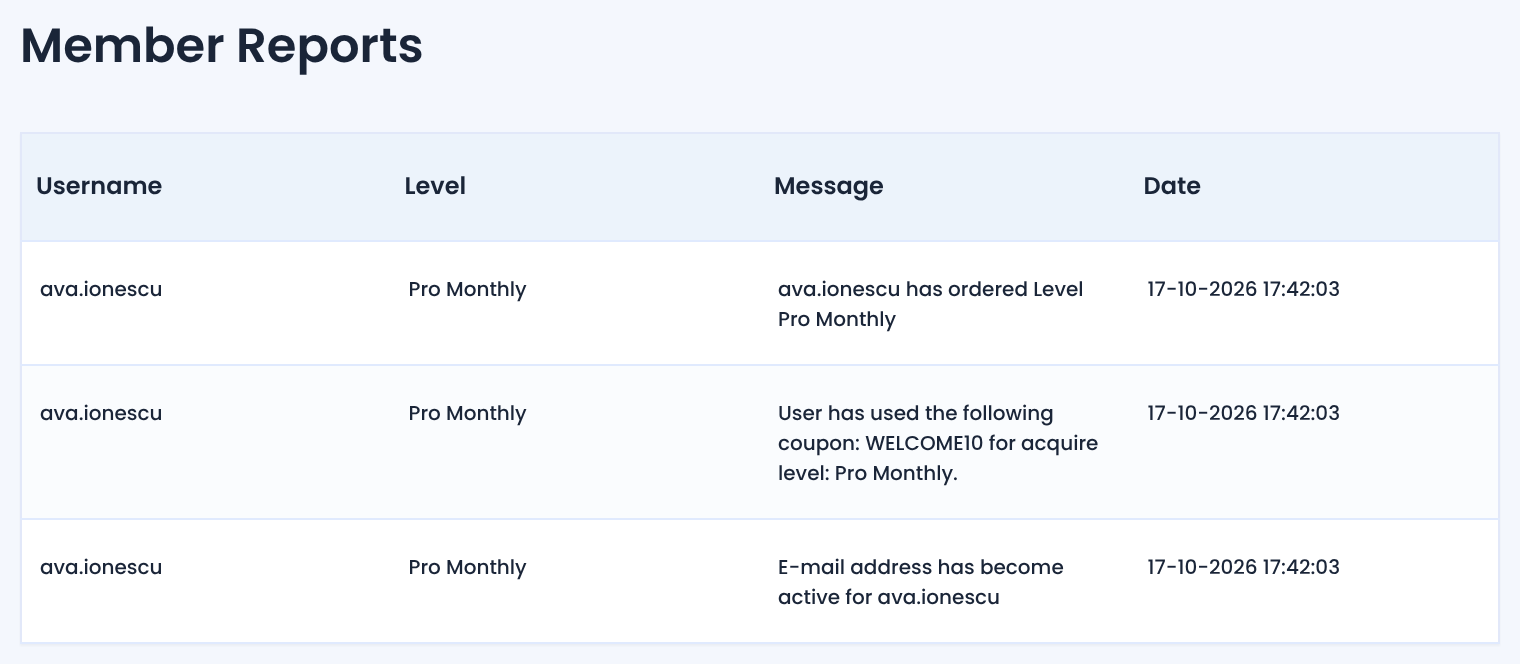
The menu item appears once the member has at least one entry. For everyone’s activity in one list, click View All User Reports on the module screen.
Clean up old entries
- On the module screen, pick One Day, One Week or One Month in Clean Up Users Reports older than and click Clean Up.
Clean Up can’t be undone
- It deletes every entry older than the period you pick, for all members.
Tip
- For numbers across all members, such as revenue and churn, use Read your membership reports.
Example: a coupon question
- Where
- Members › Ava Ionescu › Details › Member Reports
- Entry
- User has used the following coupon: WELCOME10 for acquire level: Pro Monthly.
- Answer
- Yes, on her Pro Monthly order
Troubleshooting
Why isn’t Member Reports in a member’s Details menu?
The item appears once the member has at least one log entry. Actions from before the module was switched on aren’t logged.
What does “No Reports available.” mean?
Nothing was logged for this member since the Members Reports module was switched on.


