
In Ultimate Membership Pro, the Member Portal Tabs module adds your own tabs or links to the Member Portal menu and lets you reorder all its tabs. Use it for a Resources tab with downloads, a link to your community forum or a page of upcoming events.
This guide adds a tab, gives it content, puts it in place and shows it to members.
Before you start
- Your license is active; modules need it. See Find and activate your license key.
- The Member Portal is set up. See Set up the Member Portal.
Switch on the module
- Go to Ultimate Membership Pro›Modules and open Member Portal Tabs (in Members & Registration).
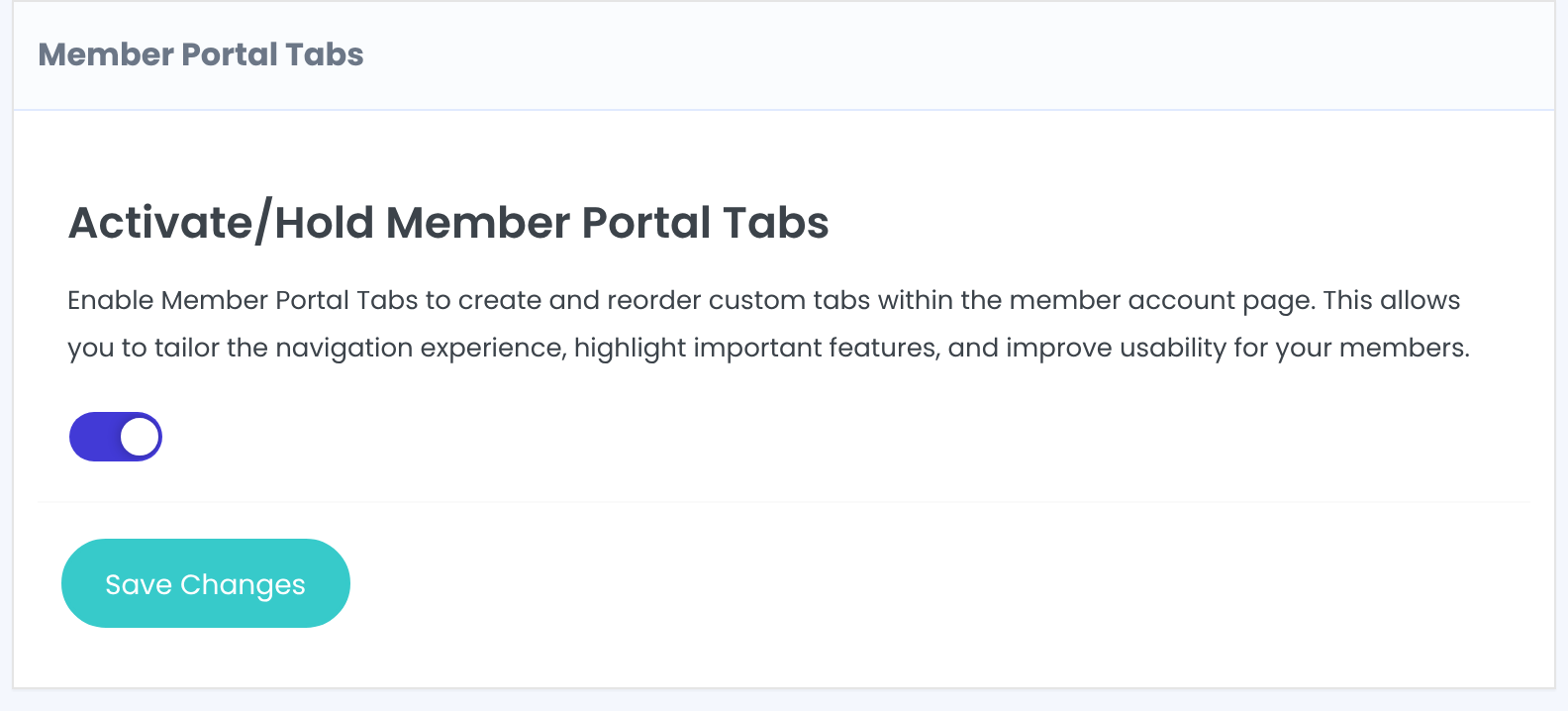
- Switch on Activate/Hold Member Portal Tabs and click Save Changes.
Add a menu item
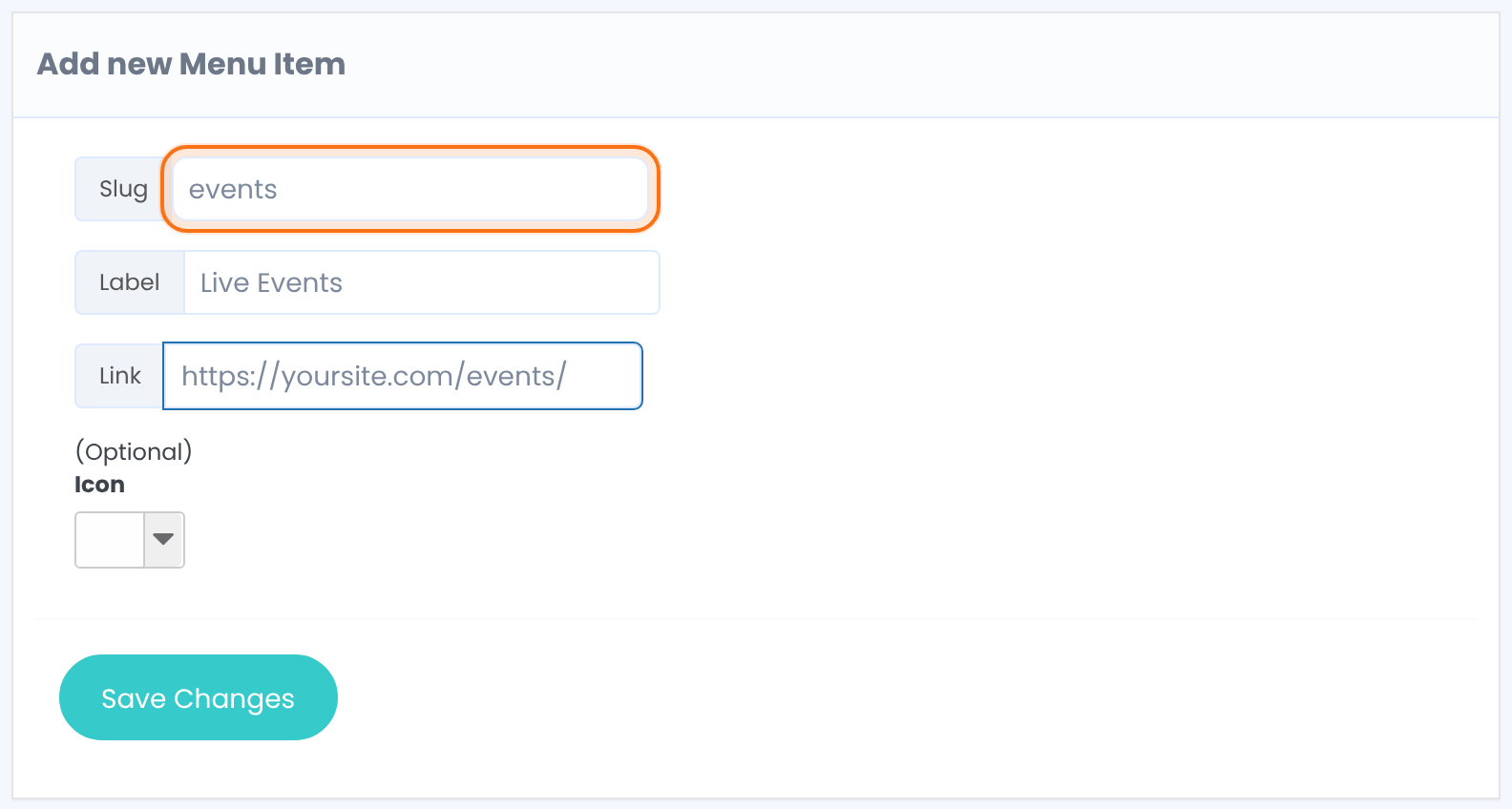
A unique name in lowercase letters, without spaces or special characters. Built-in tab names can’t be used: overview, profile, subscription, social, orders, transactions, membeship_gifts, membership_cards, pushover_notifications, user_sites, help, affiliate, logout.
The name in the portal menu.
Optional. With a link, the menu item opens that address. Without one, it opens a tab whose content you write in step 4.
Optional icon next to the label.
- Click Save Changes. The item appears in the list below.
Put the tabs in order
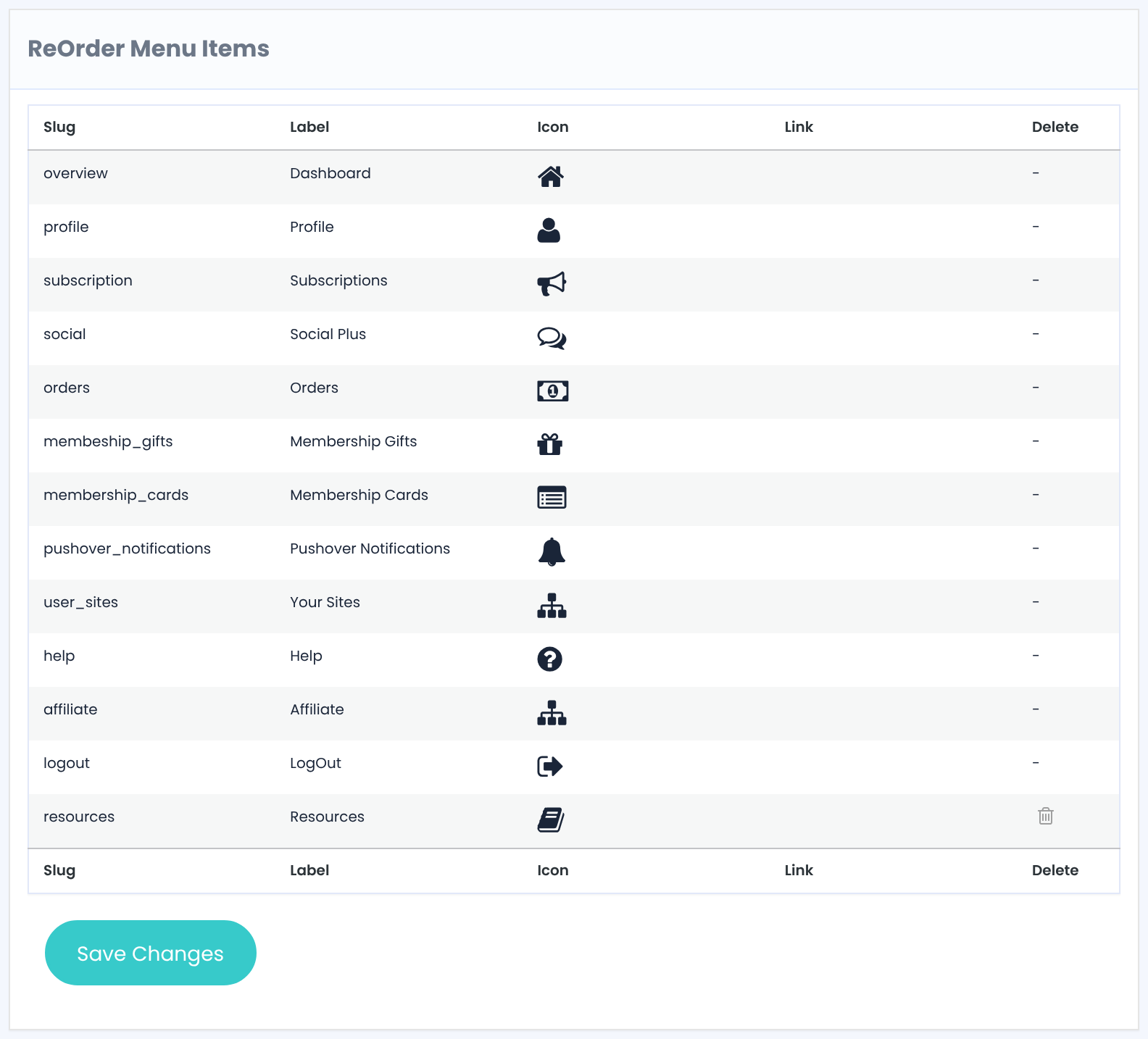
- Drag the rows into the order you want.
- Click Save Changes.
The order applies to all tabs, built-in and your own.
Write the content and show the tab
- Go to Ultimate Membership Pro›Showcases›Member Portal, scroll to Content Section and click your tab in the menu list.
- Switch on Show in Portal. New tabs start hidden.
- Fill in Tab Title and Tab Content, then click Save Changes.
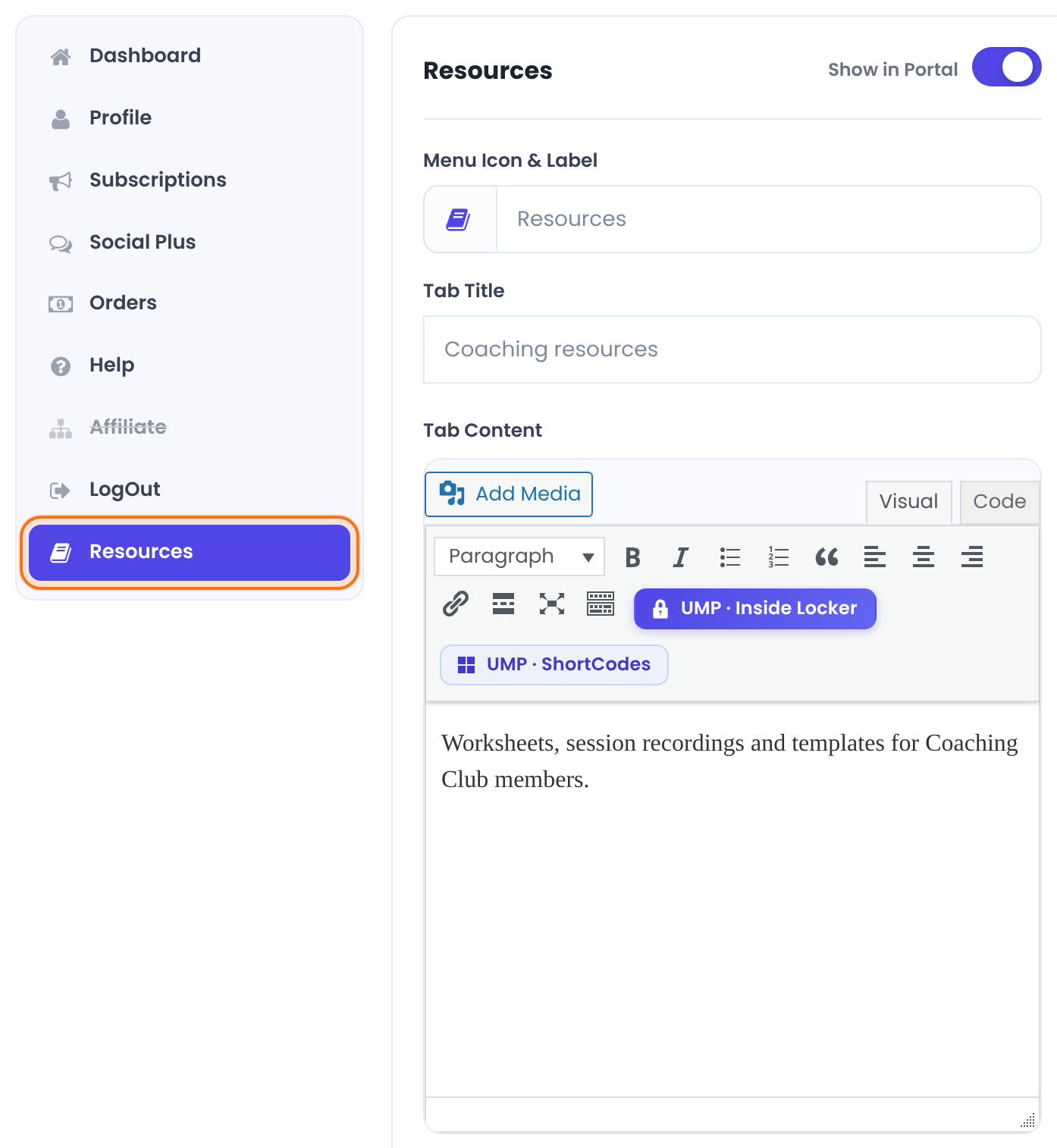
Tab Content takes text, images and shortcodes. Use UMP · Inside Locker in the editor toolbar to show part of the content only to some Memberships; see Hide part of a page (Inside Locker).
Check it as a member
Good to know
- If the slug is already used or reserved, the item isn’t added. Pick another slug.
Tip
- Put
[ihc-list-all-access-posts]in a tab to give members a library of everything they can access. See List the posts a member can access.
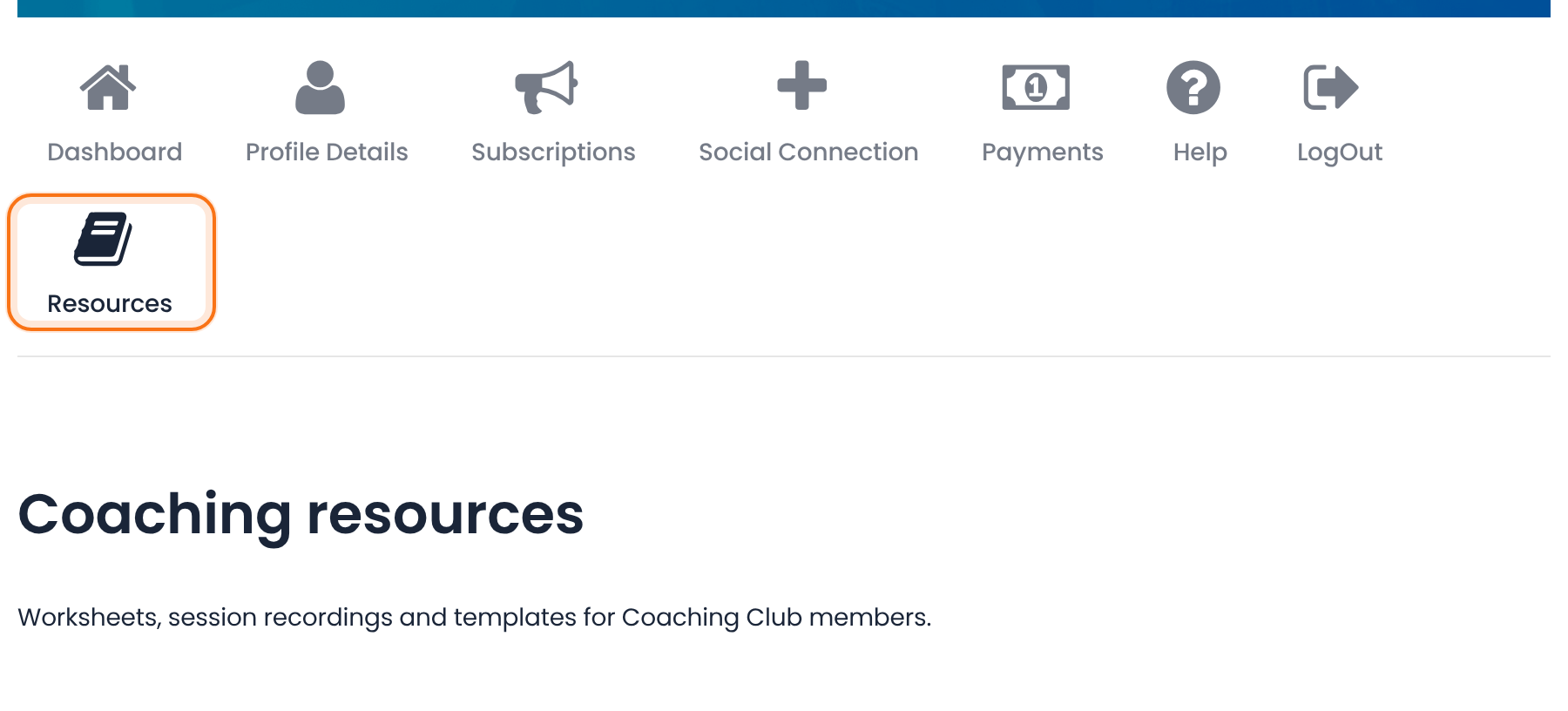
Example: a Resources tab
- Slug
- resources
- Label
- Resources
- Link
- empty
- Tab Title
- Coaching resources
- Tab Content
- Worksheets, session recordings and templates
- Position
- Last in the menu
Troubleshooting
Why isn’t my new tab in the Member Portal?
New tabs start hidden. Turn on Show in Portal for the tab in Showcases › Member Portal and save.
Why didn’t my new menu item save?
The slug is already used or is the name of a built-in tab. Use another slug, for example library.
Why doesn’t the new tab order show?
Click Save Changes under ReOrder Menu Items after dragging the rows, then clear your page cache.


