
Ultimate Membership Pro places its forms, account area, purchase links and member data on your pages with shortcodes. This page lists all of them, what each one shows and the attributes it accepts.
The same list, with a copy button for every shortcode, is in Ultimate Membership Pro›Shortcodes. Paste a shortcode into a Shortcode block, a classic editor, a widget or a page builder’s shortcode element.
Before you start
- The main shortcodes are already on the pages the plugin created. See Set up the membership pages.
- Shortcodes marked Module work only while that module is on, in Modules.
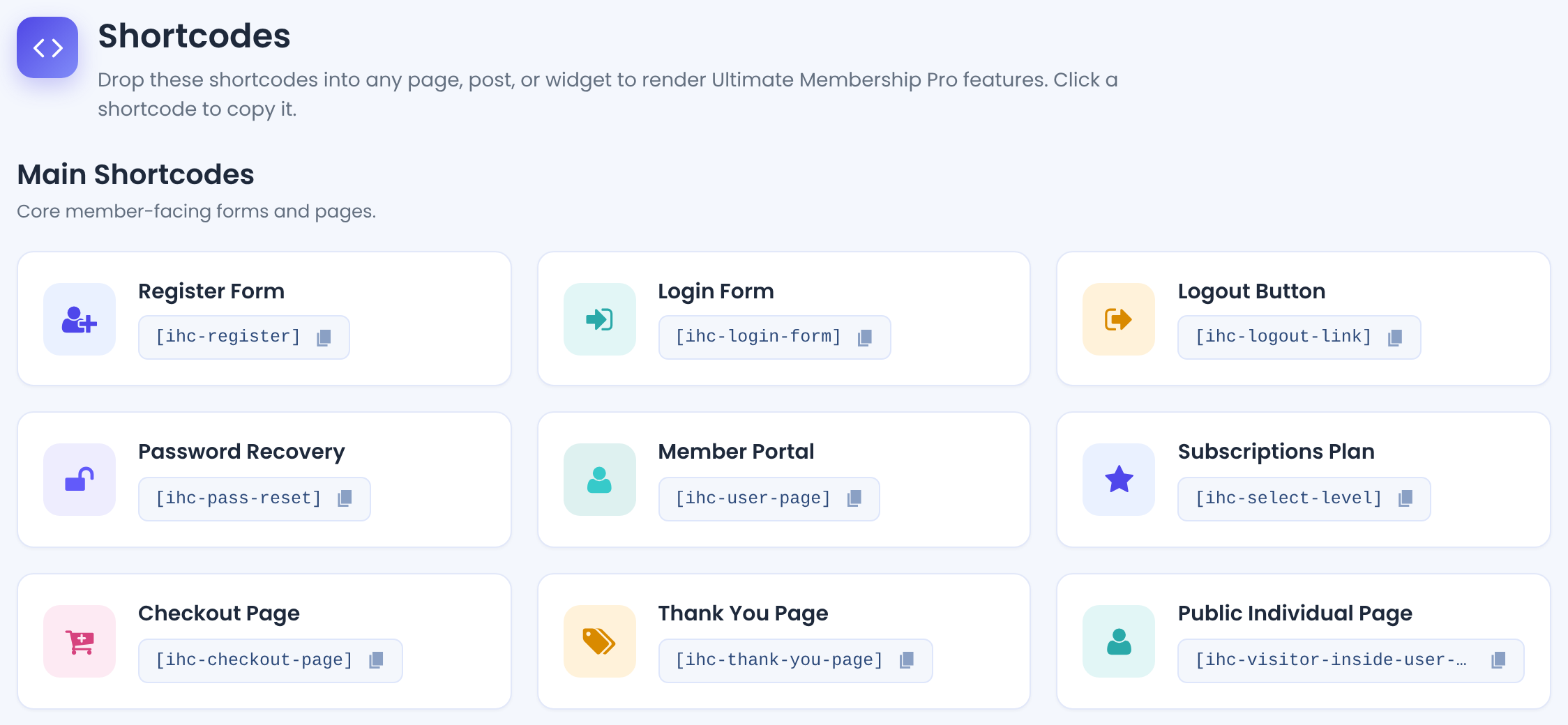
Main shortcodes
[ihc-register]Registration form. Shown to logged-out visitors only.
Attributes: template registration template, for example ihc-register-9; level Membership ID to register for
[ihc-login-form]Login form. See Set up the login form.
Attributes: template for example ihc-login-template-3; remember 1 or 0, Remember Me box; register 1 or 0, link to the Register page; lost_pass 1 or 0, lost password link; social 1 or 0, social login buttons; captcha 1 or 0, reCAPTCHA
[ihc-logout-link]Logout link. See Add a logout link to your menu.
Attributes: template login template whose style it uses
[ihc-pass-reset]Password recovery form.
[ihc-user-page]The Member Portal (account page). See Set up the Member Portal.
[ihc-select-level]Subscriptions Plan: the list of Memberships with their buttons.
Attributes: id Membership IDs to show, comma-separated, for example 2,3; template plan template; css extra CSS for this list
[ihc-checkout-page]Checkout page: payment method, coupon, taxes and the purchase button.
[ihc-thank-you-page]Thank you page shown after a purchase.
[ihc-visitor-inside-user-page]Public profile of a member. See Show public member profiles.
Member Portal sections
Build your own account pages from single sections of the Member Portal. They show the logged-in member’s data.
[ihc-account-page-overview]Dashboard default content.
[ihc-edit-profile-form]Profile form. See Customize the profile form.
[ihc-change-password-form]Change password form.
[ihc-account-page-subscriptions-table]The member’s subscriptions with their actions. See Customize the Subscriptions and Payments tables.
[ihc-account-page-orders-table]The member’s orders.
[ihc-social-links-profile]Buttons to link the account with social accounts for social login.
[ihc-user-banner]The member’s banner image.
Attributes: width CSS width, default 100%; height CSS height, default 300px
[ihc-user field="ihc_avatar"]The member’s avatar.
[ihc-account-page-pushover-form]Module: Pushover Notifications[ihc-user-sites-table]Module: MultiSite SubscriptionsThe member’s sites.
Attributes: add_new_url link of the page with the add-site form
[ihc-user-sites-add-new-form]Module: MultiSite SubscriptionsForm to add a site.
[ihc-list-gifts]Module: Membership GiftsMembership gifts received by the member.
[ihc-membership-card]Module: Membership CardThe member’s Membership cards.
Attributes: template card template; size card size; exclude_levels Membership IDs to leave out
Purchase links and restriction
![Memberships Shortcodes table: for free_community, pro_monthly and annual_pass, a direct purchase link shortcode [ihc-purchase-link id=1] SignUp [/ihc-purchase-link] and a direct restriction shortcode [ihc-hide-content membership=1] Your Content Here [/ihc-hide-content]](https://ultimatemembershippro.com/wp-content/uploads/2026/10/ump-shortcodes-02-membership-shortcodes.png)
[ihc-purchase-link id=3]Get the pass[/ihc-purchase-link]A link that starts the purchase of one Membership. Logged-out visitors go to the Register page, members go to the checkout. [ihc-level-link] works the same way.
Attributes: id Membership ID; register_page URL of another registration page; checkout_page URL of another checkout page; item_class CSS class of the link
[ihc-hide-content membership=2]…[/ihc-hide-content]Shows the content only to some visitors. See Hide part of a page (Inside Locker) for every option.
Attributes: membership Membership IDs who see it; ihc_mb_type show or block; ihc_mb_who who it applies to, for example reg for logged-in users; ihc_mb_template locker template, -1 for none
Member data
[ihc-user field="…"] prints one value of the logged-in member. Use it in pages, widgets or the Member Portal texts.
username, user_email, first_name, last_name, ihc_avatar
level_list (the member’s Memberships), level_name
account_page, login_page, verify_email_address_link, blogname, blogurl
The name of any registration field, for example [ihc-user field="phone"]. The Shortcodes screen lists the ones on your site.
Popups, buttons and lists
[ihc-login-popup]Log in[/ihc-login-popup]Opens the login form in a popup when the text is clicked. See Login and registration popups.
Attributes: trigger CSS class of another element that should open the popup
[ihc-register-popup]Join[/ihc-register-popup]Opens the registration form in a popup.
Attributes: trigger CSS class of another element that should open the popup
[ihc-suspend-account]Button that lets the member suspend their account.
[ihc-list-users]Members Directory. Build it with the generator in the Members Directory showcase; see List members on your site (Members Directory).
[ihc-list-all-access-posts]Module: List Access PostsPosts the member can access. See List the posts a member can access.
Attributes: limit number of posts; order_by and; order sorting; post_types post types to include
[ihc-list-user-levels badges=0 exclude_expire=0]Module: Membership BadgesThe member’s Memberships, as badges when badges=1.
Attributes: badges 1 to show badge images; exclude_expire 1 to leave out expired Memberships
[ihc-individual-page-link]Module: Individual PageLink to the member’s private page. See Give each member a private page.
[ihc-register-lite]Module: Register LiteShort registration form with email only.
Good to know
- Forms for logged-out visitors ([ihc-register], [ihc-login-form]) are hidden once you’re logged in. Test them in a private window.
- Attribute values replace the showcase settings only for that one shortcode. The other pages keep the showcase settings.
- Copy shortcodes with straight quotes. Some editors turn ” into curly quotes, and attributes then stop working.
Tip
- Find a Membership’s ID in Memberships, or in the Memberships Shortcodes table of the Shortcodes screen.
Example: a pricing button on the home page
- Shortcode
- [ihc-purchase-link id=3 item_class=”cc-button”]Get the Annual Pass[/ihc-purchase-link]
- Logged-out visitor
- Goes to the Register page with the Annual Pass selected
- Logged-in member
- Goes to the checkout for the Annual Pass
Troubleshooting
Why does the shortcode show as plain text on the page?
WordPress didn’t run it. Check the spelling, put it in a Shortcode block (not a Code or Preformatted block), and make sure the module it belongs to is on.
Why is the registration or login form empty?
You’re logged in. These forms are for visitors; open the page in a private window.
Can I use the shortcodes in Elementor?
Yes, in Elementor’s Shortcode widget. The plugin also has its own Elementor widgets for the main forms.


