
The API Gate module of Ultimate Membership Pro lets another app, script or service read and change membership data on your site with simple URL calls: check whether someone has an active Membership, add a Membership to a member, list orders and more. Every call needs your secret hash and returns JSON.
This guide turns the API Gate on, explains the call format and lists every call.
Before you start
- Ultimate Membership Pro with an active license. The module’s settings aren’t available in Trial mode.
- Your site runs on HTTPS. The secret hash travels in the URL.
- The user IDs and Membership IDs you’ll work with (Membership IDs are in Memberships and in the Shortcodes screen).
Turn on the API Gate
- Go to Ultimate Membership Pro›Modules and open API Gate.
- Switch on Activate/Hold API Gate.
- Keep the generated API Secret Hash, or click Generate Code for a new one.
- Click Save Changes.
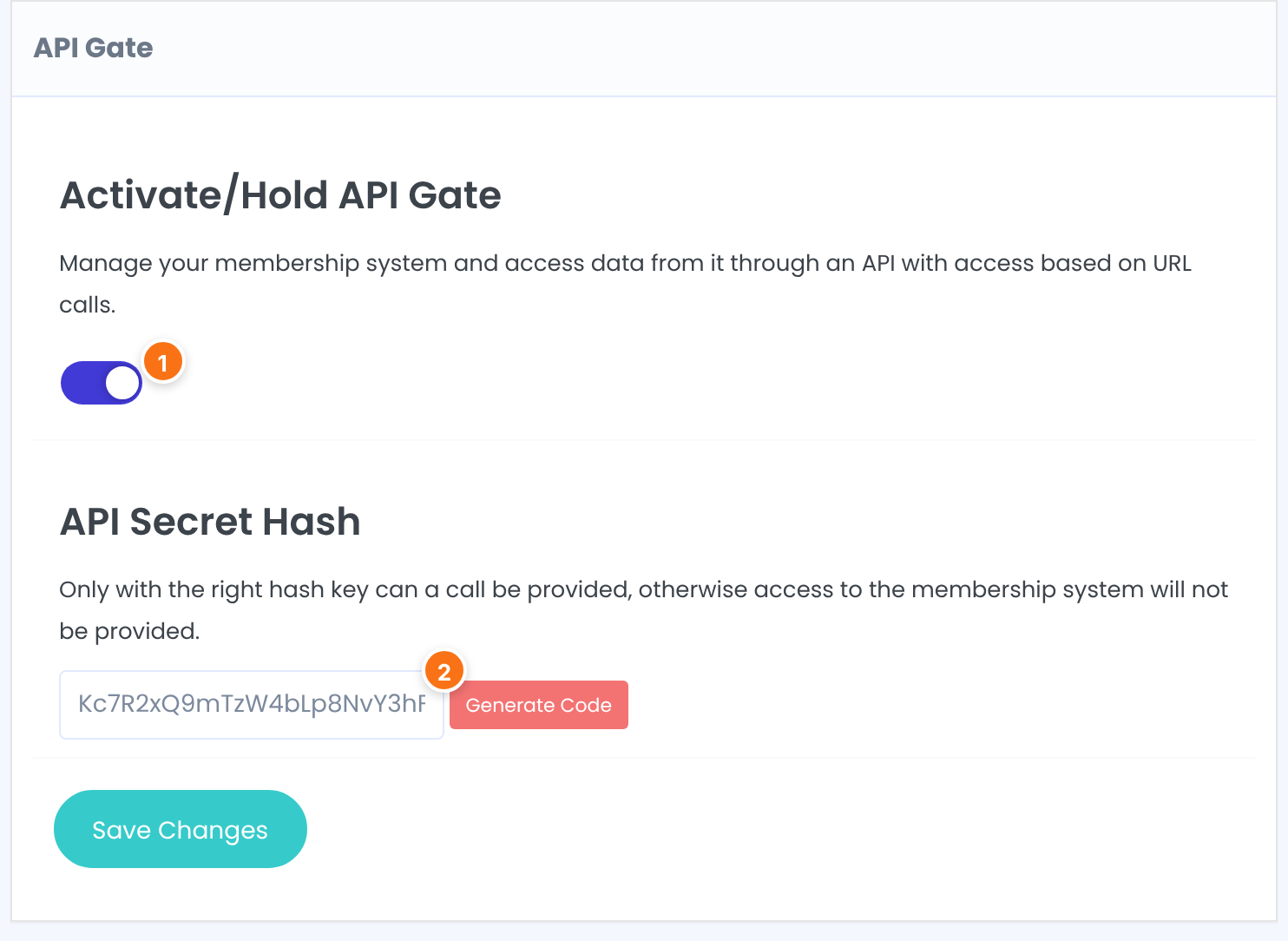
Turns the whole API on or off. While off, every call answers Access denied!
Default: Off
The key every call must send. Use letters, numbers and dashes only; other characters are removed from the hash a call sends, so it would no longer match.
Default: Empty; the screen suggests a random code, stored when you save
Choose which calls to allow
Each call has its own box with an Activate/Hold switch, a ready-made API Link with your site address and hash, its parameters and what it returns. All calls are on by default.
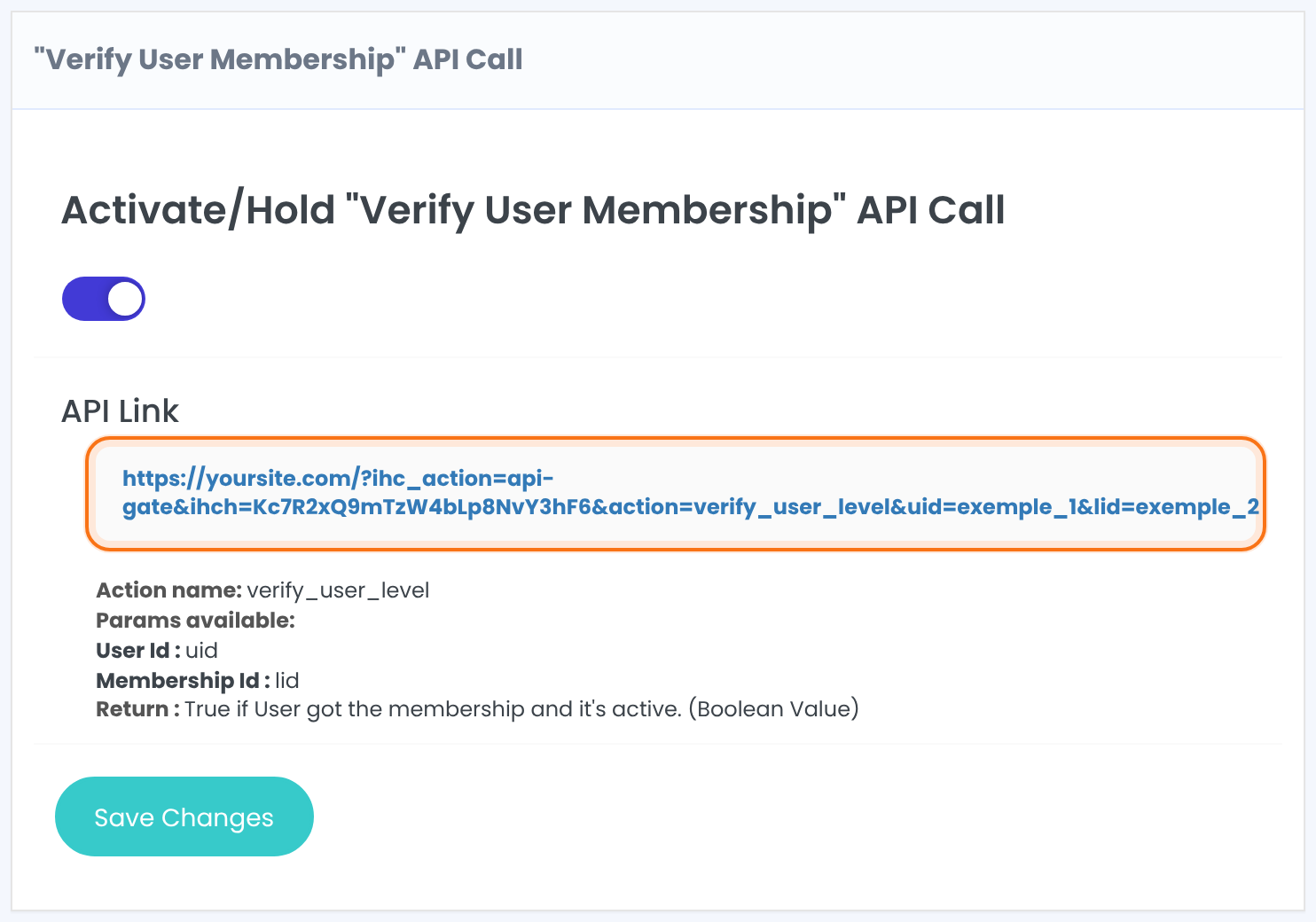
- Switch off every call your app doesn’t need, above all the ones that change data.
- Click Save Changes.
Make a call
Send a GET request to your home URL with ihc_action=api-gate, your hash as ihch, the call name as action, and the call’s parameters:
1Request
curl "https://yoursite.com/?ihc_action=api-gate&ihch=YOUR_SECRET_HASH&action=verify_user_level&uid=6&lid=2"2Response
{"response":1}Every answer is JSON with one key, response. Here 1 means user 6 has an active Pro Monthly (Membership 2); 0 means no.
All API calls
verify_user_levelDoes the user have this Membership, and is it active?
Parameters: uid, lid
Returns: 1 or 0
user_approveChanges dataApprove a pending user.
Parameters: uid
Returns: true or false
user_add_levelChanges dataAdd a Membership to a user. It stays inactive until it’s paid or activated.
Parameters: uid, lid
Returns: true or false
user_activate_levelChanges dataActivate a Membership the user already has, for its full period.
Parameters: uid, lid
Returns: true
user_get_detailsAll profile data of the user.
Parameters: uid
Returns: object
get_user_field_valueOne field of the user, for example first_name or a registration field name.
Parameters: uid, field
Returns: the value
get_user_levelsThe user’s Memberships with start, expiry and status.
Parameters: uid, optional only_active=1
Returns: object keyed by Membership ID
get_user_level_detailsOne Membership of the user.
Parameters: uid, lid
Returns: start_time, update_time, expire_time, status
get_user_postsRestricted posts the user can see.
Parameters: uid, optional limit, order_by, order, post_types
Returns: list of posts
search_usersUsers whose field has a value.
Parameters: term_name, term_value
Returns: list of user IDs
list_levelsAll Memberships.
Parameters: none
Returns: list of level_id, label, slug
get_level_usersUsers who have a Membership.
Parameters: lid
Returns: list of user IDs
get_level_detailsAll settings of a Membership.
Parameters: lid
Returns: object
orders_listingOrders, optionally of one user.
Parameters: optional limit, uid
Returns: list of orders
order_get_statusStatus of one order.
Parameters: order_id
Returns: the status, for example Completed
order_get_dataAll data of one order.
Parameters: order_id
Returns: object
Example response of list_levels
{"response":[{"level_id":1,"label":"Free Community","slug":"free_community"},{"level_id":2,"label":"Pro Monthly","slug":"pro_monthly"},{"level_id":3,"label":"Annual Pass","slug":"annual_pass"}]}Keep the API Gate safe
- Anyone with the hash can call every allowed call, including the ones that approve users and add Memberships. Share it only with the systems that need it.
- The hash is part of the URL, so it can end up in server and proxy logs. Use HTTPS, and generate a new hash (then save) if it may have leaked.
- Leave the calls that change data switched off unless your integration needs them.
Tip
- Need to react to events instead of asking for data? Use the plugin’s hooks, or the Zapier module, rather than polling the API.
Example: a booking app checks membership
- Calls allowed
- verify_user_level only
- Request
- action=verify_user_level&uid=6&lid=2
- Answer for Ava
- {“response”:1}, booking allowed
- Answer for a free member
- {“response”:0}, the app shows the pricing page
Troubleshooting
Why does every API call return Access denied!?
The API Gate is switched off, or the hash in the URL doesn’t match API Secret Hash. Check both, and that the hash has only letters, numbers and dashes.
Why do I get {“response”:”Access Denied”}?
The hash is right, but that call is switched off in its box, or the action name is misspelled.
Why does user_add_level return true but the member still has no access?
Adding a Membership doesn’t activate it. Call user_activate_level for the same user and Membership, or complete a payment.
Why does a call return the site’s HTML instead of JSON?
Call the home URL with the parameters, for example https://yoursite.com/?ihc_action=api-gate…, and make sure no security or cache plugin redirects or caches the request.


