
Ultimate Membership Pro exposes about 190 WordPress actions and filters, so your own code can react to registrations, payments and expiring Memberships, or change what the plugin outputs. The plugin lists all of them, with the files that use them, in its own Filters & Hooks screen.
This guide opens that reference, then describes the hooks developers use most, with two working examples.
Before you start
- PHP and WordPress hooks knowledge (add_action, add_filter).
- A place for custom code: a small custom plugin, a child theme’s functions.php or a code snippets plugin. Never the plugin’s own files, which updates replace.
Open the Filters & Hooks reference
- Go to Ultimate Membership Pro›Settings›Developers.
- In the Hooks & Filters card, click Open the reference.
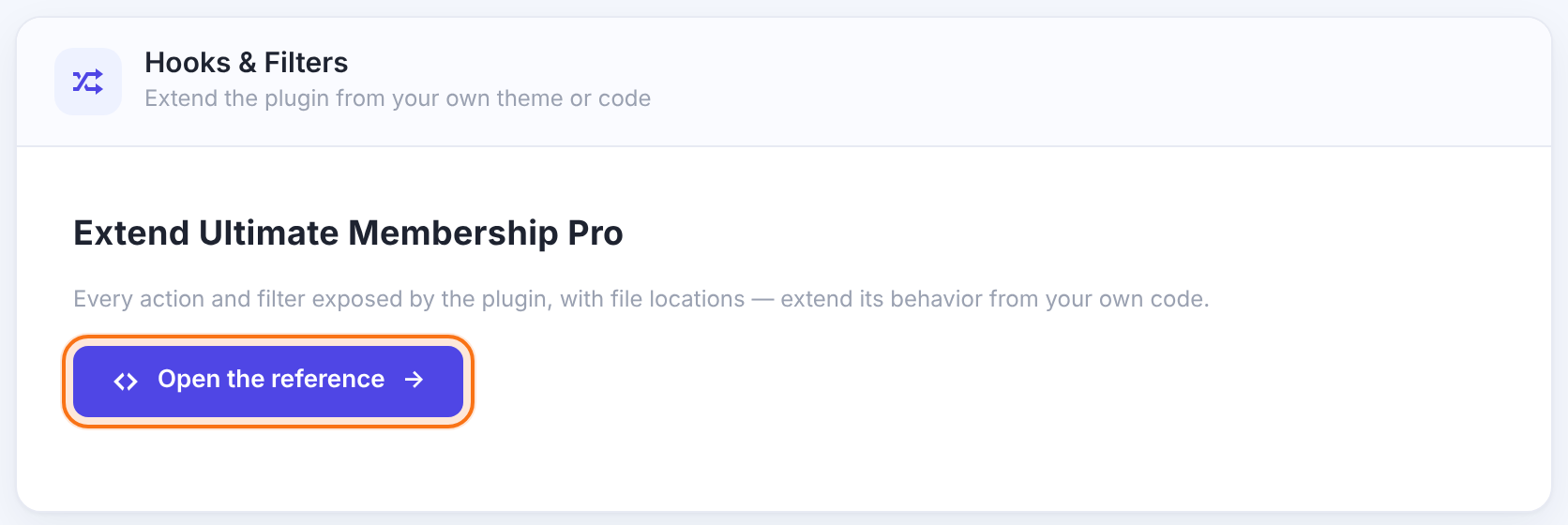
The reference opens at wp-admin/admin.php?page=ihc_manage&tab=hooks. It reads the plugin’s files each time, so it always matches the version you run.

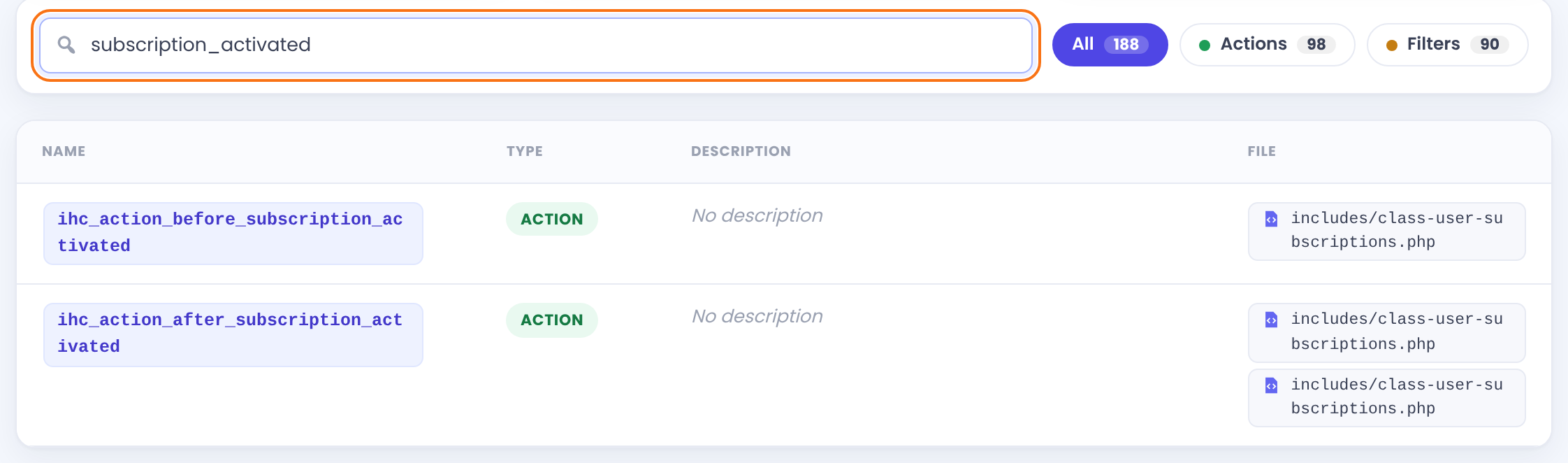
Finds hooks by name, description or file name.
Shows one type only.
The hook name, action or filter, a description when the code has one, and every file that runs it. Open the file to see the parameters the hook passes.
Hooks you’ll use most
ump_on_register_actionActionA new member registered.
Parameters: $uid
ihc_do_action_on_loginActionA member logged in through the plugin’s login form.
Parameters: $uid
ump_on_update_actionActionA member’s profile was saved, from the profile form or the admin.
Parameters: $uid
ihc_action_after_order_placedActionAn order was created (not yet paid).
Parameters: $uid, $lid, $orderId
ihc_payment_completedActionA payment was confirmed and the order completed, by any gateway or by an admin.
Parameters: $uid, $lid, $levelData, $orderId
ihc_action_after_subscription_activatedActionA member’s Membership went from inactive to active.
Parameters: $uid, $lid, $firstTime, $args
ihc_action_subscription_expiredActionA Membership expired (checked once a day by WP-Cron).
Parameters: $uid, $lid, $subscription
ihc_action_after_cancel_subscriptionActionA subscription was cancelled.
Parameters: $uid, $lid
ihc_action_payment_failedActionA gateway reported a failed payment.
Parameters: $uid, $lid
ihc_send_notification_filter_messageFilterChange an email notification’s message before it is sent.
Parameters: $message, $uid, $lid, $type
ihc_public_account_page_menu_standard_tabsFilterChange the list of standard Member Portal tabs.
Parameters: $tabs
ihc_public_subscription_plan_list_levelsFilterChange the Memberships listed on the Subscriptions Plan.
Parameters: $levels
ihc_filter_on_load_templateFilterChange which file a front-end template loads from; see Override templates in your theme.
Parameters: $path, $fileName
ihc_payment_gateways_listFilterAdd a payment gateway to the list of payment methods.
Parameters: $gateways
$uid is the WordPress user ID, $lid the Membership ID.
Examples
1Action: email the coach when someone buys the Annual Pass
add_action( 'ihc_payment_completed', function ( $uid, $lid, $levelData, $orderId ) {
    if ( (int) $lid !== 3 ) { // 3 = Annual Pass
        return;
    }
    $user = get_userdata( $uid );
    wp_mail(
        'coach@coachingclub.example',
        'New Annual Pass member',
        $user->user_email . ' bought the Annual Pass (order #' . $orderId . ').'
    );
}, 10, 4 );2Filter: add a line to every email notification
add_filter( 'ihc_send_notification_filter_message', function ( $message, $uid, $lid, $type ) {
    return $message . '<p>Coaching Club · Questions? Reply to this email.</p>';
}, 10, 4 );
Good to know
- Pass the right number of arguments to add_action and add_filter (the last parameter, 4 in the examples). Otherwise PHP receives only the first one.
- Expiry and reminder hooks run from WP-Cron. If cron is disabled on your site, set up a real cron job, or they won’t run on time.
- Most hooks show No description in the reference. Open the listed file to see what they pass and when they run.
- Looking for a hook for the Members list, Payment History or the Members Directory? See “What the hooks cover and what they don’t” below.
Tip
- Test hooks on a staging site with WP_DEBUG_LOG on, and write what your code receives to the log with error_log() before acting on it.
What the hooks cover and what they don’t
The hooks cover the events and outputs listed in the reference. A few things people often look for are handled differently. Search the reference for the exact name before you build on it.
Yes, you can change this table. Three hooks work together to add a column, and two more change what the existing columns show.
ihc_admin_filter_members_datatable_column_names(filter) receives the list of column settings ($columns). Add an entry with adatakey of your own, for examplearray( 'data' => 'coach', 'orderable' => false ).ump_action_admin_list_user_column_name_after_total_spendandump_action_admin_list_user_column_name_after_member_since(actions) print your<th>heading right after the Total Spend or the Member Since column. Insert your entry at the same position in$columnsas your heading has in the table, so headings and cells line up.ihc_admin_filter_datatable_members_each_row_data(filter) receives each row ($userRow) and the user ID ($uid). Set$userRow['coach']to the HTML of your cell.ihc_admin_filter_user_memberships(filter) receives the Memberships shown for a member ($levels) and the user ID ($uid). It is also used on the member’s details and Manage Plans screens.
There is no hook for the list’s query. You can’t add a condition to the search or change the sort through a hook; the filters on the screen (search, Memberships, status, roles) are the way to narrow the list.
There are no hooks for its columns, rows or query. You can’t add a column or change what the table lists with a hook. To react to payments, use the payment hooks instead: ihc_payment_completed, ihc_action_after_order_placed and ihc_action_payment_failed (see the list above). To read order data from outside WordPress, use the API Gate calls orders_listing, order_get_status and order_get_data: Use the API Gate.
Two actions run when a member’s Membership is deleted. Both receive the user ID and the Membership ID.
ihc_action_before_delete_user_subscription($uid,$lid) runs just before the Membership is removed from the member.ihc_action_after_subscription_delete($uid,$lid) runs right after.
In Manage Plans, Remove takes the Membership off the screen, and the hooks run when you click Save Changes. The same two hooks also run when a Membership is removed in other ways, for example from the member’s edit screen, or automatically when the Membership is set to be removed after it expires or is cancelled. They don’t tell you who or what removed the Membership. If you need to tell the cases apart, check which screen or request your code runs in.
add_action( 'ihc_action_after_subscription_delete', function ( $uid, $lid ) {
    error_log( 'Membership ' . (int) $lid . ' was removed from user ' . (int) $uid );
}, 10, 2 );The cards of the Members Directory (Theme 1 to Theme 10 in Select Theme) are loaded straight from the plugin. They are not looked up in your theme and can’t be overridden from your-theme/ultimate-membership-pro/. Use Color Scheme, Additional Settings (custom CSS) and your own CSS to change the look: Style forms and pages with CSS.
The quick filters that Enable Filter adds above the cards are different. They use the template listing-users-filter.php, and you can override that one like the files in Override templates in your theme.
Ultimate Membership Pro has no built-in option to keep the members, Memberships or orders of two sites in sync. If you build it yourself, there are two ways to send data from one site to the other:
- Use the hooks on the sending site, for example
ihc_payment_completedorihc_action_after_subscription_delete, and send what you need to the other site from your code. - Use the API Gate on the receiving site. Its calls can look up users (
search_users), add a Membership (user_add_level) and activate it (user_activate_level).
Both sites need the same member, and the API Gate calls identify members by user ID (uid). User IDs can differ between two sites, so match members by a field such as the email address in your code. Try the setup on staging copies first.
Example: notify the coach
- Hook
- ihc_payment_completed (action, 4 parameters)
- Condition
- Membership ID 3, the Annual Pass
- Code in
- A small site-specific plugin
- Result
- An email to coach@coachingclub.example with the member and order
Troubleshooting
Why doesn’t my hook run?
Check that your code is loaded (plugin active, right functions.php), that the hook name matches the reference exactly, and that the event really happens: for example ihc_payment_completed runs only when a payment is confirmed, not when the order is created.
Why are my function’s parameters empty?
add_action and add_filter pass one argument by default. Set the accepted arguments (the last parameter) to the number the hook provides.
Where did the old hooks list go?
It’s the same screen, now in Settings › Developers › Hooks & Filters › Open the reference.
Is there a hook that runs when I remove a Membership from a member?
Yes. ihc_action_before_delete_user_subscription runs just before the Membership is removed, and ihc_action_after_subscription_delete runs right after. Both receive $uid (the user ID) and $lid (the Membership ID). They also run when a Membership is removed in other ways, so they don’t tell you whether an admin did it in Manage Plans.
Can I add a column to the Members list?
Yes. Add the column with the filter ihc_admin_filter_members_datatable_column_names, print its heading with the action ump_action_admin_list_user_column_name_after_total_spend or ump_action_admin_list_user_column_name_after_member_since, and fill each row with the filter ihc_admin_filter_datatable_members_each_row_data. Payment History has no such hooks.


