
In Ultimate Membership Pro, the Zapier Integration module sends data to Zapier when someone registers, when an order is created and when an order is completed. In Zapier you connect that data to other apps, for example to add new members to a CRM or post paid orders to a team chat.
This guide switches the module on, connects the New user trigger to a Zapier webhook and lists the data each trigger sends.
Before you start
- You have a Zapier account and can create a Zap with a webhook trigger.
- Your license is active. See Find and activate your license key.
Switch on the module
- Go to Ultimate Membership Pro›Modules and open Zapier Integration, in the Integrations group.
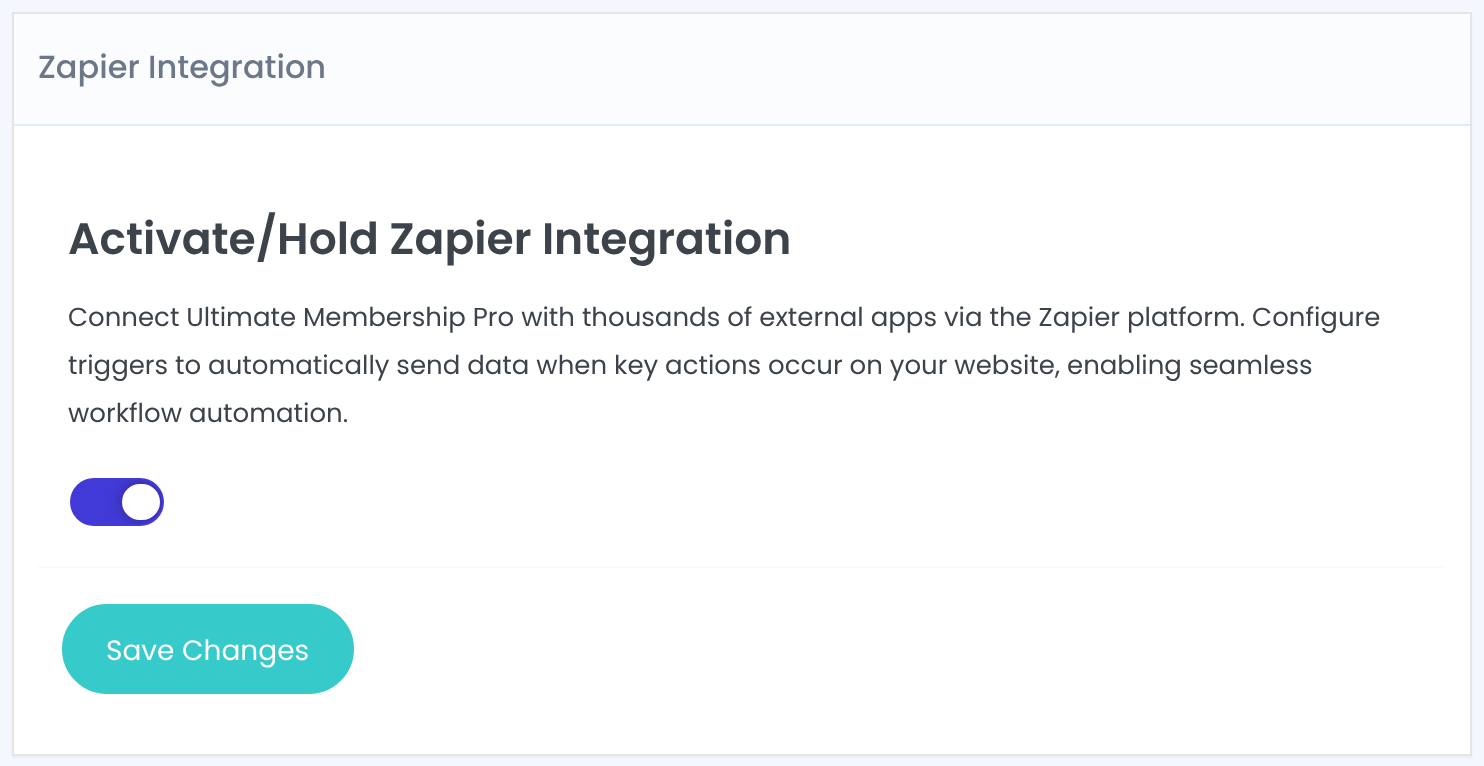
- Switch on Activate/Hold Zapier Integration and click Save Changes.
Get a webhook URL from Zapier
- In Zapier, create a Zap and choose the Webhooks by Zapier app with the Catch Hook trigger.
- Copy the webhook URL Zapier gives you. It starts with https://hooks.zapier.com/.
- Use a separate Zap, and so a separate URL, for each trigger you want to use.
Paste the URL into a trigger
- Back in Zapier Triggers, switch on the trigger you want.
- Paste the webhook URL into the field under it.
- Click Save Changes.
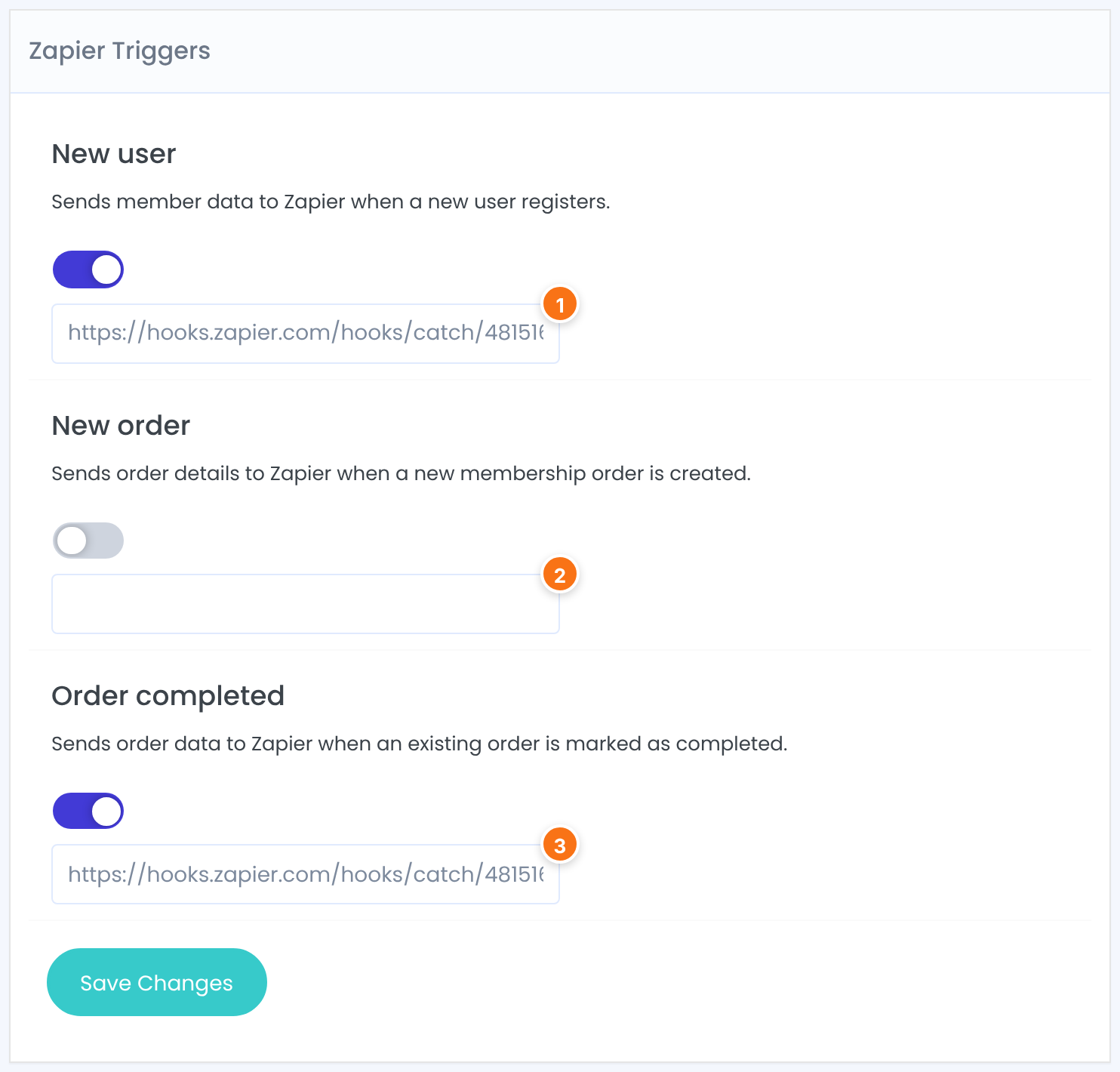
Sends member data to Zapier when a new user registers through the registration form, including accounts that wait for your approval. Members you add in the admin aren’t sent.
Default: Off
Sends order details to Zapier when a new membership order is created, before it’s paid.
Default: Off
Sends order data to Zapier when an order is marked as completed: when the payment gateway confirms the payment, or when you complete the order in the admin.
Default: Off
Send test data and finish the Zap
Zapier needs one real request to learn the fields. Register a test member on your site (for New user), or place a test order (for the order triggers), then click Test trigger in Zapier and pick the request. Add the action you want and turn the Zap on.
What each trigger sends
The data is sent as JSON in a POST request to the webhook URL.
The member’s account and profile fields, such as ID, user_login, user_email, first_name, last_name, display_name and user_registered, plus the custom fields saved for them.
The member and Membership, then the member’s latest order for that Membership.
Order completed: example data
{
  "user_id": 6,
  "user_email": "ava.ionescu@example.com",
  "user_full_name": "Ava Ionescu",
  "membership_id": 2,
  "membership_name": "Pro Monthly",
  "id": "41",
  "amount_type": "USD",
  "amount_value": "19",
  "automated_payment": "1",
  "status": "Completed",
  "create_date": "2026-10-17 09:12:40"
}
Good to know
- Each event is sent once. If Zapier can’t be reached at that moment, the event isn’t sent again.
- Members you create in the admin don’t fire New user. Orders still fire the order triggers.
- Need data Zapier can’t get from these triggers? The API Gate lets another app read Ultimate Membership Pro data.
Example: welcome new members in your CRM
- New user
- On, URL of the Zap “New member → create CRM contact”
- New order
- Off
- Order completed
- On, URL of the Zap “Paid order → post to team chat”
- Test
- Registered test member test.zapier@example.com
Troubleshooting
Why doesn’t Zapier receive anything when someone registers?
Check that the module and the New user trigger are both switched on, that the URL is pasted without spaces and saved, and that the person registered through the registration form on your site, not in the admin.
Zapier shows the request but not the fields. What can I do?
Send a new test after the Zap’s trigger is set to Catch Hook, then pick the newest request in Test trigger. If the fields still don’t appear, contact support with the Zap’s trigger settings.
Can I send the same event to two Zaps?
No. Each trigger takes one URL. Send it to one Zap and add more steps or paths inside that Zap.
Should I use New order or Order completed?
New order fires as soon as the order exists, before payment. Use Order completed when the Zap should run only for confirmed payments.


