
In Ultimate Membership Pro, the InfusionSoft Integration module keeps your Keap (formerly InfusionSoft) contacts in step with your members. It creates a contact when someone registers and adds a tag for each Membership they get, so you can run Keap campaigns per Membership.
This guide connects your Keap account, maps each Membership to a tag and explains when tags are added and removed.
Before you start
- You have a Keap account and can create an API key or Personal Access Token in it.
- In Keap, you created one tag for each Membership, for example Coaching Club – Pro Monthly.
- Your license is active. See Find and activate your license key.
Switch on the module and add your credentials
- Go to Ultimate Membership Pro›Modules and open InfusionSoft Integration, in the Integrations group.
- Switch on Activate/Hold InfusionSoft.
- Under Step 1: Set InfusionSoft credentials, enter your credentials, then click Save Changes (Step 3) to connect.
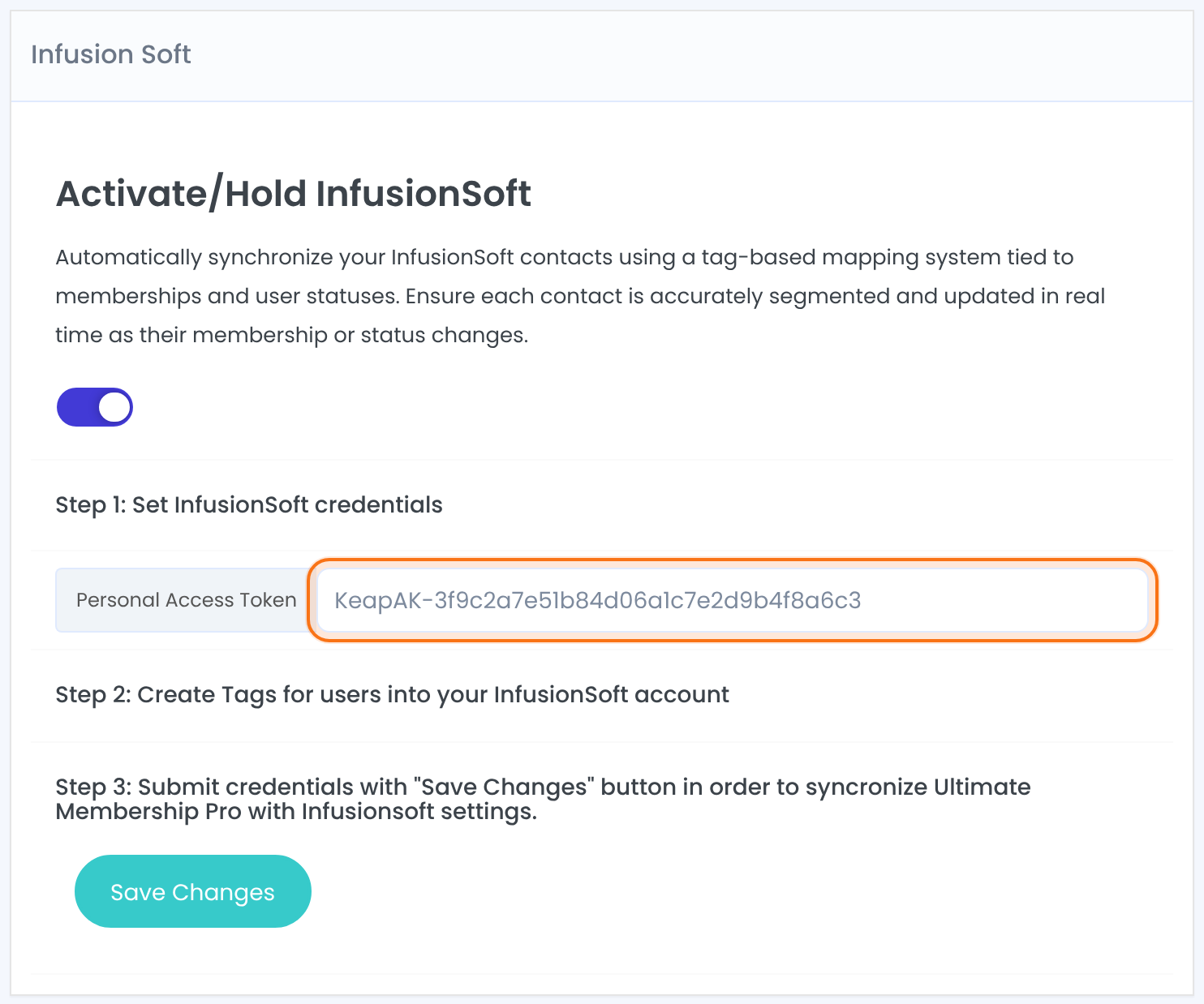
A token from your Keap account. The plugin uses it with the Keap REST API.
Your InfusionSoft Account ID and API key. These fields show instead of the token on older PHP versions.
Assign a tag to each Membership
After a successful save, the Step 4: Assign UMP Memberships to InfusionSoft Tags box lists your Memberships, each with a list of your Keap tags.
- Pick the tag for each Membership.
- Click Save Changes.
Every Membership gets a tag
There’s no “no tag” choice: when you save Step 4, each Membership is saved with the tag shown next to it. Create a tag in Keap for every Membership, or one shared tag, before you save.
What happens in Keap
A contact is created with their email address, first name and last name. This happens for the registration form on your site, not for members you add in the admin.
The plugin finds the contact by email and adds the Membership’s tag.
The tag is removed from the contact.
Members who existed before
Members who registered before you connected Keap have no contact yet. Import them into Keap with the same email address; their tags are added the next time a Membership becomes active.
Example: tag Coaching Club members
- Credentials
- Personal Access Token from Keap
- Free Community
- Tag Coaching Club – Free
- Pro Monthly
- Tag Coaching Club – Pro
- Annual Pass
- Tag Coaching Club – Annual
Troubleshooting
Why does Step 4 say “No tags, if you are not connected to your InfusionSoft account.”?
The plugin couldn’t read tags from Keap. Check the token or API key, save again, and make sure your Keap account has at least one tag.
Why don’t new members show up in Keap?
Contacts are created when someone registers through the registration form. Check that the module is switched on and the credentials are saved. Members you add in the admin aren’t sent.
A member got a Membership but no tag. Why?
The tag is added to an existing contact with the same email. If there’s no contact with that email in Keap, nothing is tagged.
Which credentials do I need?
The screen shows the right fields for your server: a Personal Access Token on PHP 8.0 or newer, an Account ID and Api Key on older PHP.


