
In Ultimate Membership Pro, the WooCommerce Product Discounts module gives members a lower price in your WooCommerce shop. You choose which Memberships get the discount, how much it is and which products it covers; members see the new price while they’re logged in.
This guide switches the module on, creates a 20% discount on the Workbooks category for two Coaching Club Memberships and shows what members see.
Before you start
- WooCommerce is installed and active, with the products you want to discount.
- You have at least one Membership. See Create your first Membership.
- Your license is active. Modules need an active license; see Find and activate your license key.
Switch on the module
- Go to Ultimate Membership Pro›Modules and open WooCommerce Product Discounts, in the Payments & Billing group.
- Open the Settings tab.
- Switch on Activate/Hold WooCommerce Products Discounts, choose the two options below and click Save Changes.
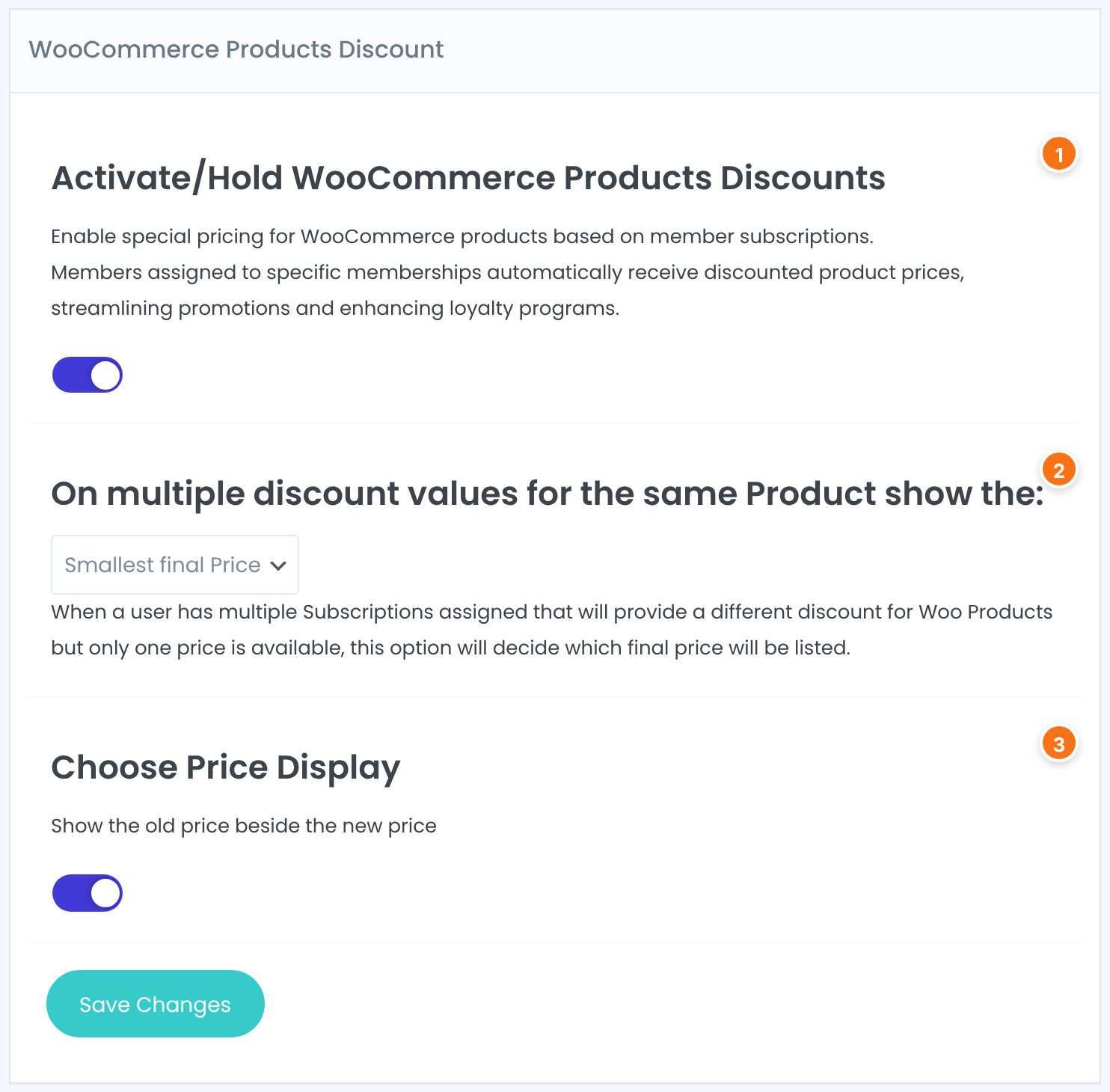
Turns all member discounts on or off. Your discounts are kept when you switch it off.
Decides the price when more than one discount applies to the same product for the same member, for example a member with two Memberships.
- Smallest final Price: the member gets the biggest discount.
- Biggest final Price: the member gets the smallest discount.
Default: Biggest final Price
Show the old price beside the new price. On: the regular price is crossed out next to the member price. Off: members see only the member price.
Default: Off
Create a discount
- Open the Manage Discounts tab and click Add New Discount.
- Switch on Activate/Hold and give the discount a Name. A new discount starts on hold until you switch it on.
- Under Discount Amount, choose Percentage Value or Flat Value and enter the Value.
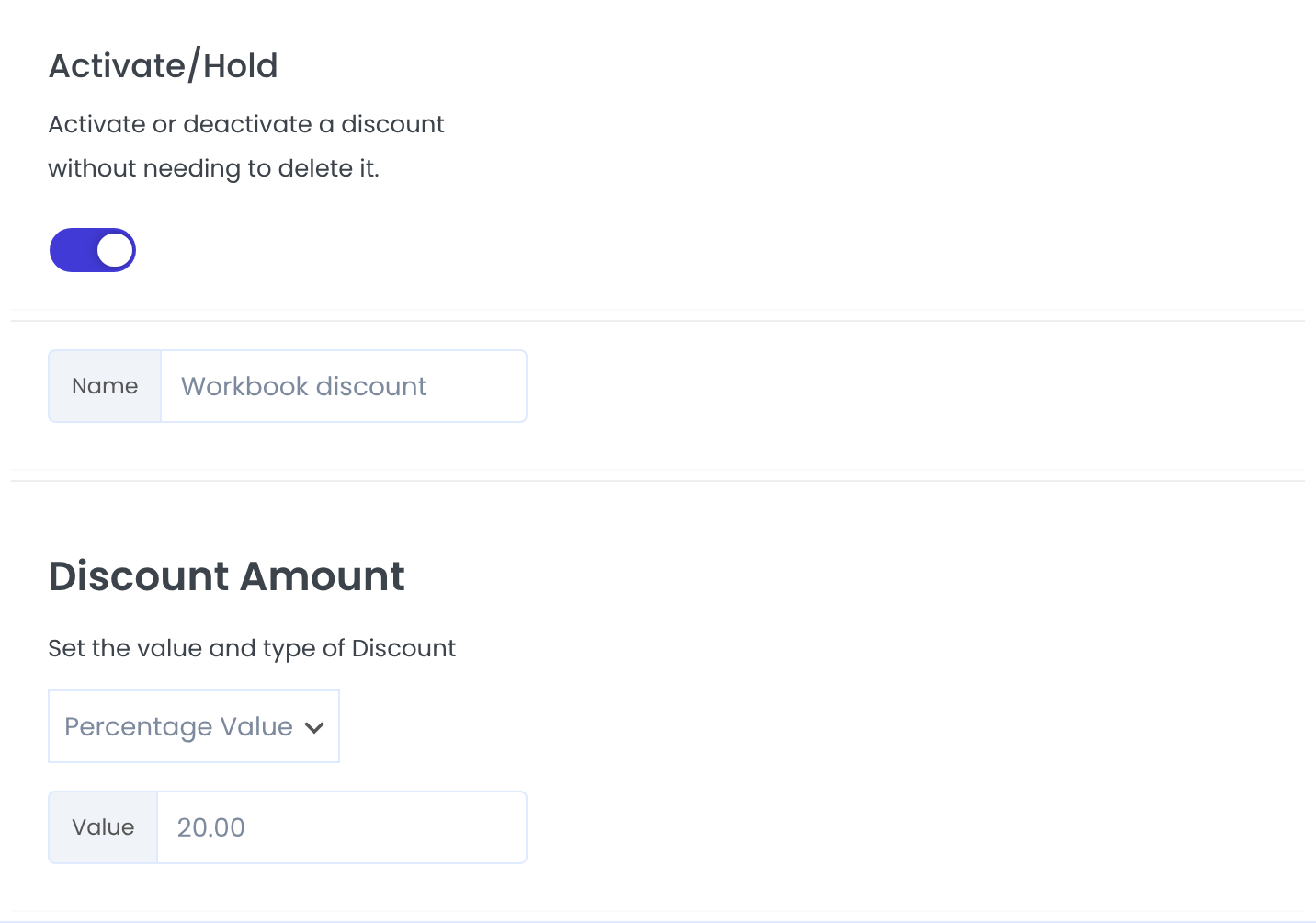
Activate or deactivate a discount without needing to delete it.
Default: Off (on hold)
Your own label, shown on the discount card in Manage Discounts. Members don’t see it.
Percentage Value takes a percentage off the price. Flat Value subtracts a fixed amount in your shop currency.
Default: Percentage Value
- Under Targeting, pick one or more Memberships, or All, from the list. Each one appears as a tag below it.
- Under Products, choose All, Specific Categories or Specific Products. For the last two, type in Search and pick each category or product.
- Optional: set a Date Range and a Color Scheme, then click Save Changes.
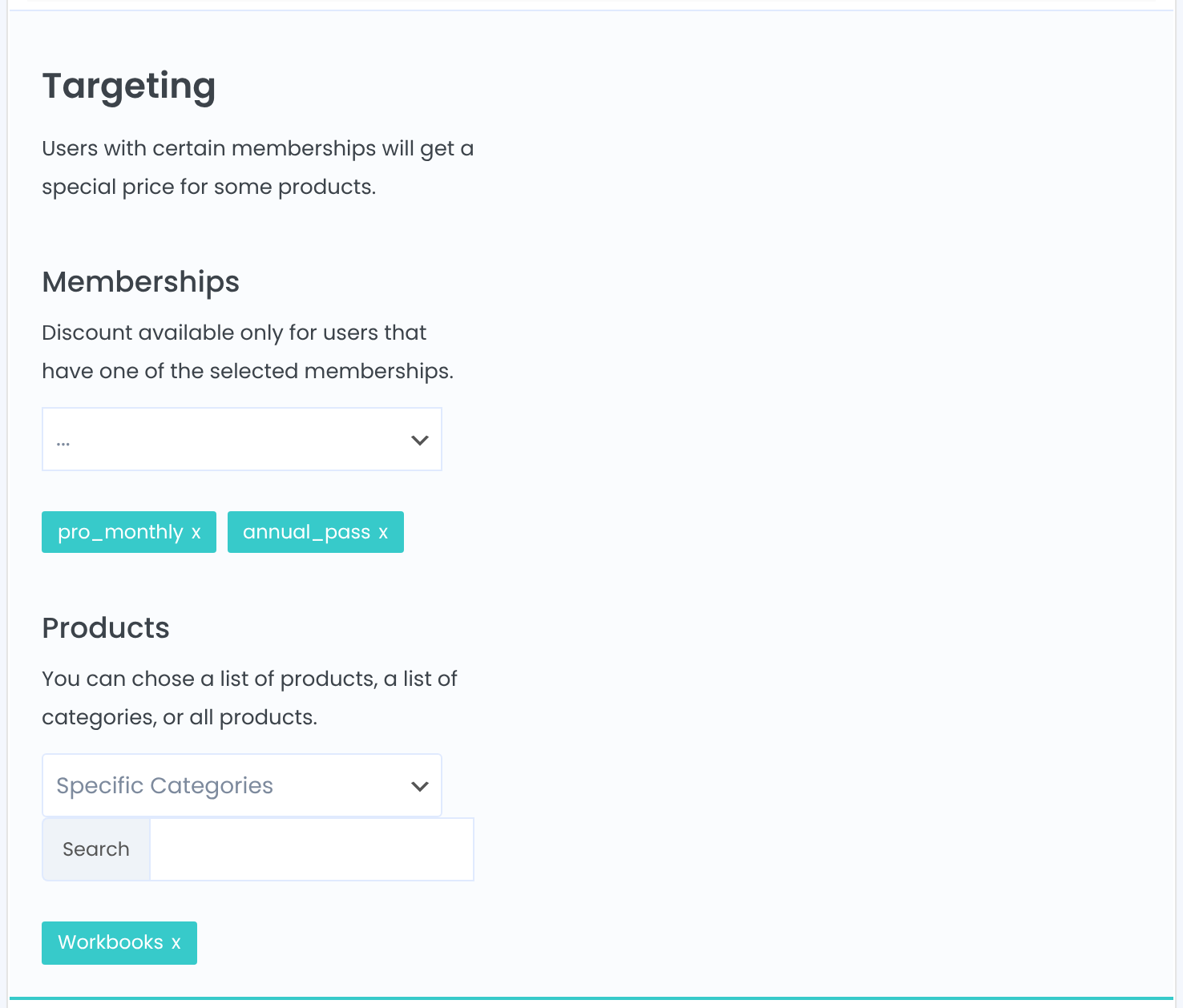
Discount available only for users that have one of the selected memberships. The member’s Membership must be active; expired ones don’t count.
All products, every product in the chosen categories, or only the chosen products. For variable products, the discount applies to each variation.
The discount works only between these two dates. Leave both empty for a discount that’s always on.
Color of the discount card in Manage Discounts. It has no effect in the shop.
Check the discount list
Manage Discounts shows one card per discount with its target Memberships, products or categories, the value and the date range. Use Edit to change a discount or switch it on hold, and Delete to remove it.

See what members see
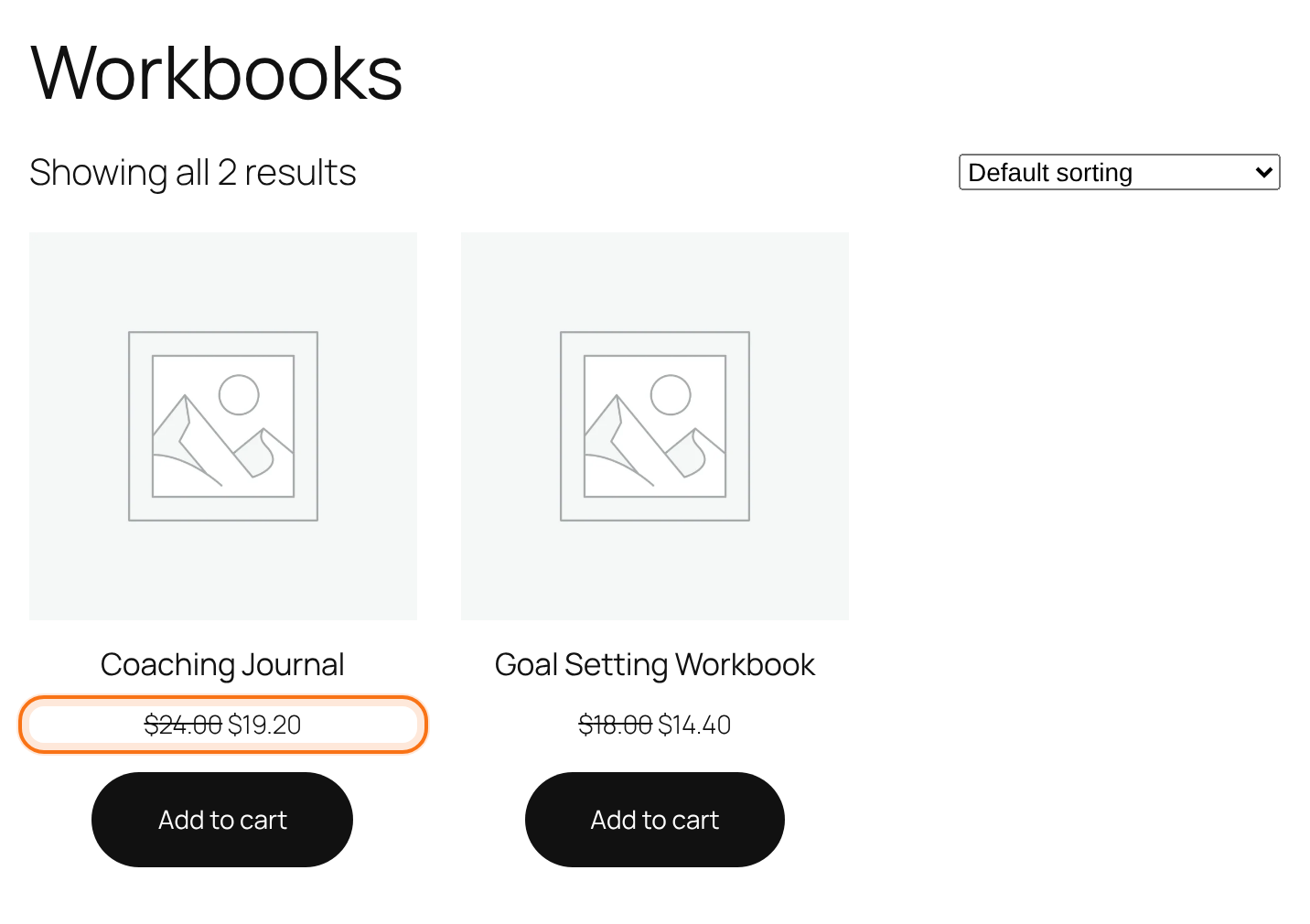
Log in as a member with one of the target Memberships and open the shop. The member price shows on shop and category pages, the product page and the cart. Visitors who aren’t logged in and members without one of the target Memberships see the regular price.
Good to know
- The discount is taken from the price WooCommerce would charge, so a product that is already on sale gets the member discount on top of the sale price.
- A Flat Value is subtracted as it is. Keep it lower than the price of every product it targets.
- Prices change only on your site’s front end. Orders you create in the WordPress admin use the regular prices.
- You’re logged in as administrator when you edit discounts. Test with a member account in a private window to see the member price.
Give the best deal
If members can hold more than one Membership, set On multiple discount values for the same Product show the: to Smallest final Price so they always get the biggest discount that applies.
Example: 20% off workbooks
- Name
- Workbook discount
- Discount Amount
- Percentage Value, 20
- Memberships
- Pro Monthly, Annual Pass
- Products
- Specific Categories: Workbooks
- Date Range
- Empty (always on)
- Result
- Coaching Journal: $24.00 → $19.20 for members
Troubleshooting
Why do members still see the regular price?
Check that the module is switched on in the Settings tab, that the discount itself is switched on with Activate/Hold, that today is inside its Date Range, and that the member is logged in with an active Membership from the target list. The product must be in the selected products or categories.
I clicked Save Changes but the discount isn’t in the list. Why?
A discount is saved only when it has at least one Membership and at least one product, category or All. Add both and save again.
What does “No Rule available! Please create your first Rule.” mean?
There are no discounts yet. Click Add New Discount to create the first one.
A member with two Memberships gets the smaller discount. How do I change that?
In the Settings tab, set On multiple discount values for the same Product show the: to Smallest final Price.
Can I sell Memberships through WooCommerce too?
Yes, that’s a different module. See Sell Memberships with WooCommerce.


