
In Ultimate Membership Pro, the BuddyPress Account Page Integration module adds a tab to each member’s BuddyPress profile that opens the Member Portal. Members of your community manage their Membership, payments and profile without leaving their BuddyPress profile.
This guide switches the module on, names the tab and chooses its position.
Before you start
- BuddyPress is installed and active, with the Members component on.
- The Member Portal is set up. See Set up the Member Portal; the tab shows the same portal.
- Your license is active. See Find and activate your license key.
Switch on the module
- Go to Ultimate Membership Pro›Modules and open BuddyPress Account Page Integration, in the Integrations group.
- Switch on Activate/Hold BuddyPress Account Page Integration.
- Enter a Menu Label and a Menu Position, then click Save Changes.
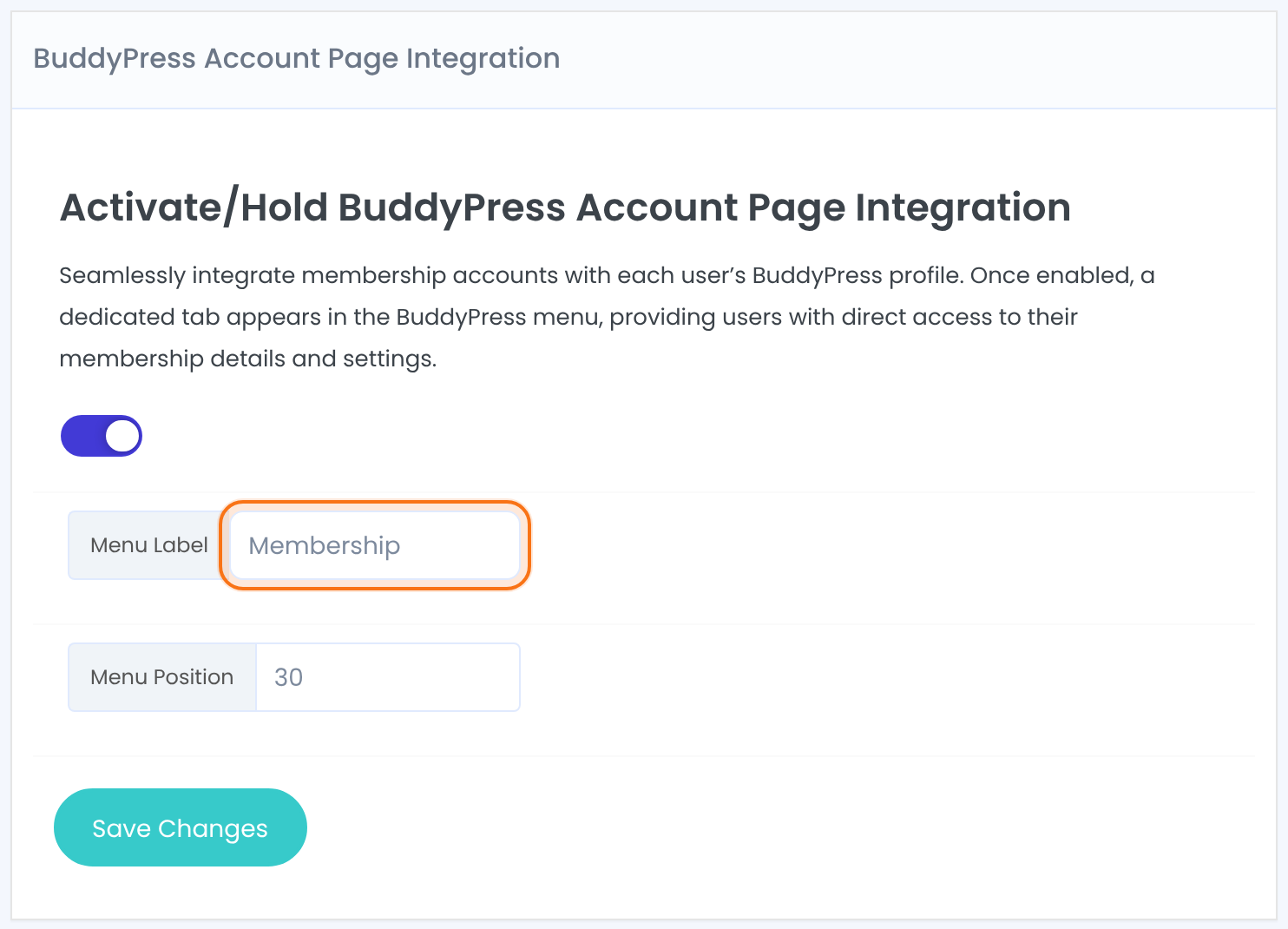
Adds or removes the tab in BuddyPress profiles.
The name of the tab, for example Membership. The field starts empty, so enter one.
Where the tab sits among the BuddyPress profile tabs; a lower number moves it to the left or top. BuddyPress gives its own tabs position numbers too. In our test, 30 placed the tab after Notifications and before Settings.
Default: 5
Open the tab as a member
Log in as a member and open your own BuddyPress profile. The new tab shows the full Member Portal. Its address is the profile address followed by ihc/.
Only the logged-in member, on their own profile. Visitors and other members who look at the profile don’t see it.
The same Member Portal as your Member Portal page, with the tabs you enabled.
Your Member Portal page stays
The regular Member Portal page keeps working; links that point to it, such as the redirect after login, still go there.
Example: a Membership tab for the Coaching Club community
- Module
- BuddyPress Account Page Integration, on
- Menu Label
- Membership
- Menu Position
- 30
- Result
- Activity, Profile, Notifications, Membership, Settings (on the member’s own profile)
Troubleshooting
Why can’t other members see the Membership tab on someone’s profile?
That’s by design. The tab holds private account details, so it shows only to the member on their own profile.
The tab is in the wrong place. How do I move it?
Change Menu Position and save. Try a few values, because BuddyPress and other plugins number their tabs differently.
Why don’t I see the tab on my own profile?
Check that the module is switched on and saved, that you’re logged in and that you’re looking at your own profile. Administrators see it on their own profile too.
Can I also show the Member Portal in WooCommerce My Account?
Yes, with a separate module. See Show the Member Portal in WooCommerce My Account.


