
In Ultimate Membership Pro, the WooCommerce Account Page Integration module adds a tab to the WooCommerce My Account menu that opens the Member Portal. Members who shop on your site then see their orders, addresses and Memberships in one account area.
This guide switches the module on, names the tab and places it second in the menu.
Before you start
- WooCommerce is installed and active, with its My Account page set.
- The Member Portal is set up. See Set up the Member Portal; the tab shows the same portal.
- Your license is active. See Find and activate your license key.
Switch on the module
- Go to Ultimate Membership Pro›Modules and open WooCommerce Account Page Integration, in the Integrations group.
- Switch on Activate/Hold WooCommerce Account Page Integration.
- Enter a Menu Label and a Menu Position, then click Save Changes.
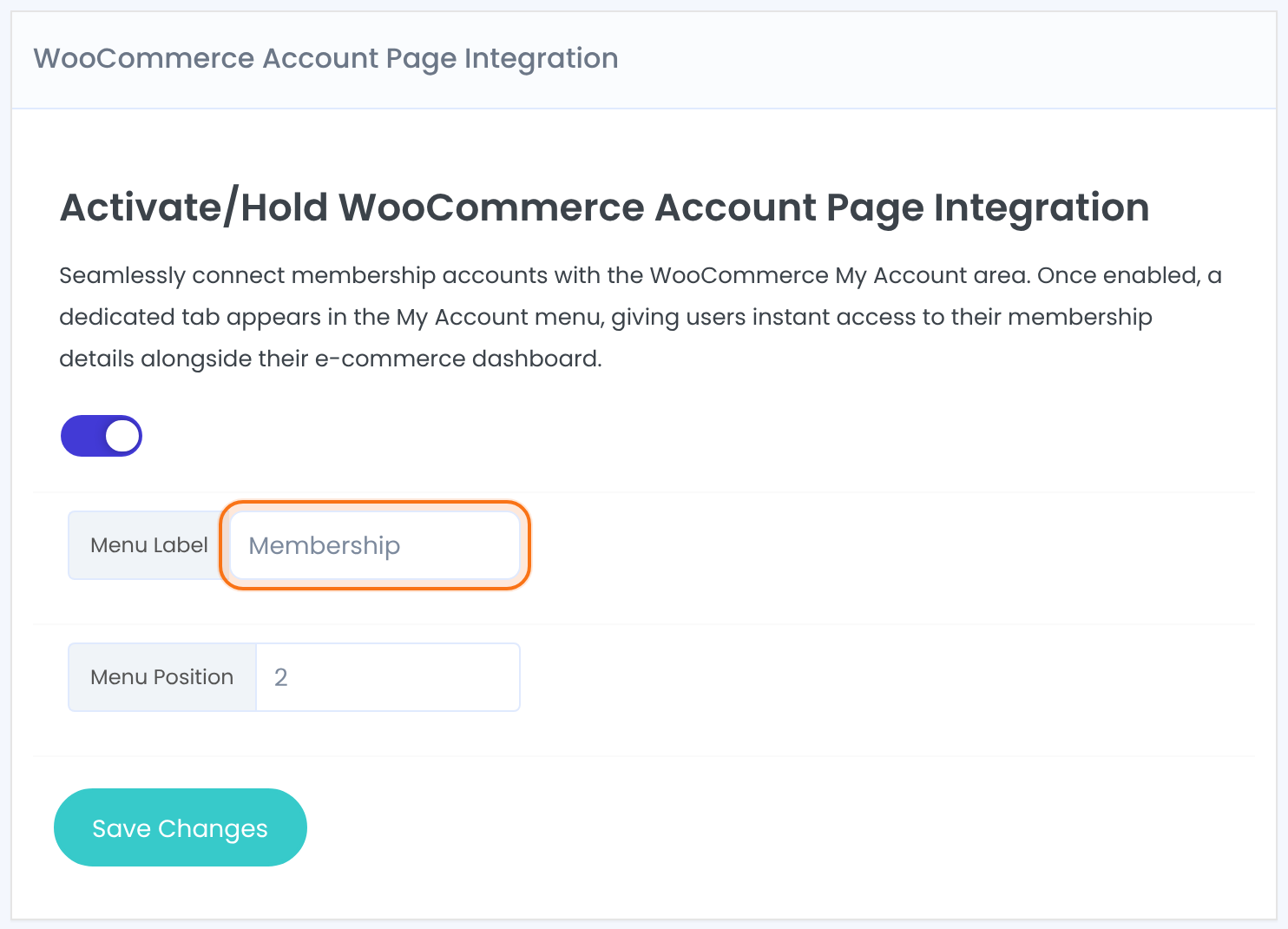
Adds or removes the tab in the WooCommerce My Account menu.
The name of the tab members see, for example Membership. The field starts empty; without a label the tab has no name.
Where the tab sits in the My Account menu, counting from the top: 1 is first. WooCommerce’s own items move down to make room.
Default: 5
Open the tab as a member
Log in as a member and open the WooCommerce My account page. The new tab opens the full Member Portal: banner, menu and every tab you enabled, inside the WooCommerce page. Its address is the My Account address followed by ihc/.
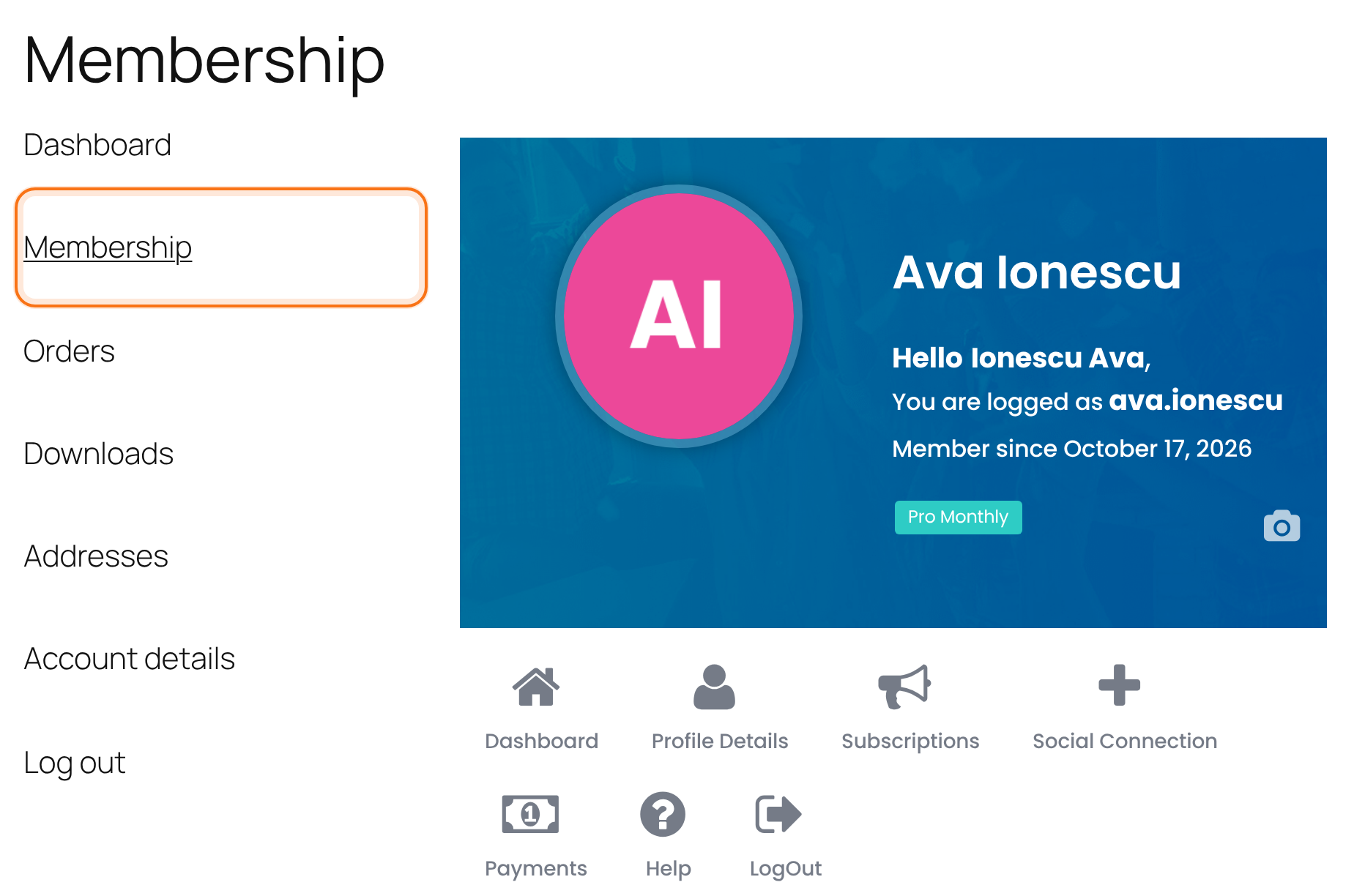
Your regular Member Portal page keeps working. Links to it, such as the redirect after login, still go there.
Good to know
- The tab is added through WooCommerce’s standard account menu. A theme or plugin that builds its own My Account menu may not show it.
- Only logged-in users see the My Account menu, so only they see the tab.
Example: one account page for the Coaching Club shop
- Module
- WooCommerce Account Page Integration, on
- Menu Label
- Membership
- Menu Position
- 2
- Result
- Dashboard, Membership, Orders, Downloads, Addresses, Account details, Log out
Troubleshooting
Why does the Membership tab open a “Page not found” page?
WordPress hasn’t refreshed its permalinks since the tab was added. Go to Settings›Permalinks and click Save Changes without changing anything, then reload the tab.
The tab appears in the menu but has no name. What’s wrong?
The Menu Label is empty. Enter a label and save.
Why don’t I see the tab at all?
Check that the module is switched on and saved, that WooCommerce is active and that you’re on the WooCommerce My Account page while logged in. If your theme replaces the account menu, try a default theme to confirm.
Can I also show the Member Portal in BuddyPress profiles?
Yes, with a separate module. See Show the Member Portal in BuddyPress profiles.


