
In Ultimate Membership Pro, the Kissmetrics Integration module records what members do as Kissmetrics events: registering, getting a Membership, completing a payment, logging in and losing a Membership. You can then follow each member’s path from sign-up to payment in your Kissmetrics reports.
This guide adds your API key and turns on the events you want, with the event names that will appear in Kissmetrics.
Before you start
- You have a Kissmetrics account and its API key.
- Your license is active. See Find and activate your license key.
Switch on the module and add the API key
- Go to Ultimate Membership Pro›Modules and open Kissmetrics Integration, in the Integrations group.
- Switch on Activate/Hold Kissmetrics Integration.
- Paste your Kissmetrics key into Api Key and click Save Changes.
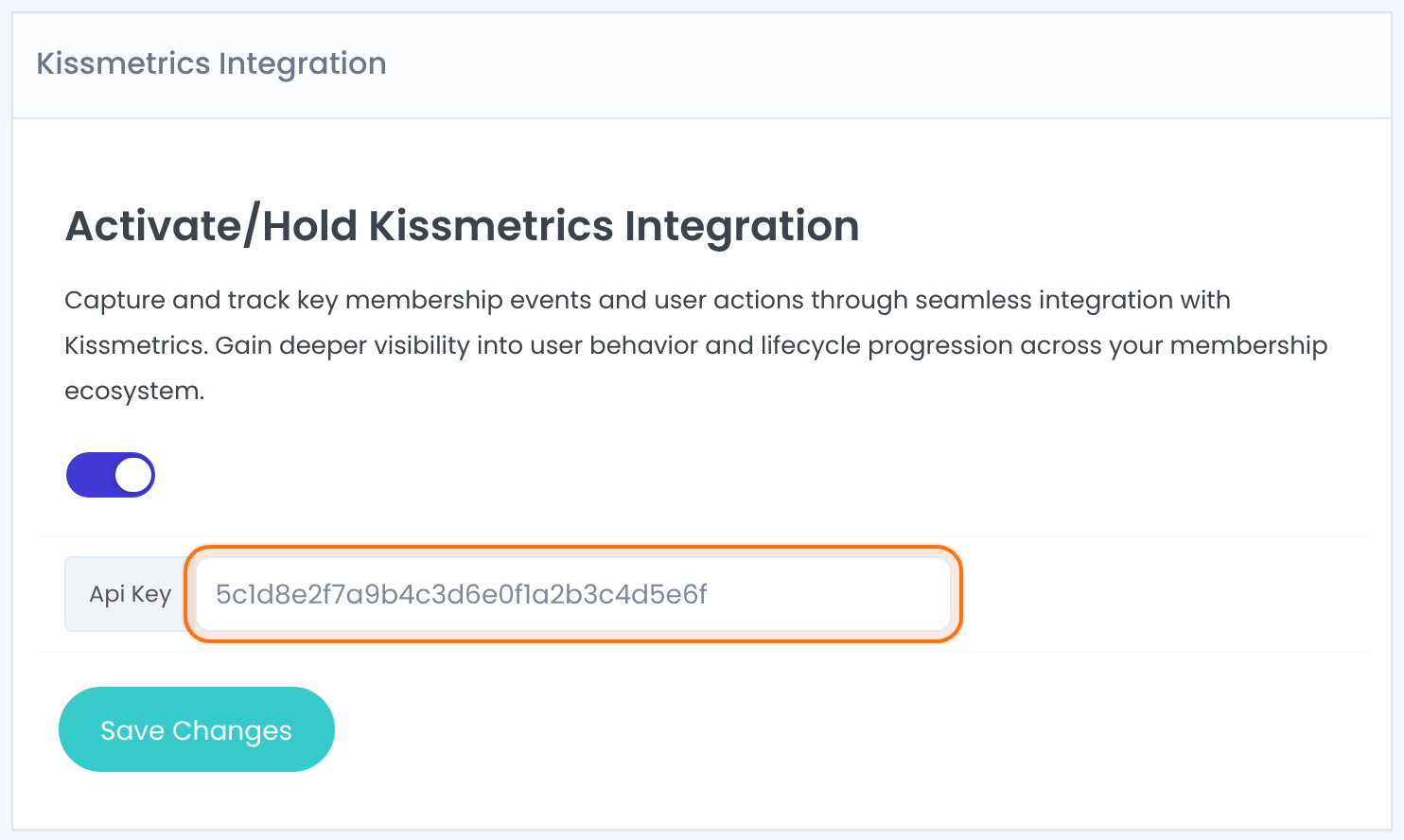
Choose the events
- In the Events box, switch on each event you want to track.
- Change the Event Label if you want another name in Kissmetrics.
%level%is replaced with the Membership name. - Click Save Changes.
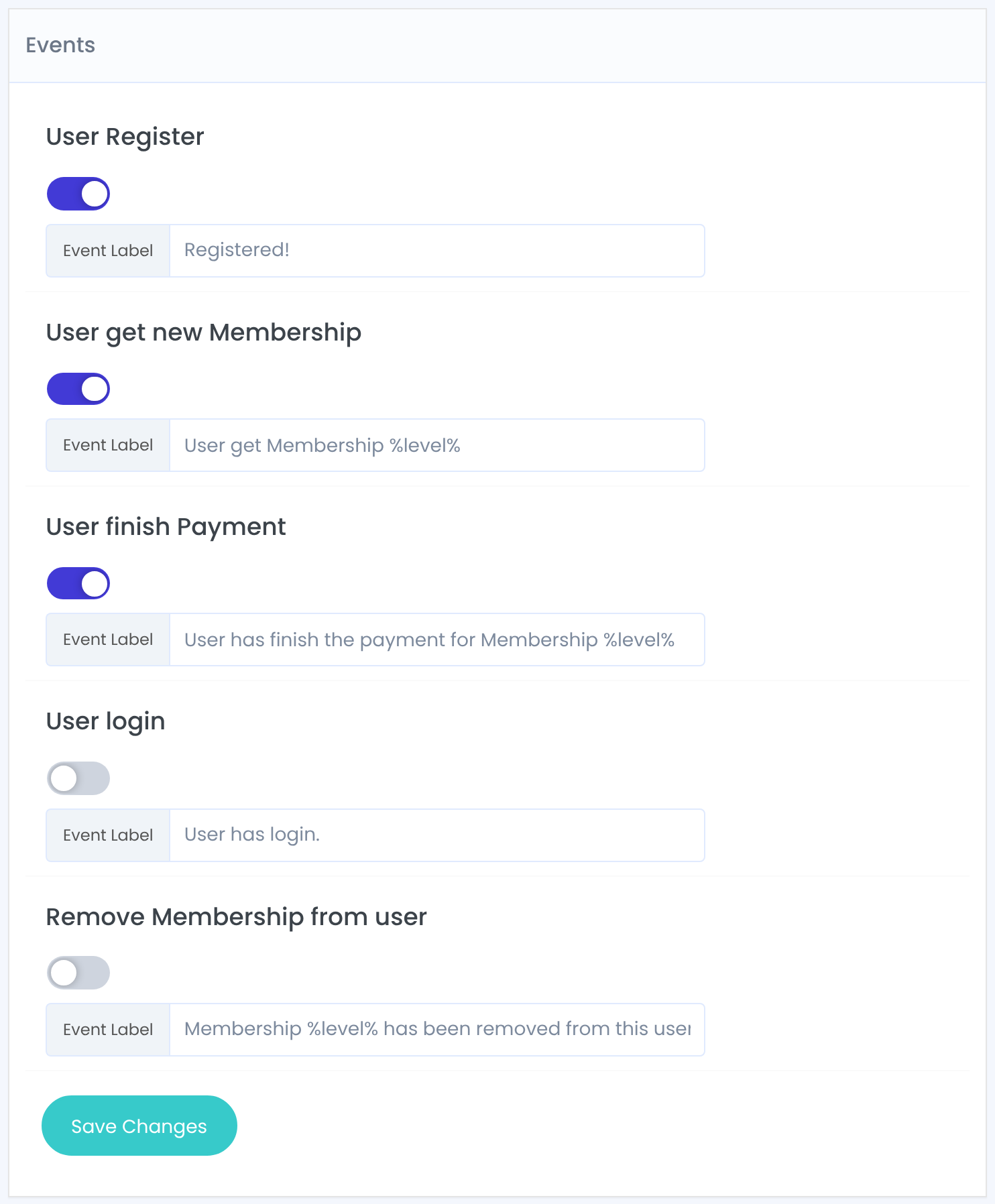
Someone registers through the registration form on your site.
Default: Off · Registered!
A Membership becomes active for a member, including renewals.
Default: Off · User get Membership %level%
An order for a Membership is completed.
Default: Off · User has finish the payment for Membership %level%
Any user logs in to WordPress, including administrators.
Default: Off · User has login.
A Membership is removed from a member.
Default: Off · Membership %level% has been removed from this user.
Each event is sent from your server and recorded for the member’s email address, so the same person is recognized across events.
Name events the way you report
Short, consistent names are easier to use in Kissmetrics funnels, for example Signed up, Joined %level% and Paid %level%.
Example: a sign-up to payment funnel
- User Register
- On, Signed up
- User get new Membership
- On, Joined %level%
- User finish Payment
- On, Paid %level%
- User login
- Off
- Remove Membership from user
- Off
Troubleshooting
Why don’t events show up in Kissmetrics?
Check that the module is switched on, that the Api Key is saved and that the event itself is switched on. Without an API key the module sends nothing.
Why doesn’t User Register fire for members I add in the admin?
User Register is sent for registrations through the form on your site only. The Membership and payment events still fire for those members.
The event name shows %level% instead of the Membership name. Why?
Check the spelling: the placeholder is %level%, in lower case, with a percent sign on each side.


