
In Ultimate Membership Pro, the Pushover Notifications module sends a push alert to a phone through the Pushover app whenever a chosen email notification goes out. You can get an alert for every new sign-up or payment, and members can get alerts for their own emails.
This guide connects Pushover, adds a push message to a notification and shows members where to enter their Pushover token.
Before you start
- Your license is active. Modules only switch on with an active license; see Find and activate your license key.
- A Pushover account (pushover.net) and the Pushover app on your phone.
- The email notifications you want alerts for exist and are active. See Set up email notifications.
Create a Pushover application
- Log in at pushover.net and open Create New App.
- Give it a name, for example Coaching Club, and set the type to Application.
- Copy the API Token/Key it shows. Copy your own User Key from the Pushover dashboard too.
Switch on the module and add the tokens
- Go to Ultimate Membership Pro›Modules and open Pushover Notifications (in the Notifications & Marketing group).
- Switch on Activate/Hold Pushover Notifications, fill in the fields and click Save Changes.
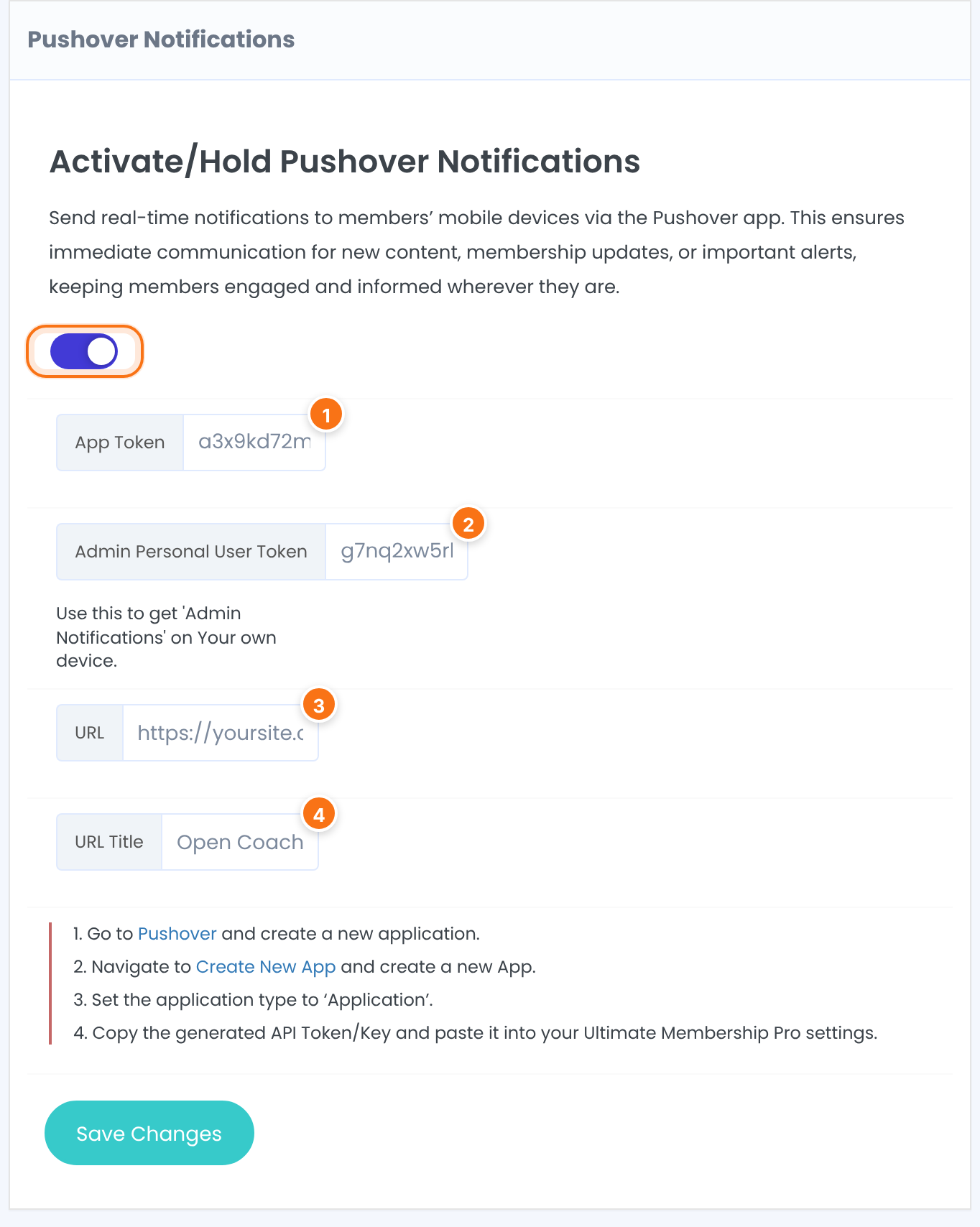
The API Token/Key of your Pushover application.
Your own Pushover User Key. Alerts for Administrator notifications go to this device.
A link shown under every alert, for example your Member Portal.
The text of that link.
In the Notification Sound box below: one of 15 Pushover sounds.
Default: Bike
Add a push message to a notification
- Go to Ultimate Membership Pro›Email Notifications and edit a notification, for example Payment confirmation received – Order Completed for the administrator.
- Open Pushover Mobile Notification under the message and switch on Send Pushover Mobile Notification.
- Write the Pushover Message: and click Save Changes.
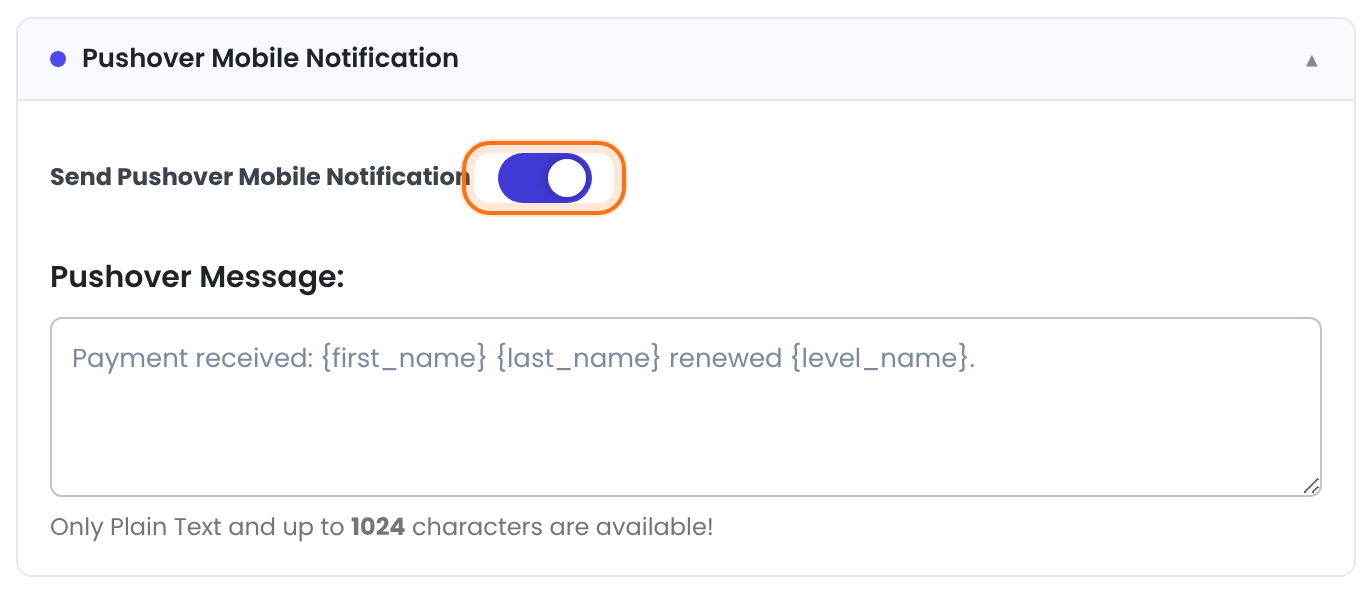
Sends the push alert each time this email is sent.
Default: Off
Plain text, up to 1024 characters. Template tags work, for example {first_name}. The email subject becomes the alert title.
Let members add their token
Alerts for member notifications go to the member’s own Pushover account, so each member enters their User Key once:
- Go to Ultimate Membership Pro›Member Portal and, in Member Portal Menu, switch on Show in Portal for the Pushover Notifications tab.
- Keep Show Pushover Form on in that tab’s settings and save.
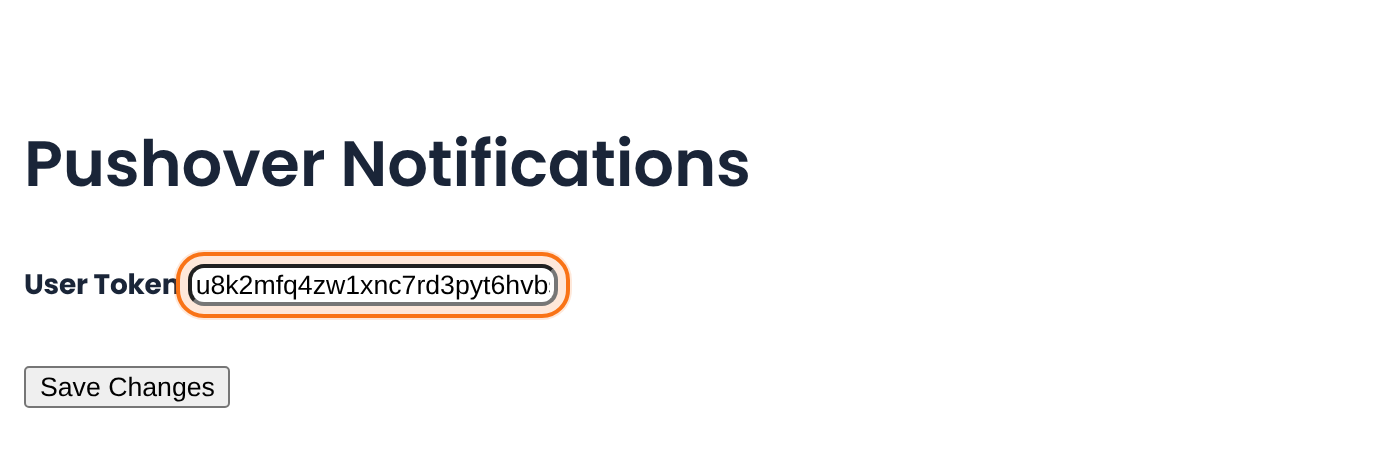
To put the same form on another page, use the shortcode:
Pushover token form
[ihc-account-page-pushover-form]Limits and gotchas
Good to know
- A push alert is sent only together with its email: the notification must exist, be active and be sent. There are no push-only notifications.
- Administrator notifications go to the Admin Personal User Token; member notifications go to members who saved a User Token. Members without one get only the email.
- Alerts are sent with Pushover’s emergency priority: the phone repeats the alert every 5 minutes, for up to an hour, until it’s acknowledged in the Pushover app.
Example: a phone alert for every payment
- Activate/Hold Pushover Notifications
- On
- App Token
- From the Coaching Club app at Pushover
- Admin Personal User Token
- The owner’s Pushover User Key
- URL
- https://yoursite.com/wp-admin/
- URL Title
- Open Coaching Club
- Notification
- Payment confirmation received – Order Completed (Administrator)
- Pushover Message:
Payment received: {first_name} {last_name} renewed {level_name}.
Troubleshooting
Why don’t I see the Pushover section on a notification?
The section only appears while the Pushover Notifications module is switched on.
Why does the email arrive but no push alert?
Check that Send Pushover Mobile Notification is on for that notification and that the message isn’t empty. For admin alerts, check the App Token and the Admin Personal User Token; for member alerts, check that the member saved a User Token.
Why does the alert keep repeating?
The plugin sends alerts with emergency priority. Acknowledge the alert in the Pushover app to stop the repeats.


