
Ultimate Membership Pro sends its emails through WordPress’s own mail function, wp_mail. When an email doesn’t arrive, the cause is almost always one of four things: the site can’t send mail at all, the notification doesn’t exist or is switched off, a scheduled task didn’t run, or the email was filtered as spam.
Start with the first check below; each section has the cause and the fix.
Before you start
- Access to Ultimate Membership Pro›Email Notifications and to your inbox, including the spam folder.
- A test member account with an address you can read.
First check: can your site send email at all?
Many hosts don’t deliver mail sent by PHP, or deliver it only to some providers. Then no plugin email arrives, and WordPress’s own emails (password resets, admin notices) don’t either.
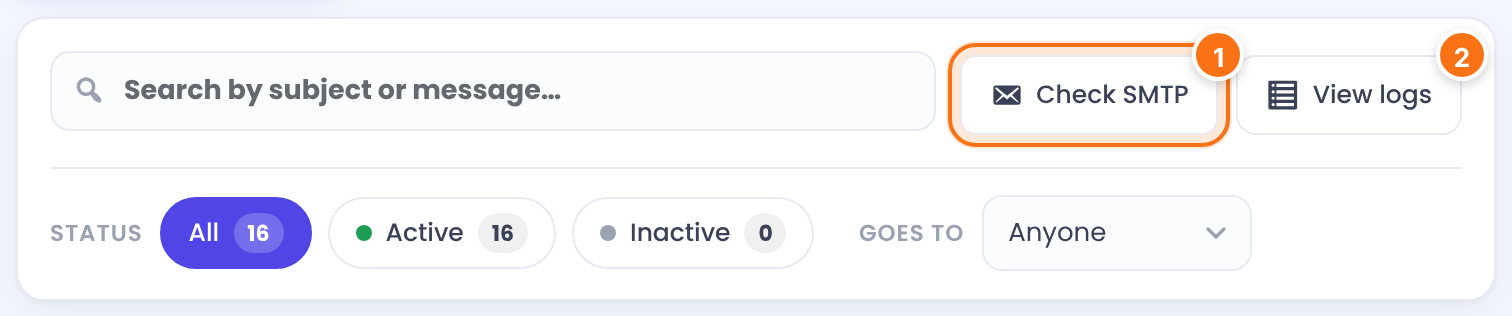
Click Check SMTP (1) on the Email Notifications screen. The plugin sends a message titled “Testing Your E-mail Server” to the WordPress admin email and shows “An Email was sent to your Admin address. Check your inbox or Spam/Junk Folder!”. If that message never arrives, install an SMTP plugin and connect it to your email provider or a sending service, then test again.
Only one kind of email is missing
Each event sends an email only if a notification exists for it and is active. A new installation creates 11 notifications; events such as payments, renewals or expiry send nothing until you create one. A notification for one Membership also replaces the All memberships one for that Membership, even when it’s switched off.
In Ultimate Membership Pro›Email Notifications, filter by Status and look for the event. Create the notification if it’s missing, switch it on if it’s inactive, and check its Target Membership. Then send a test from the envelope icon. See Set up email notifications.
The welcome email
New accounts that need your approval get New Pending Account Registered- Approve Request, not New Active Account Registered. Check that the right one is active.
Reminders and expiry emails never arrive

The expiry alerts, After Subscription Expired, payment due, card expiry, grace period, trial expiry and drip content emails are sent by WP-Cron. WP-Cron only runs when someone visits the site, and some hosts turn it off with DISABLE_WP_CRON. Then these emails are late or never sent. The plugin shows the notice above at the top of its screens when DISABLE_WP_CRON is set.
If DISABLE_WP_CRON is set, make sure your host runs wp-cron.php from a server cron job (for example every 15 minutes). On low-traffic sites, a server cron job is a good idea too. Also check that the notification exists: each reminder needs its own one.
The email is in the logs but never arrived
View logs (2) lists every email WordPress accepted for sending. If it’s listed, the plugin did its part; the message was lost or filtered after it left your site.
Check the spam folder. Send from an address on your own domain, set up SPF and DKIM for that domain, and use an SMTP plugin with a real mail service. Some mail servers also reject messages with many links or very long words; try a shorter test text. See Change the sender name and email.
The email isn’t in the logs either
WordPress didn’t accept the email: the notification wasn’t sent (missing, inactive, wrong target) or wp_mail failed, for example because of a broken mail setup or an SMTP plugin error.
Fix the notification first (see above). If it’s fine, check the log of your SMTP plugin for the error, then run Check SMTP again.
Troubleshooting
Why does my test email show {first_name} instead of a name?
Test emails have no member to take data from, so template tags stay as they are. Real notifications replace them.
Why does the email come from another sender than the one I set?
Your SMTP plugin or host may force its own From address. Check its settings. See Change the sender name and email.
Why do admin notifications go to the wrong inbox?
They go to the Admin Email Address list in Notifications Settings, or to the WordPress admin email when that list is empty.


