Membership Renewal Reminder Emails: Timing and Templates
A simple schedule for renewal reminders, from 30 days out to the win-back email, with five templates you can copy and the mistakes that cost renewals.

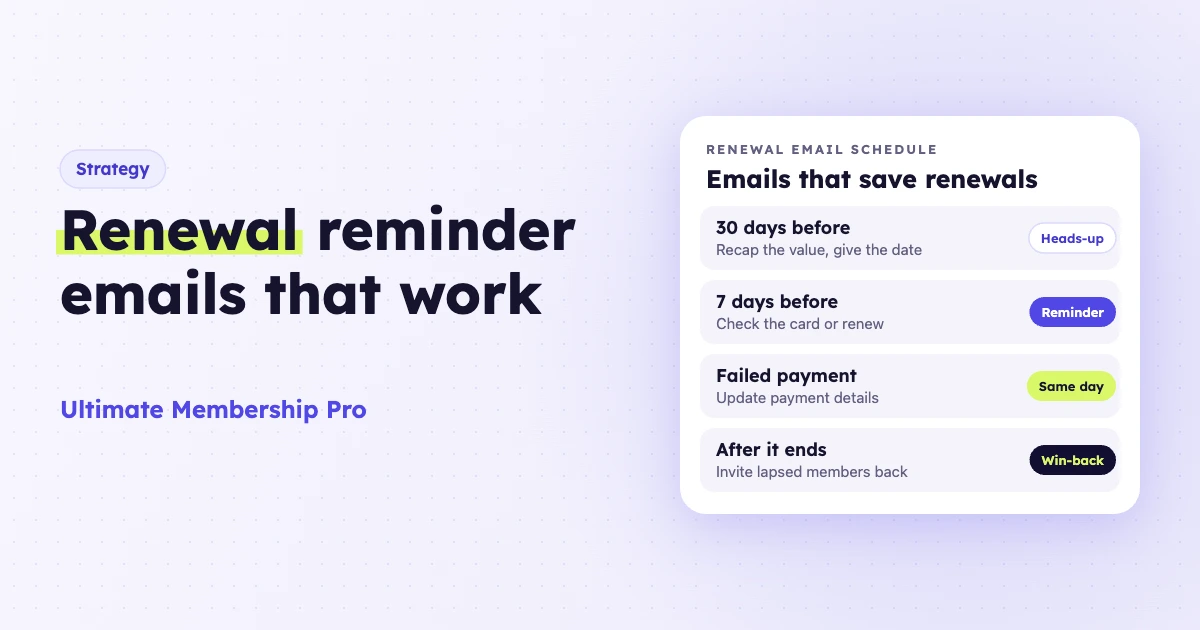
Send membership renewal reminder emails 30 days and 7 days before the renewal date, right after a failed payment, on the last day of access, and once more two to four weeks after a membership ends. That schedule gives members time to act without crowding their inbox. Below you get the timing table, five templates you can copy, subject lines and the mistakes that cost renewals.
A membership renewal reminder is an email that tells a member their membership is about to renew or end, what happens next and what to do. It works for auto-renewing subscriptions and for memberships that members renew by hand, such as yearly dues.
Why do renewal reminders matter?
Renewal reminders matter because many members who lapse never chose to leave. A card expired, a payment failed, or the end date slipped past while they were busy.
A good reminder fixes those quiet losses before they happen. It also protects you on auto-renewing plans. A member who sees a heads-up before a yearly charge is less likely to ask for a refund or dispute the payment with their bank.
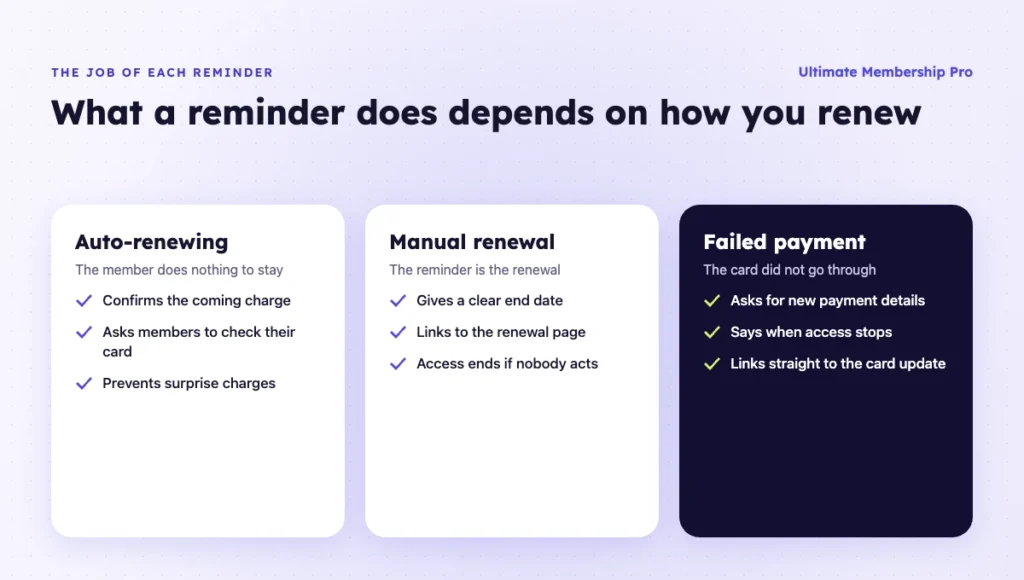
The job of each email depends on how your Memberships renew:
- Auto-renewing subscriptions: the reminder confirms the coming charge and asks members to check their card.
- Manual renewals: the reminder is the renewal. If members do not act, access ends on the date.
- Failed payments: the reminder asks the member to update payment details before access stops.
When should you send membership renewal reminders?
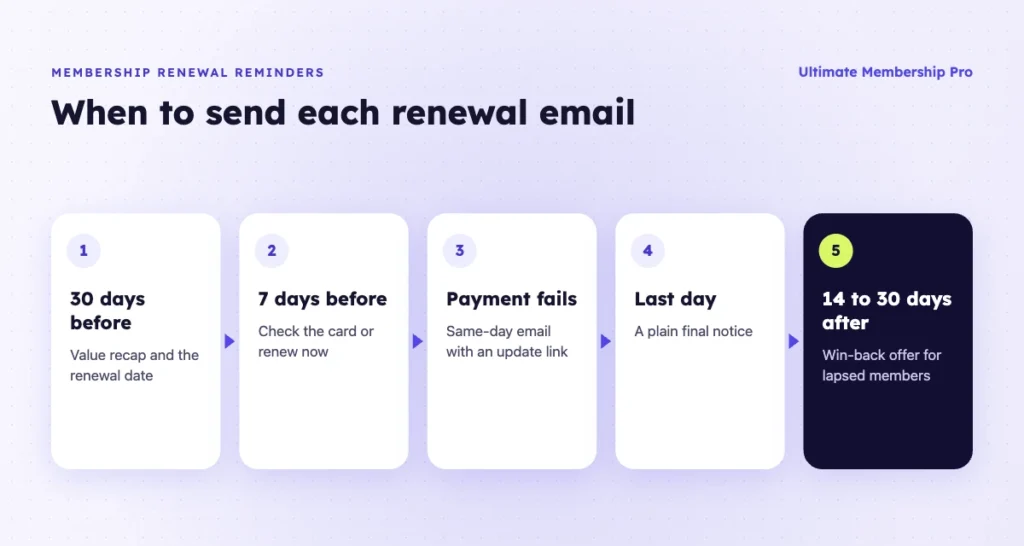
Send the first reminder 30 days before an annual renewal and the second 7 days before. Then send one email when a payment fails, one on the last day of access and one win-back email after the membership ends.
| When | Who gets it | Goal | Subject line idea |
|---|---|---|---|
| 30 days before | Annual and manual-renewal members | Recap the value, give a clear date | Your [Membership] renews on [date] |
| 7 days before | Everyone with a renewal or end date coming up | Prompt a card check or a renewal | 7 days left on your [Membership] |
| Day of a failed payment | Auto-renewing members | Get payment details updated | Your payment for [Membership] didn’t go through |
| Last day of access | Members who have not renewed | Final, plain deadline | Last day to keep your [Membership] |
| 14 to 30 days after | Lapsed members | Invite them back | Your spot in [Membership] is still here |
Monthly plans need a lighter touch. A reminder before every monthly charge feels like noise, so keep the failed-payment and card-expiry emails and skip the rest. Annual plans and yearly dues get the full membership renewal reminder schedule.
Some US states also require a notice before an annual plan renews on its own. California, for example, asks for a notice at least 15 and no more than 45 days before a plan with a term of one year or longer renews automatically. The 30-day email falls inside that window, but the law also sets what the notice must say. Check the rules where your members live.
What should a membership renewal reminder include?
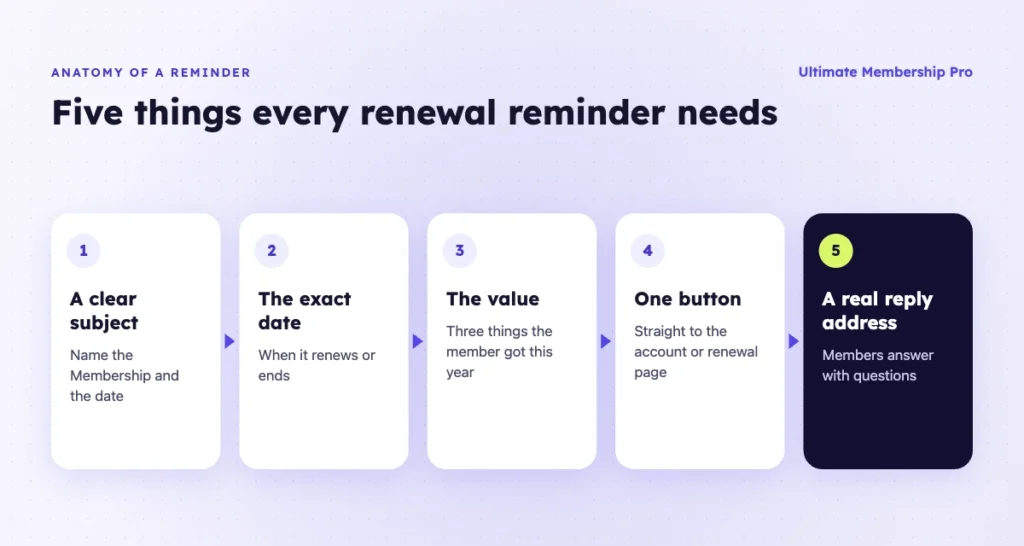
A membership renewal reminder needs five parts. Leave one out and members either miss the email or don’t know what to do next.
- A clear subject line. Name the Membership and the date, so the email is easy to spot in a busy inbox.
- The exact date. Say the day the membership renews or ends. “Soon” makes people put it off.
- The value. Remind members what they got this year, with two or three concrete examples.
- One button. Link straight to the account page or the renewal page, not to the home page.
- A real reply address. Members answer renewal emails with questions about price, plans or cards. Make sure someone reads them.
For auto-renewing plans, add the amount, the card that will be charged and a link to change or cancel the plan, which builds trust. For manual renewals, say what happens to access if the member does nothing and how long any grace period lasts.
5 membership renewal reminder templates
Each membership renewal reminder below is short on purpose. Replace the words in brackets, keep one link per email, and send each one from an address members can reply to.
1. Thirty days before renewal
Subject: Your [Membership] renews on [date]
Hi [First name],
Your [Membership] renews on [date]. [For auto-renewal: Your card ending in [last 4 digits] will be charged [amount].] [For manual renewal: Renew before that date to keep your access.]
Here is what your membership gave you this year: [three concrete things, such as 12 new lessons, 4 live Q&A calls and the member directory]. Next up: [one thing coming soon].
[Button: Review my membership]
Questions about your plan? Just reply to this email.
2. Seven days before renewal
Subject: 7 days left on your [Membership]
Hi [First name],
A quick reminder: your [Membership] [renews / ends] on [date].
If your card has changed, update it now so your access continues without a gap.
[Button: Check my payment details]
Not sure you want to stay? Reply and say what would make it worth it.
3. Failed payment
Subject: Your payment for [Membership] didn’t go through
Hi [First name],
The renewal payment for your [Membership] did not go through on [date]. This often happens when a card expires or a bank blocks the charge.
Your access stays open until [grace period end date]. Update your payment details here to keep your membership going.
[Button: Update my card]
4. Final notice
Subject: Last day to keep your [Membership]
Hi [First name],
Your [Membership] ends [today / tomorrow]. After that, you lose access to [the content, community or discounts members value most].
Renew now and everything stays where you left it.
[Button: Renew my membership]
5. Win-back
Subject: Your spot in [Membership] is still here
Hi [First name],
Your [Membership] ended on [date]. Since then, [new content or events added].
If you want to come back, [the offer, such as a coupon for the first month] is yours until [date].
[Button: Rejoin [Membership]]
If it was not the right fit, a one-line reply on why would help a lot.
Which subject lines work for a membership renewal email?
Clear subject lines work best. Name the Membership, give the date or the action, and keep it under about 50 characters so it fits on a phone.
- Your [Membership] renews on [date]
- [First name], your membership ends Friday
- Action needed: update your card for [Membership]
- 3 days left to renew [Membership]
- Your [year] in [Membership], and what is next
- Your spot in [Membership] is still here
Skip fake urgency, all caps and vague lines like “Important update.” Members should know what the email is about before they open it.
For more on tone, structure and personalization, see this guide to writing a membership email.
What mistakes cost you renewals?
The most common membership renewal reminder mistakes are sending only one email, linking to the wrong page and relying on emails your site never delivers.
- One email only. A single reminder is easy to miss. Plan at least two before the date.
- No clear date. “Soon” is not a date. Write the day the membership renews or ends.
- A link to the home page. Send members straight to their account page or the renewal checkout.
- A generic message. Use the member’s first name, their Membership and one thing they used this year.
- Guilt and fake scarcity. Pressure lines may win one renewal and cost you the member’s trust.
- Reminders after a member renewed. Use automated emails that stop once the payment goes through.
- A no-reply sender. Members reply to renewal emails with questions. Let those replies reach you.
- Emails that never send. WordPress needs a working mail setup, such as an SMTP plugin, and scheduled tasks that run on time.
A reminder schedule works best inside a wider retention plan. These ways to increase member retention cover the rest of the year.
What incentives help members renew?
A small reason to act early works better than a big discount at the last minute. Put the incentive in the 30-day email, give it a clear end date and keep your full price for everyone else.
- Early-renewal bonus. Members who renew before a set date get something extra, such as a bonus guide, a members-only Q&A or event seats.
- Upgrade offer. Invite your most active members to a higher Membership at renewal time, with the extra benefits spelled out.
- Loyalty perk. Thank members in their second or third year with a badge, early access to new content or a discount on paid events.
- Win-back offer. Save the coupon for lapsed members, so people who renew on time never learn to wait for a deal.
In Ultimate Membership Pro, a coupon can apply to one Membership, with a usage limit and a date range. Members who upgrade pay only the prorated difference for the days left in their current period.
Should reminders go beyond email?
Email does most of the work, but a second channel catches members who never open it. Use the places members already look:
- The account page. Show the renewal date and a clear renew link where members log in.
- A site notice. A short banner for members whose renewal is close or whose payment failed.
- SMS. Useful for a final notice if members gave a phone number and agreed to texts. Keep it to one short message.
- A personal note. For long-time or high-value members, a short message from you can do more than any template.
- Your community space. A short post in a members-only forum or group before a busy renewal month reminds active members without singling anyone out.
Keep the email schedule as the backbone and add one extra channel at most. More than that starts to feel like pressure, and members who feel chased are less likely to stay another year.
How do you know your reminders are working?
Track your renewal rate before and after you add the schedule. Then look at each membership renewal reminder on its own, so you know which email to fix first.
- Renewal rate: members who renewed, divided by members who were due that month.
- Recovered payments: failed payments that members fixed before access ended.
- Clicks per email: a low click rate points to a weak subject line or a buried button.
- Win-back rate: lapsed members who rejoined after the last email.
Change one thing at a time, such as the subject line or the send day. Compare results over a full renewal cycle before you change the next one.
How do you automate membership renewal reminders in WordPress?
You automate renewal reminders with a membership plugin that sends scheduled emails, plus your payment gateway for failed charges. Once set up, every email goes out on its own.
Ultimate Membership Pro is one option. Its subscription and billing features include 45+ email notifications, from payment confirmations to expiry reminders.
Three alerts can go out before a Membership expires, each with its own number of days. They default to 5, 3 and 1 days before the end date. Change the first two to 30 and 7 to match the schedule above, and keep the third as your final notice.
A separate reminder goes out before each recurring payment, 1 day ahead by default, so raise it for yearly plans. Other emails go out when a grace period starts and after a Membership expires. With Stripe Connect, members also get a reminder before their saved card expires.
Most of these emails go to every member they apply to. The first pre-expiry alert and the after-expiry email can also have a version for one Membership, which replaces the general one for its members.
Ultimate Membership Pro has no separate failed-payment email, so use your gateway for that step. Stripe, for example, can email customers after a failed subscription payment so they can update their card. Check that this works with the way your plugin creates subscriptions.
For orders that were started but never paid, the Payment Reminder add-on sends repeat emails. It is one of the Pro add-ons in Full Package and Agency.
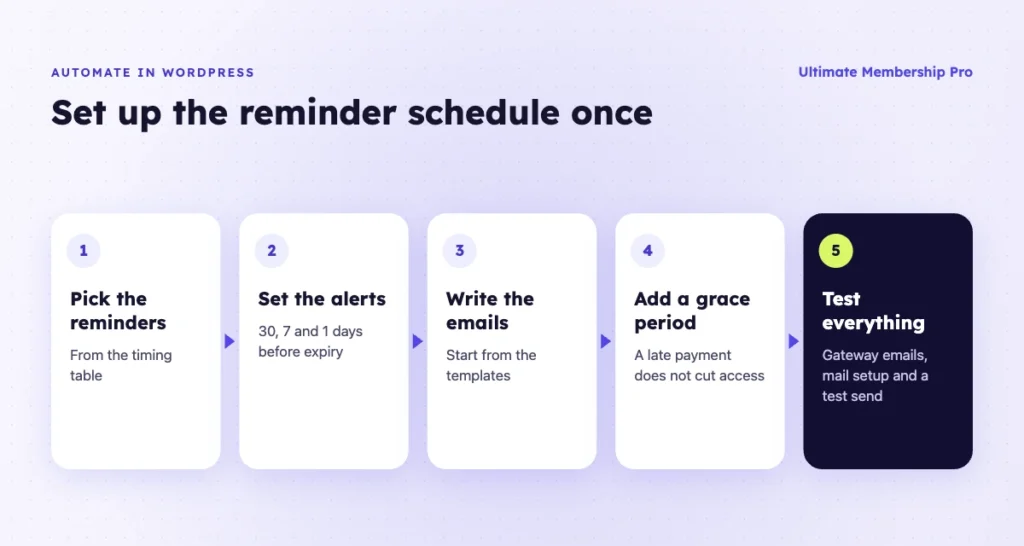
Follow these steps to set up the schedule:
- Pick the reminders you need from the timing table above.
- Set the three expiry alerts to 30, 7 and 1 days, and the payment reminder to fit your billing period.
- Write each email with the templates. Where one Membership needs different wording, add its own version of the first alert or the after-expiry email.
- Set a grace period, so a late payment does not cut access on the same day.
- Turn on failed-payment emails in your payment gateway.
- Check that your site sends email and that scheduled tasks run.
- Send a test of each email to yourself before members see it.
The email notifications guide shows how each notification is set up. Ultimate Membership Pro is sold as annual plans (Pro, Full Package, Agency), with unlimited members on every plan.
Ready when you are
Turn visitors into paying members with Ultimate Membership Pro
Launch your membership website, protect exclusive content and automate subscription payments, all in one WordPress plugin.
- 14-day money-back guarantee
- Unlimited members
Frequently asked questions
When should I send a membership renewal reminder?
Send the first reminder 30 days before an annual renewal and a second one 7 days before. Add an email when a payment fails, one on the last day of access and a win-back email two to four weeks after the membership ends. For monthly plans, keep only the failed-payment and card-expiry emails.
How many reminders is too many?
Two or three membership renewal reminders before the renewal date is enough for most memberships. More than that starts to feel like pressure, especially on monthly plans. Stop all reminders as soon as the member renews, and keep each email short, with one clear date and one link.
What should a renewal email say?
A renewal email should name the Membership, give the exact renewal or end date and say what happens next. Add a short recap of the value the member got, one button to the account page or checkout, and a line inviting replies. Leave out fake urgency and long feature lists.
What do I send after a failed payment?
Send a short, friendly email the same day. Say the payment did not go through, give the likely reason, such as an expired card, and link straight to the page where the member updates payment details. Mention how long access stays open, for example until the end of the grace period.
Can I automate renewal reminders in WordPress?
Yes. A membership plugin can send reminders before a Membership expires, before a recurring payment and after it ends, all on a schedule. Ultimate Membership Pro includes 45+ email notifications for this. Failed-payment emails usually come from your payment gateway, and your site needs a working email setup to send them.