MemberPress vs MemberMouse: Which Is the Best Membership Option?

In the MemberPress vs MemberMouse choice, MemberMouse is the stronger pick if your business runs on sales funnels, with one-click upsells, SmartTags and gifting, and its plans start lower. MemberPress is the better fit if you want courses and community features in the same plugin, since its Growth and Scale plans add quizzes, certificates, forums and BuddyPress integration.
Offering quality content is an essential part of almost all digital marketing strategies. Content is a perfect vehicle for promoting a business or a product and building a community.
You can go a step further and use your quality content to generate money. There are services available to aid in reaching such a goal. Two such services are MemberPress and MemberMouse, which will be the focus of this article. With these WordPress membership plugins, you can make a membership website and sell subscriptions.
If you are still planning your site, start with this guide on how to create a membership website, then come back to pick the plugin.
Which of these is best for you? This article compares MemberPress vs MemberMouse. After reading it you will know which of these powerful membership plugins suits your needs best.
MemberPress vs MemberMouse at a glance
| Feature | MemberPress | MemberMouse |
|---|---|---|
| Approach | Memberships plus courses and community features | Memberships plus sales tools such as upsells and gifting |
| What you can sell | Memberships, courses and digital products, with coupons | Subscriptions, one-time digital and physical products, one-click upsells and downsells |
| Content protection | Granular access rules and drip content | Content protection and drip scheduling |
| Payment gateways | PayPal and Stripe; Authorize.net on Scale | Stripe on Basic; PayPal and Braintree on Plus; Authorize.Net and ClickBank on Pro |
| Email marketing | ActiveCampaign, Mailchimp and others | Seven email integrations on every plan |
| Reporting | Basic reports on every plan | Standard reporting; full analytics suite on Pro |
| Pricing | $199.50 to $499.50/year | $149.50 to $349.50/year |
MemberPress vs MemberMouse – What Are the Differences?
When you look at MemberPress vs MemberMouse you will notice that there are a lot of similarities between them. They are both membership plugins with similar ideologies.
MemberMouse is built around selling: upsells, gifting and checkout tools. MemberPress covers memberships, courses and community features, and offers integrations for expanding its functionality.
Another difference is that MemberPress focuses on selling memberships and courses, which suits a steady subscription business. If you plan to sell many one-off products alongside memberships, MemberMouse’s sales tools give you more options.
MemberMouse, on the other hand, offers a lot of flexibility. It empowers you to offer one-time purchases, such as PDF books, online courses, and the like.
Unique features of the MemberMouse WordPress membership plugin are one-click upsells and SmartTags. These let you deliver specific offers straight to your members. They can benefit from your offers with one click; they don’t need to get their credit cards out again.
Getting started with MemberPress is straightforward. You can create membership sites and online courses without hassle, although quizzes, certificates and course dripping require its Growth or Scale plan.
Basic Overview of Both Membership Plugins
MemberPress Overview

This plugin forms an online platform for small online businesses. Its purpose is to build websites, create blogs, and sell services and products online.
Another feature of this WordPress membership plugin is that you can create membership sites with it. There are features for accepting online card payments, selling digital products, and controlling who can see what.
You can make and manage different membership levels and sell products. You can grant or end memberships whenever you want. Give members access to the content that you want them to see.
You have the ability to determine the privileges each membership level enjoys. MemberPress is very flexible and enables you to customize almost any part of the membership. The best part is you can build your website without the help of a professional web developer.
MemberMouse Overview
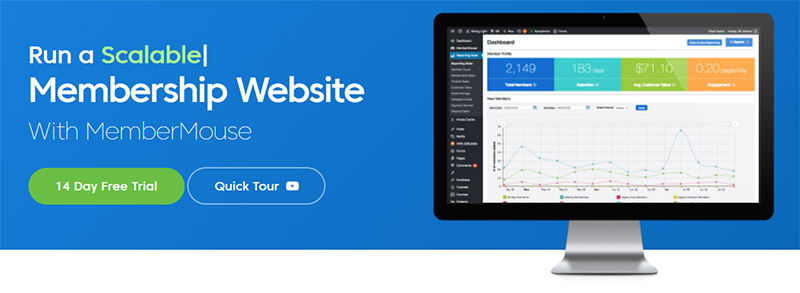
This WordPress membership plugin is a long-standing choice for marketers. It offers many features built to help online businesses grow their sales.
With this membership plugin, you can sell paid subscriptions, products, and memberships. You can set up passwords for different areas and offer one-click upsells or downsells. Behind the scenes, you can manage memberships, automate customer services, and much more.
With MemberMouse you can protect your most valuable content, attract new members, and keep loyal customers, all from one plugin that handles subscriptions, payments and member management.
Core Features
MemberPress Core Features
- Affiliate integration. MemberPress works with affiliate plugins such as Easy Affiliate (formerly Affiliate Royale) and AffiliateWP, so you can pay and keep track of your affiliates.
- Basic reporting. This feature gathers information about members, revenue, total sales and more. This is very informative if you are trying to build a business. It reveals the areas in which you need to make more of an effort, expand, or improve.
- Community features. On the Growth and Scale plans, MemberPress adds forums, circles and BuddyPress or BuddyBoss integration, so members can talk to each other.
- Coupons. Coupons and discounts always attract new members. You can offer them now with MemberPress. You can create and tailor coupons to allow prospective clients to get discounts on their memberships.
- Detailed reports. You can get detailed information on how your membership site is doing. You can see how much money you are making, what the most popular features and products are, and much more.
- Powerful access rules. You determine which members can see what content based upon their subscription and the products they have bought.
- Pricing page customization. MemberPress offers different pricing page themes. Right from the start, you can offer attractive pricing pages. And you don’t need any knowledge or experience in coding.
- High stability and safety. This membership management platform is safe and stable. It integrates very well into the WordPress platform.
MemberMouse Core Features
- Customer Management. Within the MemberMouse management section, you’ll find things like:
- Access privileges
- Cancellations
- Order history
- Refunds
- Work statistics
- Online sales feature. MemberMouse allows you to sell digital and physical items online. The membership plugin does not impose any restrictions on the possibilities. Full members and one-time buyers can benefit from this sales feature.
- Drip Content. You determine when content becomes available to your members. You can determine the pace at which it is released and the release dates.
- Safety. Protection is an important feature in MemberMouse. You control the access permissions, custom post types, and other parameters. You can add any kind of content, whether it is audio, video, or text.
- Offers and coupons. Create the following offers, according to your preferences:
- Coupons
- Free or paid trials
- Payment plans
- Single purchases
- Recurring subscriptions
- And more
- Analytics and reports. All paid subscriptions to MemberMouse include a basic reporting feature. You can generate details about the number of members, retention rate, and other statistics.
- SmartTags. You can add features straight to your website with one of the many shortcodes from the library. You don’t need to write a single line of code yourself.
Integrations
MemberPress Integrations
There are many integrations available for MemberPress. For example, there are integrations for payment gateways at your disposal.
The number of integrations you get depends on the plan you choose. So, it is good to take a careful look at the list of included integrations before purchasing a plan.
Here are some of the optional integrations:
- Affiliate Marketing Tools
- Easy Affiliate (formerly Affiliate Royale)
- AffiliateWP
- iDevAffiliate
- WP Affiliate Plugin
- Email Service Providers
- ActiveCampaign
- AWeber
- Constant Contact
- Drip
- GetResponse
- MailChimp
- Onsite and Offsite Payment Integrations
- PayPal
- Stripe
- Authorize.net (Scale plan)
MemberMouse Integrations
Before you buy any kind of digital tool it is good to consider what your needs are and how the application can help you.
The following is a list of some of the MemberMouse integrations:
- Affiliate Marketing Tools
- AffiliateWP
- iDevAffiliate
- Post Affiliate Pro
- WP Affiliate Plugin
- Email Service Providers
- ActiveCampaign
- AWeber
- Drip
- GetResponse
- iContact
- MailChimp
- Onsite and Offsite Payment Integrations
- Stripe (all plans)
- PayPal and Braintree (Plus and Pro)
- Authorize.Net and ClickBank (Pro)
Reporting
MemberPress Reporting
The basic MemberPress plan includes a simple reporting tool. It can generate data on memberships, retention, revenue, and sales. You can opt for an upgrade for a more advanced reporting feature.
If you decide to stick with one of the less expensive plans, you can still look for reporting integration. You can access them straight from the dashboard of the WordPress membership plugin.
MemberMouse Reporting
The MemberMouse reporting capabilities also depend on the plan you buy. Every plan includes standard reporting, which gives you insight into members, sales and revenue.
The Pro plan adds the full analytics suite, which is the better choice if you want detailed statistics to guide your marketing.
Customer Support and Documentation
MemberPress Support
The MemberPress help center is very well equipped. It contains detailed information about how to set up the WordPress membership plugin. With the information in the help center, you will gain a good amount of knowledge about how to work with the plugin.
You will notice that user experience is very important for MemberPress. That is why video tutorials are also available. If you can’t find an answer, you can open a support ticket.
MemberMouse Support
MemberMouse offers standard email support on its Basic and Plus plans and priority email support on Pro. You can also consult its blog and knowledge base for setup guides.
Every MemberMouse plan comes with a 14-day money-back guarantee and a staging license, so you can test it on a copy of your site.
Pricing
Both plugins are sold as annual plans. The prices below are the ones listed on each vendor’s pricing page as of October 2026.
MemberPress Pricing
- Launch: $199.50/year, with a 4.9% transaction fee on each payment
- Growth: $349.50/year, adds quizzes, certificates, course dripping and community features
- Scale: $499.50/year, adds Authorize.net, Zapier, and direct messaging and live chat for communities
MemberMouse Pricing
- Basic: $149.50/year, with Stripe payments, drip scheduling, coupons, gifting and one-click upsells
- Plus: $249.50/year, adds PayPal and Braintree, social login, and quizzes and certificates for courses
- Pro: $349.50/year, adds Authorize.Net and ClickBank, the full analytics suite, employee access control and priority support
The pricing difference matters when you decide between MemberPress and MemberMouse. MemberMouse’s entry plan costs less than MemberPress Launch and has no transaction fee, while MemberPress puts more course and community features into its higher plans.
How to Choose Between MemberPress and MemberMouse
Before you buy either plugin, answer a few questions about your business:
- How will you make money? If you sell recurring access, compare how each plugin handles renewals, trials and upgrades. This guide to recurring subscriptions explains the basics.
- How will you price it? Decide on your tiers before you compare plans. See this membership pricing strategy guide for common models.
- Will you release content over time? If yes, check how each plugin handles drip content in your membership.
- Do you need courses or community features? MemberPress bundles them in Growth and Scale. MemberMouse focuses on sales tools instead.
Concluding Thoughts on MemberPress vs MemberMouse
Looking at MemberPress vs MemberMouse, you will notice many similarities in how they work. The biggest difference is focus: MemberMouse is built around selling, with one-click upsells, SmartTags and gifting, while MemberPress adds courses and community features as you move up its plans.
If your business depends on sales funnels and upsells, or you want the lower entry price, MemberMouse is the better option. If you want to run courses and a member community from the same plugin, MemberPress is the better fit, as long as you budget for its Growth plan or higher.
Where Ultimate Membership Pro Fits
If neither plugin is the right fit, Ultimate Membership Pro is a third option for WordPress. It covers content restriction by Membership, drip content and recurring subscriptions with trials, coupons and prorated upgrades, on 10 payment gateways (13 in Full Package). It’s sold as annual plans with unlimited members on every plan and a 14-day money-back guarantee.
If you are leaving MemberPress, see how Ultimate Membership Pro compares as a MemberPress alternative, or check the plans on the pricing page.
Frequently asked questions
Can you sell one-time products with MemberMouse or MemberPress?
Yes. MemberMouse lets you sell one-time purchases such as PDFs and courses, plus physical items, next to your subscriptions. It also supports one-click upsells and downsells. MemberPress can sell digital products too, but it focuses mainly on memberships, which suits steady businesses more than ones testing new products.
Which is cheaper, MemberPress or MemberMouse?
As of October 2026, MemberMouse is cheaper to start: its Basic plan costs $149.50 per year, while MemberPress Launch costs $199.50 per year and adds a 4.9% transaction fee on each payment. At the top end, MemberMouse Pro costs $349.50 per year and MemberPress Scale costs $499.50 per year.
Which payment gateways do MemberPress and MemberMouse support?
MemberPress works with PayPal and Stripe, and Authorize.net is included only on its Scale plan. MemberMouse includes Stripe on every plan, adds PayPal and Braintree on Plus, and adds Authorize.Net and ClickBank on Pro. If you already use one of these processors, check that it is included in the plan you choose.
Which is better for online courses, MemberPress or MemberMouse?
Both include course tools. MemberPress offers unlimited courses and lessons on every plan, with quizzes, certificates and course dripping on Growth and Scale. MemberMouse includes course tools on every plan, with quizzes and certificates on Plus and Pro. If you also want forums or BuddyPress integration, MemberPress Growth and Scale include them.
Is there an alternative to MemberPress and MemberMouse?
Ultimate Membership Pro is a WordPress membership plugin that sells Memberships with recurring subscriptions, free or paid trials and coupons. You can restrict pages, posts and parts of a post, drip content on a schedule, and take payments through Stripe, PayPal and other gateways. It is sold as annual plans with unlimited members.
Ready when you are
Turn visitors into paying members with Ultimate Membership Pro
Launch your membership website, protect exclusive content and automate subscription payments, all in one WordPress plugin.
- 14-day money-back guarantee
- Unlimited members
You May Also Like