MemberPress vs LearnDash: Choose the Best for Your Company
WordPress is the most popular open-source software to build a website. All you need is a reliable hosting provider and you are good to go.


In the MemberPress vs LearnDash choice, pick LearnDash if your business is built around online courses: it is an LMS with advanced quizzes, prerequisites, certificates and course management. Pick MemberPress if you sell memberships first, with access rules, recurring billing and community features, and courses as one part of the offer. You can also use MemberPress and LearnDash together through MemberPress’ LearnDash integration.
WordPress is the most popular open-source software to build a website. All you need is a reliable hosting provider and you are good to go. This platform offers the ideal field to develop a webpage intuitively, saving both time and money.
Today, online presence is vital. If you want to sell courses or provide services online, a WordPress website will be highly beneficial.
For businesses based on membership subscriptions, there are a variety of tools to choose from. This post introduces two of the most popular ones: MemberPress and LearnDash.
While both are great solutions, they focus on different objectives. Use this MemberPress vs LearnDash comparison to choose the best option for your business model. If you are still comparing course plugins, see this roundup of the best WordPress LMS plugins.
MemberPress: What is it?
This is the ideal option for those who want to create multiple membership levels. MemberPress lets you build a complex combination of different fees and features.
Registration and payment processes are simple, and you have a wide array of payment gateway options. Your users will be able to access the content as soon as they pay the fee.
Because safety measures are important, MemberPress includes powerful data management tools. Thus, you can store your members’ information safely.
The advantages available are huge for both owners and subscribers. For instance, you can provide top-notch content and key features for the best user experience. This includes early access to events, MemberPress courses, digital learning and downloadables.
Finally, this WordPress membership plug-in is quite flexible and easy to use. It includes a variety of possible designs for your brand.
LearnDash: What is it?
LearnDash offers an excellent platform to provide online courses. If you have knowledge that others can benefit from, LearnDash helps you leverage this advantage.
Providing an easy way to create online courses, this plugin can be integrated with WooCommerce or Easy Digital Downloads.
This option’s main advantage is the ability to navigate the content. Members have their own accounts which they use to interact with the system. Thus, it is not surprising that LearnDash is used by educational institutions.
Colleges, for example, can publish courses, tutorials, and learning materials safely. They can organize this by placing access restrictions on some groups. This private group system keeps information safe from prying eyes.
MemberPress vs LearnDash: Features
MemberPress features

With MemberPress, you can build a full membership website. Users will be able to buy subscriptions, upgrade their plans, and cancel directly from the site.
The plug-in offers the following features:
- Create multiple membership levels: This allows you to offer both free plans and gated content.
- Access restrictions: Choose who has access to specific content, set expiration dates, and make information available for certain groups.
- Flexible pricing: The plug-in includes multiple pricing pages.
- Popular payments software: Like Stripe and PayPal integration.
- Flexible payment processes: Offer a variety of subscription options from free trials to recurring fees and one-time payments.
- Group memberships: Subscription plans can be offered to groups. For example, you can sell online courses to train a company’s staff.
- Build your own courses: MemberPress Courses includes unlimited courses and lessons, with quizzes, certificates and course dripping on the Growth and Scale plans.
- Community features: Forums, circles and BuddyPress or BuddyBoss integration on the Growth and Scale plans.
- Thorough reporting features: Analyze your site’s daily activities including revenue, conversions, and member managing.
- Automated reminders: Set up email reminders for your members so they visit your membership website regularly.
To sum up, MemberPress is the ideal option for those who want to create various content while limiting access. Content creation becomes easy thanks to MemberPress. Let your imagination go wild with videos, posts, and ebooks. Then, organize these with tools like categories, tags, and pages.
LearnDash features

Next, consider LearnDash. If your business is built around creating online courses, this is your best option. LearnDash comes with awesome tools like LearnDash Membership, LearnDash courses, and LearnDash payments.
Here are some of its features:
- Compatible with many themes: If you chose to build a WordPress website, LearnDash is compatible with a variety of themes. Some of them even have it included as a built-in option.
- Build and manage online courses easily: LearnDash integrates with popular page builders like Elementor, Divi, and Beaver Builder.
- Course prerequisites: You can require learners to complete one course before they start another.
- Manage online courses with multiple lessons: Organize each course into lessons, topics and quizzes from the LearnDash dashboard.
- Behavior-based content: Owners can make certain courses available after the user watched a certain video or completed another course.
- Flexibility: LearnDash grows with you. A good online course is not steady but ever-changing. Feel free to add additional layers and other resources like gamification. Set up micro-courses for better information distribution.
- Pricing options: Like its counterpart, LearnDash allows you to create multiple membership levels with different payment options. Offer bundles, packs, and one-time deals.
- Effective management: Find powerful management tools like automated removals, bulk enrollment, and trainees groups.
- Reward systems: Keep your members engaged with rewards, like badges and scores, and create custom certificates.
MemberPress vs LearnDash: Integration Features
MemberPress integrations

The integrations available depend on the plan you choose, so check this before you buy. At the same time, MemberPress comes with built-in integrations. Payment gateway options are included, which makes payment collection much easier.
Other add-ons allow you to offer further features. This includes downloadable materials and PDF invoices. Such options are very helpful to complement the basic MemberPress courses.
If you use tools like Mailchimp, ConstantContact, GetResponse, ActiveCampaign, and AWeber, you have nothing to worry about. This WordPress membership plugin integrates with each of these. It also lists a LearnDash integration, so you can combine MemberPress memberships with LearnDash courses.
LearnDash integrations
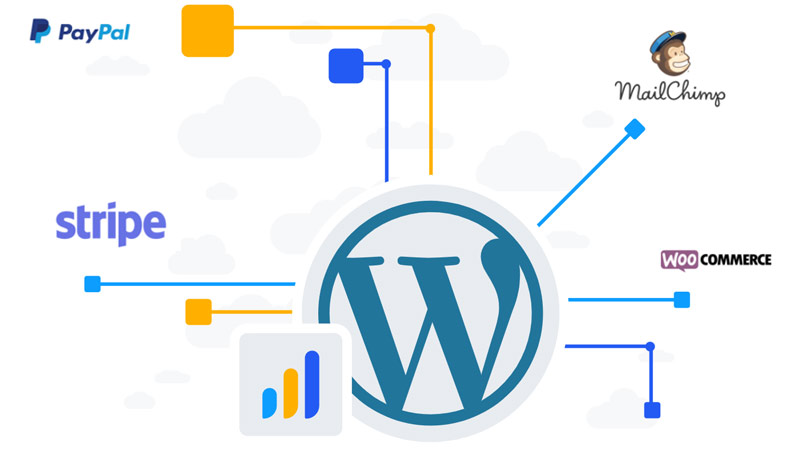
In the LearnDash vs MemberPress race, the former has far more integration options. Besides the basics, it integrates seamlessly with WooCommerce, Mailchimp, Stripe, and BuddyPress.
This opens up a world of possibilities that offer end-to-end management. LearnDash lets you create custom certificates, manage marketing campaigns, analyze data, and facilitate payment collection.
LearnDash also has its own add-ons, such as a certificate builder, a content cloner, the course grid and achievements.
Although LearnDash has more integrations and add-ons, MemberPress has more built-in features to compensate.
LearnDash vs MemberPress: Support
All website managers or owners will need support at some point. Hence, this category is an important assessment point.
MemberPress support
The MemberPress staff offers support through a ticket system and a help center. The team boasts a large documentation filing system where you can find everything you need. A user guide is also available for setup.
It’s likely that the answer to your question will be included there, but if not, you can submit a ticket. Ticket support isn’t instant, so plan ahead if something needs urgent attention.
LearnDash support

LearnDash has a strong case in this round. Its documentation includes videos and tutorials. They also have a support ticket system but before this, you can try their self-help option.
This provides an excellent source of reliable information without the hassle of submitting a ticket. Waiting for an answer is not always an option if you are really busy.
LearnDash vs MemberPress: Pricing
The prices below are the ones listed on each vendor’s official pricing page as of October 2026.
MemberPress pricing
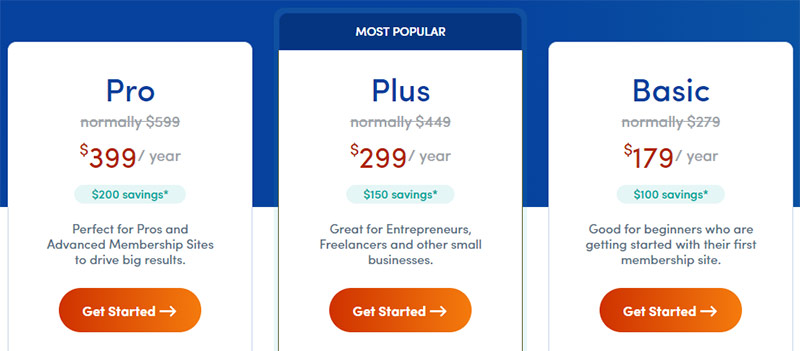
MemberPress offers three annual plans: Launch, Growth and Scale. As you upgrade, you get more features.
- Launch: $199.50/year. Includes unlimited courses and lessons, with a 4.9% transaction fee on each payment.
- Growth: $349.50/year. Removes the transaction fee and adds quizzes, certificates, course dripping and community features.
- Scale: $499.50/year. Adds Authorize.net, Zapier, and direct messaging and live chat for communities.
LearnDash pricing
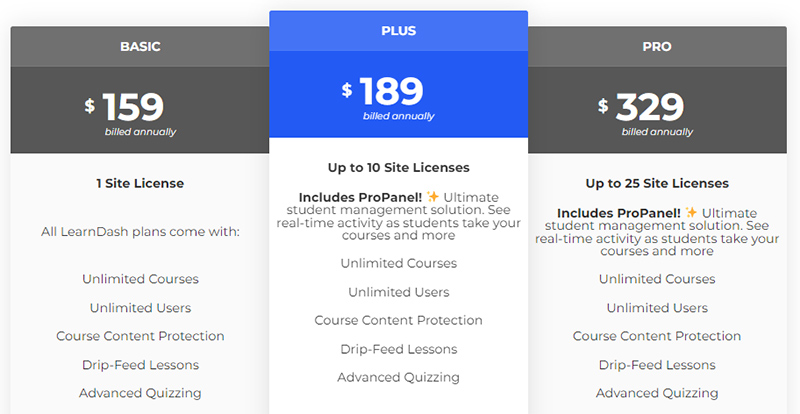
LearnDash is now sold through Liquid Web, and its plans differ by the number of sites, with every plan including the full plugin:
- 1 site: $350
- 10 sites: $599
- 25 sites: $799
- 50 and 100 sites: $899 and $999
For a single site, MemberPress Launch costs less than LearnDash, but it adds a transaction fee and leaves out quizzes and certificates. MemberPress Growth is the closer match to LearnDash for course features.
MemberPress vs LearnDash: Final thoughts
MemberPress and LearnDash are both great options. Depending on your business goals, you’ll benefit from one or the other.
LearnDash was built to sell courses. Its tools are perfect to create and update your sessions. You are welcome to add new layers and divide the information into blocks. With a wide array of add-ons available, LearnDash is the way to go if you have a clear goal.
On the other hand, MemberPress is more flexible when it comes to the type of content and access. You can restrict access to certain information depending on the user’s membership level. Offering courses according to the achieved levels is also a plus.
MemberPress offers a self-service portal where your customers can manage their membership easily. Finally, this option has a larger number of built-in tools, which avoids compatibility issues.
You don’t always have to choose. MemberPress lists a LearnDash integration, so you can sell memberships with MemberPress and deliver courses with LearnDash on the same site.
When comparing MemberPress vs LearnDash, you get two strong options: manage billing, offer multiple membership levels, and provide your best content through your own branded website.
Where Ultimate Membership Pro Fits
If you mainly need the membership side, Ultimate Membership Pro is another option. It sells access as Memberships with recurring subscriptions, trials and coupons, and it handles content restriction and drip content. It doesn’t add quizzes or certificates itself; for courses, it works with Ultimate Learning Pro, sold separately, as shown in this guide to membership sites for online courses.
It’s sold as annual plans with unlimited members on every plan. If you are leaving MemberPress, see how Ultimate Membership Pro compares as a MemberPress alternative, or check the pricing page.
Frequently asked questions
Is MemberPress or LearnDash better for online courses?
LearnDash is usually better if courses are your main product. It is a dedicated LMS with quizzes, prerequisites, certificates and course management tools. MemberPress also includes courses, but quizzes, certificates and course dripping need its Growth or Scale plan. Choose MemberPress if memberships come first and courses are one part of the offer.
Can you use MemberPress and LearnDash together?
Yes. MemberPress lists a LearnDash integration, so you can sell memberships with MemberPress and deliver courses with LearnDash on the same WordPress site. This setup suits course creators who want recurring membership billing and access rules from MemberPress plus the deeper course tools of LearnDash.
How much do MemberPress and LearnDash cost?
As of October 2026, MemberPress costs $199.50 per year for Launch, $349.50 for Growth and $499.50 for Scale. LearnDash, now sold through Liquid Web, lists $350 for one site and $599 for 10 sites. MemberPress Launch adds a 4.9% transaction fee, which higher plans remove.
Does LearnDash handle memberships and recurring payments?
LearnDash lets you sell courses with different payment options and integrates with WooCommerce for checkout. For recurring memberships, access rules across your whole site or member perks beyond courses, many site owners pair it with a membership plugin such as MemberPress or Ultimate Membership Pro.
Ready when you are
Turn visitors into paying members with Ultimate Membership Pro
Launch your membership website, protect exclusive content and automate subscription payments, all in one WordPress plugin.
- 14-day money-back guarantee
- Unlimited members
You May Also Like