Everything You Need to Know about Recurring Charges for Your Membership Site

Recurring charges are payments taken automatically from a member’s card or account on a set schedule, such as every month or year, for as long as their membership lasts. For a membership site, they are the simplest way to get steady income: you set up the billing once, and a payment gateway like Stripe or PayPal charges members every period.
The subscription economy isn’t a far-fetched concept anymore. It’s already here. As Netflix, Amazon Prime, and Dropbox have shown, recurring charges come with a myriad of benefits — and subscription-based businesses still have room to grow. In October 2025, Juniper Research forecast that global subscription spend will grow from $722 billion in 2025 to $1.2 trillion by 2030.
Membership sites can benefit from the subscription economy too. However, there are some things you need to know about recurring charges before you dive in, and this guide covers them.
What Are Recurring Charges?
Recurring charges are payments made on a recurring basis, automatically. Usually, you will subscribe to a specific service and your credit card will be charged recurrently, according to the recurring billing plan you select.
For membership sites, recurring charges are a great way to ensure that you have a steady income flow — but it also means that your customers will be charged every time their subscription renews.
How Do Recurring Charges Work?
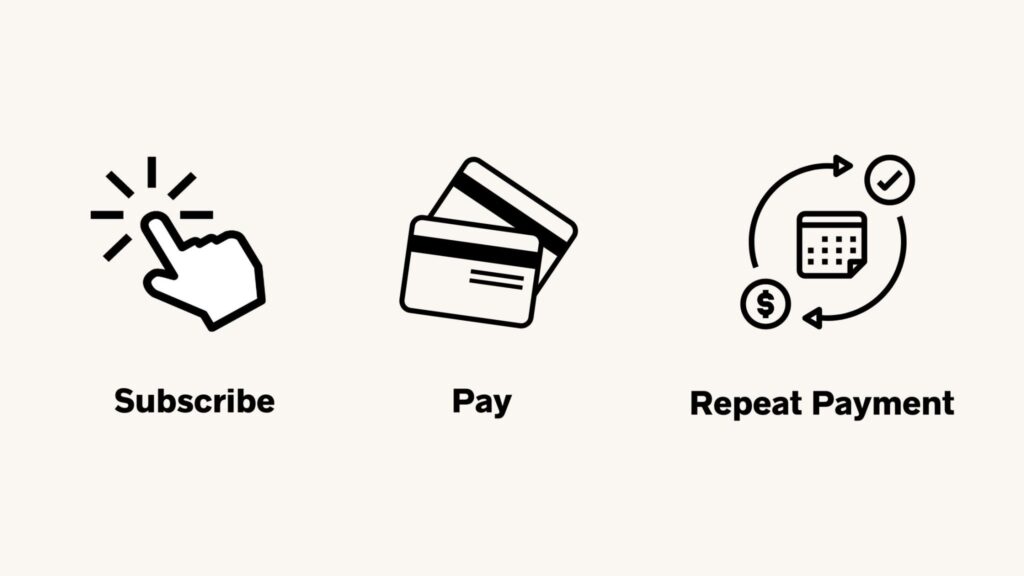
Recurring charges are a simple way for you to keep on top of your payments. All customers need to do is sign up for the recurring plan that matches their needs and the recurring fees will be automatically charged each billing cycle.
This eliminates the need for manual processing, as everything happens in an automated fashion. A membership plugin with recurring payments handles the billing and renewals for you. Plus, recurring charges ensure that you have regular recurring income, which is great for managing your budget and covering running costs.
Most recurring charges are processed through secure payment gateways like Stripe and PayPal. Customers just need to enter their credit card details once, and the recurring charges will be processed automatically from there on out.
It is worth mentioning that payment gateways charge a fee for every recurring payment they process, and some add a fee for their subscription tools. So, when pricing your membership site products or services, you should take this into account. This Stripe vs PayPal comparison lists the current US fees for both.
How to Make Sure Your Recurring Charges Are Secure
Cybersecurity is extremely important, especially when it comes to data as sensitive as credit card information is. Therefore, you should make your recurring charges as secure as possible. The best way to do this is to work with payment gateways that are PCI DSS compliant — these are gateways that meet the Payment Card Industry Data Security Standard. Some of the most popular (and secure) payment gateways include:
- PayPal
- Stripe
- Braintree
- Square
- Authorize.net
On top of this, you should also make sure to follow best practices when it comes to customer data security. This means using strong passwords, keeping your payment information safe and secure, and encrypting all customer data.
Who Can Implement a Recurring Charge?
Literally anyone can implement a recurring charge. If your membership site allows integration with a payment gateway, setting up a recurring charge system is as simple as clicking a few buttons and entering your billing information.
Generally, the steps you need to follow to integrate your WordPress membership site are the following:
- Install a membership plugin with recurring billing, such as Ultimate Membership Pro.
- Select a payment gateway that offers recurring charges and make sure to check the fees before signing up.
- Integrate the recurring charge with your membership site plugin.
- Create different recurring plans for your customers and make sure to set their lifecycle (monthly, yearly, etc.) correctly.
- Test the recurring payment system.
That’s all, and no coding is needed. If you want a dedicated tool instead of a plugin, see this overview of recurring billing software.
The Difference between Subscriptions and Recurring Charges
“Subscription” and “recurring charges” are commonly used interchangeably.
It’s not a mistake. However, there are differences you might want to be aware of.
Basically, recurring charges are the actual payments being made while subscriptions refer to the type of product or service you offer that requires recurring payments.
For example, if you’re offering a monthly subscription plan for your membership site, customers will have to pay recurring charges every month in order to keep their access active. This is the recurring charge — the payment.
The subscription model, on the other hand, is the plan your customers sign up for. This could be a monthly subscription, yearly subscription, etc. The recurring charge is related to this recurring billing cycle and depends on which plan your customer has chosen.
In other words, recurring payments are more of an umbrella term, whereas subscriptions are more specific. A subscription always includes recurring payments, but recurring payments are not always 100% synonymous to subscriptions (e.g. you can make a recurring payment without having to choose a subscription plan.)

The Main Types of Recurring Charges
There are two main types of recurring charges: fixed and variable. Here’s more about each of them:
Fixed Recurring Charges
Fixed recurring charges are pretty straightforward: if you subscribe to a $10 monthly streaming plan, you’ll pay $10 every month. This remains the same regardless of how much video content you actually watch. Most membership sites use fixed recurring charges: a set price per month or per year for a given Membership.
Variable Recurring Charges
Variable recurring charges can be a bit more complicated. Essentially, these recurring charges depend on usage — in other words, how much you use the product or service.
For example, your energy bill is a variable recurring charge. If you have set up a direct debit (automated payments each month), your bank account/ card will be charged every single month, at a given date. However, the sum of money you will be charged might differ from one month to another, depending on how much energy you have consumed.
There are two distinct types of variable recurring charges to be aware of too:
Metered Billing
Also known as “usage-based billing”, this type of recurrent charge is based on the number of resources used. The energy bill example above falls in this category (as you are “metered” for every unit of electricity used).
Quantity-Based Billing
Quantity-based recurring charges are based on the number of products you purchase or services you avail of. For example, if you have a membership site and you offer corporate plans, your members will pay for a base recurring price, as well as any additional “seats” they add to their plan.
These recurring charges are then added to the base recurring price, and your customers pay this sum every billing cycle.
A simpler alternative is a fixed number of seats. With group memberships in Ultimate Membership Pro (Full Package and Agency plans), you choose how many seats each Membership includes, one person pays for the whole group, and they invite the other members from their member portal.
The recurring charge model you’ll use for your membership site depends solely on what type of product or service you are offering, as well as the pricing structure you have chosen.
Pros and Cons of Recurring Billing
There’s a reason recurring billing is so popular: it does come with a lot of benefits. Nothing’s ever perfect, though, so you should be aware of the disadvantages of recurring charges too. Here’s a quick look at both sides of the coin.
Advantages of Recurring Billing
For most membership sites, recurring charges bring four main benefits:
Cash Flow Improvements
Recurring billing allows you to receive money on a regular basis, which in turn improves your cash flow. Things are at least a bit more predictable when you know how much money you will charge by the end of the month. It is worth mentioning that most recurring charge-based plans can also be canceled at any moment, so do take churn rates into consideration too.
An Incentive for Long-Term Customers
Recurring billing can also be a great incentive for long-term customers, as they know that their prices won’t increase suddenly and unexpectedly. Subscription and recurring-based payments also make long-term customers less likely to actually unsubscribe, as they are already used to being charged a given sum of money regularly.
Time Saving for Everyone
Recurring billing helps you save a lot of time, as everything is automated and doesn’t need manual management. This also means customers don’t have to bother entering credit card details every single time they want to use your membership site for another month. Recurrent charges make everything easy.
Fully Automated
Recurrent charging is also fully automated, which means it’s not just easy, but also less likely to be prone to human error. Furthermore, because it is automated, recurrent billing is also more cost-efficient (as you will not have to spend money on labor).
Disadvantages and Challenges of Recurring Billing
Recurring charges also come with a few challenges you should plan for:
Payment Failures
Recurring billing comes with a few risks. First, there’s the risk of failed payments: if your member’s card expires or is declined, the charge won’t go through and you won’t receive the money. Reminders help here. For example, Ultimate Membership Pro sends card expiry reminders and lets members change their card themselves when you use Stripe Connect, and a grace period gives members time to renew if their access lapses.
Cancellations & Churn Rates
Another recurring billing challenge is cancellations. Most membership site owners think their members will be there forever. But if you don’t engage them, if you don’t offer them good content, and if they don’t feel like they’re part of a real community, chances are they will, sooner or later, cancel. And that’s where churn rates will come into the picture.
Payment Security & Fraud
Recurring billing also means storing payment details for future charges, which makes security a priority. Use a PCI-compliant gateway so card details are stored by the gateway rather than on your site, keep WordPress and your plugins updated, and protect member accounts with strong passwords. Payment security should always be a priority when setting up recurring billing for your membership site.
Payment Errors
Most recurring payments are automated and flawless. But every now and then, it might happen that a payment error occurs, and your customers are charged the wrong amount. That’s why it is important to have a process that allows you to fix the situation quickly.
So, Are Recurring Charges Suitable for Membership Sites?
Absolutely. Recurring charges and subscriptions lie at the basis of successful membership site models. While there might be paywall content and upsell opportunities for you to grow your business, recurring charges are usually the most important source of income. As long as you offer good and engaging content, recurring payments should be an integral part of your membership site. If you build on WordPress, Ultimate Membership Pro is sold as annual plans, which you can compare on the pricing page.
Frequently asked questions
What is a monthly recurring charge?
A monthly recurring charge is a fixed amount billed to a customer automatically every month for ongoing access to a product or service, such as a membership, software license or phone plan. It repeats on roughly the same date each month until the customer cancels, which makes it easy for both sides to budget.
How do I charge members a monthly subscription on WordPress?
Install a membership plugin that supports recurring payments, connect a payment gateway such as Stripe or PayPal, and create a Membership that bills every month. In Ultimate Membership Pro, members are then charged automatically each period, and you can add a free trial or stop billing after a set number of payments.
Is a recurring charge the same as a recurring fee?
Mostly, yes. A recurring fee is the amount a customer agrees to pay on a schedule, and a recurring charge is each payment taken from their card or account to cover it. Businesses use the two terms interchangeably for subscriptions, memberships and service plans that bill automatically until canceled.
What happens when a recurring charge fails?
The payment gateway declines the charge, usually because the card expired, was replaced or lacked funds. Depending on your setup, the member is notified and their access can end until they pay. Card expiry reminders, self-service card updates and a grace period to renew help members fix the problem before they lose access.
Do payment gateways charge extra for recurring payments?
Standard card fees apply to every recurring charge, and some gateways add a fee for their subscription tools. As of October 2026, Stripe charges 2.9% plus 30 cents per domestic card payment in the US and adds 0.7% of billing volume if you use Stripe Billing. Factor these fees into your membership prices.
Ready when you are
Turn visitors into paying members with Ultimate Membership Pro
Launch your membership website, protect exclusive content and automate subscription payments, all in one WordPress plugin.
- 14-day money-back guarantee
- Unlimited members
You May Also Like
40 Membership Site Ideas That Can Make You Money
The Easiest Way to Implement Plans for Subscription Payments