
Members of your Ultimate Membership Pro site should use the site itself, not the WordPress dashboard. Ultimate Membership Pro keeps every logged-in user except administrators on the front end and hides the WordPress admin bar for them. If your team uses other roles, such as Editor or Author, you give those roles WordPress dashboard access.
This guide lets editors and authors into the dashboard while members stay out.
Before you start
- You know which WordPress role each team member has (Users › All Users in WordPress).
Open WP Dashboard Access
Go to Ultimate Membership Pro›Settings›WP Dashboard Access.
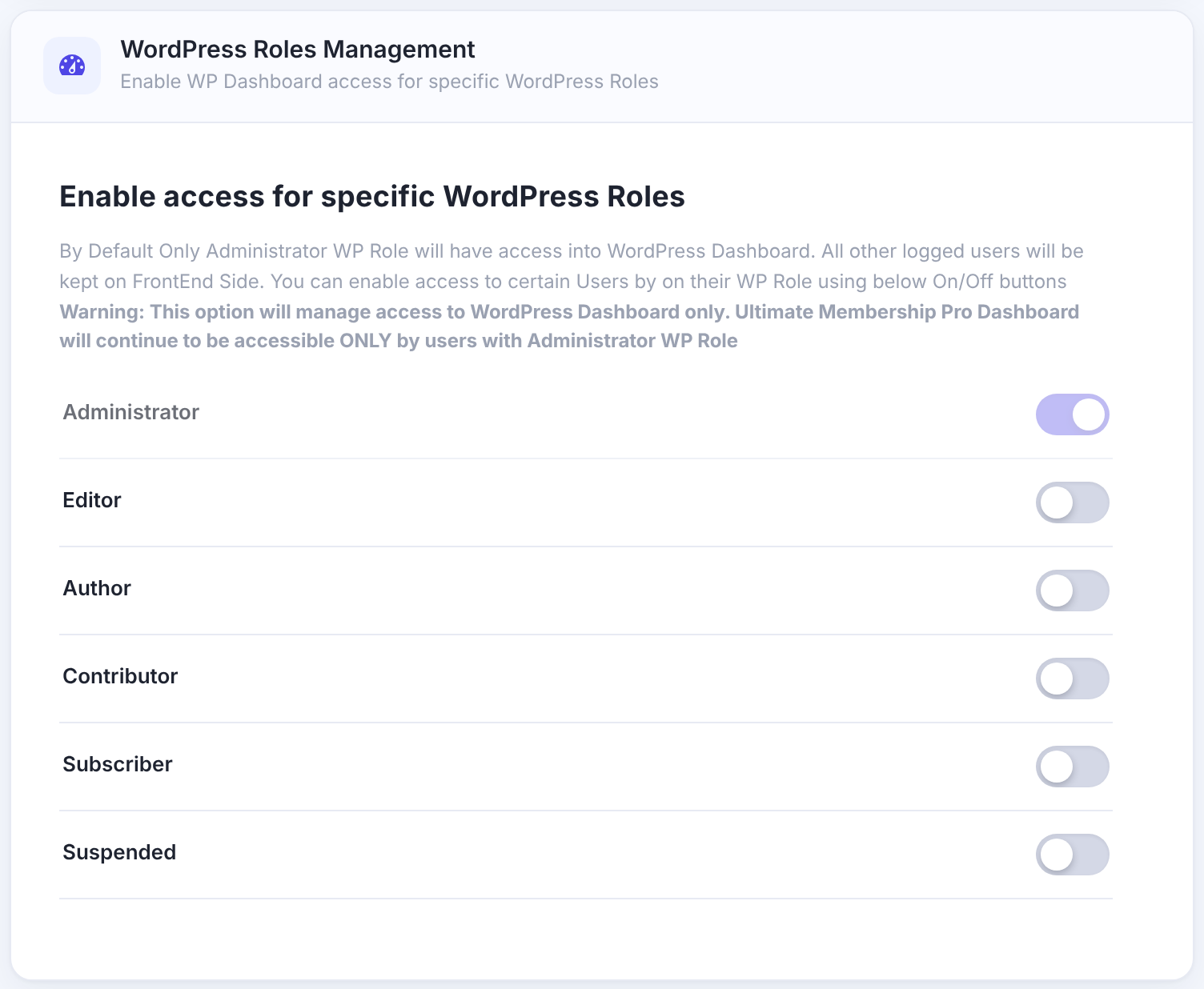
Switch on the roles that may enter
Always allowed. The switch can’t be turned off.
Each WordPress role on your site has a switch. On: users with that role can open the dashboard and see the admin bar. Off: they’re sent to the homepage when they try to open the dashboard.
Default: Off
Click Save Changes.
Good to know
- This controls the WordPress dashboard only. The Ultimate Membership Pro screens stay available to administrators only, whatever you allow here.
- A user who has several roles gets in if any of them is switched on.
- On a multisite network, super admins always get in.
- Background requests that the front end makes (for example forms that save without reloading) keep working for everyone.
Example: a site with staff writers
- Administrator
- On (always)
- Editor
- On
- Author
- On
- Subscriber and other roles
- Off
Troubleshooting
A team member lands on the homepage when they open wp-admin
Their role isn’t switched on. Check their role in Users › All Users and switch it on here.
An editor can open the dashboard but not Ultimate Membership Pro
That’s by design: only administrators can manage the plugin.
Members still see the admin bar
Make sure their role is switched off, and clear any page cache.


