
WordPress membership metered access in Ultimate Membership Pro gives everyone a taste: a visitor reads 3 posts, a free member 10, a paying member as many as they like. The WP Workflow Restrictions module sets those limits per Membership, and can also cap how many posts and comments members submit.
This guide sets up a 30-day reading meter for visitors and free members.
Before you start
- Your license is active. Modules only switch on with an active license; see Find and activate your license key.
- You have your Memberships ready. See Create your first Membership.
Switch on the module and set the period
- Go to Ultimate Membership Pro›Modules and open WP Workflow Restrictions (in the Content Protection group).
- Switch on Activate/Hold WP WorkFlow Restrictions.
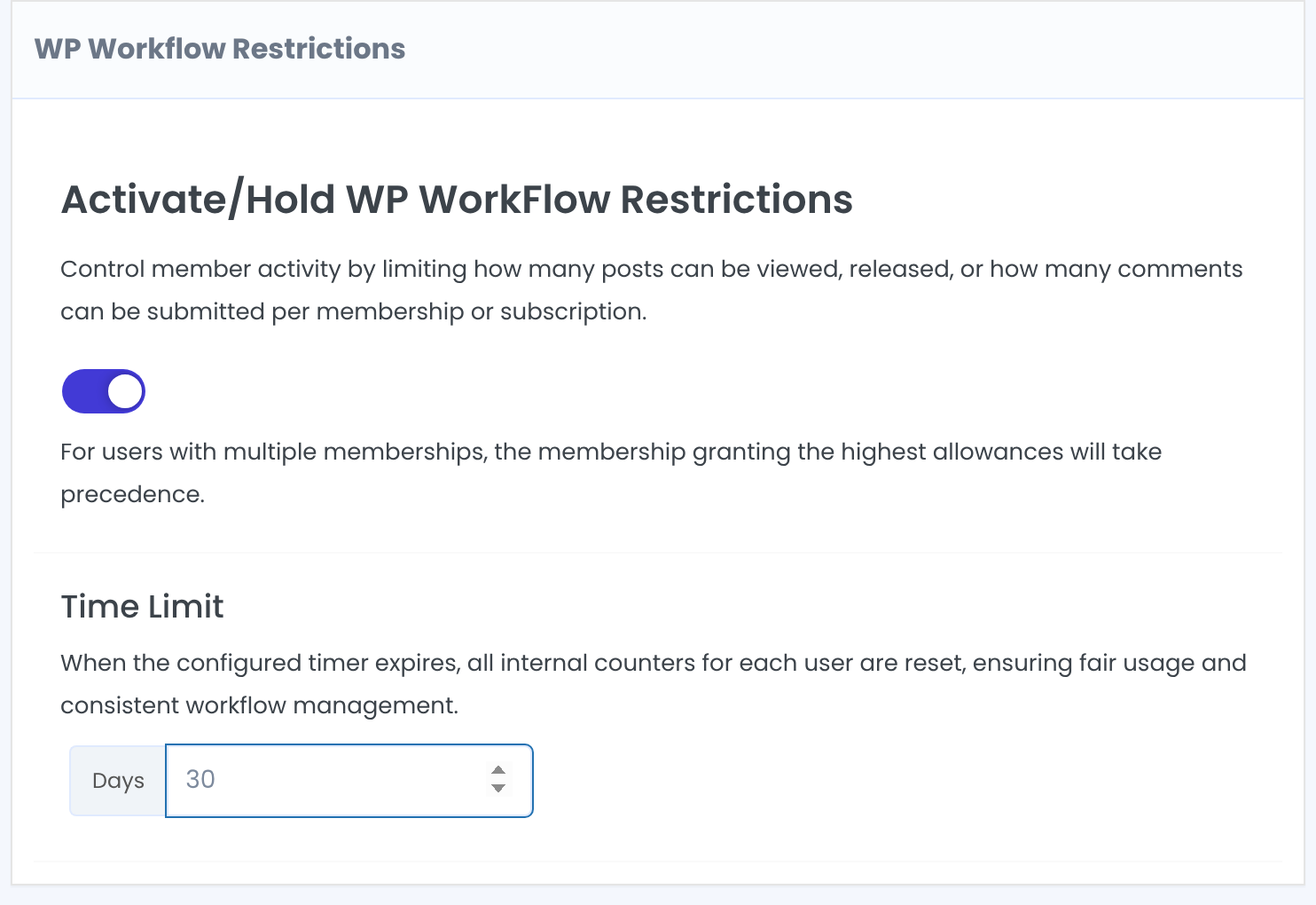
Days. The limits below count within this period; then every member’s counters start again.
Default: 30
Click Save Changes. Each box on this screen has its own Save Changes button; save each box you change.
Limit post views
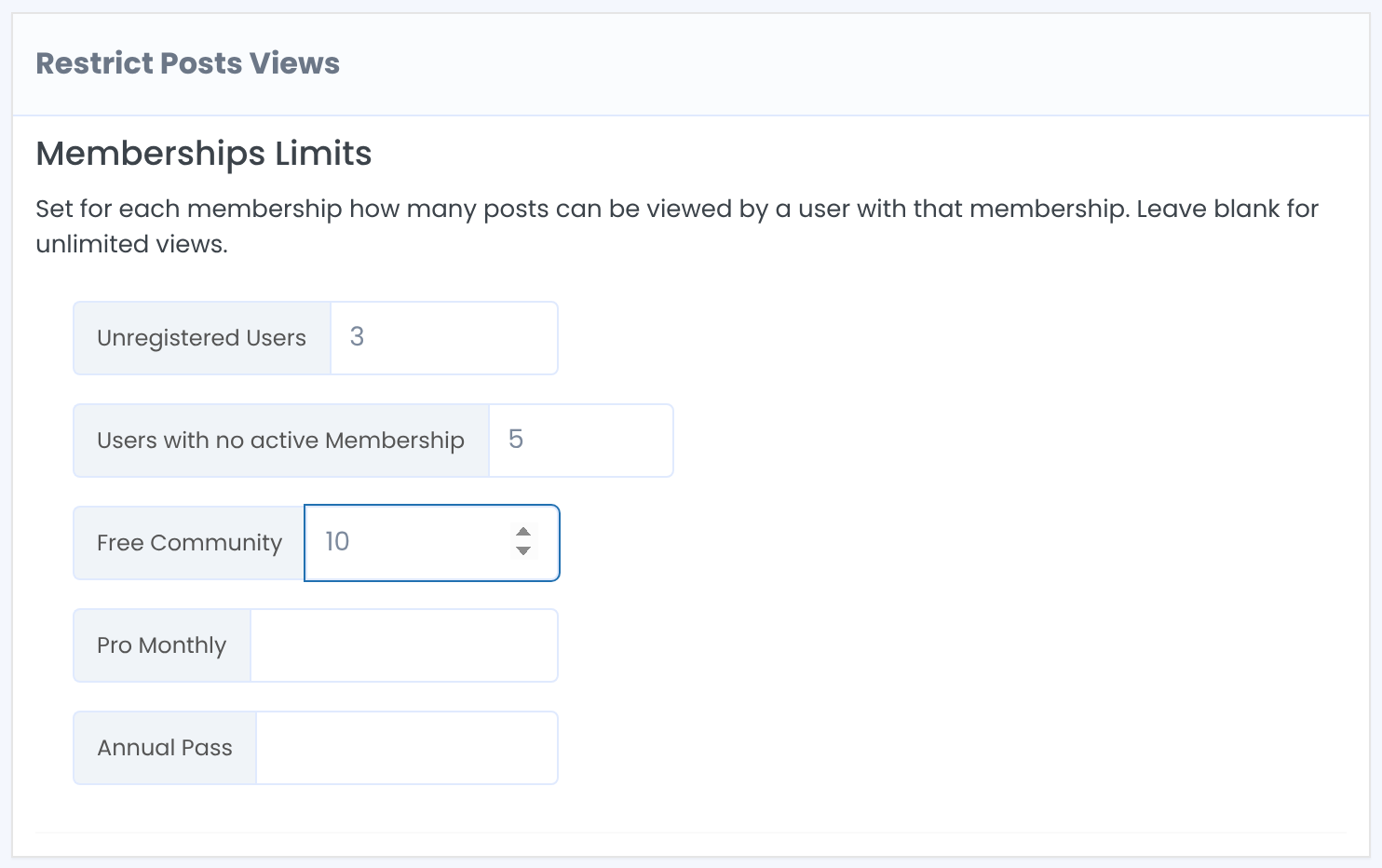
Visitors who aren’t logged in.
Logged-in users whose Memberships have all expired, or who never had one.
Members who hold that Membership. Leave it empty for unlimited.
When someone reaches the limit, the next new post they open behaves like restricted content: they’re redirected or see the replacement content, as the post’s Locker sets. Posts they already read stay open.
Limit posts and comments
How many WordPress posts a member can submit in the period. Posts over the limit are saved with the Pending Review status instead of being published.
How many comments a member can leave in the period. A comment over the limit is deleted.
Good to know
- For a member with several Memberships, the most generous limit counts.
- Read posts are counted in a cookie in the visitor’s browser, so the count is per browser. Clearing cookies or switching device starts it again.
- Administrators are never limited, and the plugin’s own pages (Login, Register, My Account and so on) never count.
- Test the meter on your own posts with a test member before you rely on it.
Example: a 30-day reading meter
- Time Limit
- 30 days
- Unregistered Users
- 3
- Users with no active Membership
- 5
- Free Community
- 10
- Pro Monthly, Annual Pass
- Empty (unlimited)
Troubleshooting
The limit never kicks in
Test while logged out or as a test member; admins are never limited. Check that the module is on and the box was saved.
A member’s submitted post went to Pending Review
They reached the Restrict Posts Created limit for the period. Publish it yourself or raise the limit.
A comment disappeared
The member was over the Restrict Comments Created limit, so the comment was deleted.
A visitor got more views than the limit
The count is stored in the browser. A new browser, a private window or cleared cookies start from zero.


