
The Ultimate Membership Pro showcases are the parts of the plugin that your visitors and members actually see: the registration and login forms, the list of plans, the checkout, the Member Portal and more. Each showcase has its own settings for layout, fields and messages.
This page lists the ten showcases, where each one appears on your site, and how to change them.
Before you start
- Your membership pages are set up. See Set up the membership pages. A showcase only appears on a page that holds its shortcode.
Open the Showcases screen
Go to Ultimate Membership Pro›Showcases. The five most used showcases also have their own items in the menu, under Showcases: Registration Form, Login Form, Subscriptions Plan, Checkout Page and Member Portal.
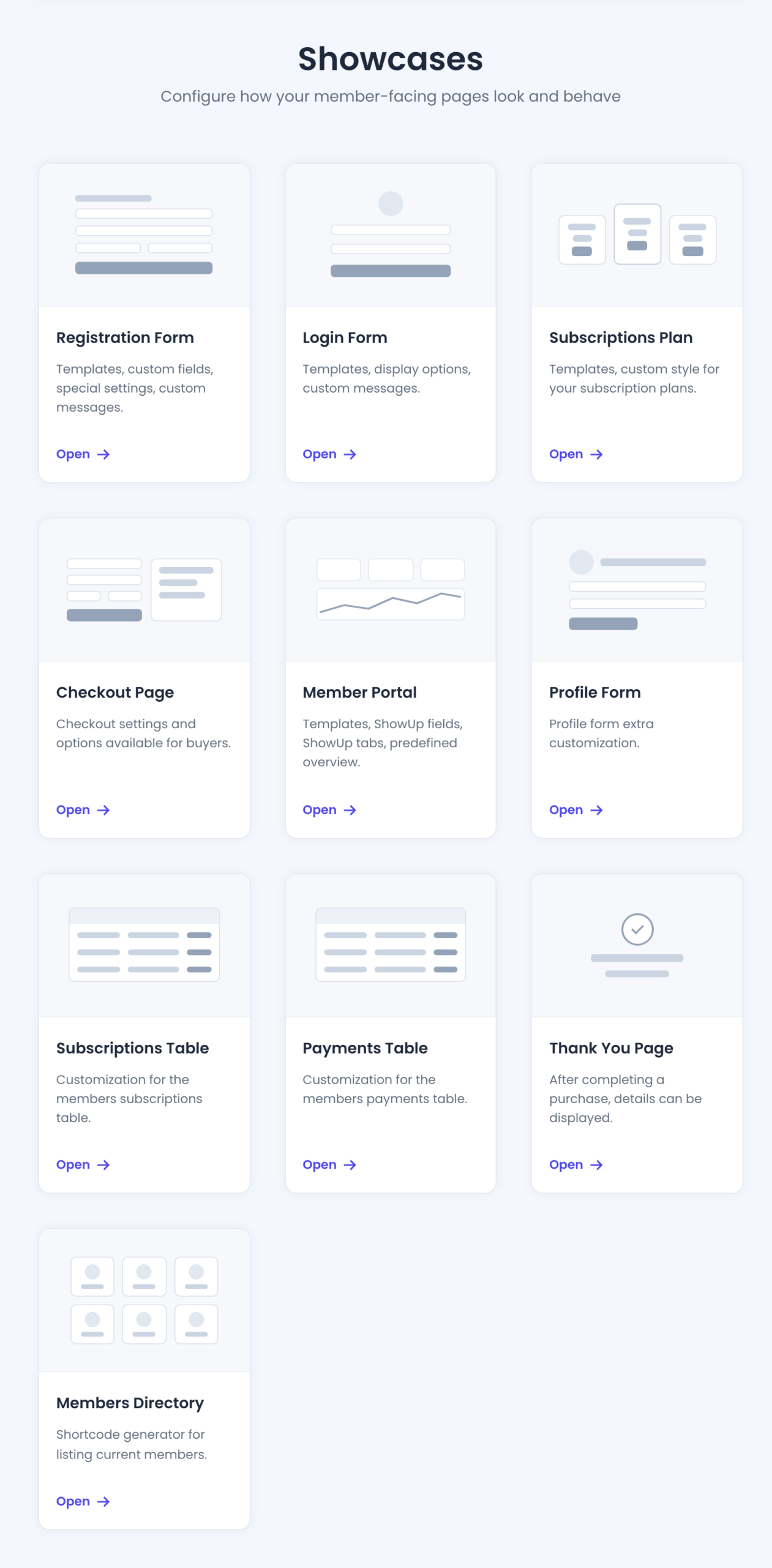
Pick the showcase for what you want to change
Templates, custom fields, special settings, custom messages. Appears on: The Register page. Shortcode: [ihc-register].
Templates, display options, custom messages. Appears on: The Member Login page. Shortcode: [ihc-login-form].
Templates, custom style for your subscription plans. Appears on: The Subscription Plan page. Shortcode: [ihc-select-level].
Checkout settings and options available for buyers. Appears on: The Checkout Page. Shortcode: [ihc-checkout-page].
Templates, ShowUp fields, ShowUp tabs, predefined overview. Appears on: The My Account page. Shortcode: [ihc-user-page].
Profile form extra customization. Appears on: The profile tab of the Member Portal.
Customization for the members subscriptions table. Appears on: The subscriptions tab of the Member Portal.
Customization for the members payments table. Appears on: The payments tab of the Member Portal.
After completing a purchase, details can be displayed. Appears on: The Thank You Page. Shortcode: [ihc-thank-you-page].
Shortcode generator for listing current members. Appears on: Any page where you add the shortcode it generates. Shortcode: [ihc-list-users].
Change the settings and save
- Click Open on the showcase card.
- Change the template, fields or messages.
- Click Save Changes.
The change applies everywhere the showcase’s shortcode is used. Open the page in a private browser window to see it as a visitor.
Going further with styling
- Most showcases have a custom CSS box for small style changes. See I need some style Customization.
- To change the HTML of a template, see How to create your own Templates.
Example: a first pass on a new site
- Match the sign-up form to your brand
- Registration Form
- Show the three plans side by side
- Subscriptions Plan
- Choose the tabs members see in their account
- Member Portal
- Add a message after payment
- Thank You Page
- Show a list of members
- Members Directory
Troubleshooting
My changes don’t show on the page
Check that the page holds the showcase’s shortcode and that it’s the page assigned in Pages Setup. Then clear your cache plugin, if you use one.
The form shows a Trial Version notice
The license isn’t active. See Find and activate your license key.
Where do I set what’s on a member’s public profile?
In Members Directory. See What is the Public Individual Page?.


