
Invitation Codes is an Ultimate Membership Pro module that makes the registration form ask for a code, so only people with a valid one can create an account. Use it for invite-only registration in closed communities: a coaching group for existing clients, a staff portal, a beta.
This guide creates codes for the Coaching Club spring cohort, switches the module on and adds the code field to the form.
Before you start
- Your license is active. This module needs an active license; see Find and activate your license key.
- Your registration form is set up. See Set up the registration form.
Create the codes
- Go to Ultimate Membership Pro›Modules and open Invitation Codes (in the Security & Login group).
- Click Add Single Invitation Code for one code you choose, or Add Bulk Invitation Codes for many random ones.
A single code is handy to share with a whole group. The example code works for the first 25 sign-ups:
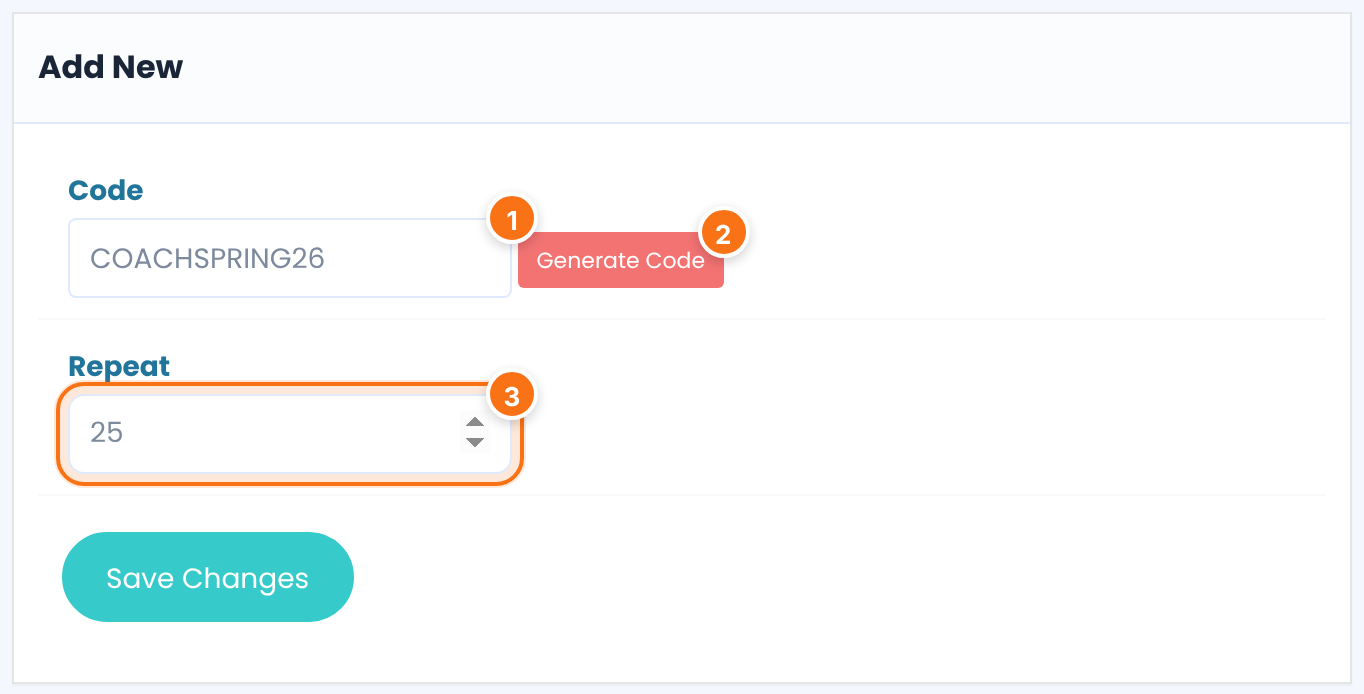
The code people type. Letters, numbers and underscores; spaces become underscores and other characters are removed. A code that already exists isn’t added again.
Fills in a random 10-character code.
How many registrations the code allows. With 1, it works once.
Default: 1
Bulk codes suit personal invitations, one code per person:
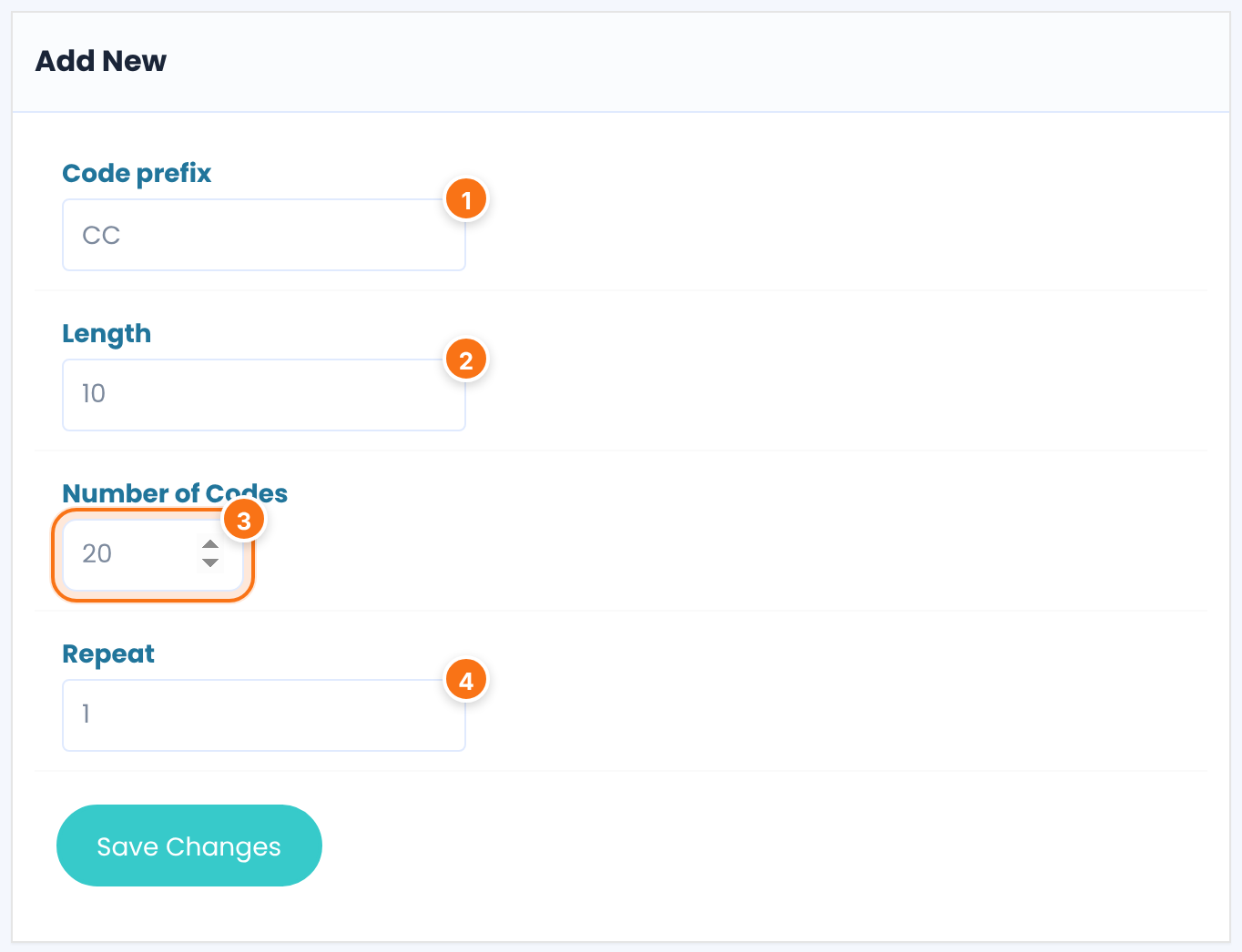
Text every code starts with, for example CC.
The total length of each code, prefix included. Keep it longer than the prefix.
Default: 10
How many codes to create, up to 100 at a time.
Default: 2
How many registrations each code allows.
Default: 1
Click Save Changes.
Switch on the module
Click Manage Invitation Codes. Switch on Activate/Hold Invitation Codes and click Save Changes. Your codes are listed below.
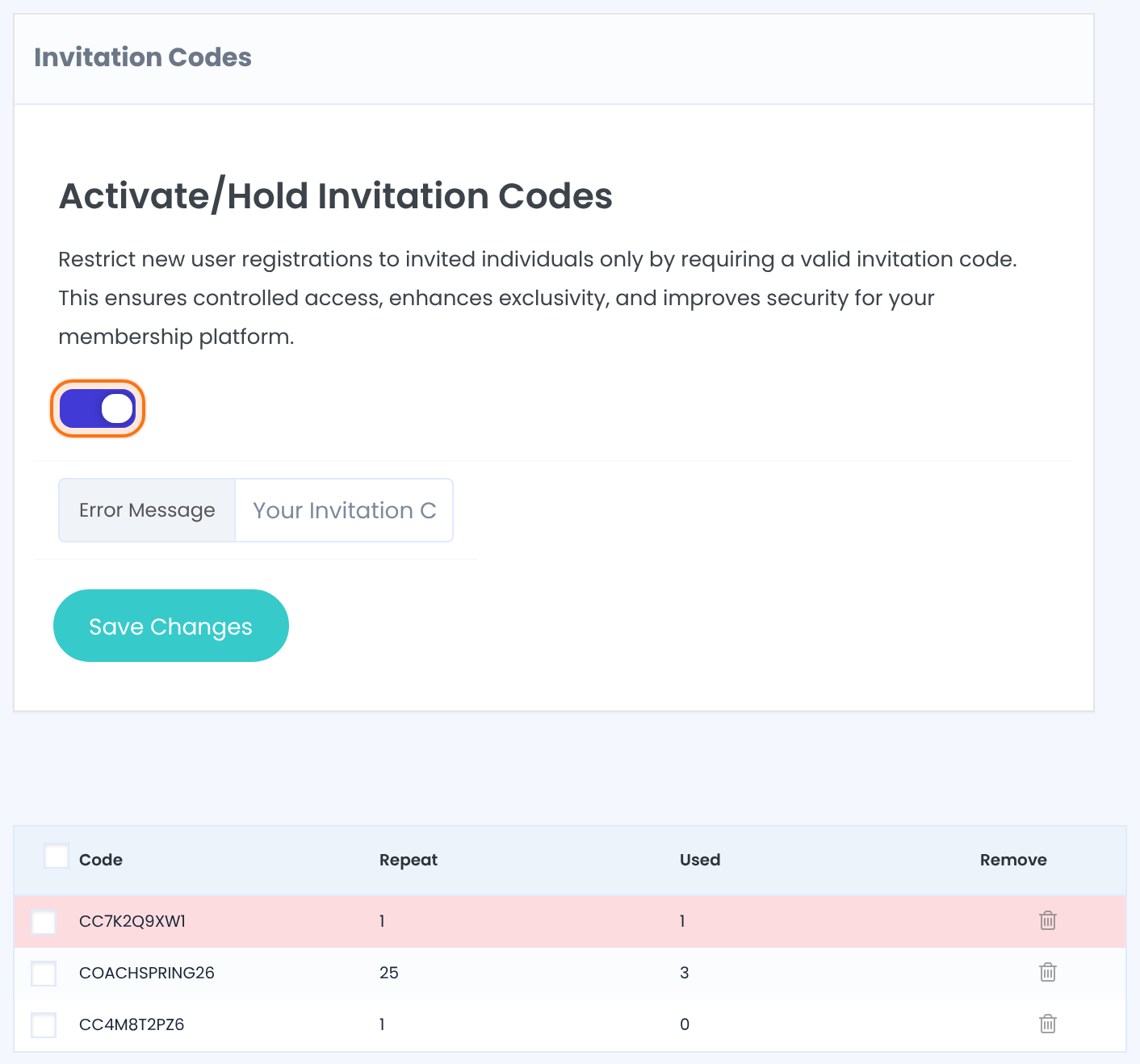
What visitors see when the code is empty, unknown or used up.
Default: Your Invitation Code is wrong.
How many registrations a code allows and how many it has had. When Used reaches Repeat, the code stops working.
Deletes a code. Tick several codes and click Remove under the table to delete them together.
Add the code field to the form
- Go to Ultimate Membership Pro›Registration Form, tab Custom Fields.
- In the Invitation Code row, switch on On Registration. Switch on On Modal too if you use the popup form.
- Click Save Changes.
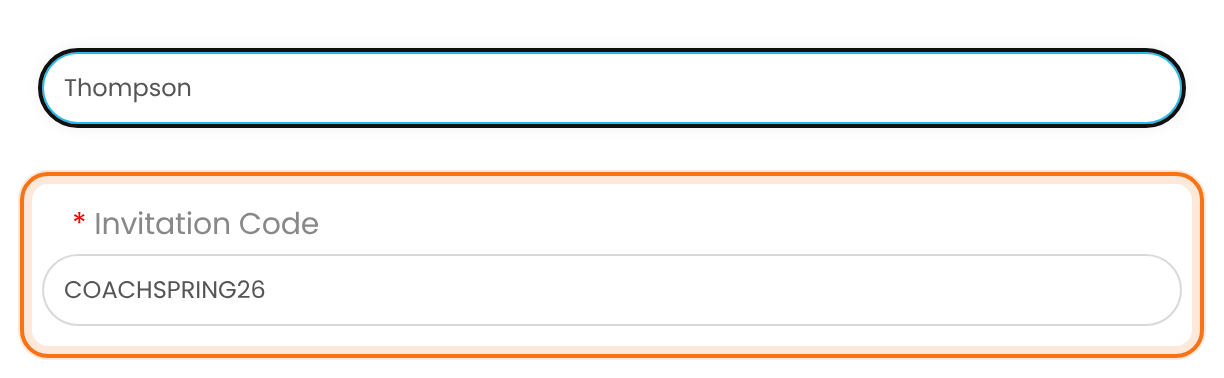
The field is always required. Visitors now see it on the form:
Invite-only for one plan
Edit the Invitation Code field and pick Memberships under Targeting Memberships. Only sign-ups for those Memberships then need a code; the others register as usual.
What a code doesn’t do
- A code isn’t tied to a person, an email address or a Membership. Anyone who knows it can use it until Used reaches Repeat.
- The email-only Register Lite form doesn’t ask for a code. Don’t use it on an invite-only site. See Registration with email only (Register Lite).
- Members you add yourself in the admin don’t need a code.
Example: Coaching Club spring cohort
- Activate/Hold Invitation Codes
- On
- Shared code
COACHSPRING26, Repeat 25- Personal codes
- 20 codes, prefix CC, Length 10, Repeat 1
- Invitation Code field
- On Registration, all Memberships
Troubleshooting
Why does registration fail with “Your Invitation Code is wrong.”?
Ultimate Membership Pro shows this message when the invitation code is mistyped, doesn’t exist or is used up (Used equals Repeat). Check the code in Manage Invitation Codes, or create a new one.
Why does the registration form say “Please fill out all mandatory fields” on an invite-only site?
On an invite-only site, Ultimate Membership Pro shows this message when the Invitation Code field is empty. The code is always required when the field is on the form.
Why doesn’t the invitation code field show on the registration form?
The Invitation Code field shows only after you switch on On Registration in the Invitation Code row and save. If the field targets some Memberships, it only shows for those Memberships.
Why can people register without an invitation code?
People can register without a code when Activate/Hold Invitation Codes is off, or when a Register Lite form is on your site, because Register Lite doesn’t ask for a code.


