
Register Redirects+ is an Ultimate Membership Pro module to redirect members after registration: each new member goes to a page made for the Membership they just signed up for. For example, free members get a welcome page and paying members an onboarding page.
This guide sets one landing page per Membership for the Coaching Club site and explains which sign-ups the rules apply to.
Before you start
- The Register Redirects+ module is activated in Ultimate Membership Pro›Modules (under Members & Registration). This module needs an active license; see Find and activate your license key.
- Your registration form is set up. See Set up the registration form.
- The landing pages are published. To use an address outside your site, add it as a redirect link first: Add your own redirect links.
Set a page for each Membership
- Go to Ultimate Membership Pro›Modules and click Register Redirects+.
- Check that Activate/Hold Register Redirects+ is on.
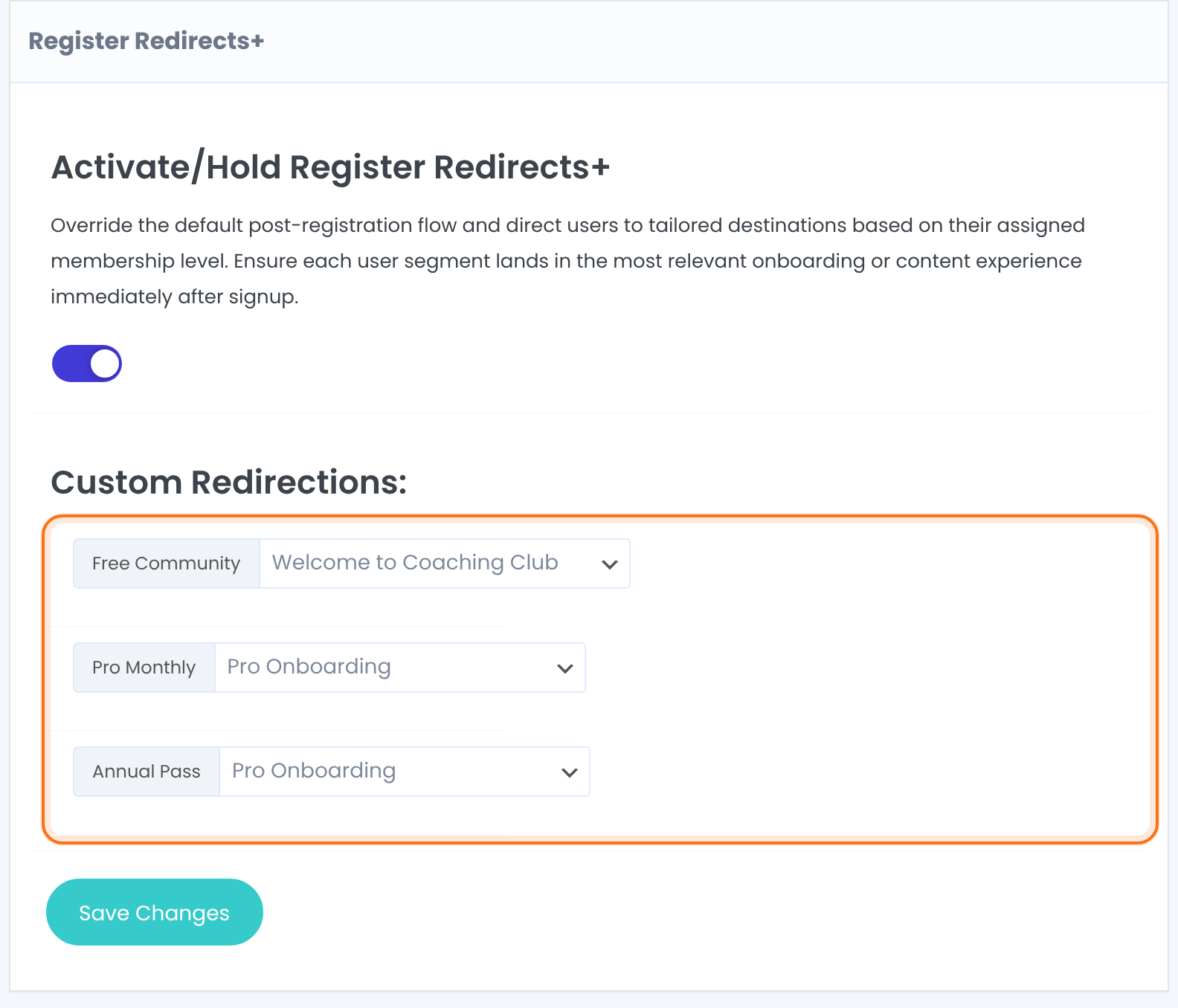
- Under Custom Redirections:, pick a page for each Membership.
- Click Save Changes.
Turns the rules on or off.
Default: Off
One row per Membership. Pick a page or a redirect link (Custom Link: <name>). Choose … to use the default After Registration page for that Membership.
Rows you don’t change are saved too
Before your first save, every row already shows a page: your After Registration page from Pages Setup or, if that isn’t set, simply the first page in the list. Save Changes stores what every row shows, including the rows you didn’t touch, so those Memberships would get a redirect you never chose. For each Membership that should keep the normal behavior, choose … before you save.
Which sign-ups the rules apply to
A registration carries one Membership, the one the visitor picked, so there are no priorities to set. Where the new member lands depends on how they join:
The page set for the Membership here. Without a rule: the Thank You Page from Pages Setup.
Same as a free Membership: the page set here, or the Thank You Page.
After paying at Stripe, PayPal or another gateway, members return to the Thank You Page (or the gateway’s own return page). These rules don’t apply.
The After Registration page in Settings›Pages Setup›Redirects Setup, or the same page if it’s set to Do Not Redirect.
Other sign-up flows
- The Register Lite form has its own redirect setting. See Registration with email only (Register Lite).
- With email verification, the page after clicking the verification link is set in Settings › Email Verification. See Verify members’ email addresses.
Example: Coaching Club
- Activate/Hold Register Redirects+
- On
- Free Community
- Welcome to Coaching Club
- Pro Monthly
- Pro Onboarding
- Annual Pass
- Pro Onboarding
Troubleshooting
Why do paying members land on the Thank You Page instead of my page?
Members who pay online return from the payment gateway to the Thank You Page, so the Register Redirects+ rules don’t apply to them. Put your onboarding links on that page, or use these rules for free and Bank Transfer Memberships.
Why does everyone go to the same page after registration?
Everyone goes to the same page when the Activate/Hold Register Redirects+ switch is off or not saved. If the registration form isn’t tied to a Membership, the After Registration page is used.
Why do new members land on a page I didn’t choose?
New members land on a page you didn’t choose when a page was stored in that Membership’s row when you saved. Set the rows to the right page or to … and save again.
Can I send new members to another website after registration?
You can send new members to another website. Add the address as a redirect link and pick Custom Link: <name> in the Membership’s row.


