
In Ultimate Membership Pro, Social Connect adds social login buttons such as Continue with Facebook or Google to your login form. Members who linked their account log in with one click, without typing a password. It works with Facebook, Google, LinkedIn, Twitter, Vkontakte, Instagram and Tumblr.
This guide connects Google and Facebook for the Coaching Club site, turns on the buttons, and shows how members link their account.
Before you start
- An app (or OAuth client) in the developer console of each provider you want to use. You copy its ID and secret into Ultimate Membership Pro.
- Your login form is set up. See Set up the login form.
How social login works
Link first
- Who
- Members with an account on your site
- Where
- Registration form or Member Portal
- Result
- The social account is tied to the member
Then log in
- Who
- Members who linked an account
- Where
- Login form
- Result
- One click, no password
A social button doesn’t create an account
Social login only works for members who already linked that social account. Someone without a linked account sees “You are not registered with this social network. Please register first!” and has to register first.
Add the provider’s keys
- Go to Ultimate Membership Pro›Settings›Social Connect.
- Under Connections, click Configure on the provider, for example Google.
- Create an app in the provider’s developer console. Copy the redirect URL shown on this screen into the app, then copy the app’s ID and secret here.
- Switch on Activate Google Service and click Save Changes.
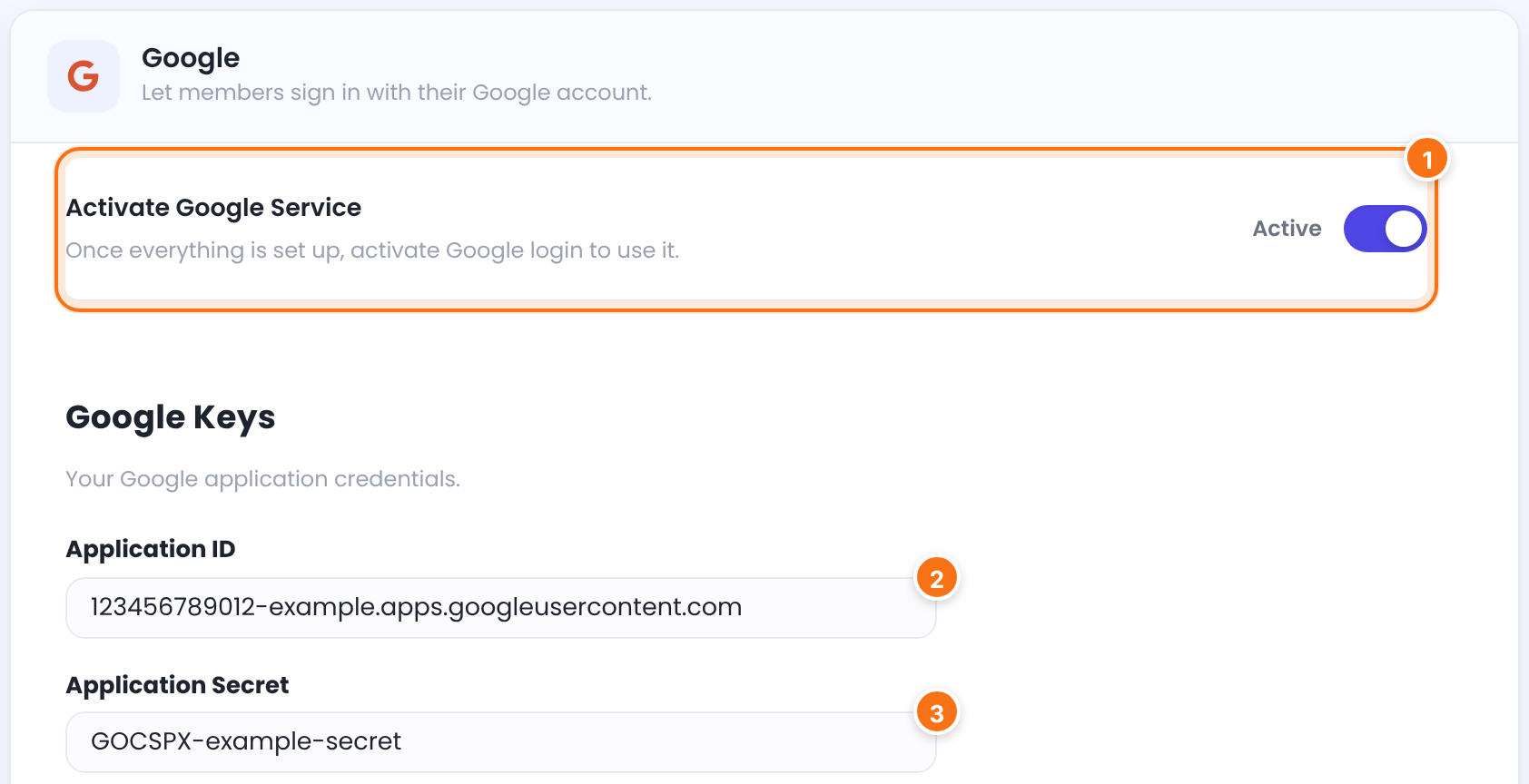
Turns the provider on. The card on the Social Connect screen then shows Active.
Default: Off
The app’s ID, called Client ID in Google.
The app’s secret, called Client Secret in Google.
Each screen also lists How to create a Google App (or the name of that provider). The step with the callback URL is the one to copy exactly:
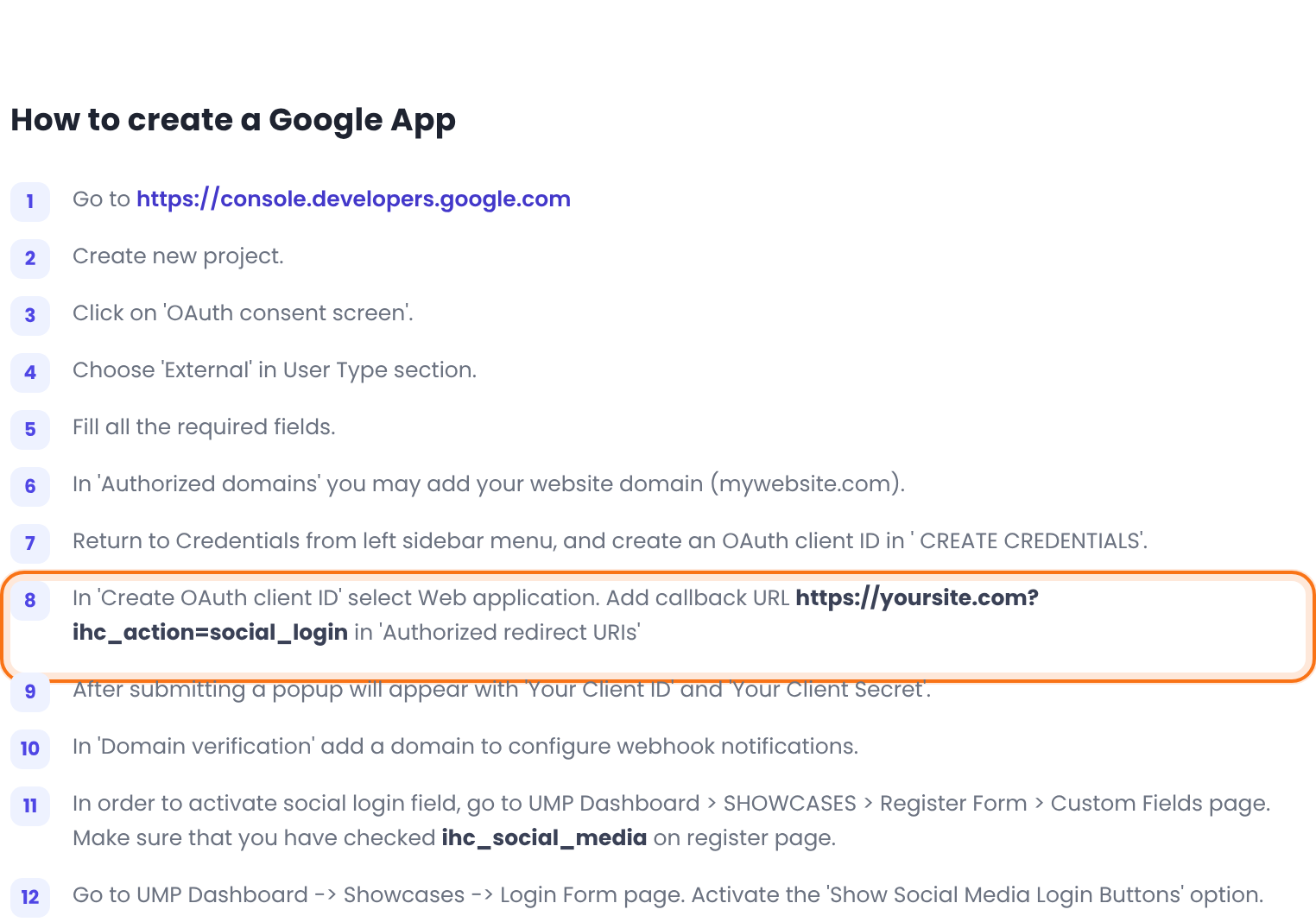
The key fields have different names for each provider:
Application ID and Application Secret
Client ID and Client Secret
API key and API secret key
OAuth consumer key and OAuth consumer secret
A button shows only when the provider is complete
- Both keys must be saved and the Activate switch must be on. Otherwise the provider’s button stays hidden everywhere.
- Providers change their developer consoles and rules often. If a provider asks for something these steps don’t mention, follow the provider’s own help.
Choose how the buttons look
- On the Social Connect screen, under Appearance, click Edit on Display Settings.
- Pick a template and click Save Changes.
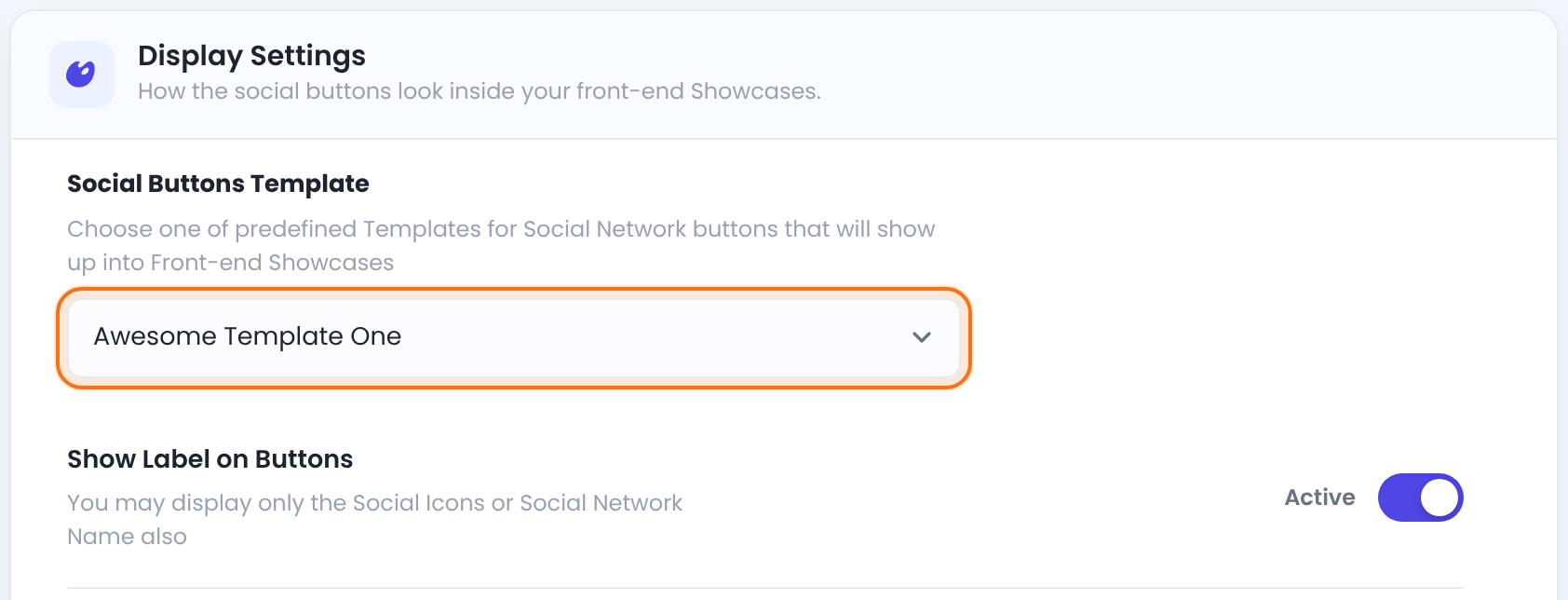
Awesome Template One, Split Box Template, Shutter Color Template, Margarita Template or Picaso Template.
Default: Awesome Template One
Shows the network name next to the icon. Turn it off for icons only.
Default: On
Text above the buttons on the login form.
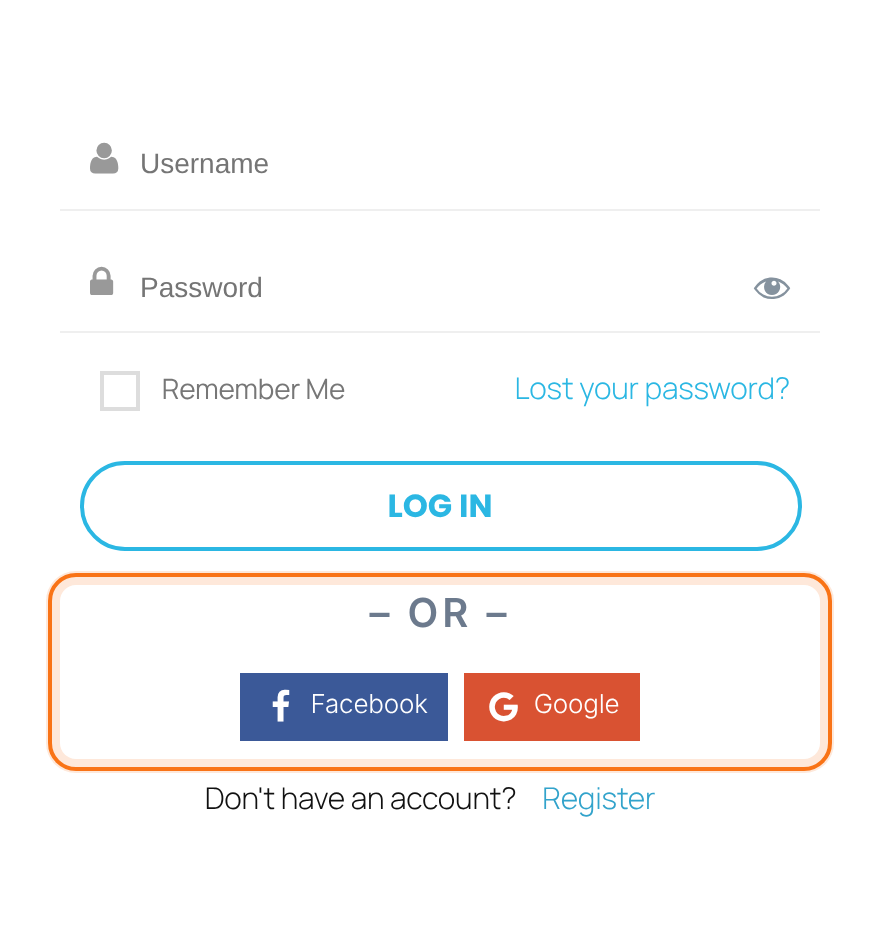
Default: – OR –
Text below the buttons on the login form.
Default: Empty
Extra CSS for the buttons area.
Default: Empty
Show the buttons on the login form
- Go to Ultimate Membership Pro›Login Form.
- In Additional Options, switch on Display Social Media Login Buttons.
- Click Save Changes.
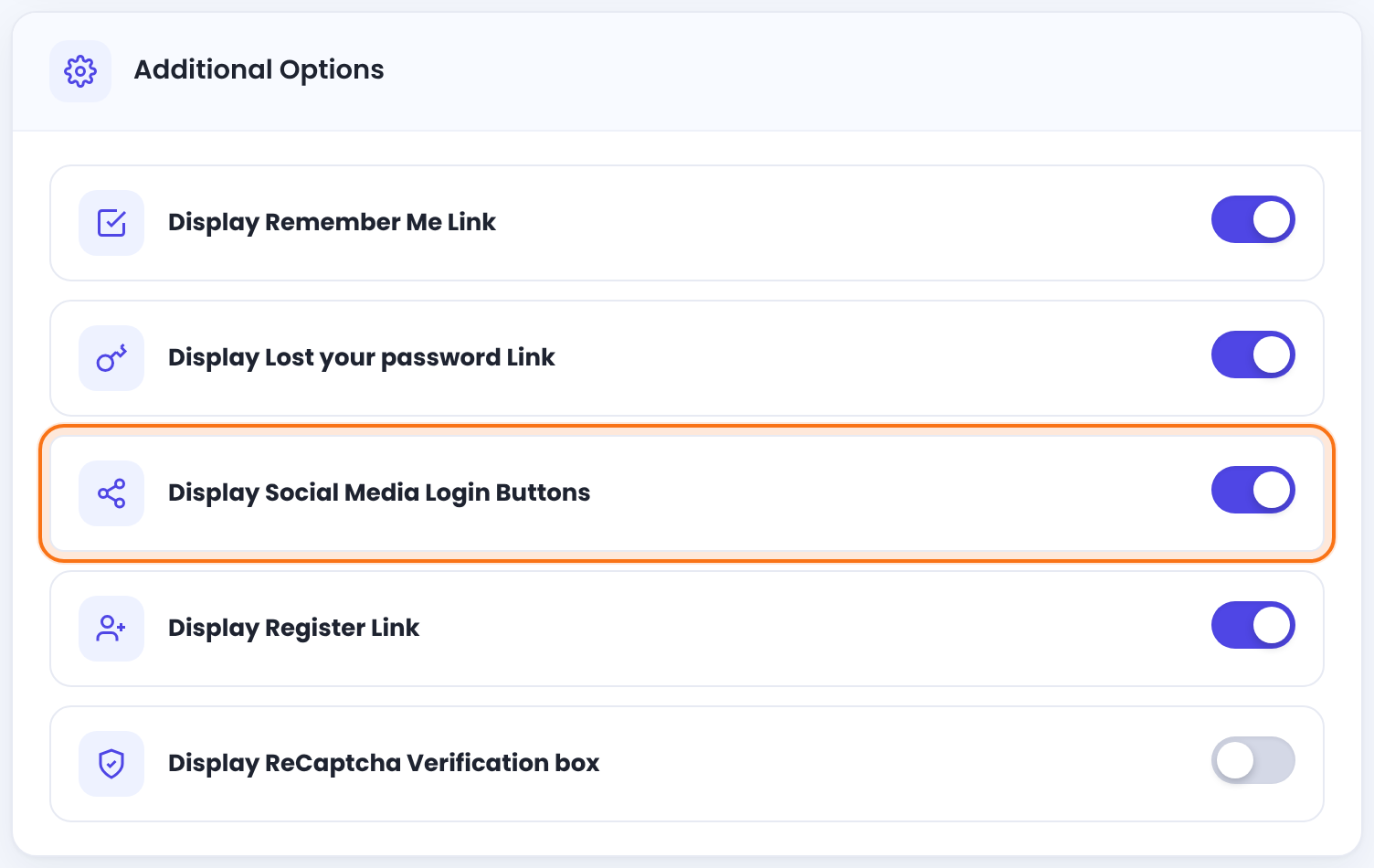
Visitors now see one button for each active provider under the login button:
Turn the buttons on for one login form only
[ihc-login-form social="1"]The social attribute overrides the setting for that form. Use social="0" to hide the buttons on one form.
Let members link their account
Members link a social account in one of two places:
Go to Registration Form›Custom Fields and switch on On Registration for the field ihc_social_media (its label is a dash). The registration form then shows the buttons. A visitor who clicks one comes back with the form partly filled from their profile, such as name and email, finishes the sign-up, and the account is linked.
Default: Off
The Social Connection tab of the Member Portal shows the buttons. A member clicks a network to link it, and clicks a linked one again to remove it. You can also place the buttons on any page with [ihc-social-links-profile].
Default: On
WordPress Social Login plugin
Older versions worked with the separate WordPress Social Login plugin and its [wordpress_social_login] shortcode. That integration is no longer supported. Use Social Connect instead.
Example: Coaching Club
- Application ID and Application Secret saved, Activate Google Service on
- Application ID and Application Secret saved, Activate Facebook Service on
- Social Buttons Template
- Awesome Template One, labels on
- Display Social Media Login Buttons
- On
- ihc_social_media field
- On Registration
- Member Portal
- Social Connection tab
Troubleshooting
Why does the login form say “You are not registered with this social network. Please register first!”?
Ultimate Membership Pro shows this message when the social account isn’t linked to a member. Log in with the password once, then link it in the Member Portal’s Social Connection tab. Change the text in Login Form›Custom Messages (Default message for error on social login).
Why don’t the social login buttons show?
The social login buttons show only when the provider has both keys saved and its Activate switch on, and Display Social Media Login Buttons is on. Log out to test: logged-in visitors don’t see the login form.
Why does clicking a social button bring me back to the page with no message?
A social button brings you back with no message when the provider refused the login. Check that the redirect URL in the provider’s app matches the one on the provider’s screen exactly, that the ID and secret are right, and that the app is live, not in test mode. Security plugins or firewalls that block direct access to plugin files can also stop it.
Why do I get a PHP error that mentions hybridauth or OAuth.php?
The PHP error about hybridauth or OAuth.php comes from very old versions of the plugin. Update Ultimate Membership Pro, then test with other plugins and the theme switched off to find a conflicting copy of the same library.
Why does the login form say “Your account has not been approved. Please retry later”?
Ultimate Membership Pro shows this message when the member is waiting for approval. Approve the account in Ultimate Membership Pro›Members.


