
Register Lite is an Ultimate Membership Pro module for email only registration: it adds a second, minimal sign-up form with a single field, the email address. The plugin creates the account, uses the email as the username, and emails the new member a generated password.
This guide switches the module on, sets it up, places the form on a page and shows how to remove the password field from the main registration form too.
Before you start
- The Register Lite module, included in the plugin. You switch it on in Ultimate Membership Pro›Modules, step 1.
- Your site can send email, because the password arrives by email. See Set up email notifications.
Register Lite or the main form?
Email only. No Membership is assigned, and there is no captcha, terms checkbox, invitation code or custom field. Good for newsletters, free communities and lead capture.
Every field you set up, a Membership and payment. See Set up the registration form.
Switch on the module
- Go to Ultimate Membership Pro›Modules and open Register Lite (in the Members & Registration group).
- Switch on Activate/Hold Register Lite.
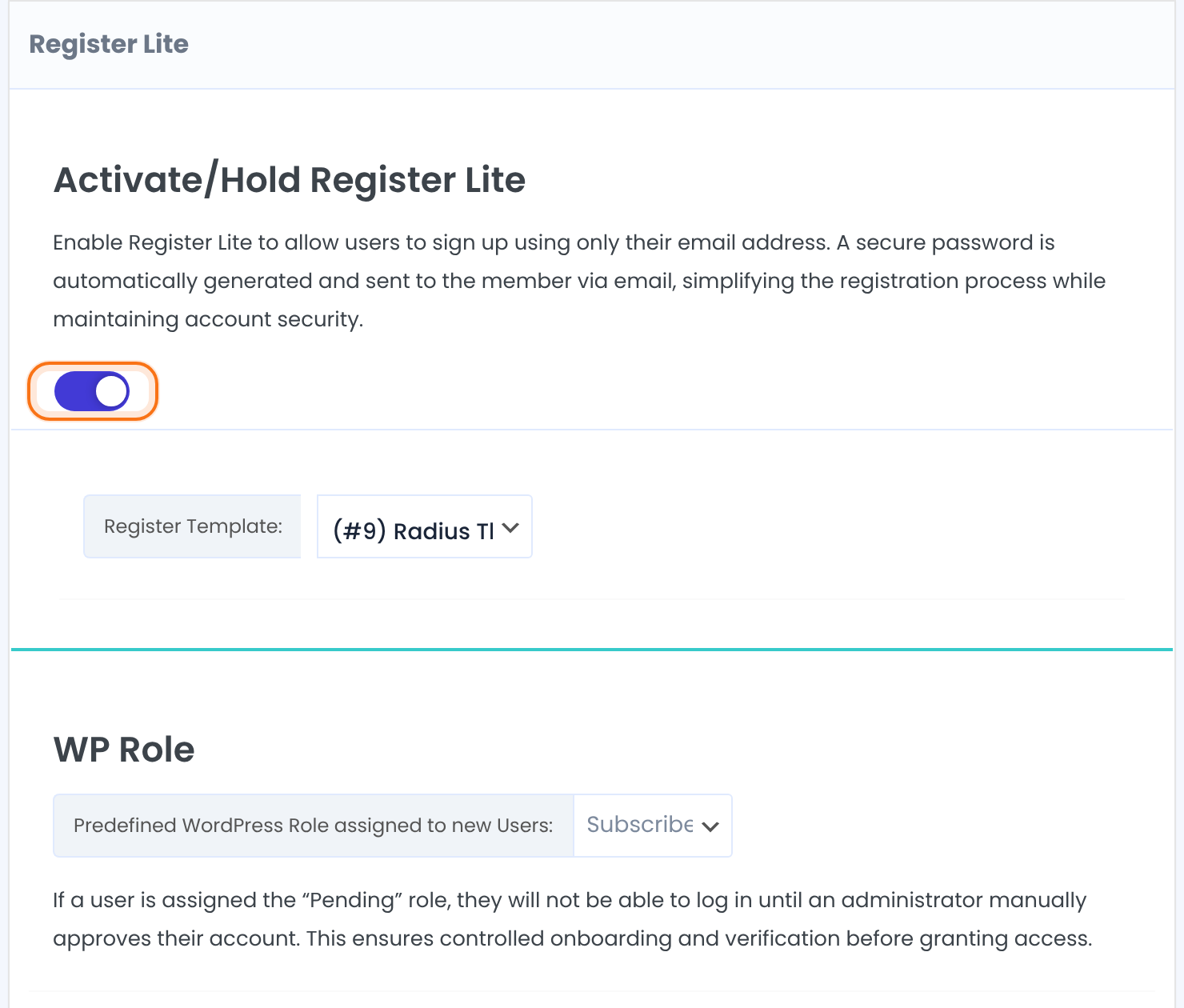
The look of the form. The same 14 templates as the main form.
Default: (#3) Blue Box Theme
Predefined WordPress Role assigned to new Users. Choose Pending to approve every new account yourself in Members before it can log in. When you use Pending, turn Auto Login after Registration off.
Default: Subscriber
Choose what happens after sign-up
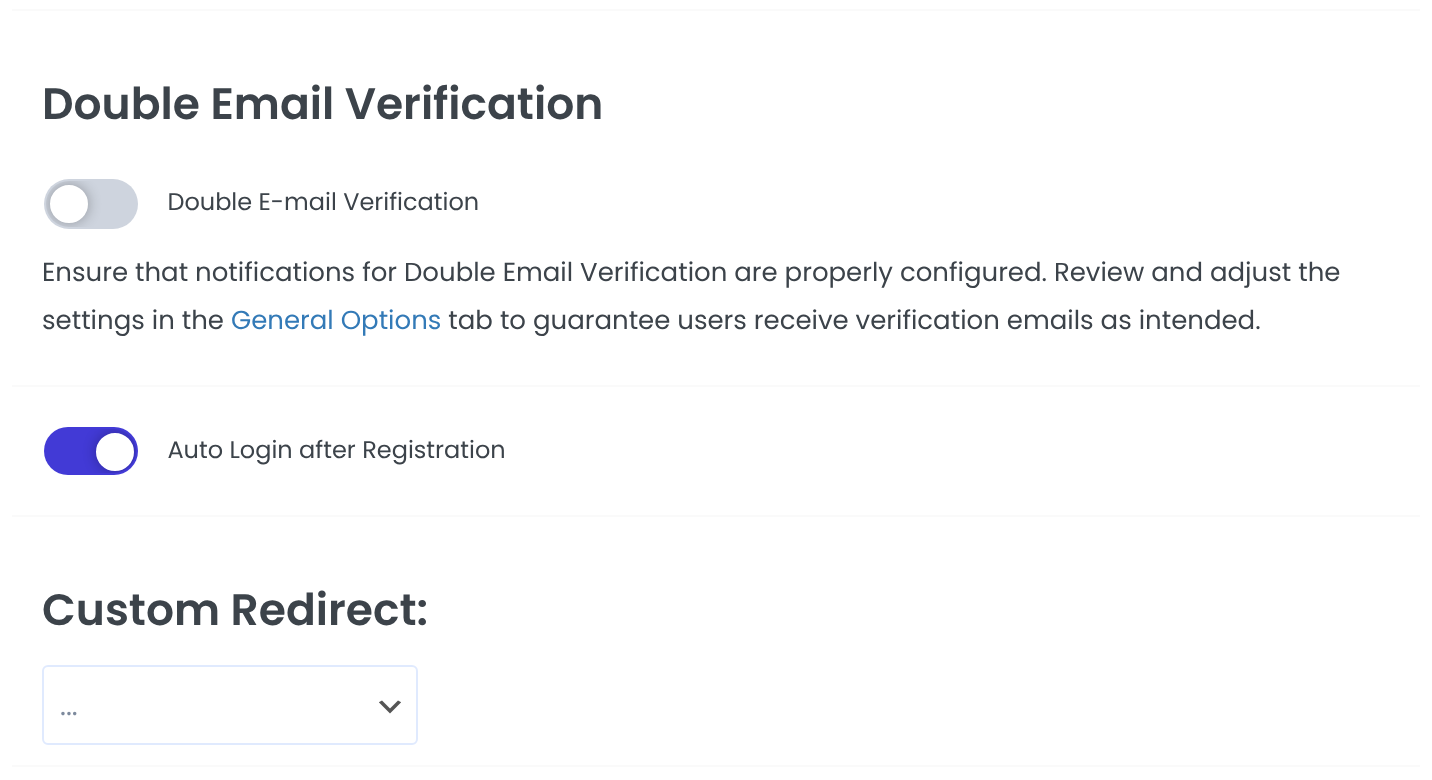
New members must confirm their email before they can log in. It uses the same emails and settings as the main form. See Verify members’ email addresses.
Default: Off
Logs the member in right after sign-up. Turn it off when you use Double E-mail Verification or the Pending role.
Default: On
The page members go to after signing up. With none, the After Registration page from Pages Setup is used, and otherwise they stay on the same page. Custom links from the Redirect Links module are listed too.
Default: …
Styles for this form only.
Click Save Changes.
Add the form to a page
Paste the shortcode into any page, for example a “Join with your email” page or a footer block:
Register Lite form
[ihc-register-lite]Visitors see one email field and the button:
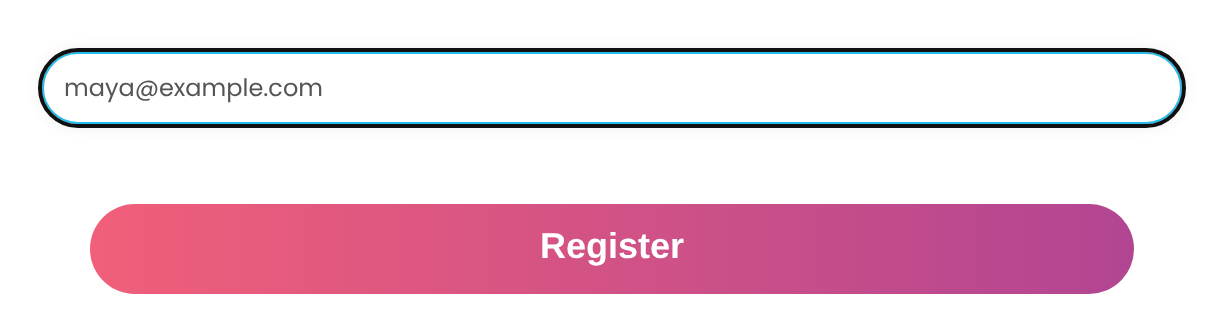
The field’s label and help text come from the Email field in Custom Fields, and the button text from Sign-Up Button Label on the main form’s settings. The password email is Send auto-generated Password to Customer in Ultimate Membership Pro›Email Notifications; it contains the {NEW_PASSWORD} placeholder.
Not for invite-only sites
Register Lite doesn’t ask for an invitation code. If you use Invite-only registration, don’t put the Register Lite form on your site.
Remove the password field from the main form
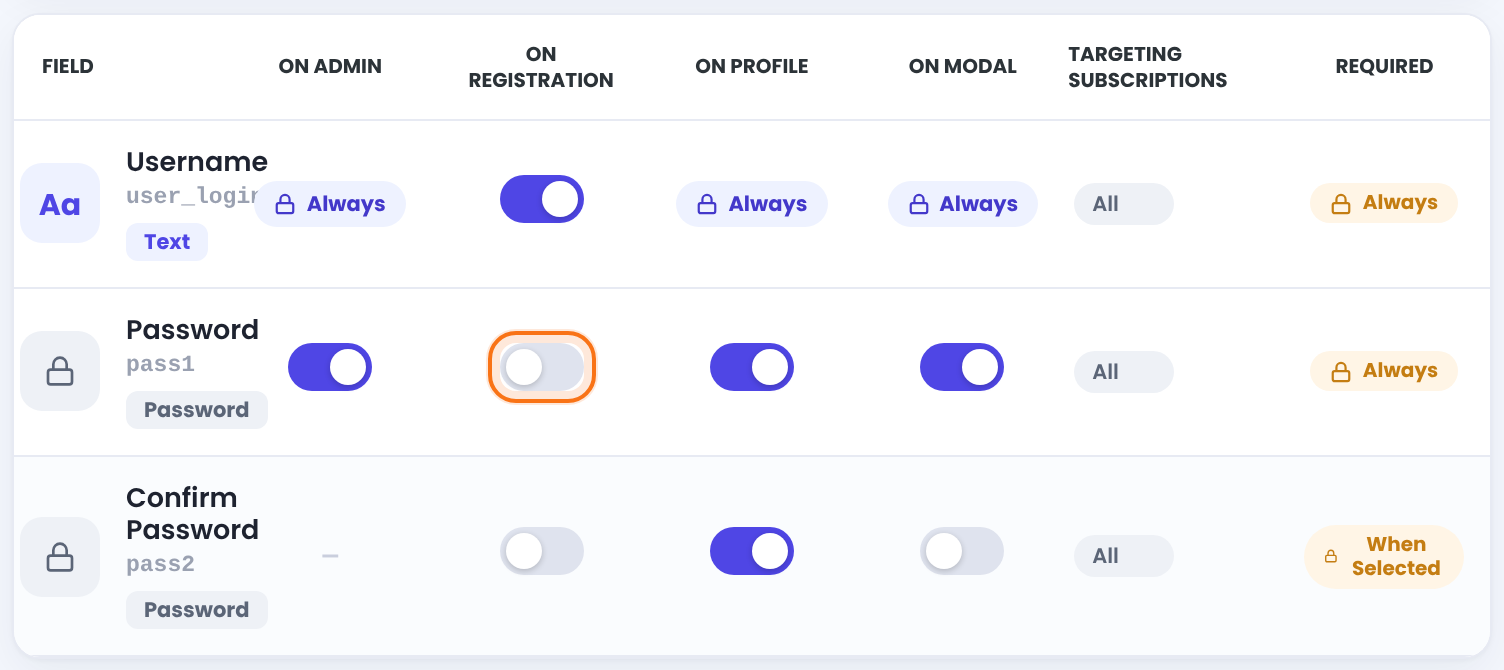
While Register Lite is on, the Username and Password rows of the main form get an On Registration switch. Switch the password off and the main form works like Register Lite for passwords: the plugin generates one and emails it.
- Go to Ultimate Membership Pro›Registration Form, tab Custom Fields.
- In the Password row, switch off On Registration. Do the same for Confirm Password.
- Optional: switch off Username too. The email address is then used as the username.
- Click Save Changes.
Members who lose the email can set a new password on your Lost Password page. See How password reset works.
Example: newsletter sign-up for Coaching Club
- Activate/Hold Register Lite
- On
- Register Template
- (#9) Radius Theme
- WP Role
- Subscriber
- Enable Opt-In
- On
- Auto Login after Registration
- On
- Shortcode
[ihc-register-lite]
Troubleshooting
Why does the Register Lite form say “Email address has already been taken”?
Ultimate Membership Pro shows this message when someone already has an account with that email address. That person can log in, or reset their password from the Lost Password page.
Why does the Register Lite form say “You must have a valid email address”?
Ultimate Membership Pro shows this message when the email field is empty or the address isn’t valid.
Why didn’t a new member get a password from Register Lite?
A new member doesn’t get a password when the Send auto-generated Password to Customer email isn’t active in Email Notifications, or when your site can’t send email. Also look in the member’s spam folder.
Why doesn’t the Register Lite form show?
The Register Lite form never shows to logged-in users. As an administrator, test it in a private window.
Why doesn’t the Password row have an On Registration switch?
The On Registration switch of the Password row only appears while the Register Lite module is on.


