
Redirect Links is an Ultimate Membership Pro module that saves any address, such as a booking tool, a community forum or a shop on another domain, as a named custom redirect link. Redirect settings normally list only the pages of your site; a saved link then appears there as an extra option.
This guide adds two links for the Coaching Club site and uses one of them as the page members see after login.
Before you start
- The Redirect Links module is in Ultimate Membership Pro›Modules (under Members & Registration). Its card opens once your license is active; the module itself is always on, so there’s nothing to switch on.
- The full address of each link, starting with https://.
Add a link
- Go to Ultimate Membership Pro›Modules and click Redirect Links.
- Fill in Name: and Custom Link:.
- Click Add New. The link is added to the list below the form.
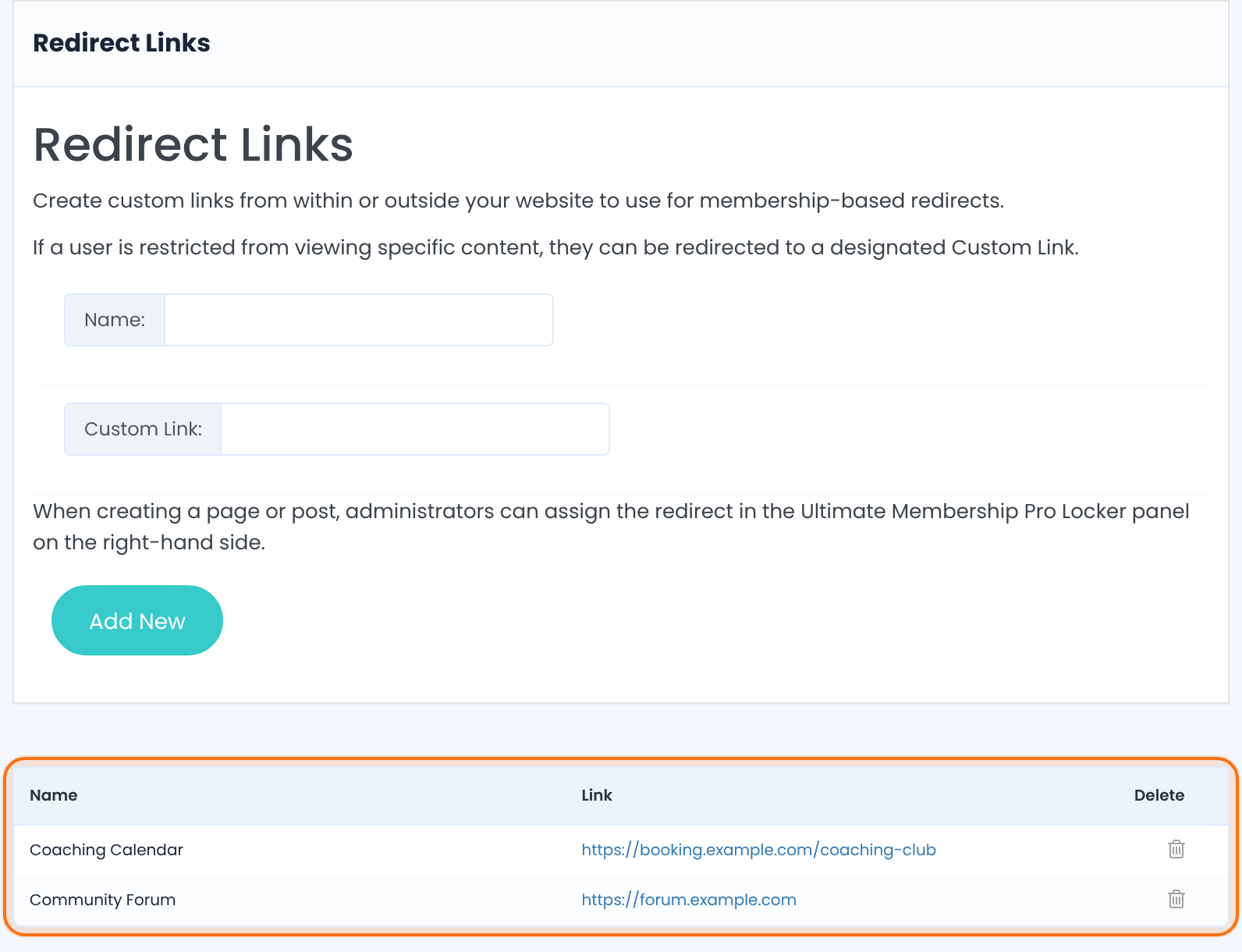
The name you’ll see in the redirect lists, such as Community Forum. Each name must be unique: a second link with the same name isn’t added.
The full address, for example https://forum.example.com. Always include https://. An address without http gets http:// added in front, so a short path such as /thank-you doesn’t work.
Links can’t be edited
- To change a link, delete it with the bin icon and add it again. The bin deletes right away, without asking.
- Settings that used a deleted link fall back to their default. Pick the new link again where you used the old one.
Use the link in a redirect setting
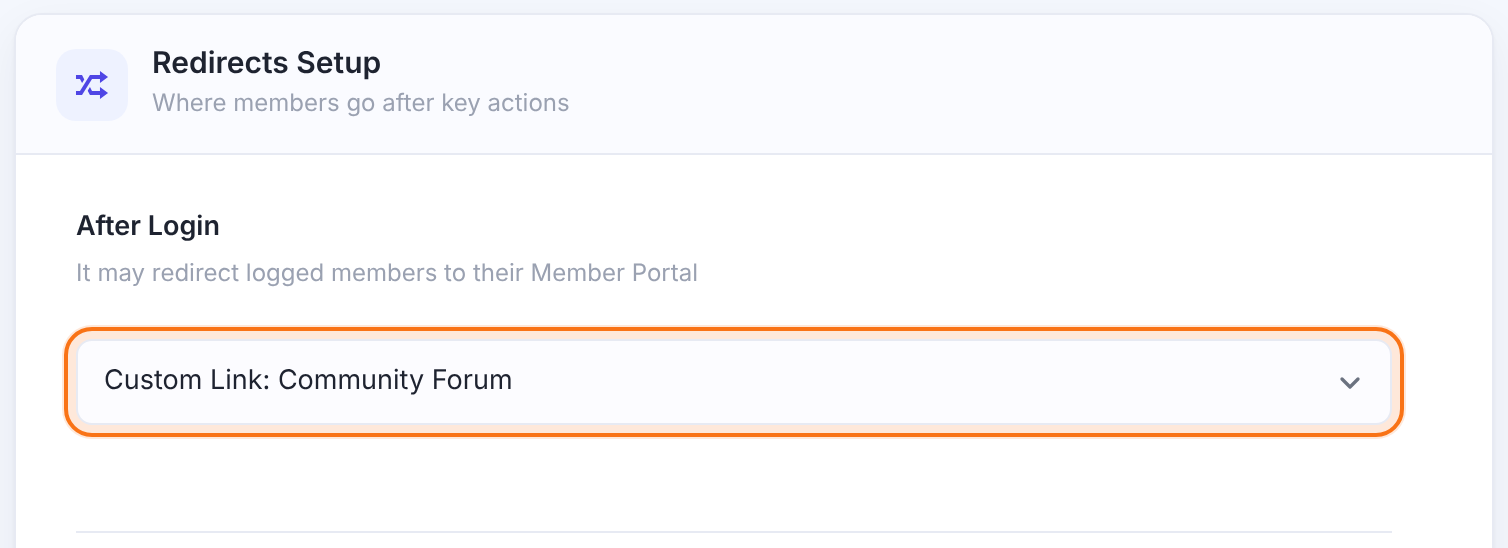
Open any redirect setting. Your links appear at the end of the list as Custom Link: <name>. For example, to send members to the forum after login:
- Go to Ultimate Membership Pro›Settings›Pages Setup.
- In Redirects Setup, set After Login to Custom Link: Community Forum.
- Click Save Changes.
You’ll find your links in these places:
Default Redirect Page, After LogOut, After Registration, After Login and After Password Reset. See Set up the membership pages.
The Redirect to option of a page’s Locker and the redirect of each Access Rule. See Restrict your first page and Restrict content with Access Rules.
Login Redirects+, Register Redirects+, Register Lite and the warning redirect of Prevent account sharing.
The redirects after a member clicks the verification link, in Settings›Email Verification.
Can I use external links?
Yes, in most places. A link to another website works for:
After Login (including Login Redirects+), After LogOut, After Registration (including Register Redirects+), Locker redirects, Access Rule redirects and the account sharing warning redirect.
The Register Lite redirect and the Email Verification redirects. Links to another website are not followed there; use a link or page on your own site.
After Password Reset and Default Redirect Page. Pick a page there; redirect links aren’t used, even when they point to your own site. To send visitors of one restricted page to a link, set it in that page’s Locker instead.
Example: Coaching Club
- Coaching Calendar
https://booking.example.com/coaching-club- Community Forum
https://forum.example.com- After Login
- Custom Link: Community Forum
Troubleshooting
Why doesn’t my redirect link appear in a list?
A new redirect link shows in a settings screen’s lists after you reload that screen. Also make sure the link is in the list on the Redirect Links screen.
Why does my redirect go to a broken address?
A redirect goes to a broken address when the link was saved without https:// or as a short path. Delete the link and add it again with the full address, such as https://yoursite.com/thank-you/.
Why is the old address still used after I added a link with the same name?
Redirect link names are unique, and the first link with a name stays. Delete the old link, then add the new one.
Why do visitors go to the home page instead of my link after a password reset or from a restricted page?
After Password Reset and Default Redirect Page only work with pages. Pick a page there, or set the link in the Locker of the restricted page.


