
Change plugin texts and messages
- View as Markdown Open this page as plain Markdown (opens in a new tab)
- Open in ChatGPT Ask questions about this page (opens in a new tab)
- Open in Claude Ask questions about this page (opens in a new tab)
- Open in Google AI Studio Ask questions about this page (Google account required) (opens in a new tab)
In Ultimate Membership Pro, every error, warning and success message the plugin shows can be reworded to match your site’s voice. Messages for the registration form, the login form and the Member Portal profile each have their own Custom Messages screen, and everything else changes through a translation file.
This guide rewords three messages for the Coaching Club site, then shows how to change texts that have no setting, such as the Username label or the Log In button.
Before you start
- Your forms are set up. See Set up the registration form and Set up the login form.
- Messages are short texts. Keep them plain; HTML is not needed.
Where each message lives
Ultimate Membership Pro›Registration Form›Custom Messages. Errors and the success message of the sign-up form.
Ultimate Membership Pro›Login Form›Custom Messages. Errors and the welcome message of the login form, and the lost password messages.
Ultimate Membership Pro›Settings›Custom Messages. The message after a member saves their profile.
Change the registration form messages
- Go to Ultimate Membership Pro›Registration Form and open the Custom Messages tab.
- Type your own text over the message you want to change.
- Click Save Changes at the bottom.
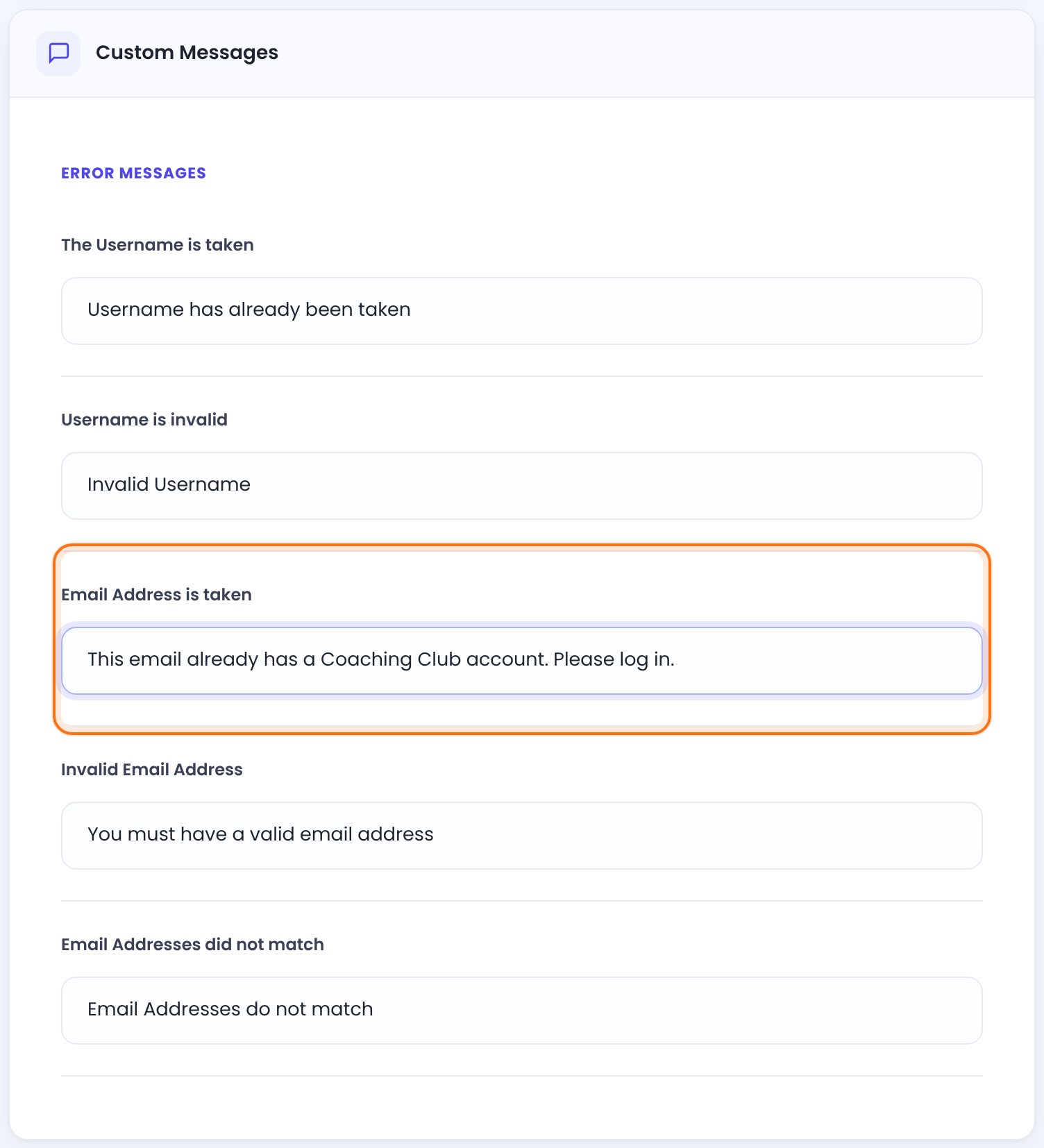
Error Messages
Someone already uses that username.
Default: Username has already been taken
The username has characters WordPress doesn’t allow.
Default: Invalid Username
The email belongs to an existing account. It’s also shown for addresses on the Email Address Black List in Settings › Security.
Default: Email address has already been taken
The email isn’t a valid address, or the field is empty.
Default: You must have a valid email address
The two email fields differ, when you use the Confirm Email field.
Default: Email Addresses do not match
For accounts waiting for approval. The text members see when they try to log in is Default Message for pending members, on the login form screen.
Default: Your Account has not been approved yet. Please retry later
A required field is empty. It appears under that field.
Default: Please fill out all mandatory fields
Google didn’t accept the reCAPTCHA. See Add Google reCAPTCHA.
Default: Error with Captcha
The terms checkbox isn’t ticked.
Default: Please agree to our Terms & Conditions
Another member already used this value in a custom field set to accept unique values only.
Default: This value is already exist.
Password Field Messages
Password and Confirm Password differ.
Default: New passwords do not match
Used when Password Strength Options on the Register Form Showcase tab is set to Characters and digits.
Default: Password must contain both letters and numbers
{X} is replaced by the Minimum Length set on the Register Form Showcase tab. Keep it in your text.
Default: Password must include minimum {X} characters
Used with the strength option Characters, digits, minimum one uppercase letter.
Default: Password must include characters, numbers, and at least one uppercase letter
Success Message
A confirmation text for a finished sign-up with no payment. To send new members to a welcome page instead, see Redirect members after registration.
Default: Successfully Register!
Change the login and password reset messages
- Go to Ultimate Membership Pro›Login Form and open the Custom Messages tab.
- Change the messages you want.
- Click Save Changes.
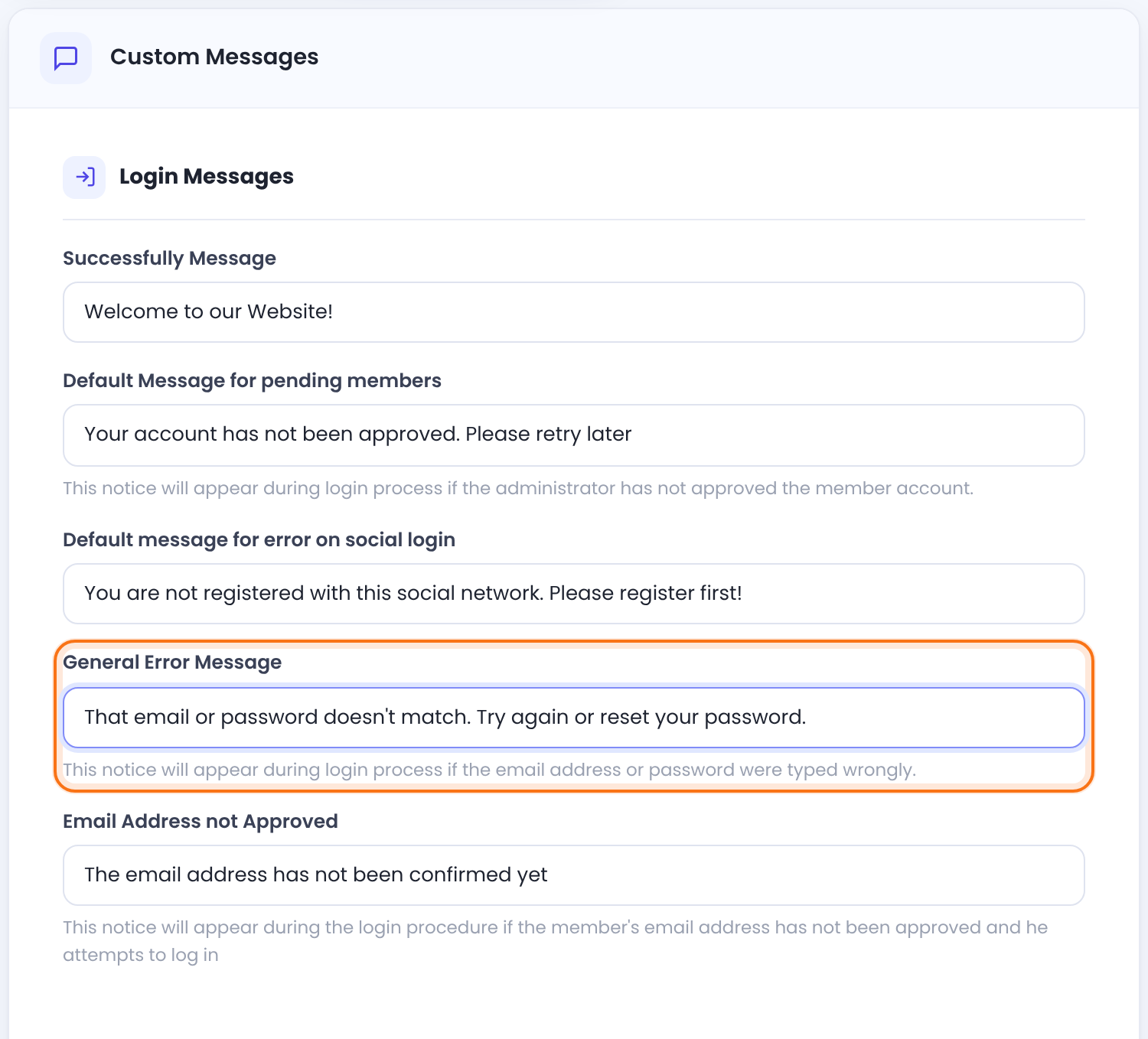
Login Messages
Replaces the form after a successful login when no redirect is set.
Default: Welcome to our Website!
The member’s account is waiting for your approval.
Default: Your account has not been approved. Please retry later
Someone used a social login button that isn’t linked to an account. See Let members log in with social accounts.
Default: You are not registered with this social network. Please register first!
Wrong username, email or password.
Default: Invalid email address or password entered
The member hasn’t clicked the verification link yet. See Verify members’ email addresses.
Default: The email address has not been confirmed yet
Reset Password Messages
The lost password form was sent.
Default: A new password has been sent to your email address
No account matches what was typed in the lost password form.
Default: Invalid email address or username entered
The reCAPTCHA on the login form wasn’t accepted. It sits in this group, but it’s a login form message.
Default: Error with Captcha
The username or password field of the login form is empty.
Default: Please fill out all mandatory fields
Two messages have no setting: Something went wrong, please try again later! (the login page was open too long or served from a cache) and the messages of the Security Login module, which you edit in that module. See Block brute-force login attempts.
Change the profile update message
- Go to Ultimate Membership Pro›Settings›Custom Messages.
- Change Update Successfully Message and click Save Changes.
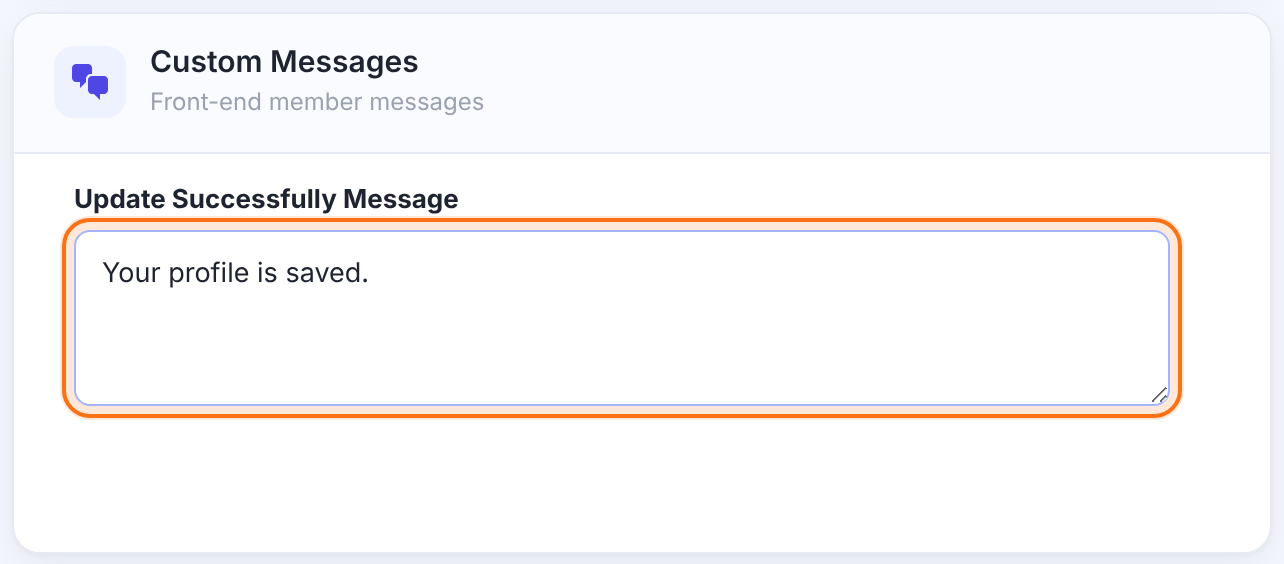
Shown at the top of the Member Portal profile form after a member saves their details or changes their password.
Default: Successfully Updated!
Change every other text with a translation file
Labels, buttons and fixed texts, such as Username, Password or the Log In button, have no message setting. Change them with a translation file, even if your site is in English. All plugin texts use the text domain ihc.
- Install a translation plugin such as Loco Translate.
- Create a translation of Ultimate Membership Pro for your site language, for example English (United States) or Romanian.
- Search for the text you want to change, type your version and save.
If you edit files yourself instead, create them from the plugin’s template and save them in this folder, named after your site’s locale:
Translation file location
wp-content/languages/plugins/ihc-<locale>.po
wp-content/languages/plugins/ihc-<locale>.mo

# example for a site in US English
wp-content/languages/plugins/ihc-en_US.mo
Keep translations out of the plugin folder
- Files saved inside the plugin’s own folder are replaced when you update the plugin.
- Use the real WordPress locale in the name, such as
en_US,ro_ROorde_DE. The locale must match your site language.
Field labels and multilingual sites
- You can rename most custom fields in Registration Form›Custom Fields. The native WordPress fields (Username, Email, First Name, Last Name, Website, Password, Confirm Password, Biographical Info) can’t be edited there; use the translation file. See Add custom fields to the registration form.
- Messages you type in the admin are settings, not part of the translation file. On a multilingual site, translate them with WPML String Translation. See Translate with WPML.
Example: Coaching Club
- Email Address is taken
- This email already has a Coaching Club account. Please log in.
- General Error Message (Login)
- That email or password doesn’t match. Try again or reset your password.
- Update Successfully Message
- Your profile is saved.
Troubleshooting
Why does the old text still show after I changed a message?
When the old text still shows, clear your page cache and open the page in a private window. On a multilingual site, check whether a translation of the message overrides your text.
Why does my translation file have no effect?
A translation file only works when its name is ihc- plus your exact site locale, such as ihc-en_US.mo. Names like ihc-en_EN don’t match any WordPress language.
Why does the Password Min Length message show {X}?
The plugin swaps {X} in the Password Min Length message for the number, so keep {X} in your text exactly as written.
Why can’t I find a text in Custom Messages?
Some texts aren’t in Custom Messages. Texts on the Member Portal, Checkout Page and Thank You Page screens have their own fields on those screens. Email texts are edited in each notification. Everything else is in the translation file.
What’s next
Share This Article :


#1 Membership WordPress Plugin