
PayPal Express Checkout is the second PayPal gateway in Ultimate Membership Pro. It connects to your PayPal account with API credentials (a username, password and signature), sends members to PayPal to approve the payment, and activates the Membership when PayPal sends your site an Instant Payment Notification (IPN).
This guide gets the API credentials, enters them for the Coaching Club site, adds the IPN address (required for this gateway) and runs a sandbox test.
Before you start
- You have a PayPal Business account that can create API signature credentials. For testing you also need a PayPal sandbox business account and a sandbox buyer account.
- Your site currency is one your PayPal account accepts. You set it under Ultimate Membership Pro›Settings›Payment Settings. See Set your currency.
- You have a paid Membership, for example Pro Monthly at $19/month. See Create your first Membership.
- Your site is reachable from the internet, so PayPal can send it payment notifications.
Which PayPal gateway?
PayPal (Standard)
- Connects with
- Your PayPal email
- IPN address
- Sent with each payment; adding it in PayPal is advised
- Cycles
- Up to 24 months or 5 years
- Page language
- Choose one of 24 languages
PayPal Express Checkout
- Connects with
- API username, password and signature
- IPN address
- Must be added in your PayPal account
- Cycles
- Up to 18 months or 1 year
- Page language
- No setting
Most sites only need one of the two. PayPal Standard is quicker to set up; see Set up PayPal Standard. For card payments on your own checkout page, Stripe Connect is the recommended gateway; see Set up Stripe.
What PayPal Express Checkout supports
Payments
- One-time
- Yes: LifeTime, Limited Time and Date Range Memberships
- Recurring
- Yes: Recurring Subscription Memberships, as a PayPal recurring payments profile
- Checkout
- Redirect to PayPal to log in and approve
Billing rules
- Cycles
- 1 to 90 days, 1 to 52 weeks, 1 to 18 months or 1 year
- Trials
- Free or paid, as one trial period
- Limited billing
- Max no of Periods from 2 to 52
Coupons work on the first payment or on every payment. The currency sent to PayPal is your site currency.
Open the PayPal Express Checkout settings
- Go to Ultimate Membership Pro›Payment Gateways.
- Find PayPal Express Checkout and click Complete setup. Once the gateway is active, the button reads Manage.

The settings page is called PayPal Express Checkout Gateway and has three cards: PayPal Express Checkout Setup, PayPal Express Checkout Settings and Extra Settings. Nothing is saved until you click Save Changes at the bottom of the page.
Turn on the gateway
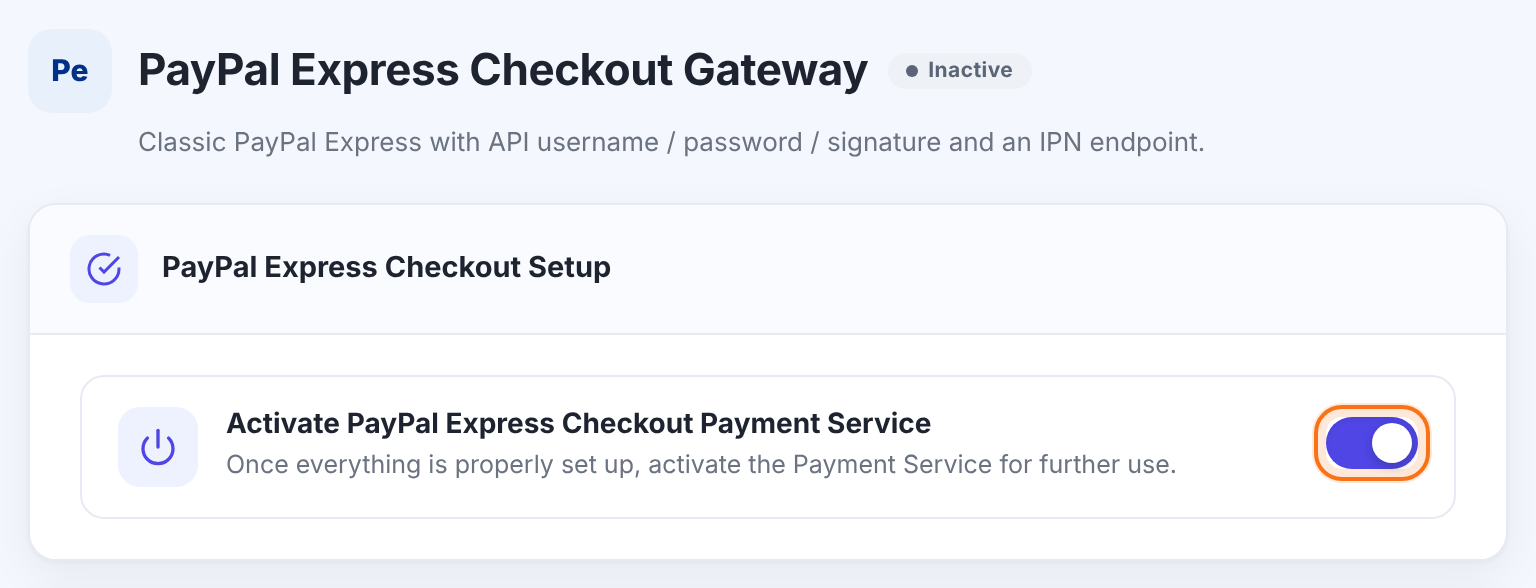
Makes the gateway available at checkout. It is offered to members only when this is on and API Username, API Password and API Signature are all filled in.
Default: Off
Get your API credentials from PayPal
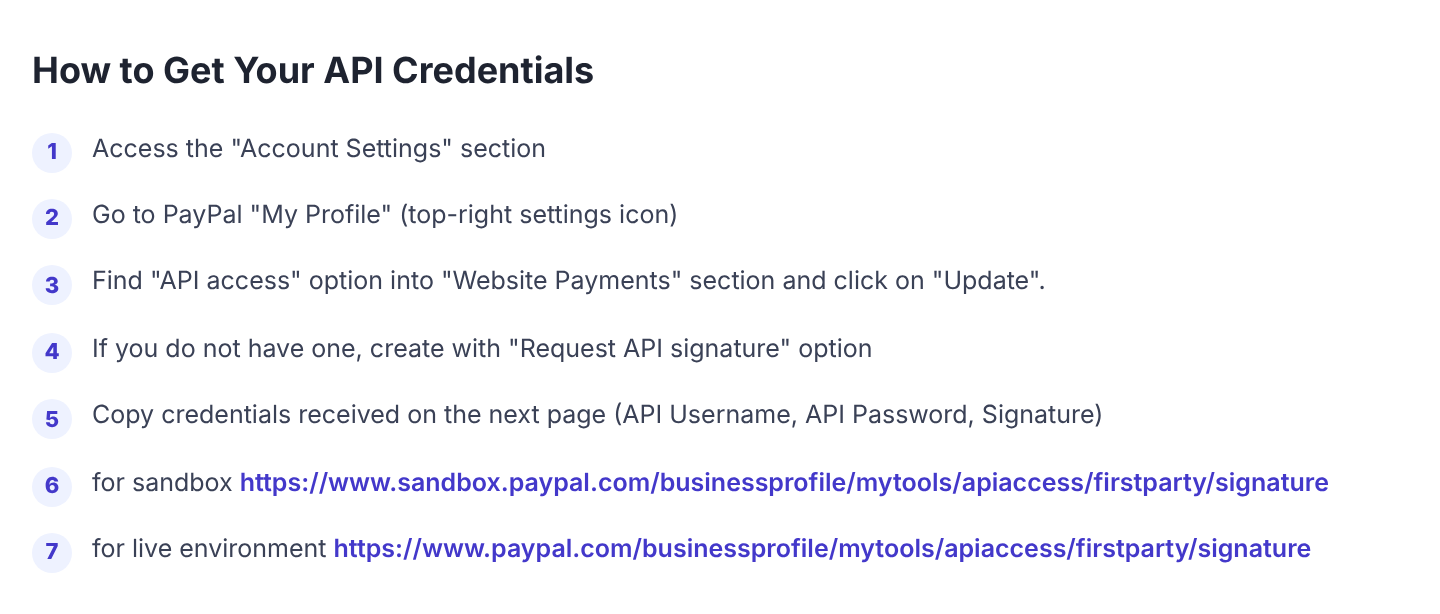
- Log in to the PayPal business account (for testing, the sandbox business account) and open Account Settings.
- In the Website Payments section, find API access and click Update.
- If you don’t have credentials yet, choose Request API signature.
- Copy the three values PayPal shows: API Username, API Password and Signature.
Sandbox and live accounts have different credentials. Use the sandbox ones while you test, and the live ones afterwards.
Enter the credentials
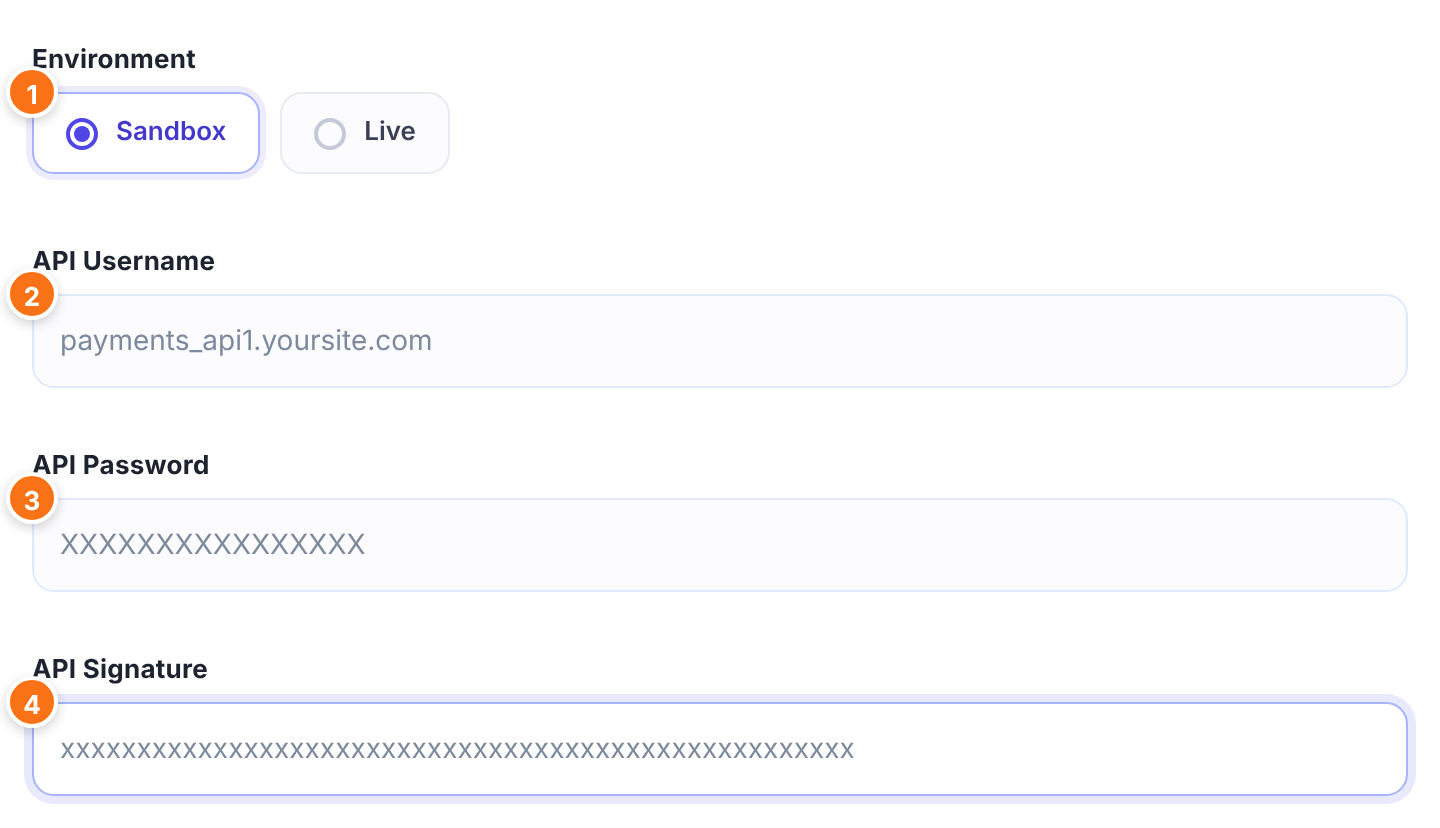
Sandbox talks to PayPal’s test system and sends members to sandbox.paypal.com. Live takes real payments. Match it to the credentials you paste.
- Sandbox: test credentials, no real money.
- Live: real payments.
Default: Live
The API Username from PayPal, for example something ending in _api1 followed by your account domain.
The API Password from PayPal. The field shows it in plain text, so keep the screen private.
The long Signature from PayPal.
Paste each value exactly as PayPal shows it, without spaces before or after. If PayPal rejects the credentials, members who choose this gateway are not sent on to PayPal.
Add the IPN address in PayPal
This step is required. PayPal Express Checkout marks an order as paid when PayPal’s IPN reaches your site, and PayPal sends the IPN to the address set in your PayPal account. The address is:
https://yoursite.com/?ihc_action=paypal_express_checkout_ipn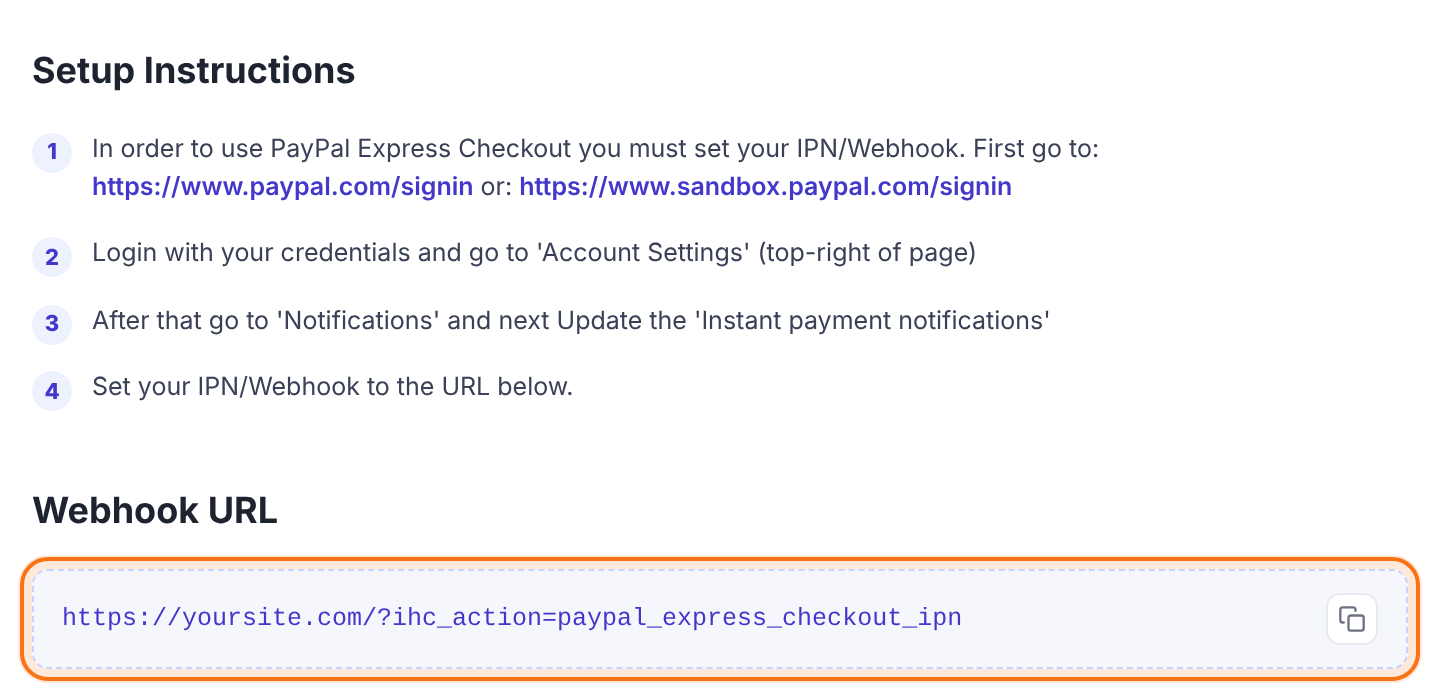
- Log in at paypal.com (or sandbox.paypal.com for testing) and open Account Settings at the top right.
- Go to Notifications and click Update next to Instant payment notifications.
- Turn on IPN messages, paste the Webhook URL as the notification URL, and save.
Open the address in a browser to check it’s reachable: it shows “No Payments details sent. Come later”. Keep it free of password protection, maintenance mode and firewall rules.
Set the return page and checkout display
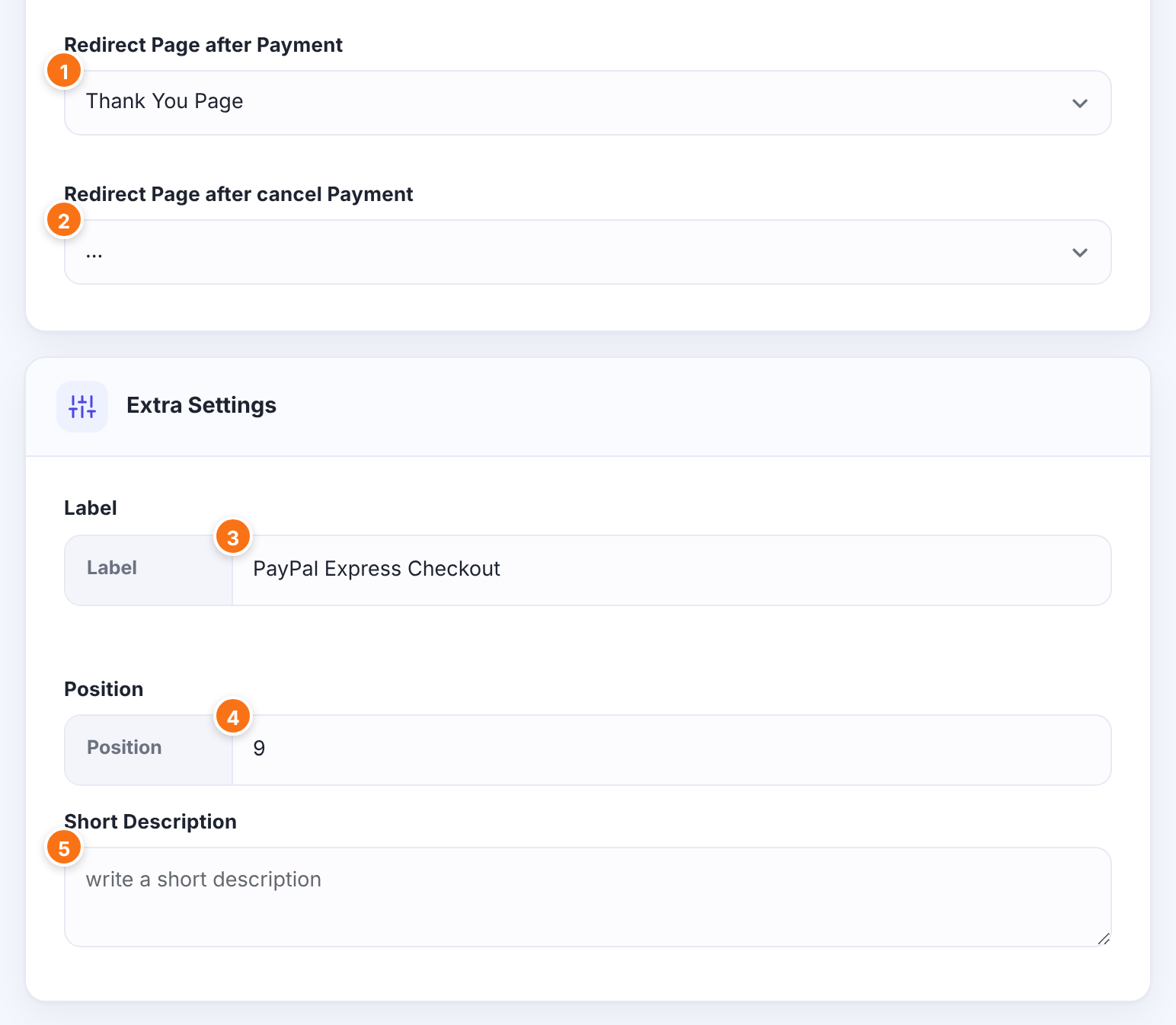
The page members return to after approving the payment on PayPal. Leave … to use your Thank You page (set under Ultimate Membership Pro›Settings›Pages Setup). Arriving on this page doesn’t activate the Membership yet; the IPN does.
Default: …
For members who cancel on PayPal’s page instead of approving the payment.
Default: …
The name of this payment method that members see at checkout and in Payment History.
Default: PayPal Express Checkout
The order of this gateway among the payment methods at checkout. Lower numbers come first.
Default: 9
Optional text about the gateway, saved with its settings.
Click Save Changes. Back on Payment Gateways, the gateway now shows Sandbox or Live and a Manage button.
Test a payment in the sandbox
- With Environment set to Sandbox, the sandbox credentials saved and the IPN address set in the sandbox business account, open your site in a private window and buy Pro Monthly.
- Choose PayPal Express Checkout at checkout. Log in on PayPal’s sandbox page with your sandbox buyer account and approve.
- You return to the Redirect Page after Payment.
- In Ultimate Membership Pro›Payment History, the order changes from Pending to Completed when the IPN arrives, and the Membership becomes active.
When the test works, switch to Live, paste the live credentials, set the IPN address in the live PayPal account, and save.
Limits to know
- Billing cycles can be up to 90 days, 52 weeks, 18 months or 1 year.
- A limited plan is billed 2 to 52 times (Max no of Periods). A trial is always one period.
- After two failed recurring payments, PayPal suspends the profile, and the Membership is removed when PayPal reports it.
- Buyers approve the payment on PayPal’s page. Whether they can pay by card without a PayPal account depends on your PayPal account and on your and the buyer’s country.
- Without the IPN address in your PayPal account, every order stays Pending.
Members can cancel from your site
When a recurring Membership was paid with PayPal Express Checkout, members can cancel it from the Member Portal, and Ultimate Membership Pro stops the PayPal profile for them. See Set up the Member Portal.
Example: Coaching Club on PayPal Express Checkout
- Environment
- Sandbox for testing, then Live
- API credentials
- Sandbox set first, then the live set
- IPN address in PayPal
https://yoursite.com/?ihc_action=paypal_express_checkout_ipn- Redirect Page after Payment
- Thank You Page
- Label
- PayPal Express Checkout
- Position
- 9
- Membership
- Pro Monthly, Recurring Subscription, 1 Months, $19
Troubleshooting
Why do members stay on my site after choosing PayPal Express Checkout?
PayPal didn’t accept the request, usually because of wrong credentials or credentials from the other environment. Paste the API Username, API Password and API Signature again, without spaces, and check that Environment matches them.
Why is the order still Pending after a member approved the payment?
The IPN hasn’t reached your site. Check the Instant payment notifications address in the PayPal account that received the money. See Paid, but the Membership is still on hold.
Why doesn’t PayPal Express Checkout appear at checkout?
The gateway is shown only when it’s switched on and all three API fields are filled in. Also check that the Membership allows this payment method.
Can buyers pay by card without a PayPal account?
PayPal decides, based on your PayPal account settings and on your and the buyer’s country. See PayPal doesn’t show the credit card option.
Why does the Webhook URL show “No Payments details sent. Come later” in my browser?
That’s expected. The address only acts when PayPal sends an IPN to it; in a browser it shows this message, which also proves it’s reachable.


