
In Ultimate Membership Pro, the Granted Subscription add-on lets you pick one Membership that opens every restricted page and post, even when its restrictions name other Memberships. It is the easy way to run an all-access plan, such as an Annual Pass, without adding it to the access rules of each page.
This guide switches the add-on on, picks the all-access Membership and shows what members with it can open.
Before you start
- The Granted Subscription add-on is installed and active. It’s a Pro add-on, included in the Full Package and Agency plans. See Install a Pro add-on.
- Your license is active. See Find and activate your license key.
- You have at least two Memberships, and some content restricted to one of them. See Restrict content with Access Rules.
Turn it on and pick the Membership
- Go to Ultimate Membership Pro›Modules and open the Granted Subscription card.
- Switch on Activate/Hold Granted Subscription Integration.
- Under Target Subscription, choose the all-access Membership, then click Save Changes.
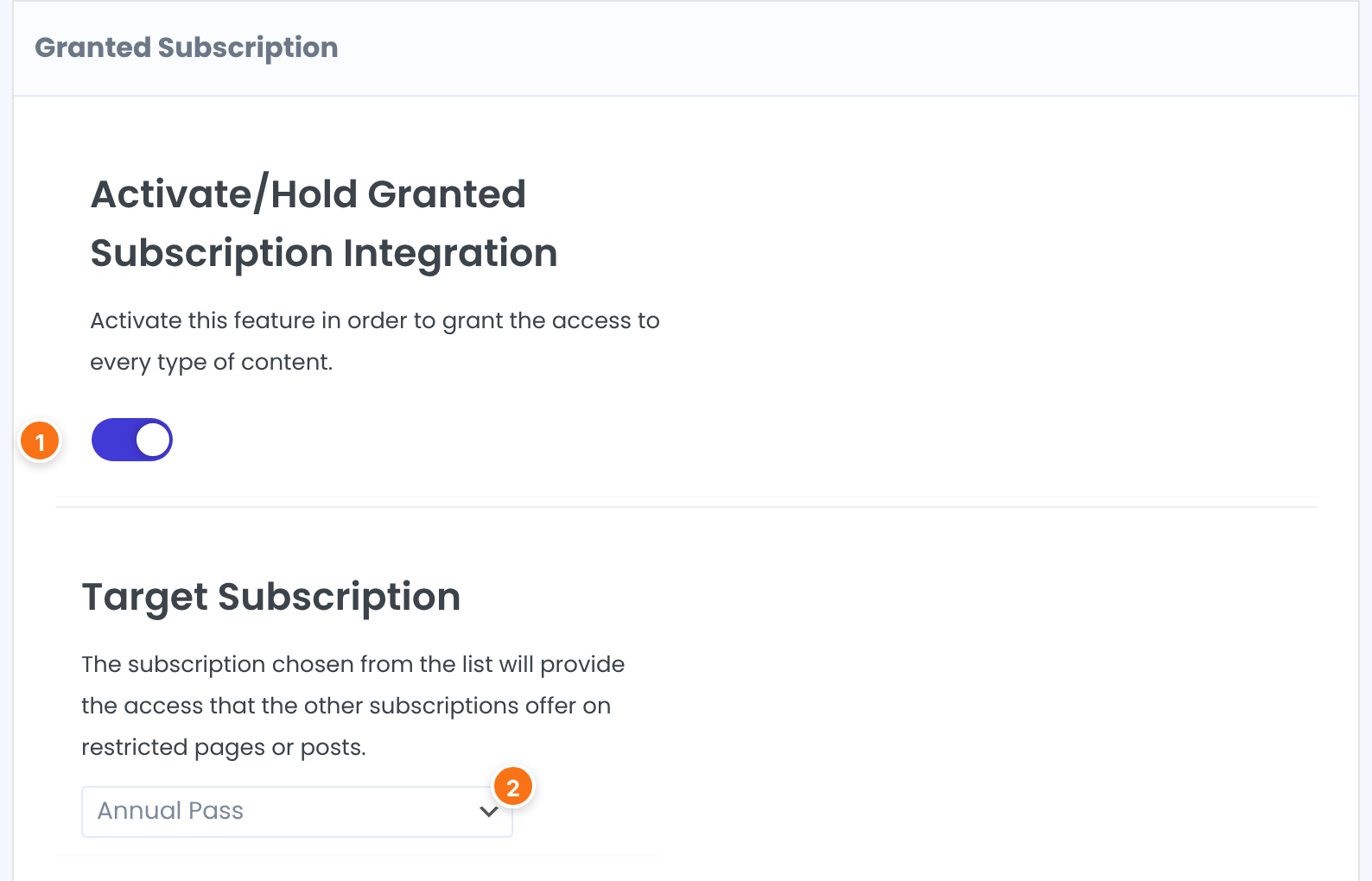
Turns the add-on on. The explanation on the screen reads: activate this feature in order to grant the access to every type of content.
Default: Off
The Membership that provides the access the other Memberships offer on restricted pages or posts. With … selected, nothing changes.
Default: … (none)
See what the Membership opens
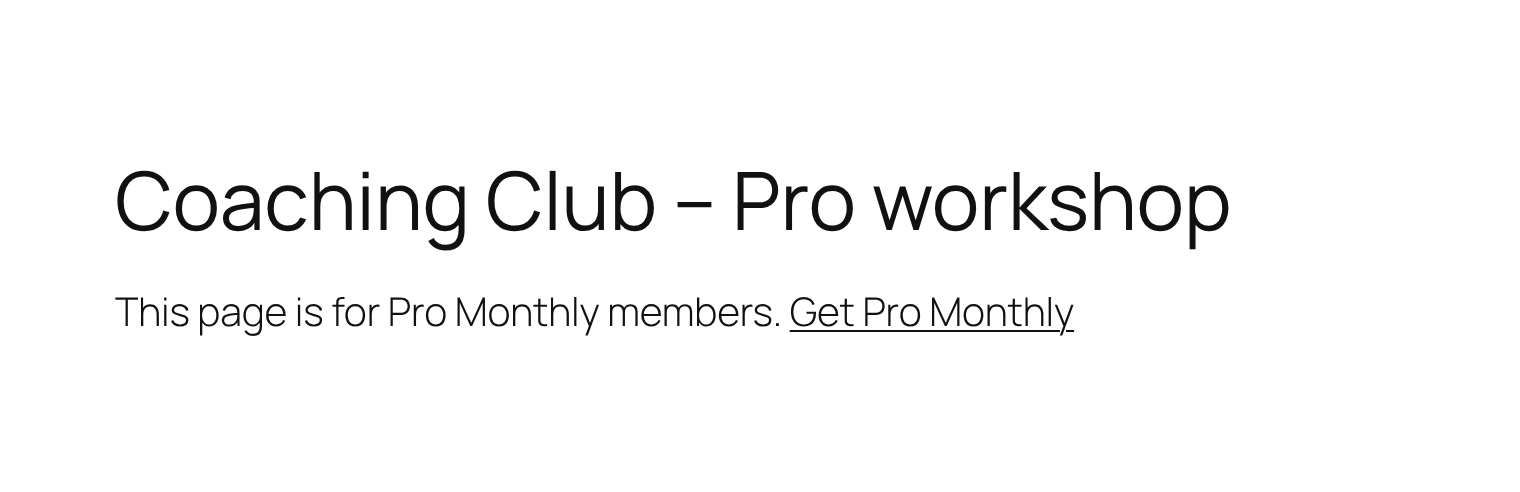
A logged-in member whose Target Subscription is active passes the restriction checks everywhere. This covers restricted pages and posts, Access Rules, Inside Lockers and restricted menu items. Take a page restricted to Pro Monthly only. A member who has only the Annual Pass sees the message for non-members:
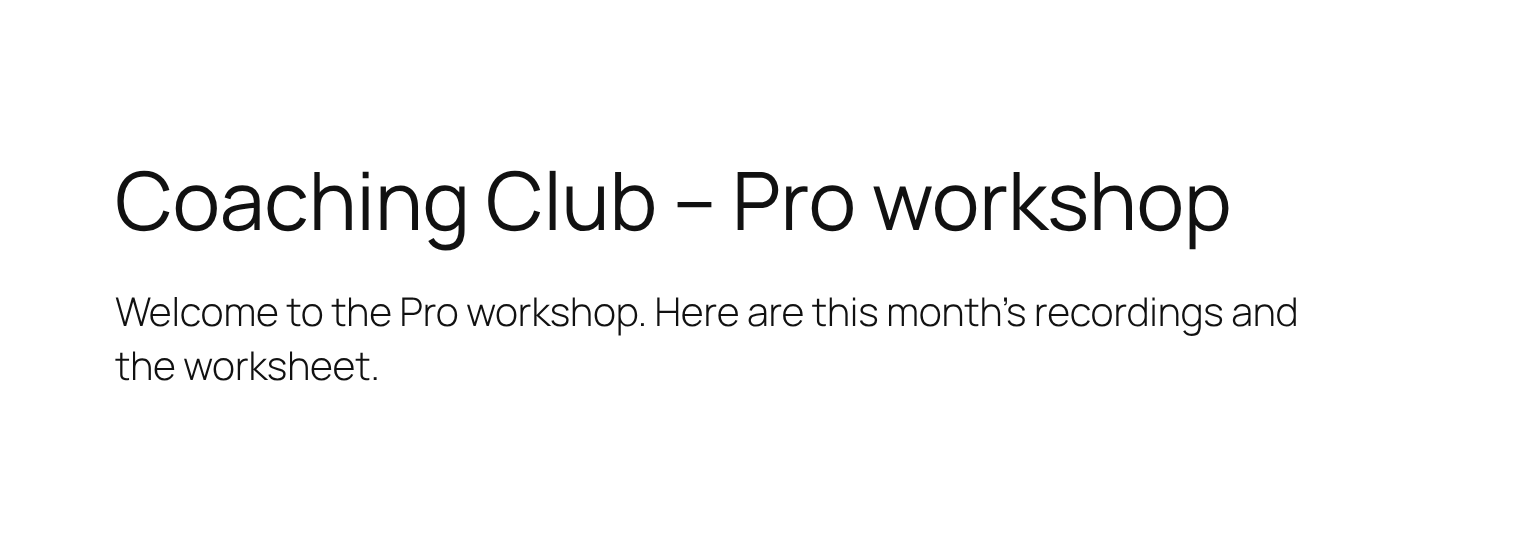
With the add-on on and Annual Pass as the Target Subscription, the same member sees the page:
Good to know
- You do not change any access rule. The add-on works on top of the rules you already have.
- The member’s Target Subscription has to be active. When it expires, the member is back to the access of the Memberships they still hold.
- It applies to restrictions that show content to certain Memberships and to the ones that block it.
- Only one Membership can be the Target Subscription.
Example: an all-access Annual Pass
- Activate/Hold Granted Subscription Integration
- On
- Target Subscription
- Annual Pass
- Page “Coaching Club – Pro workshop”
- Restricted to Pro Monthly only
- Result
- Pro Monthly members and Annual Pass members can open it. Free Community members cannot.
Learn more about Granted Subscription
- Granted Subscription add-on page: what it does, at a glance.
- All Pro add-ons for Ultimate Membership Pro.
- Ultimate Membership Pro plans: Pro add-ons come with the Full Package and Agency plans.
- What a paywall is (Wikipedia).
Troubleshooting
A member with the Target Subscription still can’t open a page. Why?
Check that the add-on switch is on and saved, that Target Subscription shows the right Membership instead of …, and that the member is logged in with that Membership active. Visitors who are not logged in never get access from this add-on.
Can I give access to everything to more than one Membership?
No. The add-on takes one Target Subscription. To let more Memberships open a page, add them to the access rule of that page. See Restrict content with Access Rules.
How do I make one Membership open all restricted content in Ultimate Membership Pro?
Turn on the Granted Subscription add-on, choose the Membership under Target Subscription and save. Members with that Membership active can then open every restricted page and post.
Is there a way to open content by visitor location instead of by Membership?
Yes. See Open restricted content to trusted IP addresses (Granted Access Based On IP).


